


Modelling Twitter in Cloud FireStore!
One of the most challenging aspect of product development is to determine optimal data structure. Ideally what one would want is to minimise the cost and maximise performance. But that’s easier said than done, especially with NoSql db’s such as cloud FireStore where everything has to be planned ahead keeping cost into consideration.
Another challenging aspect of starting up a project in NoSql db like cloud FireStore, is that developers from relational db’s think that they might have to unlearn a lot of the concepts from relational database in order to learn data modelling in NoSql db’s. So the question is that, is it different from relational db? Well! It’s a myth!
There are four important factors to keep in mind while deciding upon an optimal data model in NoSql db’s like cloud FireStore, which help us to get *almost every thing out of a NoSql db like cloud FireStore in comparison to any other relational db’s. Let’s go through them one by one.
1. Plan Ahead.
What i mean by plan ahead is to structure the data model in such a way that model data fits to the screen. Ideally every time a view is rendered, there should ideally be a single doc read or a single query that fetches information related to that view.

2. Denormalisation.
Denormalisation in NoSql is similar to one in sql, in which we come to a point of compromise where we decide that we’re okay with some redundancy and some extra effort to update the database in order to get the efficiency advantages of fewer joins. But denormalisation doesn’t mean we don’t do normalisation, denormalisation comes after normalisation is done.
3. Duplicate.
Data duplication in cloud FireStore is ok, as the FireStore costing is more oriented towards operations rather than the storage itself, hence in order to have faster and optimised query, duplication of data after normalisation is ok!
4. Aggregation.
Proper aggregation of data is one of the most important aspects to keep in mind, since it can get really costly in case not structured properly. Especially in a NoSql db’s like FireStore, which is more oriented towards operations in terms of cost. There has been cases of projects getting $ 30k bill in just 72 hrs, hence aggregation becomes important.
Let’s Model Twitter!
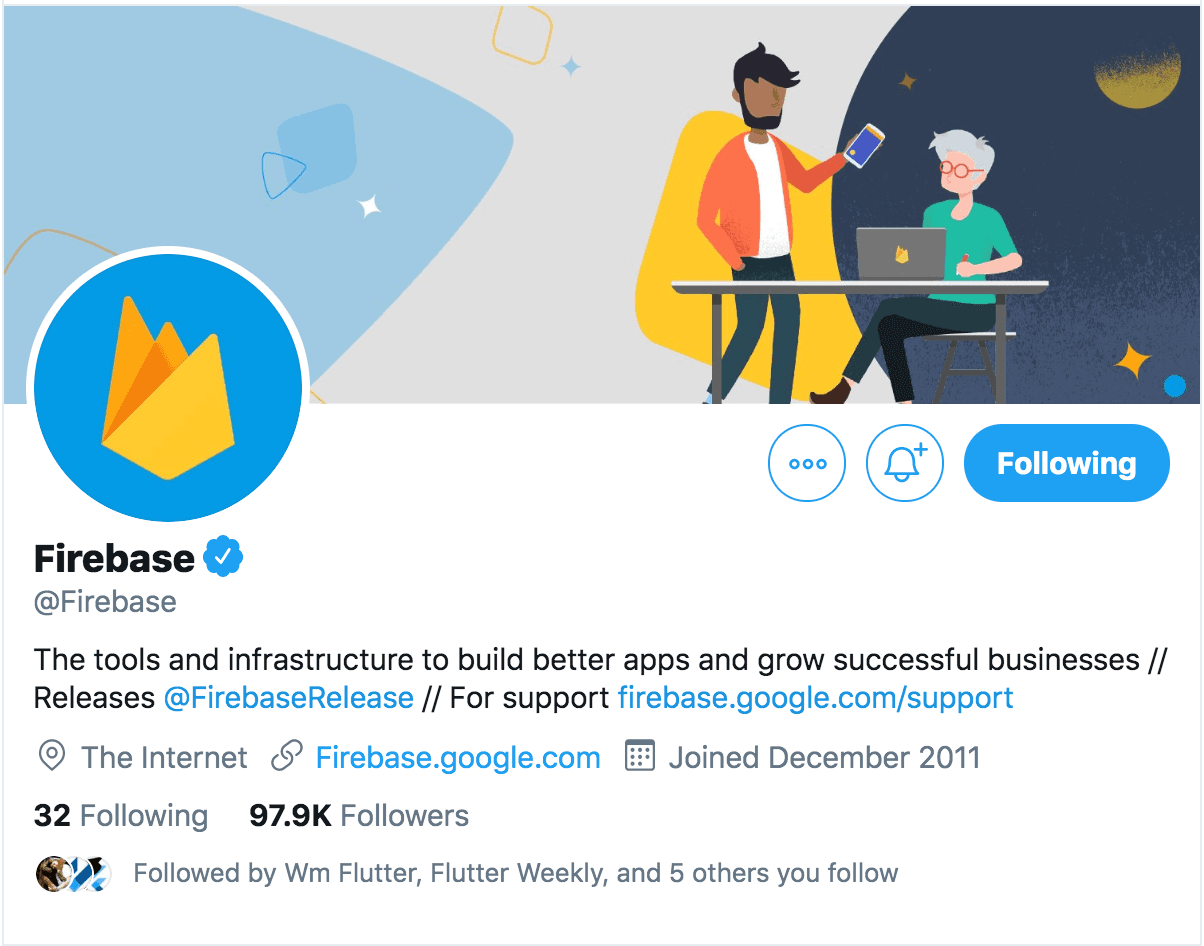
1. One to One relation: Each user has one account, hence each user have a unique id. In this case the UID of a user becomes it’s primary key similar to relational data base. Now all the user attributes are scoped under the UID. Here’s how a typical document scoped under a UID would look.
users:[ "uid1": {
name: "Firebase",
bio: "The tools and infrastructure to build better and successful apps",
followers: 97999,
following: 32,
profilePic: "https://twitter.com/Firebase/photo"
}
]
Here, users is a collection and uid1 is a document, so it gives us a simple one to one relationship for Firebase’s profile with info being scoped under the uid1.
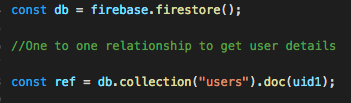
2. One to Many relation: A user profile can have many tweets , so we have one to many relationship now. Since firebase has this flexibility of embedding an object within an object, one could possibly think of embedding tweets object within the user object itself.
users:[ "uid1": {
name: "Firebase",
bio: "The tools and infrastructure to build better and successful apps",
followers: 97999,
following: 32,
profilePic: "https://twitter.com/Firebase/photo",
tweets:[
tweet1:{
content:"Firebase expands support to web Analytics"
createdAt:"11/19/2019"
}
]
}
]
The above way of modelling the data is not scalable as a document can grow upto a size of 1 mb at max, so in case of scaling this way of modelling the tweets won’t work.
Another way of modelling this relation is to create a sub-collection within the user collection where tweets are scoped under the UID.
users:[ "uid1": tweets:[
'tweet1':{
content:"Firebase expands support to web Analytics",
userId: "uid1",
userName:"Firebase",
createdAt:"11/19/2019",
},
]
]
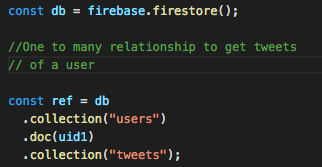
Although this was of modelling the tweets does give you a one is to many relationship, but what if we want all the tweets of all the users for a particular day? In this case the above way of modelling the data won’t work, as tweets are scoped under the UID.
So in case of twitter , we would be moving the tweets out of the scope of a UID and will create a tweets collection such as:
tweets:[
"tweet1": {
content: "MS-DOS was Dark Mode by default.",
userId: "uid1"
createdAt:"11/19/2019",
userName: "Firebase"
},
"tweet2": {
content: "Firebase expands web support with Google analytics",
userId: "uid1"
createdAt:"11/19/2019",
userName: "Firebase"
},
]
The advantage of modelling the data this way is that one to many relation stands as well as tweets are no longer scoped within the UID. So we can do query and get all the tweets for a particular day or all the tweets by a user as follows.
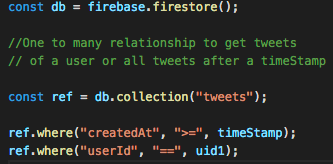
3. Many to many relations: Let’s focus more on tweets, as that is where we would be getting most of our relationships from.
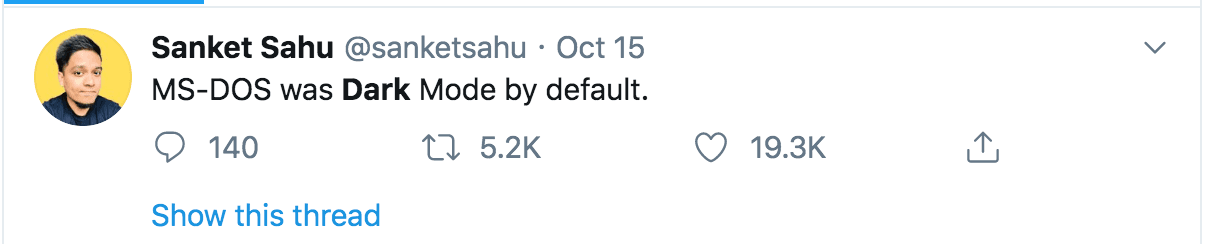
As we know a tweet can be re-tweeted and liked multiple times, and a user likes and re-tweet a tweet. So re-tweet is not only associated to a tweet but also to a user as a user would be liking a tweet, so we have many to many relationship here. The idea of embedding the users object inside tweet doc is already discarded from our discussion above. So how to model data in cloud FireStore for such relations?
One such way is to use the concept of composite strings, where we create a like or re-tweet collection and customise our doc id with the combination of UID+TweetId.
likes:[
uid1_tweet1:{
userId:"uid1",
tweetId:"tweet1"
},
uid1_tweet2:{
userId:"uid1",
tweetId:"tweet1"
},
]
The advantage of modelling the like collection this way is that every time a tweet is rendered, the client will just do one query to check if a doc with a combination of userid+tweetid exist in the likes collection or not? Incase it exists, we know that the user has already liked the tweet, and prevents the user to like the same tweet again. Incase the user undo his like, the doc with the combination of that userId and tweet id would get deleted from the like collection.
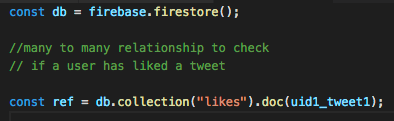
4. Concept of Aggregation: We have list of all the users who have liked or re-tweeted under the likes collection, but in order to show the count, we still have to get all the docs from likes collection and aggregate it in front-end, which is very costly operation, as it involves a lot read operations every time a tweet is rendered. So to avoid that we will add two attributes likeCounts and reTweetCounts under the Tweet object and keep track of the count through a cloud function.
tweets:[ "tweet1": {
content: "MS-DOS was Dark Mode by default.",
userId: "uid1"
createdAt:"11/19/2019",
userName: "Firebase"
likeCount: 19400,
reTweetCount: 5670
},
]
The advantage of modelling the likes and re-tweet count this way is that we get the like and re-tweet count in a single document read and saves us in terms of cloud FireStore billing.
Thank you for Reading.
This article is written by Pushkar who is currently working at GeekyAnts as a Senior Software Engineer.







