

Key Insights
- RAG chatbots cannot complete enterprise workflows because they lack state, write access, and authorization controls. This is an architecture problem, not a model problem.
- Google's Managed Agents API eliminates infrastructure setup, but the authorization model, tool scope, and approval gates are yours to design.
- Production agentic workflows require seven layers from interface to audit, and skipping any one of them turns a pilot into a failed deployment.
- Start with one well-defined, API-accessible workflow, govern it for 30 days, and let real production data guide how far you expand.
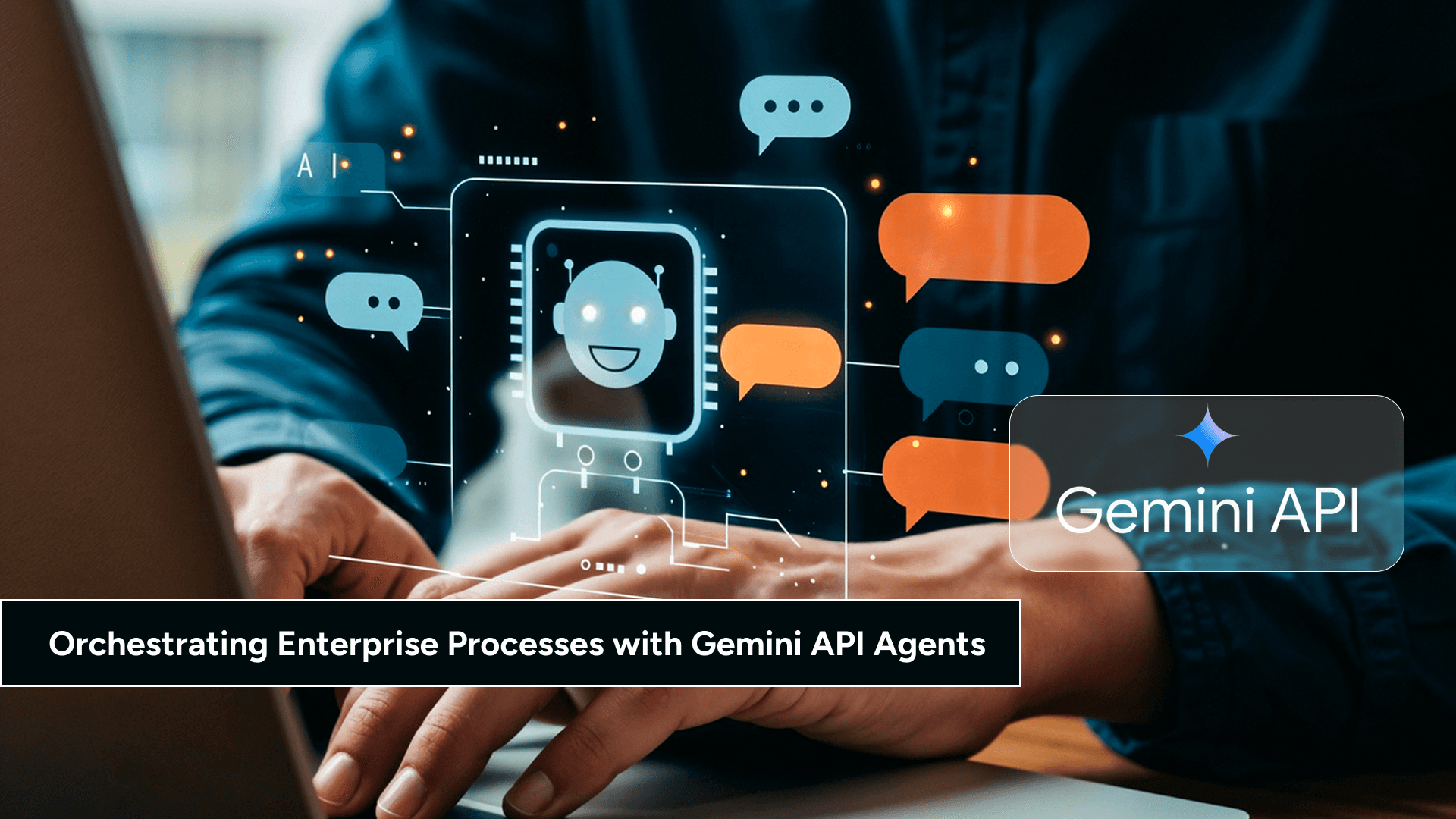
Google I/O 2026 made one thing clear to enterprise buyers: the AI investment question has changed. At the developer keynote, Google framed this shift as a move from assistive AI toward independent agents that can navigate complex workflows. For the past two years, most organizations were asking whether AI could improve their operations. The question now is whether the architecture they have built can actually support agents that complete work. With the Managed Agents now available in the Gemini API, running inside a secure cloud sandbox called the Antigravity agent, the infrastructure barrier that kept most teams in pilot mode has been lowered. What remains is the harder problem. How do you take a real business workflow, one that touches internal systems, requires permissions, involves human sign-offs, and carries compliance requirements, and hand it to an agent without creating new operational risk? That is what this post addresses.
Source: All the news from the Google I/O 2026 Developer keynote
Why RAG Chatbots Hit a Ceiling in Enterprise Workflows
Most enterprise AI deployments today follow the same pattern. A team connects an LLM to a knowledge base, adds a retrieval layer (RAG, or Retrieval-Augmented Generation, pulls relevant documents at query time to ground the model's response), wraps it in a chat interface, and ships it as an internal assistant. This works for information retrieval. Ask the system about a refund policy or an onboarding process and it returns a grounded answer. The problem surfaces the moment the workflow moves past answering.
A support resolution workflow ends when the ticket is updated, the refund is issued, the customer is notified, and the case is closed. Those steps happen inside ServiceNow, Salesforce, an internal billing API, and an email system. A RAG chatbot cannot write to any of them.
Many enterprise AI deployments are stuck in pilot mode. The most common root causes are not model capability problems. They are architecture problems: unclear success criteria and insufficient data or tool access to the systems the workflow touches.
Three specific gaps explain why RAG chatbots stall at the edge of real workflows. The first is state. Each conversation starts fresh. There is no persistent record of what happened in step one when the agent reaches step four. The second is write access. RAG systems retrieve and summarize but cannot update records, trigger downstream processes, or call transactional APIs. The third is authorization scope. When a workflow touches sensitive data or requires approval before an irreversible action, a chatbot has no mechanism to enforce that boundary. A governed agent is a different class of system.
Capability | RAG Chatbot | Managed Agent |
|---|---|---|
Information retrieval | Yes | Yes |
Persistent state across staps | No | Yes |
Write access to internal systems | No | Yes |
Authorization and approval scope | No | Yes |
Multi-step workflow execution | No | Yes |
Tool and API integration | No | Yes |
Audit and observability | No | Yes |
What Managed Agents in the Gemini API Actually Change
Watch: Build agents with Gemini API — Google I/O 2026
Watch the full session on the Google I/O 2026 Explore Page.
Before Google I/O 2026, building a production-grade agent on the Gemini API required choosing between two paths. The first was stateless API calls: send a prompt, receive a response, rebuild context on every turn. The second was building your own infrastructure: provision VMs, configure isolated sandboxes, manage credential injection, wire security policies, and maintain the orchestration layer across model calls.
Managed Agents significantly reduce the infrastructure work required to build production-grade agents by providing a managed runtime, persistent environments, tool execution, and state management through the Gemini API.
When a developer calls the Managed Agents API, Google provisions a remote Linux sandbox called the Antigravity harness, where the agent runs. Inside that environment, the agent can reason across multi-step tasks, execute code, call tools, read and write files, and interact with external services. State persists across interaction calls. Pass the same environment_id in a follow-up call and the agent picks up where it left off, with all files and intermediate outputs intact. Source
For enterprise teams, three specific capabilities shift the implementation calculus. First, persistent environments mean the agent maintains context across a long-horizon task, such as processing a vendor invoice through three internal approval stages, without losing state between steps. Second, custom skills let teams define agent behavior in structured Markdown files (AGENTS.md and SKILL.md) rather than writing orchestration code. A skill file describes what the agent should do in a given context, what tools it can use, and what constraints apply. Third, credential injection happens server-side through an egress proxy. The sandbox never sees credentials as environment variables or files, which removes a significant attack surface.
The Google Cloud documentation is explicit on scope: never pass credentials you are not comfortable with the agent using, and only provide credentials whose full scope of access you are willing to grant. That framing reflects something important. The API hands developers managed infrastructure. The enterprise control plane, covering what the agent is authorized to do, which systems it can reach, and what requires human sign-off, is still the implementing team's responsibility to design.
This is where GeekyAnts's work begins. Designing the authorization model, tool scope, approval gates, and audit trail for a production enterprise workflow requires a different kind of engineering.
GeekyAnts POV
Managed infrastructure reduces setup friction. GeekyAnts designs the enterprise control plane.
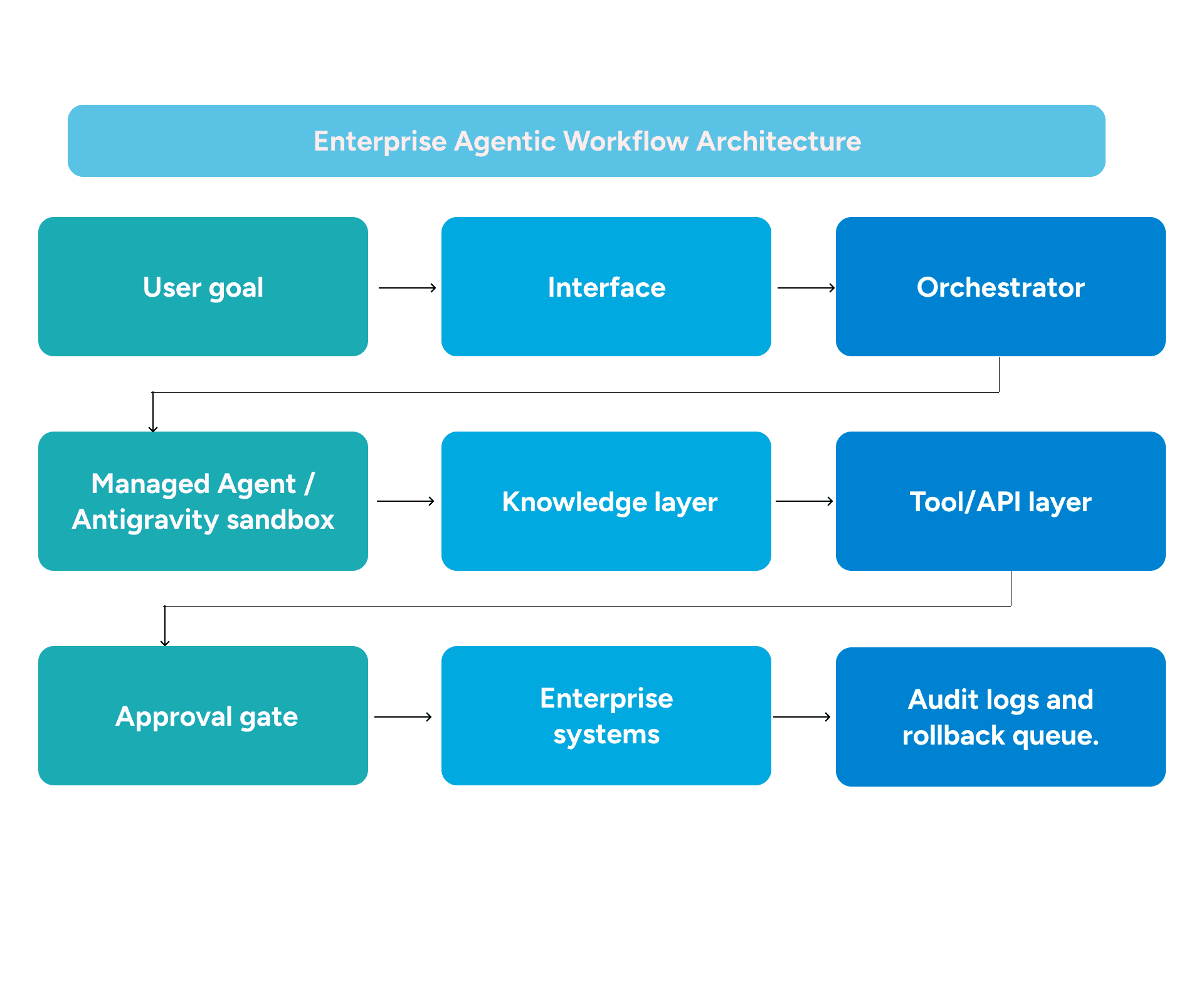
Reference Architecture: From User Goal to Verified Action
A production agentic workflow on the Managed Agents API has seven layers. Understanding each layer is what separates a proof of concept from something an engineering team can maintain.
1. Interface layer
This is how the user or upstream system initiates the workflow. It can be a chat UI, a scheduled trigger, a webhook from an internal system, or an event from a message queue. The interface layer does not contain business logic. Its job is to pass a structured goal to the orchestrator and surface the result.
2. Orchestrator
This layer receives the goal, breaks it into steps, and coordinates agent calls. For simpler workflows, the Antigravity agent handles orchestration internally. For complex workflows that span multiple systems or require parallel sub-tasks, the orchestrator manages the sequence, routes to the right agent or sub-agent, and handles failures. The orchestrator also owns the human approval gate. Before any irreversible action, such as submitting a purchase order, sending an external communication, or modifying production data, the orchestrator pauses and requests confirmation from an authorized human.
3. Model layer
This is the Gemini model doing reasoning inside the Antigravity harness. Gemini 3.5 Flash handles most agentic workflows given its speed and performance on long-horizon tasks. For workflows that require complex reasoning across large documents, Gemini 3.5 Pro is the alternative, currently in development by Google. Teams do not manage this layer directly. The harness selects and manages model calls based on the agent configuration.
4. Tool and API layer
This layer contains the integrations the agent can call: internal REST APIs, database connectors, ticketing systems, communication platforms, and external services. Each tool must be registered with an explicit scope. The principle is minimal footprint: the agent gets access to the exact tools the workflow requires and nothing beyond that. This is enforced at the sandbox configuration level, not at the application level.
5. Knowledge layer
Structured context the agent retrieves when it needs it. This is where RAG still has a role, but a narrower one. The knowledge layer supports the agent's reasoning, it does not drive the workflow. Policy documents, product catalogs, and historical records sit here and are fetched as needed.
6. Sandbox and execution layer
Google manages this. The Antigravity harness runs in an isolated Linux container. Network egress beyond the sandbox requires explicit configuration. Any outbound connection to an internal API or external service must be on an approved allowlist.
7. Audit, observability, and rollback
Every agent action, tool call, decision point, and approval event must produce a structured log entry. This is not optional for enterprise deployment. It is what enables debugging, compliance reporting, and incident response. Rollback capability means every workflow that writes data or triggers an external action has a defined reversal path. If the agent executes a step incorrectly, the system needs a mechanism to undo it or flag it for human correction.
GeekyAnts brings frontend, backend, AI, DevOps, and QA into one implementation path across all seven layers. Each discipline has a distinct responsibility in making this architecture production-ready.
Migration Playbook: Turning a Legacy Workflow into an Agentic Workflow
Not every existing workflow is a good candidate for agent migration on day one. The teams that scale successfully start with workflows that are well-defined, already have API access to the underlying systems, and carry manageable risk if something goes wrong.
The first thing to do is map your existing workflows across two axes: how clearly the process is defined and how much of it is already accessible via API. A workflow qualifies for early migration if the steps are documented, the decision logic is explicit, and the systems it touches have accessible APIs. Workflows that depend on ambiguous human judgment or that touch legacy systems with no API layer belong in a later phase.
Before an agent can act on an internal system, that system needs a thin API wrapper. This is engineering work. It typically involves building REST endpoints over internal databases, wrapping legacy SOAP services, or building read-write connectors for systems like SAP or Oracle. Each connector must enforce authentication and return structured responses the agent can parse. Skipping this step is the most common reason agent projects stall after the proof of concept phase.
Once the API layer exists, assign a risk tier to every action the agent can take. Low-risk actions, such as reading records or generating a draft, can execute without a human checkpoint. Medium-risk actions, such as updating a record or sending an internal notification, require logging and a short review window. High-risk actions, such as initiating a payment or sending external communications, require explicit human approval before execution. Getting these thresholds wrong in either direction creates problems. Too restrictive and the agent generates no operational value. Too permissive and a single bad decision has downstream consequences that are difficult to reverse.
An eval is a set of test cases that checks whether the agent produces the correct output for a defined input. For enterprise workflows, evals should cover the happy path, edge cases, and failure modes. A support resolution agent needs test cases for out-of-scope requests, missing data scenarios, and situations where the correct action is escalation rather than completion. Run evals on every configuration change without exception.
Monitoring must be instrumented from the start. Track task completion rate, error rate by step, human approval frequency, and latency per workflow stage. If human approvals remain consistently high for a specific action type, it is a signal to review either the risk threshold, workflow design, or the agent's decision-making logic. GeekyAnts recommends a dedicated monitoring dashboard per agent for the first production deployments rather than folding agent metrics into a shared observability stack where the signal gets buried.
Four workflow categories are good starting points for most enterprise teams: support resolution, where the agent triages, updates, and closes tickets without human handling at each step; document operations, where the agent extracts structured data from contracts or invoices and populates internal records; engineering maintenance, where the agent scans repositories for dependency vulnerabilities and generates fix PRs with a human approval gate; and internal knowledge-to-action, where a documented policy question becomes a completed internal process such as submitting an IT access request.
Governance Checklist for Enterprise Managed Agents
An agent that can take action inside enterprise systems is a system that must be trusted to act accordingly. The question buyers should ask is whether the team deploying it has treated trust as an architecture requirement from the start.
Every agent deployment needs a defined service identity with scoped permissions. The agent should not inherit the permissions of the developer who configured it or the user who triggered it. It operates under its own service account with the minimum permissions the workflow requires. This is role-based access control applied to agents, and most teams setting up their first production deployment skip it because it adds friction.
Credentials passed to the agent must live in a secrets manager. The Managed Agents API injects them server-side through an egress proxy, keeping them out of the sandbox entirely. Rotate credentials on a defined schedule the same way you would treat any programmatic credential in production infrastructure.
If the workflow touches personal data, three things must be true: the agent does not log PII in audit trails beyond what the workflow requires, it does not surface personal data in generated outputs unnecessarily, and it complies with applicable data residency rules. Google's enterprise governance controls on the Agent Platform include DLP enforcement options. They require deliberate configuration.
Prompt injection is a real attack surface for agents that process external content such as emails, documents, or web pages. Malicious instructions can be embedded in content the agent reads, and a poorly scoped agent will follow them. Defense requires input sanitization before content reaches the model and strict tool scope so that even a manipulated instruction cannot call an unauthorized API. Monitoring for anomalous action patterns catches what sanitization misses.
The tool list for every deployed agent should be reviewed on a regular schedule. Remove access to tools the workflow no longer requires. New integrations added to the broader system should not automatically become available to existing agents.
Every tool call, approval event, and error must produce a structured log entry. This is the evidence base for compliance reporting, incident investigation, and performance review. Build audit logging as a first-class output of the workflow. When something goes wrong in production, the audit trail is the first place the investigation starts, and teams that treated it as optional find out quickly what that costs.
Define a reversal procedure for every write action before the agent goes live. If the agent updates the wrong record, submits an incorrect form, or triggers a downstream process in error, the team needs a defined path to reverse or flag that action. Exception handling should surface failures to a human review queue. Silent failures and infinite retry loops are both worse than a visible error.
What GeekyAnts Would Build First
The most common mistake enterprises make at this stage is starting with a broad AI mandate. Automating our support operations or making our document workflows agentic are destinations. The architecture described here requires each layer to be built and tested before the system carries production load.
GeekyAnts's recommendation is to identify one measurable workflow where the current process involves a defined sequence of steps, access to internal systems via API, and a clear success metric. Build the governed agent for that workflow. Instrument it, run it in production with human approval gates for the first 30 days. Use the data from that deployment, approval frequency, error rate, task completion time, to refine the risk thresholds and agent configuration before expanding scope.
GeekyAnts builds production agentic systems. The Managed Agents API gives your team managed infrastructure. We design the control plane: the authorization model, the tool scope, the approval gates, and the observability layer that makes an agent safe to run inside a real enterprise environment.
If you are evaluating whether your current workflows are ready for agent migration, or if you have a specific workflow in mind and want an architecture review, that is where we start. Talk to us about your first governed agent