


How to Monitor Multiple Servers with Grafana on a Single Dashboard?
To monitor many servers from a Single Grafana Dashboard, we need to install the Agent on each Server that we need to monitor and the database in a server which is required to store live data.
We will be using:
- InfluxDb [ Database ]
- Telegraf [ Monitoring agent ]
- Grafana [ Graphical representation of the server metrics ]
InfluxDB
InfluxDB is purpose-built for time series data. Relational databases can handle time series data, but are not optimized for common time series workloads. InfluxDB is designed to store large volumes of time series data and quickly perform real-time analysis on that data. Grafana is a visualization tool for time series data.
Telegraf
Telegraf is a server-based agent for collecting all kinds of metrics for further processing. It's a piece of software that you can install anywhere in your infrastructure and it will read metrics from specified sources application logs, events, or data outputs.
Grafana Dashboard
A Grafana dashboard is a powerful open source analytical and visualization tool that consists of multiple individual panels arranged in a grid. The panels interact with configured data sources, including (but not limited to) AWS CloudWatch, Microsoft SQL server, Prometheus, MySQL, InfluxDB, and many others.
Steps to Set Up Dashboard
For this, we are using two servers:
- In server01 we shall be installing Grafana, InfluxDb, and Telegraf.
- In server02 we shall be installing Telegraf.
Under server01
- Add and Install the InfluxDB, required packages, and Telegraf Repositories.
- Install the following prerequisites packages to all the server.
apt install curl gnupg gnupg1 gnupg2 net-tools software-properties-common

sudo curl -sL https://repos.influxdata.com/influxdb.key | sudo apt-key add -
source /etc/lsb-release echo "deb https://repos.influxdata.com/${DISTRIB_ID,} ${DISTRIB_CODENAME} stable" | sudo tee /etc/apt/sources.list.d/influxdb.list
sudo apt update
Install Infuxdb
sudo apt install influxdb -y #installing  the influxdb
sudo systemctl start influxdb # start influxdb
sudo systemctl enable influxdb  # Enable the influxdb
netstat -nlp # Check the port running on the machine
Create User and Database to store the Data from Telegraf Agent.
influx

create database telegraf #create the database named
create user telegraf with password 'Password@1' # create the user

show databases #checking the telegraf database is present or not
show users #checking the telegraf user is created is present or not
Install in all the server you need to monitor `Telegraf Agent: Installation and the configurations.`
sudo apt install telegraf -y #Installing the telegraf agent to monitor the machine using the grafanba dashboard.
sudo systemctl start telegraf # start telegraf
sudo systemctl enable telegraf  #Enable the telegraf
sudo systemctl status telegraf #check the status of telegraf
Change hostname.
vim /etc/hosts #edit the host of the machine
Ip-address Garfana
:wq!  #save and quit
vim /etc/hostname  #edit the hostname of the machine
Garfana
hostname Garfana

hostname -f #check the hostname of the machine is updated
Configure Telegraf.
In this step, we will configure the Telegraf to use basic input plugins for collecting system metrics of the server, and using the influxdb as the output plugin.
vim  /etc/telegraf/telegraf.d/my_config_telegraf.conf

# Global Agent Configuration
[agent]
  hostname = **"Grafana"**
  flush_interval = "10s"
  interval = "10s"


# Input Plugins
[[inputs.cpu]]
    percpu = true
    totalcpu = true
    collect_cpu_time = false
    report_active = false
[[inputs.disk]]
    ignore_fs = ["tmpfs", "devtmpfs", "devfs"]
[[inputs.io]]
[[inputs.mem]]
[[inputs.net]]
[[inputs.system]]
[[inputs.swap]]
[[inputs.netstat]]
[[inputs.processes]]
[[inputs.kernel]]

# Output Plugin InfluxDB
[[outputs.influxdb]]
  database = **"telegraf"**
  urls = **[ "http://127.0.0.1:8086" ]**
  username = **"telegraf"**
  password =** "Password@1"**
Manage Configuration
Telegraf provides telegraf command to manage the configuration, including generate the configuration itself, run the command as below.
#Generate configurations
telegraf config -input-filter cpu:mem:disk:swap:system:net:netstat -output-filter influxdb > my_config_telegraf.conf
Install Grafana-Dashboard
wget -q -O - https://packages.grafana.com/gpg.key | apt-key add -  #download grafana

add-apt-repository "deb https://packages.grafana.com/oss/deb stable main" #add the above dowloaded packages in repository

apt-get update -y  # update the machine
apt-get install grafana -y #installing the grafana
systemctl daemon-reload
systemctl enable --now grafana-server  #enable the grafana server
systemctl start grafana-server #start the grafana server
systemctl status grafana-server # check the status of grafana-server
Login to Grafana and go to dashboard.
http://ip:3000 #go to browser
Username: admin #default username
Password: admin #default password
Add the InfluxDB as Data Source.
# Go to browser for Dashboard Now open the sample Grafana dashboard from below URL

  urls = [ "http://127.0.0.1:8086" ]
  database = "telegraf"
  username = "telegraf"
  password = "Password@1"
  Type = GET
Under Server02 - Ubuntu.
vim /etc/hosts
ip -address ubuntu

vim /etc/hostname
ubuntu

hostname ubuntu
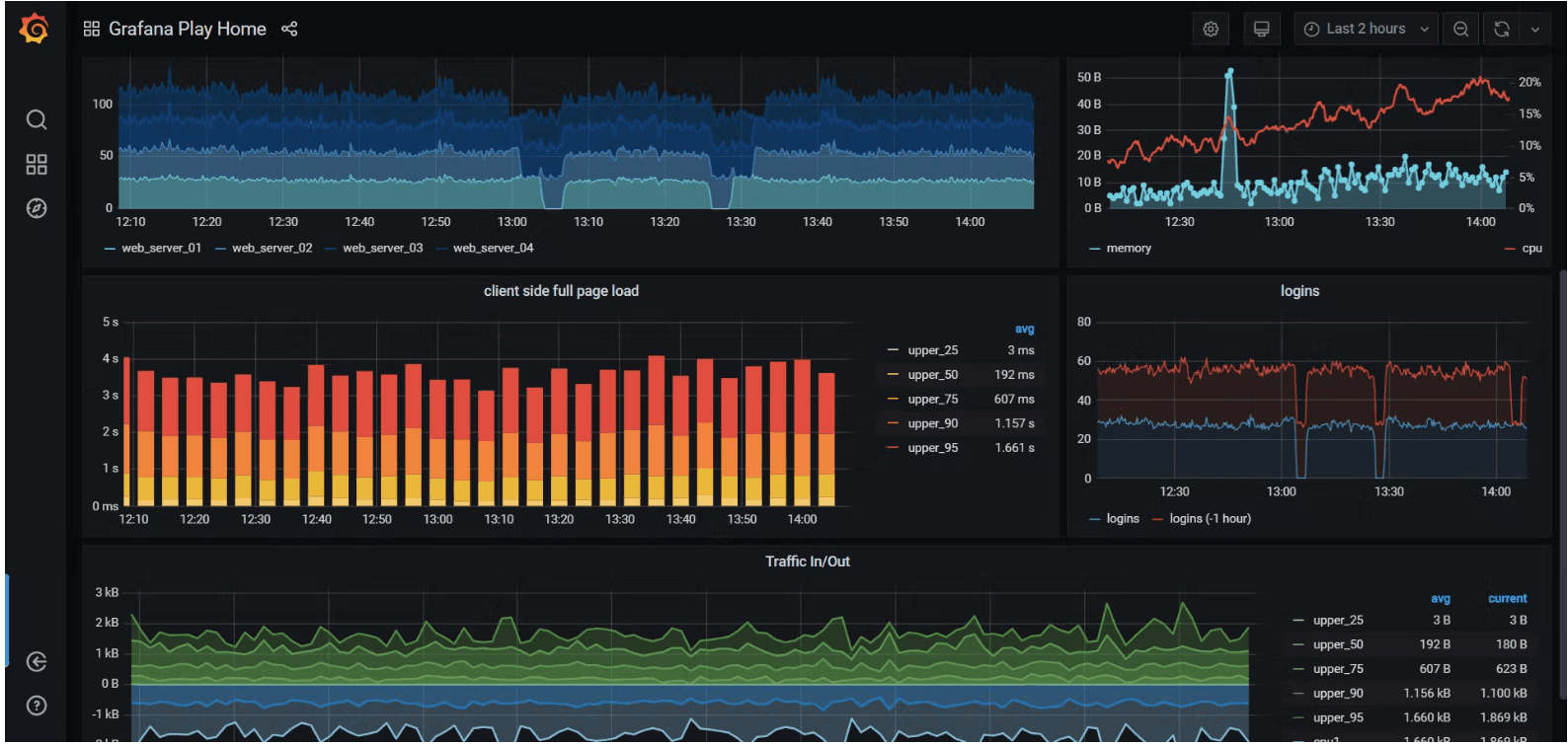
Follow the above command to add monitoring agent and configure to monitor server02.
This shall land you with the desired results. Hope you had a good read!
