

The way companies create and deliver digital content is changing fast. Rigid, template-bound CMS platforms are not enough for teams building websites, apps, and multi-channel experiences. Modern products need flexible content systems that can power any interface — from web to mobile to connected devices. This shift has pushed developers toward API-driven, headless solutions, with Strapi emerging as one of the most popular choices.
What is Strapi CMS?
Strapi is an open-source headless CMS built on Node.js that allows developers to create, manage, and distribute content through APIs — without being tied to a specific front-end. Unlike traditional CMS platforms like WordPress or Joomla, Strapi does not dictate how your content should appear. Instead, it provides a powerful backend where content is managed, and developers can deliver that content to any front-end — whether it is a website, mobile app, IoT device, or even a smart TV.
Key Features of Strapi CMS
1. Headless Architecture
Strapi separates content management from presentation, allowing developers to use any front-end technology (React, Vue, Next.js, etc.) while still managing all content centrally.
2. Customizable API
Strapi automatically generates RESTful or GraphQL APIs for your content types, giving teams complete flexibility to tailor responses and endpoints.
3. Open Source and Self-Hosted
Unlike many proprietary CMS solutions, Strapi is open-source and can be self-hosted, ensuring that you retain full ownership of your data and infrastructure.
4. User-Friendly Admin Panel
Non-technical users can easily manage content through an intuitive dashboard, while developers enjoy a clean, modular codebase that facilitates their work.
5. Role-Based Access Control (RBAC)
Strapi allows fine-grained control over who can access and modify specific parts of the CMS, improving collaboration and data security.
6. Plugin Ecosystem
Extend functionality with plugins for email, uploads, GraphQL, and more — or build your own with Strapi’s plugin system.
Why Strapi is Better than Traditional CMS Platforms
Feature | Strapi (Headless CMS) | Traditional CMS (WordPress, Drupal) |
|---|---|---|
Architecture | API-first, fully headless | Monolithic |
Flexibility | Works with any frontend (React, Vue, mobile apps, etc.) | Limited to predefined themes and templates |
Performance | Lightweight; faster API responses | Slower due to server-side page rendering |
Scalability | Highly scalable through APIs | Needs caching and heavy optimization to scale |
Data Ownership | Self-hosted; complete control of data | Partial vendor/cloud lock-in depending on the platform |
Customization | Fully programmable backend | Dependent on plugins; limited deep customization |
Security | Smaller attack surface (no frontend layer) | Larger attack surface; front-end exploits common |
Setup Speed | Quick setup and development | Setup is often slower due to theme/plugin dependencies |
Quick setup — create a Strapi project & API (step-by-step)
These instructions use Node.js (v16+ recommended). We'll create a Strapi project and add an Article Collection Type as an example.
1. Install/create a new Strapi project
Using npm (recommended):
npx create-strapi-app@latest my-strapi-app --quickstart Using yarn:
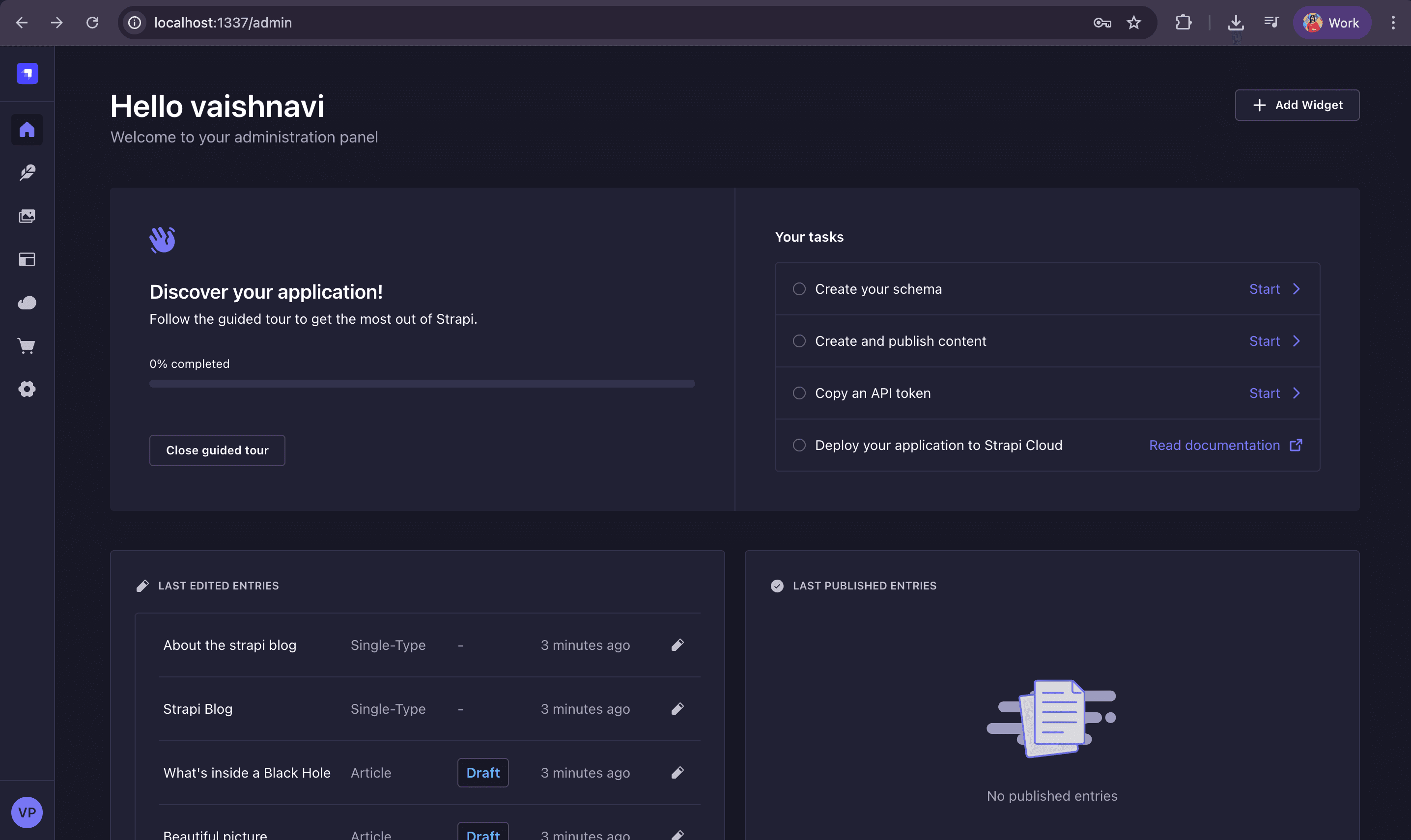
yarn create strapi-app my-strapi-app --quickstart --quickstart will create the app and run it (SQLite default). This opens the Admin UI at http://localhost:1337/admin.
2. Create a new Collection Type (Article)
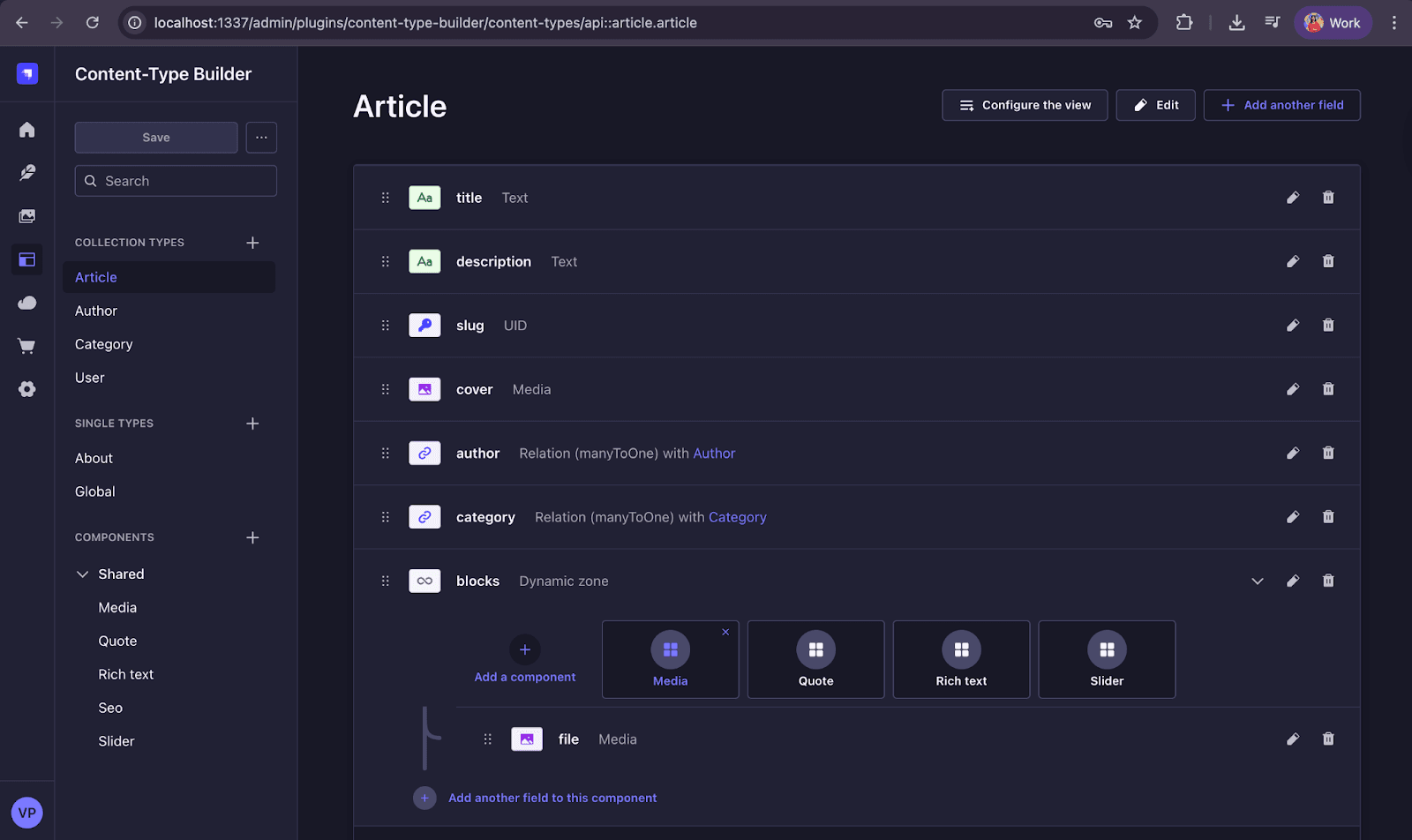
Open the Admin UI → Content-Types Builder → Create new collection type → name it Article.
Add fields:
- Title — type: Text (short text)
- Slug — type: UID (based on Title)
- Content — type: Rich Text
- Excerpt — type: Text (optional)
- Published — type: Boolean
- PublishedAt — type: DateTime
- CoverImage — type: Media (single image)
- Author — type: Relation → User (or a new Collection Type Author)
Save the collection type, then click Save (Strapi restarts to apply the schema).
3. Add Data to the Collection Type (Article)
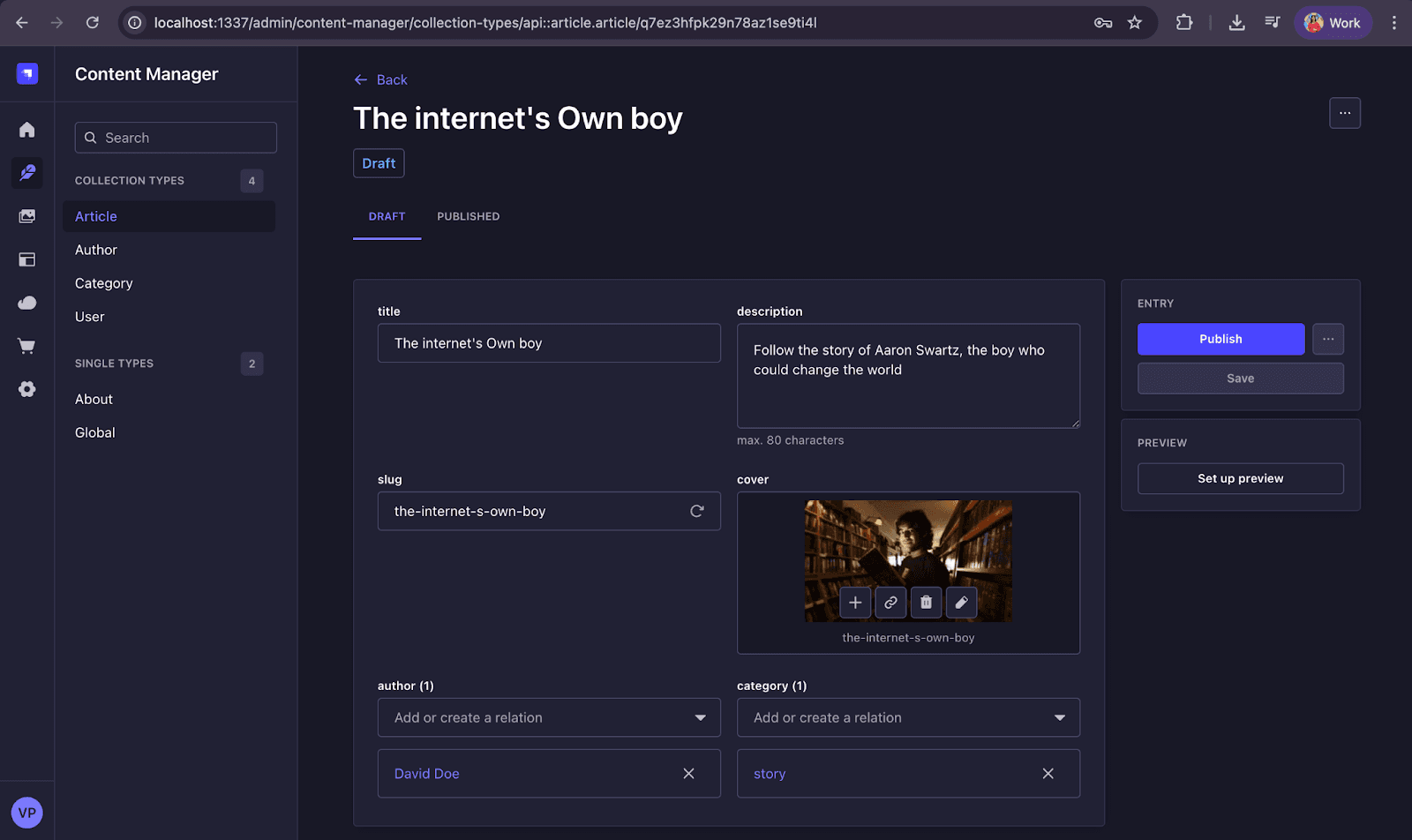
Open: Content Manager → Articles → Create new entry
Fill in:
- Title
- Slug (auto-generated)
- Content
- Excerpt
- Published toggle
- PublishedAt date
- CoverImage (upload image)
- Author (select from dropdown)
Click Publish.
4. Upload Images to Strapi (Media Library)
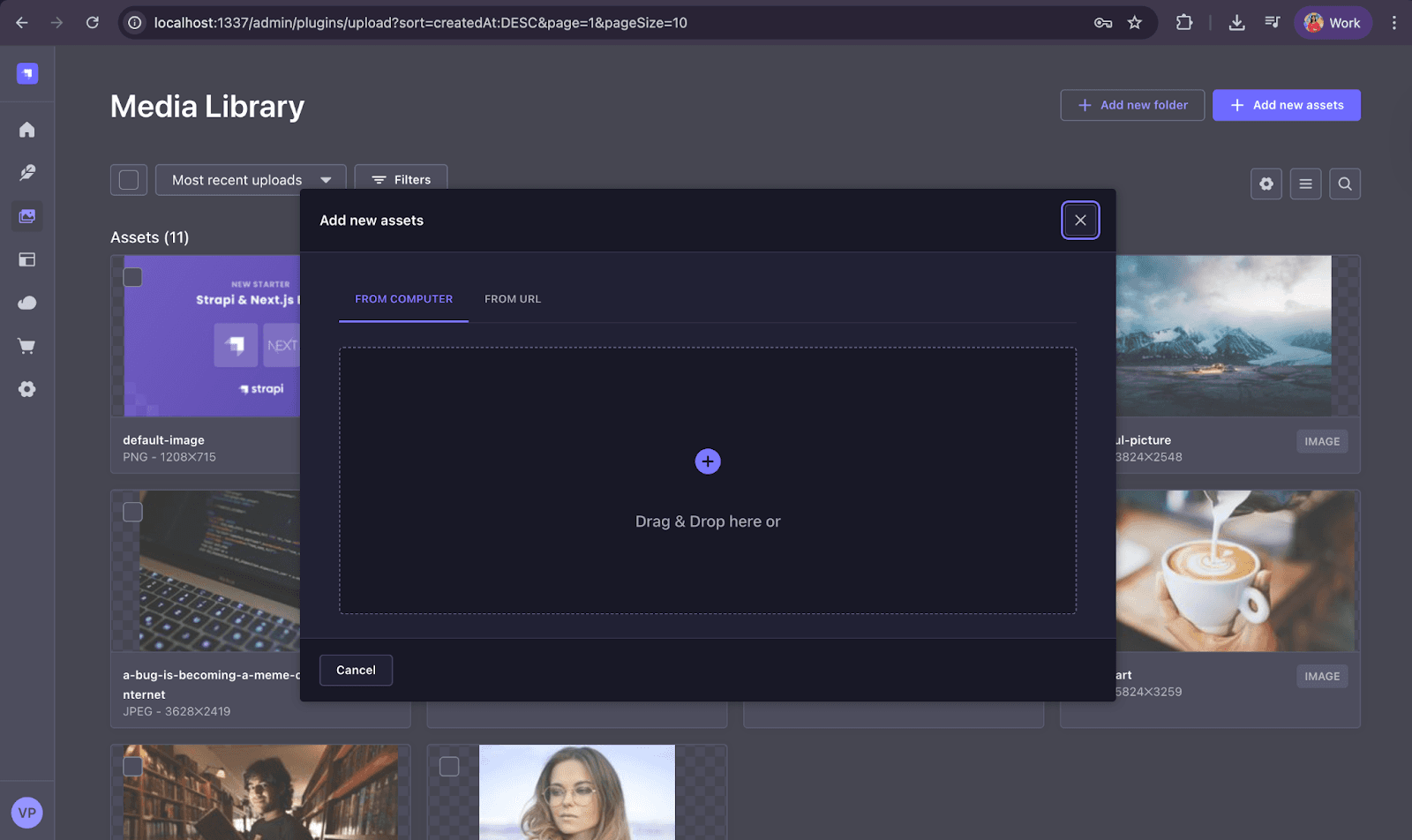
Strapi handles uploads through the Media Library. To upload an image manually: Go to: Media Library → Upload Assets → Select local file
This stores the file and generates:
- A media object
- A public URL (if enabled)
- A file ID (used for API relations)
5. Attach Images to an Article Entry (via Admin UI)
When creating/editing an article:
- Scroll to CoverImage
- Click “Add a new asset.”
- Upload or select an image
- Save/Publish
Strapi automatically links the media entry with your Article.
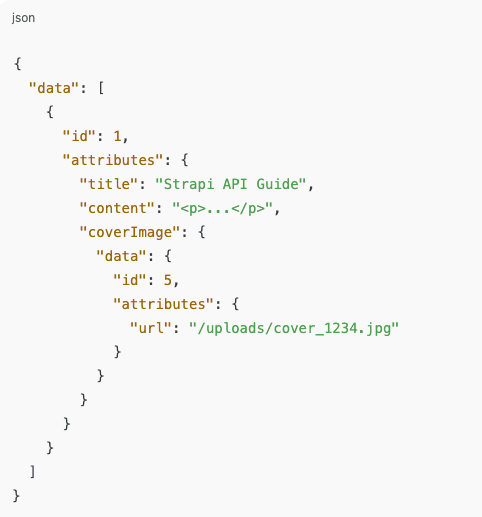
6. Fetch Articles with Populated Images (REST API)
Strapi requires populate to include relations like images.

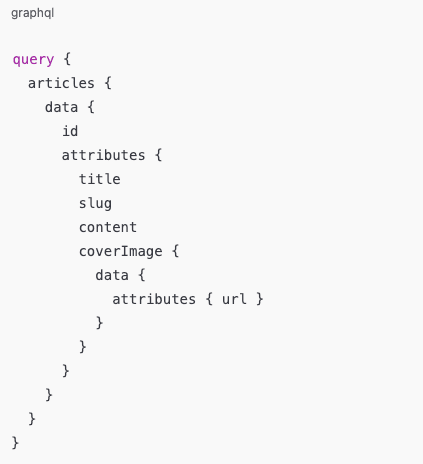
7. Fetch Articles via GraphQL (Optional)
Enable GraphQL plugin: Marketplace → Install GraphQL Example query:
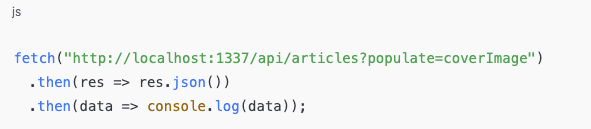
8. Test API & Image URLs on Front-End
You can now use any front-end framework:
- React
- Vue
- Next.js
- Angular
- Flutter
- Mobile apps
Fetch using:

Authentication & Security
Strapi uses two types of authentication tokens to secure API requests: API Tokens and User JWT Tokens.
1. API Tokens (Server-to-Server Access)
API Tokens are created from the Strapi Admin Panel and are ideal for backend scripts, microservices, cron jobs, and integrations.
They come in three permission types:
- Read-Only – only GET requests
- Full Access – GET, POST, PUT, DELETE on all content
- Custom – specific controlled permissions
API Tokens do not expire unless you set a lifetime and are always sent in the header:

2. User JWT Tokens (Frontend User Authentication)
JWT tokens are returned when a user logs in using /api/auth/local. These are used in frontend apps (React, Next.js, mobile apps) and respect role-based permissions (Public, Authenticated, Custom Roles).
Login example:
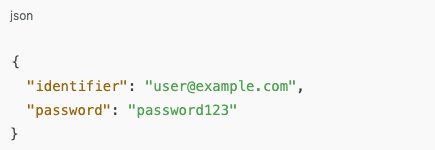
Response includes:
- JWT token
- User details
Use JWT in API requests:

3. When to Use Which Token
Use Case | Token Type |
|---|---|
Backend scripts | API Token |
Frontend users, dashboards, mobile apps | JWT Token |
4. Best Practices
- Never expose API Tokens in frontend code
- Use HTTPS to protect tokens
- Rotate tokens periodically
- Limit permissions (prefer Custom scopes)
Performance & Bandwidth
Strapi is known for its lightweight and high-performance API layer, powered by Node.js — one of the fastest server-side runtimes available today.
Here’s why Strapi performs efficiently in terms of bandwidth usage:
- Optimized API Responses – Only requested data is sent to the client, reducing unnecessary payload size.
- GraphQL Support – Clients can query exactly what they need, minimizing over-fetching and under-fetching issues.
- CDN & Caching Integration – Strapi integrates easily with CDNs (like Cloudflare or AWS CloudFront), reducing bandwidth load on origin servers.
- Scalable Hosting – Whether self-hosted on AWS, DigitalOcean, or any cloud provider, Strapi’s Node.js architecture scales horizontally with minimal bandwidth overhead.
- Media Management Optimization – Supports image compression and external storage (AWS S3, Cloudinary, etc.) for bandwidth efficiency.
In short, Strapi delivers high performance with minimal bandwidth usage, making it ideal for projects with large or globally distributed audiences.
Who Should Use Strapi CMS
Strapi is perfect for:
- Enterprises seeking scalable, API-driven architectures.
- Agencies managing multiple front-end experiences for clients.
- Startups want to move fast without backend limitations.
- Developers who prefer full code control and self-hosting flexibility.
Whether you are building a corporate website, mobile app backend, or eCommerce platform, Strapi adapts to your needs without forcing you into predefined templates or workflows.
Conclusion
Strapi CMS represents the next evolution in content management — a developer-friendly, flexible, and performance-oriented solution. By combining an elegant admin interface with a powerful API and a self-hosted, open-source model, Strapi offers unmatched control, scalability, and efficiency.
For organizations aiming to deliver fast, modern, omnichannel experiences, Strapi stands out as a smarter alternative to legacy CMS systems.







