
Hello people. I have built another game in Flutter that I would like to show you. I’ve had a history of making games in Flutter for mobile devices which you can see at the links below
This time, I chose to build a game in Flutter Web. The first question that arises here is: why the web?
The answer is quite simple and cheeky. The web is more accessible to people and it saves on the hassle of uploading apps to the App Store or the Play Store. Really.
The second question that arises is: Why FLUTTER web?
I’ve been reading up on Flutter web and tinkering with it a little here and there. It has a great collection of widgets that you can use to build pretty much anything and the entire development process is quite easy.
This game that I made was built without an engine or anything of that sort. It is purely made of widgets which Flutter provides by default. It does not use any assets or images, just lines and the custom painter to draw whatever I want on the screen.
Let’s begin.
Introduction:
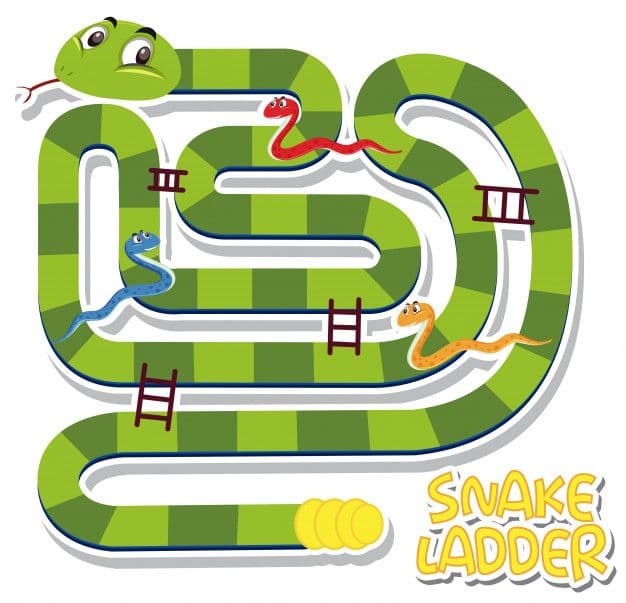
As an introduction, Snakes & Ladders originated in ancient India. The objective of this game is simple: Navigate the game piece according to numbers on the die after each roll and reach the top-most block, using ladders to climb blocks faster and avoiding snakes that will pull you down on your progress on the way. So, basically ladders are a good thing that will move you up the board and snakes are evil and will throw you down the board.
Pretty philosophical right?
This is what my version of the game looks like. You can check it out here.
The Board:
I don’t want to bore you with the generic coding steps and other stuff. So, you can check all that out at this GitHub link (Leave a star if you like it). Instead, let’s talk about how everything is built and connected with each other.
First things first, I built a 10 by 10 grid which will be our board.
GridView.builder(
  itemCount: 100,
  gridDelegate: SliverGridDelegateWithFixedCrossAxisCount(
    crossAxisCount: 10,
    mainAxisSpacing: 0,
    crossAxisSpacing: 0,
  ),
  itemBuilder: (BuildContext context, int index) {
    return new Card(
      shape: RoundedRectangleBorder(
        borderRadius: BorderRadius.circular(0.0),
      ),
      margin: EdgeInsets.all(0),
      child: Container(
        child: Center(
          child: Text(
           ((99 - index)).toString(),
           style: TextStyle(
           fontSize: 24,
           color: Colors.white),
           ),
         ),
       ),
     ),
   );
  }),
),
This will create our game Board. We can apply colours with an odd-even logic so that it looks something like this.
Dice & Dice Roll Logic:
Now moving ahead we need dice roll which will give us a random number between 1 to 6, for that, I used Providers to re-render 6 images of dice first, we create a random number between 1 to 6 from a for loop which runs 6 times and whatever random number we get at each iteration we render that image from the array of images and that at the last iteration whatever number we get that becomes the final value of our dice throw.
Moving on, we need to create a die which will give us a random number in between 1-6 on every roll. For that, I used providers to re-render 6 images of a die first. Next, I created a for loop which runs 6 times and displays whatever random number it generates in each iteration. We render the image corresponding to that number on the screen and it becomes the final value of the die at each throw.
Here lies the code for the dice roll.

Snakes, Ladders & Player Position Calculation:
This way we will have the working game, now all we have to do is at whichever number we want to put a snake we will subtract the value of the current index of the token to the value at which we have to send the token to, same applies to ladder there we have to add the index value.
Now that we have the dice roll built and ready, we will move the game pieces according to the value of the die, simply by adding the value of the die to the index of the position of the game piece.
With this, we now have a working game but without the Snakes and Ladders. To add the supporting or inhibiting effects of the ladders and snakes respectively, we will add the value of the current index of the game piece with a number that brings the game piece to the value where we have to send the game piece to for the ladders & subtract the same value.
That completes the functionality of our game.
The two-player models in the game are built using the scoped model. Lastly, we have to draw a line between two points for the snakes and ladders on the board. For that, I have used the Custom Painter.
To give the exact points to draw a line between two squares, every square on the board has a global key and through those global keys, I found out the exact points of the squares on the grid.
findPosOfEachSquare(int sqIndex, list) {
  RenderBox box = list[99 -sqIndex].currentContext.findRenderObject();
  Offset position = box.localToGlobal(Offset.zero);
  print(position);
  return position;
}
Now that I have the exact coordinates of the squares, I can draw lines between them using the custom painter quite easily.
If you want to play the game first, click here.
I’ve made an entire video on this project which is hosted on the GeekyAnts YouTube channel where I go in much more detail about the project.