

Editor's Note: In this blog, Shivraj, an engineer at GeekyAnts, talks about expanding the role of React Native in TV app development. From navigating the complexities of TV platforms to exploring solutions like React TV Space Navigation, Shivraj breaks down how developers can build efficient, multi-platform apps with ease.
I’m Shivraj, and I work as an engineer at GeekyAnts. Tonight, we’re going to dive into a topic that’s quickly becoming critical in the world of app development: TV app development with React Native. Now, before we get started, I’ve got a quick question for all of you—how many of you have built an application using React Native for TV OS? Not too many? Well, no worries. By the end of this talk, I’m sure you’ll see why it’s something worth looking into!
Let me quickly lay out what we’ll cover today. First, we’ll go through a brief history of React Native’s role in TV app development. After that, we’ll look at the current TV market and why React Native is a strong choice for building TV apps. Then we’ll move into the differences between developing TV apps and mobile or web apps. I’ll also walk you through some core components required for TV app development before we talk about navigation, interaction, and some of the challenges and limitations that come with TV apps. We’ll wrap it up by looking at how you can optimize performance for your TV apps. Alright, let’s get started!
React Native for TV Apps: A Journey from 2017 to Now
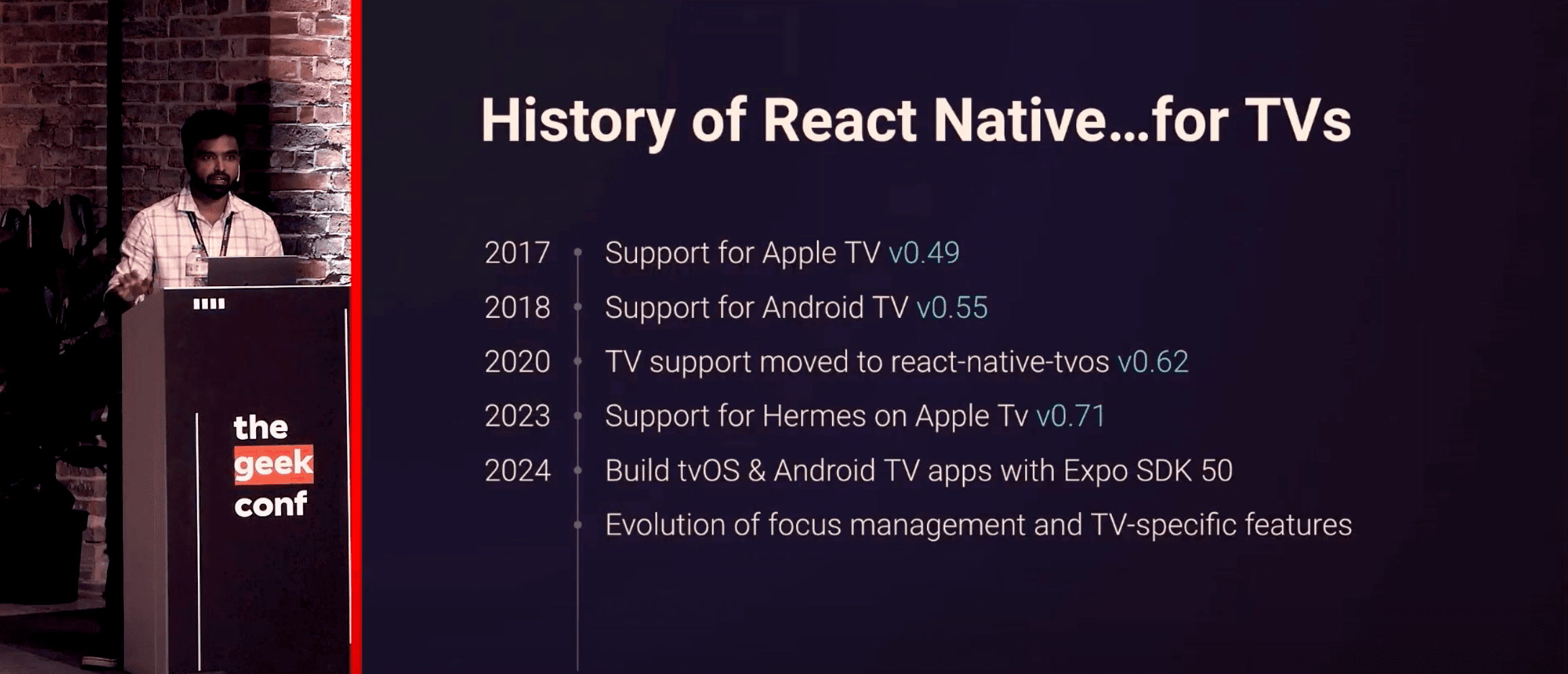
The journey of React Native in the realm of TV app development has been quite an interesting one. It all began in 2017 when Apple TV support was introduced with version 0.49 of React Native. In the following year, 2018, Android TV also joined the fold. But the big shift came in 2020 when TV support was officially moved out to create its own React Native TV library. This change set the stage for more focused development. Then, just last year, we saw another huge leap forward when Hermes for Apple TV was introduced. This made TV app development faster and more efficient. And in 2023, another game-changer happened: Expo SDK started supporting TV app development. That means with Expo SDK, you can now build for TV, web, and mobile—all from the same codebase. So, the evolution of React Native’s TV capabilities, while not earth-shattering year by year, has definitely laid the groundwork for some major advancements.
The Fragmented TV Market: Where Do We Stand?
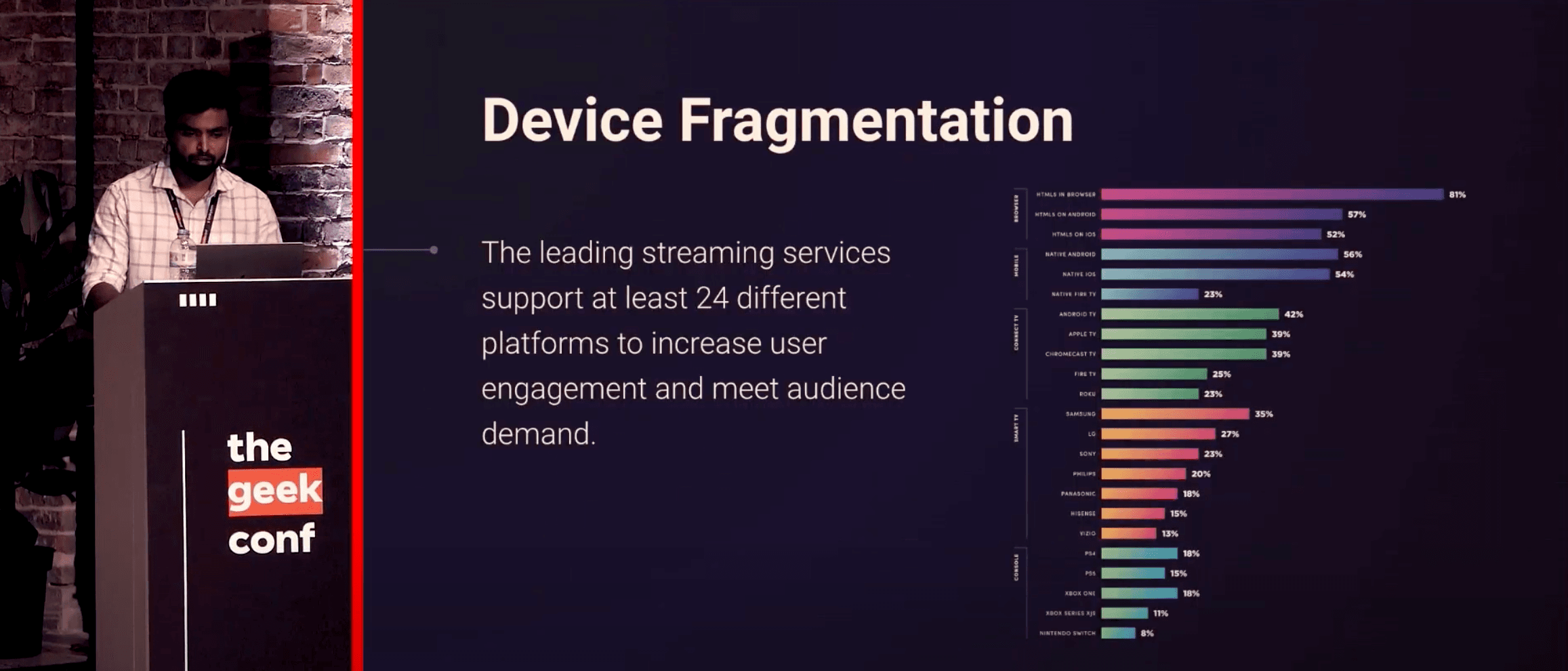
Now, let’s take a look at the TV market. It’s incredibly fragmented—more so than web or mobile markets. For mobile apps, you’re mostly working with iOS and Android, which together make up about 95% of the market. But when it comes to TV? You’ve got Android TV, tvOS, Tizen (for Samsung TVs), webOS (for LG TVs), Roku, and so many other platforms to think about. It’s not like the web or mobile where you can create a single app and easily target the majority of users. The TV market is a totally different beast. There are numerous platforms, each with its own system, and that makes development much more complex.
Why React Native Could Be the Solution You've Been Waiting For
So, why use React Native for TV app development? Given the fragmented landscape, React Native could be a game-changer. Imagine you’re building a streaming app like Netflix or Hotstar. Without React Native, you’d have to build different apps for different platforms—one for iOS, one for Android, and another for each TV OS. This would mean multiple teams working on different codebases, and keeping those in sync would be a huge challenge. But with React Native, you can reuse the same codebase across multiple platforms, including some major ones like Android TV, Apple TV, webOS, Tizen, and even Fire TV, which is just an extension of Android TV. This allows you to unify your development teams, accelerate your development cycle, and streamline deployment. And while React Native doesn’t cover every single TV OS, it significantly reduces the time and complexity needed for development.
The Key Differences Between TV, Mobile, and Web Apps
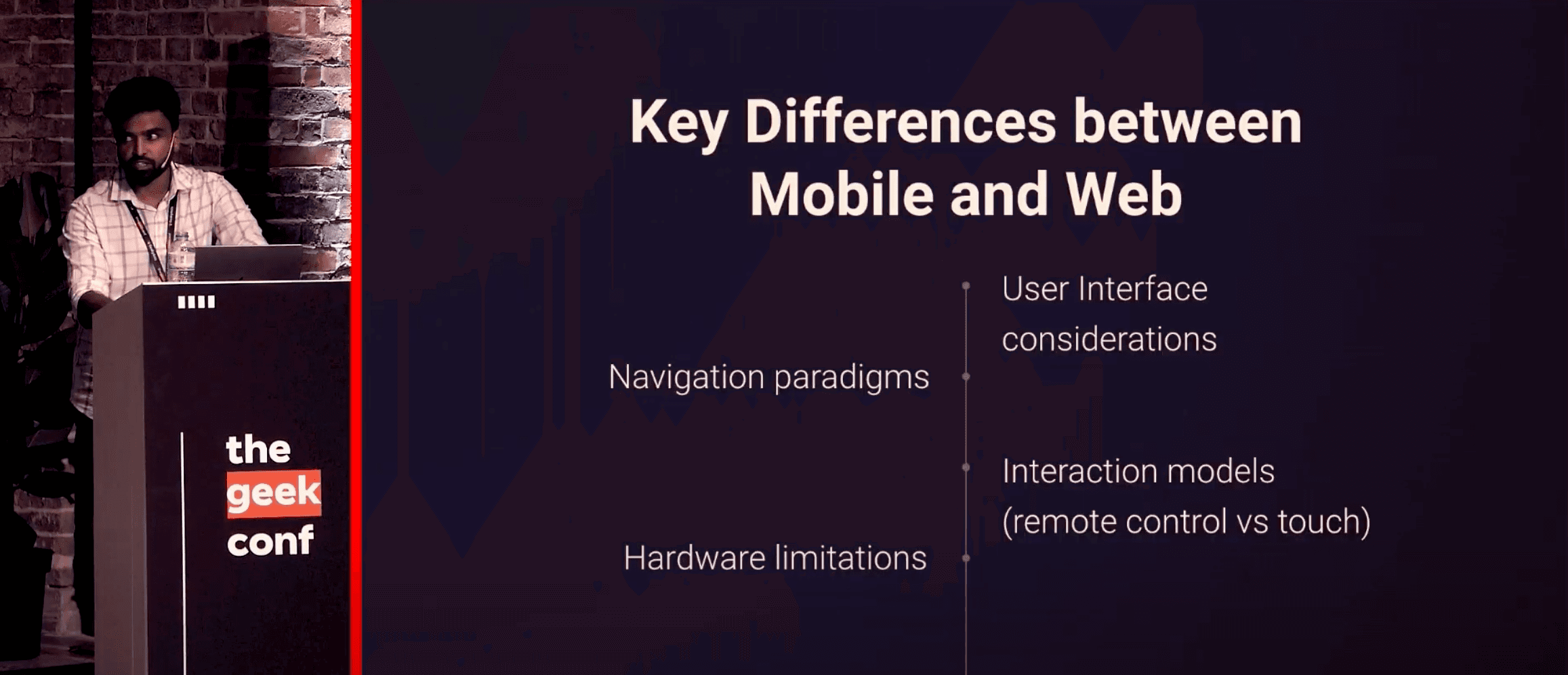
When it comes to building TV apps versus mobile and web apps, the first thing that stands out is the user interface. Mobile apps rely on smaller screens and are designed for touch interactions. On the web, users interact using a mouse and keyboard. But TV? That’s a whole different experience. TV screens are much larger, and users interact with them from a distance, usually using remote controls. This completely changes the way you have to design navigation.
In mobile and web development, navigation is direct—users can click or tap on exactly what they want. But in TV app development, you need to think about focus management. Users don’t have the same level of precision with a remote control, so it’s your job as a developer to ensure that focus is handled well, giving the user clear visual feedback about what is selected on the screen.
Core Components You’ll Need for TV App Development
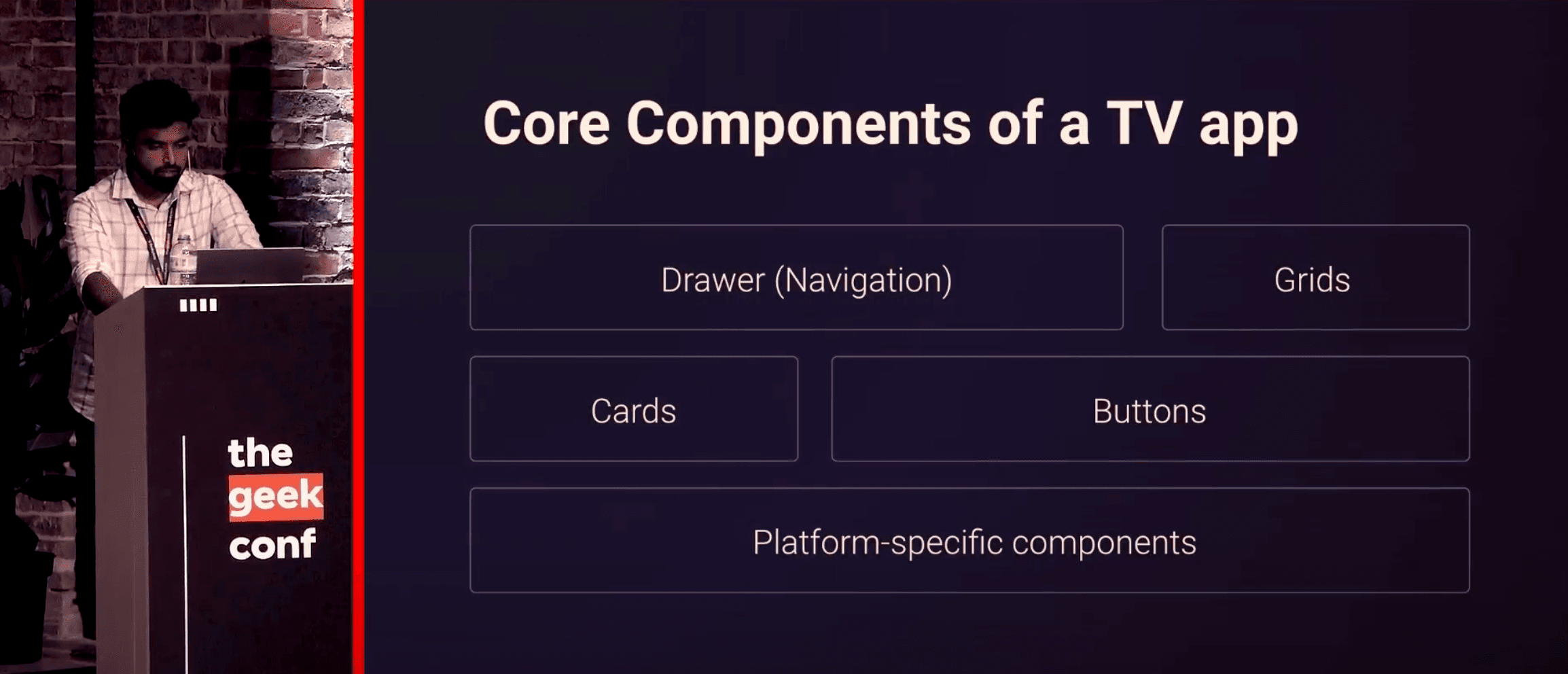
So, what are the core components of a TV app? Let’s break it down. First, there’s the Drawer, which is the navigation system you often see in TV apps. This allows users to easily switch between sections of the app. Next, you have the Grid, which is usually used to display content, whether that’s movies, shows, or categories. Then there are Cards, which display individual items such as movies or episodes, and Buttons, which are essential for user interaction. You might also have platform-specific components, like a video player for streaming media. For building these UI components, libraries like gluestack ui or Atomic UI can be invaluable. They’re universal, customizable, and responsive—perfect for TV development.
Navigating TV Apps: How Remote Controls and Focus Management Work
One of the trickiest parts of developing TV apps is getting navigation and interaction right. Since TV users rely on remote controls to navigate, focus management is critical. On mobile, users can simply touch the screen, and on the web, they can click with a mouse. But on TV, users rely on a directional pad on the remote, and that means you need to manage focus to ensure that the selected item is clearly highlighted. This is where TVEventHandler comes into play. It’s a component that listens to the remote control inputs and handles focus shifts on the screen. Without proper focus management, the user experience can quickly become frustrating.
The Hardware Limitations of TVs: A Challenge Developers Must Overcome
Now, let’s talk about the hardware you’re working with. While mobile devices and laptops are getting more powerful with higher RAM and faster processors, TVs are still lagging behind in terms of hardware. TVs have lower RAM and older processors, which can be a real challenge for developers. To make sure your app runs smoothly, you’ll need to optimize for memory usage, CPU load, and load times. Users aren’t just interacting with the TV—they’re primarily consuming content. So, performance is key. Even with limited hardware, your app should feel fast and responsive, delivering a seamless experience for users.
The Challenges and Limitations in TV App Development
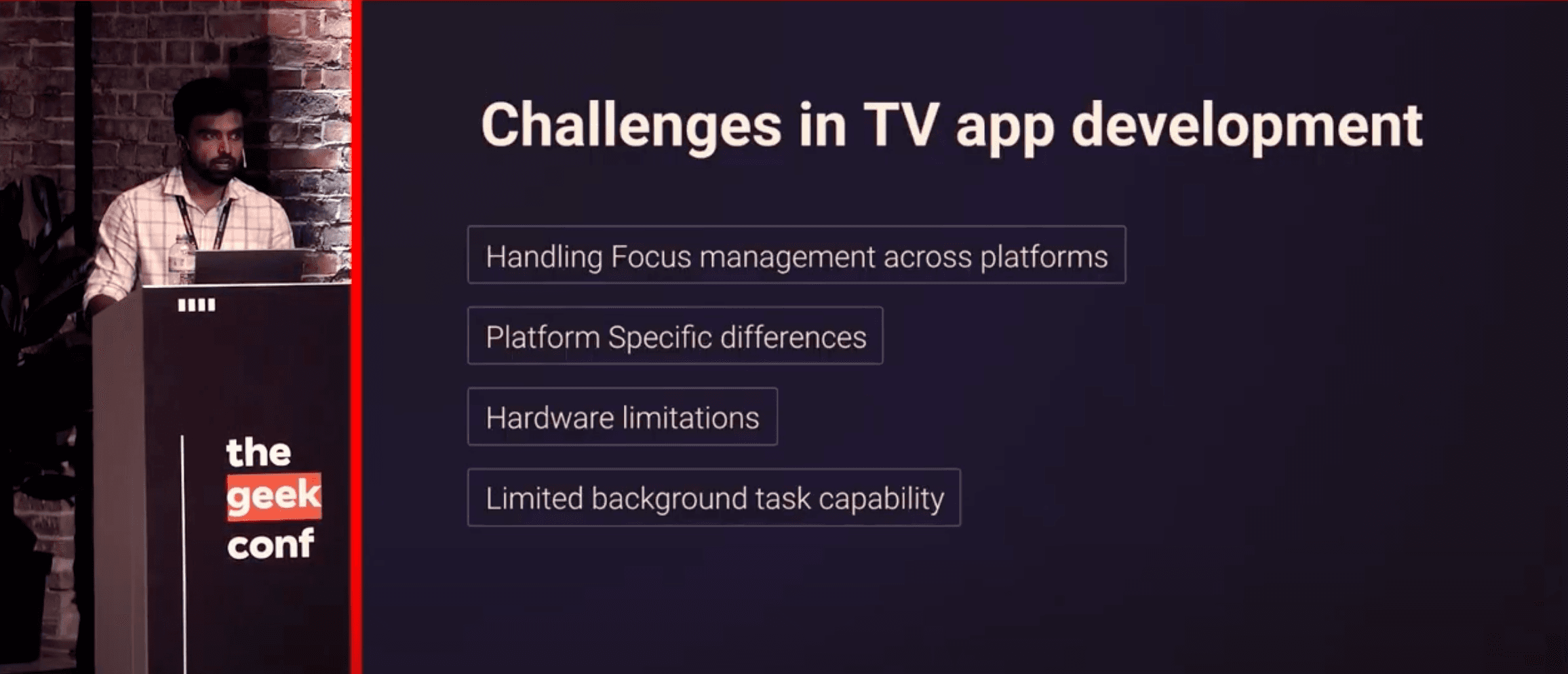
TV app development presents some unique challenges. Focus management can be particularly difficult to handle, especially across multiple platforms. Android TV, Apple TV, and web-based systems all have their own rules for focus, and keeping things consistent can be tough. Additionally, there are platform-specific limitations. While React Native can target several platforms, it doesn’t cover everything, and this could limit what you’re able to achieve. Moreover, working with TV hardware constraints means performance optimization is crucial.
Enter React TV Space Navigation: A Breakthrough for Smooth TV Experiences
But don’t worry—there’s a solution that can make all this a lot easier. React TV Space Navigation is a powerful tool that handles focus management and navigation seamlessly across platforms. It ensures the user experience remains smooth, even when navigating complex interfaces with remote controls. This library can significantly reduce the complexity of dealing with focus management and make it easier to provide a flawless user experience on TV.
Optimizing TV App Performance: Making the Most of React Native's Tools
With TVs' hardware limitations in mind, optimizing your TV app becomes all the more important. Libraries like React TV Space Navigation help you deal with focus management and navigation, but you’ll also need to ensure that your app handles large data sets smoothly. Fortunately, React Native provides tools like FlatList, but for even larger datasets, you may want to consider more specialized tools to ensure everything runs smoothly.
The Future of TV App Development with React Native
So, where do we go from here? As the TV market continues to grow and evolve, React Native is paving the way for faster, more efficient TV app development. While it’s true that TV app development presents unique challenges, tools like React TV Space Navigation and libraries like gluestack ui and Atomic UI make it easier for developers to build seamless, high-performance apps.