Jan 30, 2024

Integrating Flutter into a Native iOS Application

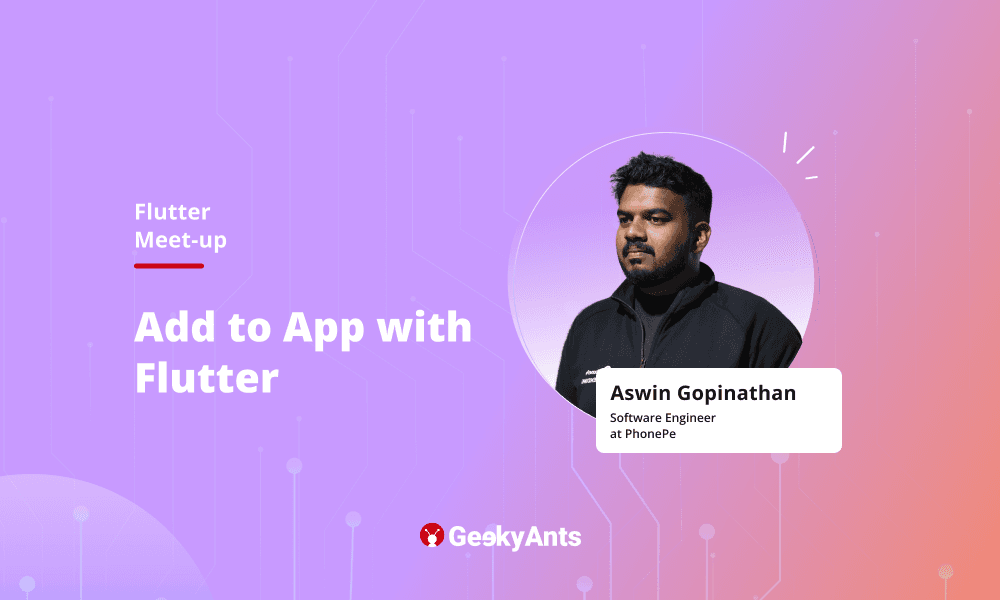
Learn how Flutter can be integrated into a native iOS app written in Swift from Aswin Gopinathan, Software Engineer at PhonePe.

Author

Chayan
ChayanGrowth Marketing Specialist
Integrating Flutter into a Native iOS Application

Table of Contents

Flutter is a popular cross-platform UI framework that allows developers to build mobile apps for iOS and Android from a single codebase. While Flutter provides a full-stack solution for building mobile apps, it can also be integrated into existing native apps as a module.

In this post, we'll look at how to integrate Flutter into a native iOS app written in Swift.

Setting Up the Project

To get started, we'll first create a new native iOS project using Xcode and Swift. I named my project "AddToAppDemo".

Next, we'll create a new Flutter module. I used Visual Studio Code for this and selected the "module" project type when creating the new Flutter project. I named the Flutter module "add_to_app_demo" and placed it within the same parent folder as the iOS project.

Now we have a native iOS project and a Flutter module within the same folder structure.

Connecting the iOS and Flutter Projects

To connect the two projects, we first need to configure the iOS project's podfile to import the Flutter module.

The key steps are:

  1. Specify the path to the Flutter module
  2. Specify the path to the Flutter podhelper file
  3. Add install_all_flutter_pods to install the required Flutter packages

After updating the podfile, run pod install to install the Flutter dependencies.

Now the iOS project is ready to load Flutter views.

Loading a Flutter Screen

Within the iOS code, we first need to create an instance of FlutterEngine and start it by calling run() on the engine. This initializes the Flutter environment.

When we want to show a Flutter screen, such as when tapping a button, we:

  1. Get the FlutterEngine instance
  2. Create a FlutterViewController using the engine
  3. Present the Flutter view controller using the navigation controller

This will load the Flutter UI from the module into the iOS app.

And that's the core workflow for integrating Flutter into a native iOS app! Flutter provides platform-specific build artifacts that can be embedded within the native project.

Additional Tips

A few other tips:

  • Can only import one Flutter module directly. To add multiple, create an entry point module that imports the others.
  • Flutter provides an imperative, declarative UI approach, while iOS uses an imperative approach.
  • Focus on becoming a great mobile developer rather than just a Flutter developer.

By following these steps, developers can leverage the power of Flutter while maintaining the flexibility and functionality of their existing iOS projects.

Watch the full address here 👇🏻
SHARE ON

Related Articles.

More from the engineering frontline.

Dive deep into our research and insights on design, development, and the impact of various trends to businesses.

The Next Era of AI Builders: Building Autonomous Systems for Frontier Firms — Pallavi Lokesh Shetty
Article

May 5, 2026

The Next Era of AI Builders: Building Autonomous Systems for Frontier Firms — Pallavi Lokesh Shetty

Discover Pallavi Shetty’s view on the next era of AI builders, covering autonomous systems, trusted agents, data quality, and frontier firms from thegeekconf mini 2026

The Autonomous Factory: Architecting Agentic Workflows with Clean Code Guards | Akash Kamerkar
Article

May 5, 2026

The Autonomous Factory: Architecting Agentic Workflows with Clean Code Guards | Akash Kamerkar

Akash Kamerkar’s thegeekconf mini 2026 talk explores the ACDC framework for building safer agentic workflows with clean code guards, sandbox testing, and AI-driven software development.

OpenClaw: Build Your Autonomous Assistant | Deepak Chawla
Article

May 4, 2026

OpenClaw: Build Your Autonomous Assistant | Deepak Chawla

Discover how Deepak Chawla explains OpenClaw for building autonomous AI assistants through data preparation, knowledge bases, AI engines, and agent automation.

From Prompt Chaos to Production AI: Spec-driven Development for AI Engineers | Vishal Alhat
Article

May 4, 2026

From Prompt Chaos to Production AI: Spec-driven Development for AI Engineers | Vishal Alhat

Learn how Vishal Alhat’s thegeekconf mini 2026 session explains spec-driven development and how AI engineers can move beyond prompt chaos to build production-ready applications.

The Enterprise AI Reality Check: Notes from the Front Lines
Article

Feb 12, 2026

The Enterprise AI Reality Check: Notes from the Front Lines

Enterprise leaders reveal the real blockers to AI adoption, from skill gaps to legacy systems, and what it takes to move beyond the first 20% of implementation.

The Three-Year Rule: Why Tech Change Takes Time
Article

Feb 10, 2026

The Three-Year Rule: Why Tech Change Takes Time

Successful enterprise technology transformation depends on a three-year investment strategy that prioritizes cultural readiness, leadership alignment, and robust governance frameworks to modernize legacy systems and improve operational efficiency.

Scroll for more
View all articles