
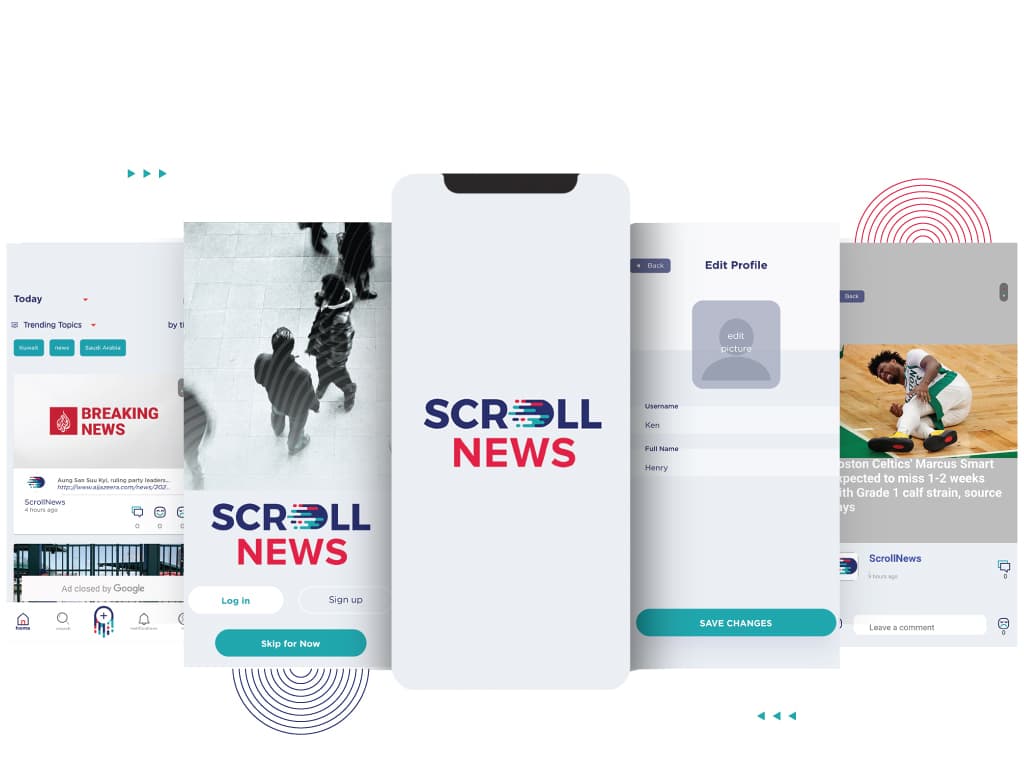
News App For ScrollNews
A brand new platform for users to share and post news related topics

About the Client
With the amount of news and free press sources available on the internet, differentiating between news that is accurate and news that is fabricated is impossible for the general populace, and the situation created by COVID-19 has made it even more difficult. Hussein Nourelddine came up with a revolutionary idea to create a news platform and make people deliver news to the people through their smartphones 'as it is happening on the grounds'. He believes that every person who witnesses an event can be a reporter and deliver accurate and reliable news through a digital platform which is easily accessible by the masses from inside the comfort of their houses.
The Problem
Hussein was a returning client, having collaborated with us to create a delivery based platform in the past. He was acquainted with the quality and promise of our work and our work ethic. Being highly satisfied with our engagements in the past, he entrusted another one of his pet projects in our hands, with the assurance of impeccable service and delivery. In tandem with his new idea, he asked us to build a mobile platform for him that would help people to be up-to-date with events around the globe.
We got a chance to involve in two different engagements with the client. The first one was for building a web dashboard to complement their monitoring system and manage trains in real-time. This was under a fixed time model that would last for 7 weeks, divided into 3 major milestones and would include design, development and integration to create a full working dashboard.
The plan was to launch a basic Minimum Viable Product that would help build an audience and a user base, establish a strong reach and then keep adding features to the app to enrich it further. For this, a fixed scope, fixed price and fixed timeline engagement plan was the most appropriate to engage. Within this plan, full stack development of a mobile app within a fixed time of 5 weeks was set as an initial starting point, with 1 week of User Acceptance Testing.
Development
As the requirement of the project was a mobile app that could enable readers to access breaking news anywhere and give people the power to snap pictures and post unfiltered news on the app for the users to read, features that would allow photo uploading, storing different resolutions of the same photo and easy accessibility to read news made sense for the MVP. For the moderator's side, a dashboard that could help monitor information and news posted on the app as well as the ability to add Google Ads for revenue. Also, a feature to censor sensitive photos including violence and nudity was to be included.
The entire development process was divided into two major milestones. The first milestone involved developing the APIs and UI for the app. The second milestone would be the integration of created APIs in the app and the admin dashboard. The client was open to us suggesting the best suited technology for the project and given the requirements, the app needed to be fluid and fast, with minimum disruptions, which made us look at Flutter as the obvious choice of tech for the mobile app was Flutter and Provider for State Management. The dashboard was built in React & Redux with the backend in the ever-trusty Node.js.
The modules within the app were clearly defined and an initial 5 sprints were suggested. The first module that was developed was the User Authentication. This API was created using Passport and JWT tokens were used to authenticate access to the APIs. Next up was creating and adding posts, which were stored in Google Cloud Storage. For ads, a simple Google Ads integration was put in place and Push notifications were implemented using GCM. For imposing censorship rules, the simplest solution was to use the Google Cloud Vision API that streamlined the entire process in no time.
QA & testing was done at the end of each sprint. The QA engineer indulged in manual testing for the features of the app, testing them under all possible scenarios whenever ready and re-iterating tests over already tested features around every turn. After every feature test, the build was shared with the client and verified, with any bugs or discrepancies reported, fixed and tested again for stability.
Post the entire process, the client was left with the finished MVP for a week for User Acceptance Testing, with the entire development and testing team standing by for any inputs and bugs that the client might encounter while using the app in regular conditions. Once that was complete, the final product was delivered and the process to host it on app markets began.
Overcoming Challenges
In all honesty, the entire process of developing the mobile app and the dashboard was pretty straightforward. It is in the intricate application of the features within the app that posed some challenges. The biggest challenge was to implement censorship. There was no room for error when implementing such a feature because of the nature of the task it would handle. There were very few APIs available that would accurately censor sensitive material and it was a task to find the right one. So, we zeroed down on Google Cloud Vision API that appeared to be suited best for the type of content that was to be hosted on the app. Needless to say, we made the right choice and implementing it was a breeze.
In bird's eye view
- Sequelize was the choice of ORM.
- PostgreSQL was used as a Database.
- The application was hosted on Google App Engine.
Final Impression
The app is currently live and available to download on the Apple App Store & Google Play Store. With the efficiency that the team showed to complete the project and the management that governed the project to its fruition, Hussein was extremely satisfied with the entire process & ecstatic to see his vision become a reality. It was yet another successful project in GeekyAnts' bag and yet another wonderful experience for a returning client to take away. With this product, the populace can be assured of real and up-to-date news coming straight from the people without adulteration. With the first version in the market and a stable rise in audience, there will be more features to come and implement to make a better experience for users and we are ready for it.
Team On-Call
The requirement for the project was quite straightforward and easily understandable, but it was the unique features within the entire app that made it stand out. For this project, we needed people with experience in similar environments and we did not have to look too far. Two full time developers were allotted to the project to work on the dashboard and the mobile app respectively, with an Engineering Manager overlooking the entire process and one QA engineer to test the ins & outs of the finished product.
A mobile app for users to read and upload news on.
The mobile app would include a view to explore and read news, as well as have means to create news and take pictures to supplement them.
Along with the app, a dashboard was required for moderators to monitor content of the app.



OUR APPROACH
We followed a structured and collaborative development approach focused on strategy, user experience, scalable development, and continuous testing. From initial planning to final delivery, every phase was designed to ensure a seamless product experience, faster development cycles, and successful MVP deployment within the project timeline.
- The strategy behind the project being the simplifying of the distribution of newsworthy information through the provision of a platform, we joined hands with our partners over a period of 6 weeks over a time and material model.
The Right Conversation Can Save You Six Months
Contact us
More from our engineering work
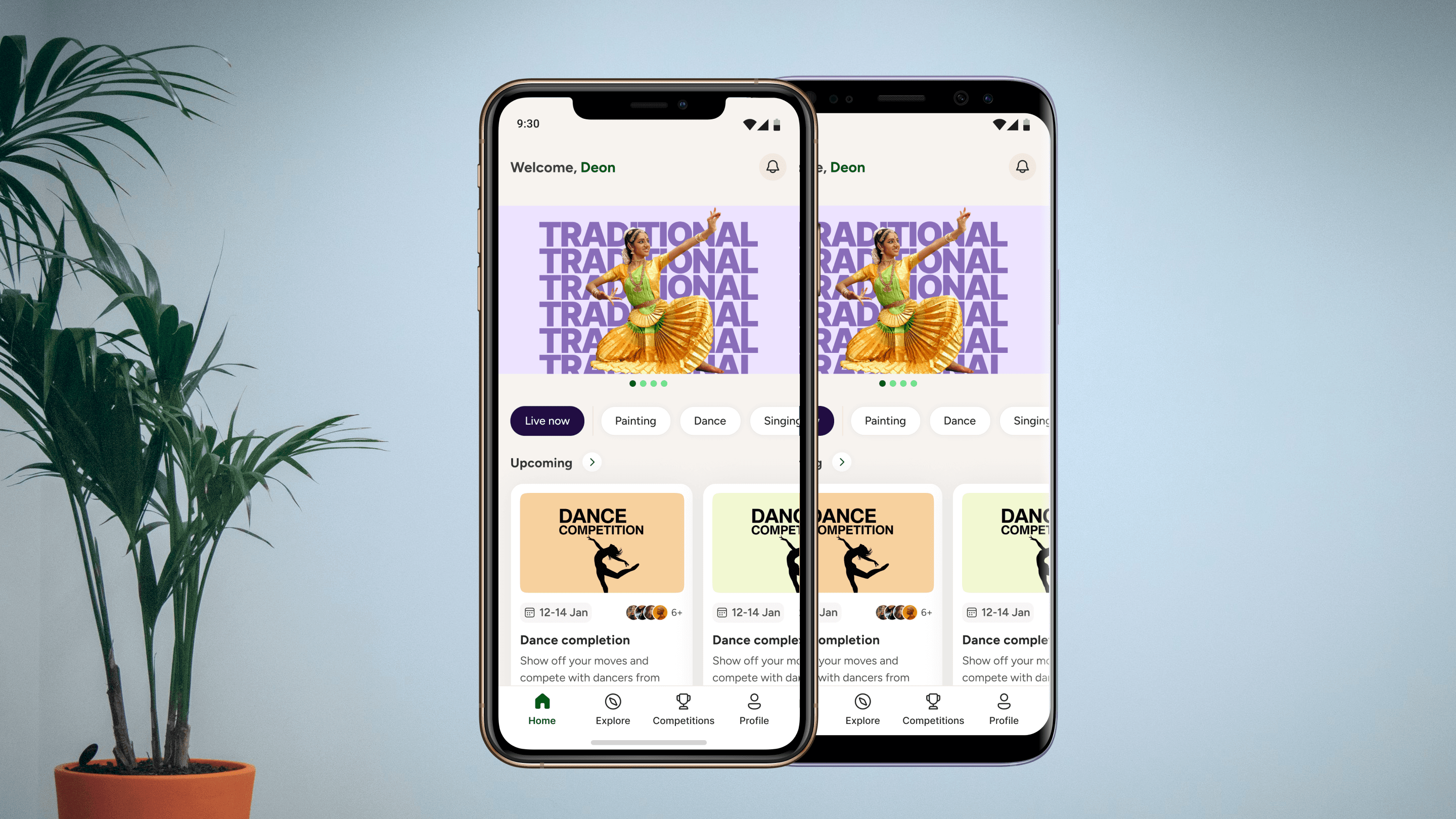
DIGITAL ENTERTAINMENT COMPETITION PLATFORM
GeekyAnts built a video-based talent competition platform for a media and entertainment company and took it live on iOS and Android with 100% automated content moderation.
Read case study
LEGACY PLATFORM MODERNIZATION
We built a production-grade offline HLS video We built a production-grade offline HLS video streaming solution for React Native on iOS. This in-house solution overcomes strict iOS media and storage constraints to provide true cross-platform parity for secure, network-independent video playback.
Read case studyNext-Gen Dating and Social App
We developed a scalable cross-platform social and dating app using Flutter, GraphQL, and Firebase, enabling real-time interactions and seamless user experiences.
Read case studySocial Media App For Liviit
The Man behind Liviit employed GeekyAnts to shift a social media web-app to a mobile app in React Native.
Read case studyBlending Technology, UX, and Accountability in Real-Time Music Practice
We built an iOS and web music learning app that lets students record, track goals, and stay accountable, while teachers and parents monitor progress through smart dashboards.
Read case studyAudio Editing App For Nimikry
Providing upkeep to enhance the music experience for Nimikry, an experimental music organisation
Read case study