
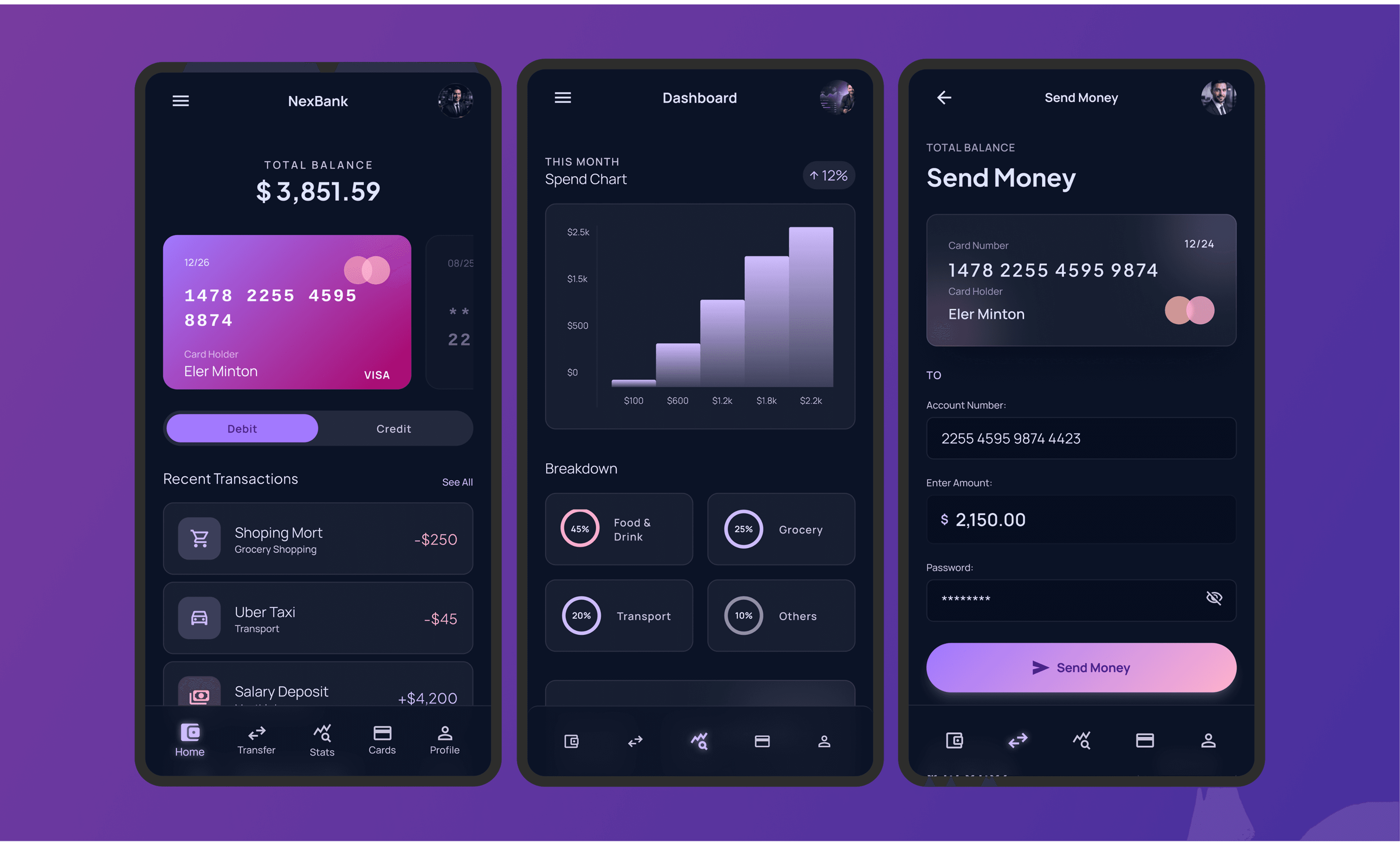
A banking app for a finance giant
Developing a banking app to help the youth manage their finances better.


ABOUT THE CLIENT
The company was established in 2019 in India with the goal of providing millennials with a digitized and honed banking experience that’s been co-created with their users. Being the first of its kind in the country, this convenient and fast digital app enabled youngsters to not just keep a better track on their expenditure but to truly understand their finances, hence empowering them to get ‘more from their money’. The company also provides financial solutions in the form of hassle-free loans and a debit card that can be linked to the user’s bank.
About the project
The Problem
The Chief Architect of the company and a visionary in his field, in his quest for potential partners to revamp the app reached out to us via our website. The idea of the mobile app was to create a savvy and cost effective banking app for the youth. Their existing app was based on a different technology and they wanted our help to migrate this application to a more recent technology that would make it reliable and future-ready.
OVERCOMING CHALLENGES
Snags while building up the ideal application are practically difficult to avoid. One of the major challenges that we faced was the restraint of time and the team on-call rose to the occasion, giving their best to ensure that the deliverables were ready when promised. State Management was an issue that needed the most attention. The in-built State Management library of React Native was not enough to handle the needs of the app. With a little research, the partner’s team found xstate to be the ideal fit for this use case. Since xstate is type-protected and depends on state machines and state outlines which are now grounded ideas, it is a simple to imagine State Management library. Another light library with a built-in cache called swr was utilized to demand deduplication. This additionally made the UX quicker and permitted polling. Also, since React Native’s core animation library lags in interactions because of the way it's built, react-native-reanimated-2 was chosen because it uses native threads for all interactions and animations making it much smoother. Another problem looked along the way was in picking the correct library for the theme but the client’s decision of choosing @shopify/restyle was the correct course as it permitted the utilization of a wide arrangement of properties, like colours, padding and typography, to make development quicker and more efficient.
In bird's eye view
- The design tool was decided to be Figma to align with the previous designs that were provided by the client.
- React Native Reanimated was chosen to implement animations as it allowed for greater flexibility for gesture-based animations.
- The project followed an engagement model based on the scrum methodology while utilizing Jira for task management.
DEVELOPMENT
The group was officially acquainted with the customer and after a careful discourse, work was initiated. The whole venture would include redesigning the complete experience of the versatile mobile application, alongside its Frontend and certain different features alluding to the design plan given by the client. The thought behind the mobile application was to make a portable, keen and financially savvy banking center for the millennials of the country.
Since the design was originally formulated by the client using Figma, the choice of design tool was an obvious one. The client had chosen React Native to work with on the Frontend because of its many cross-platform features (the availability of a single codebase for iOS and Android) alongside Kotlin, a coding language popular for its readability, so we aligned our work with the preferred tech stack. SWR was chosen as the desired library in a collaborative decision along with the partner’s team for the UI in light of the fact that it allows the fetching, caching, or refetching of data in realtime by the usage of React Hooks. The client also required us to implement animations using React Native Reanimated for its greater flexibility during gesture based interactions while also finalising the version of the format would be Major.Minor.Patch.
In pursuit of improving upon the vision of the client, the tech team came up with a plan to execute the requirements of the client in the most efficient way possible. The entire development process was broken down into phases. The first phase included understanding the designs provided by the client, followed by implementing them in code, along with new features that were to be implemented to enhance the existing state of the app.
The designs were originally created in Figma and hence, Figma was used to evaluate the designs that were provided by the client. Some suggestions were implemented on how to improve the designs for a smoother, more fruitful user experience. Once the designs were finalized, the development process began.
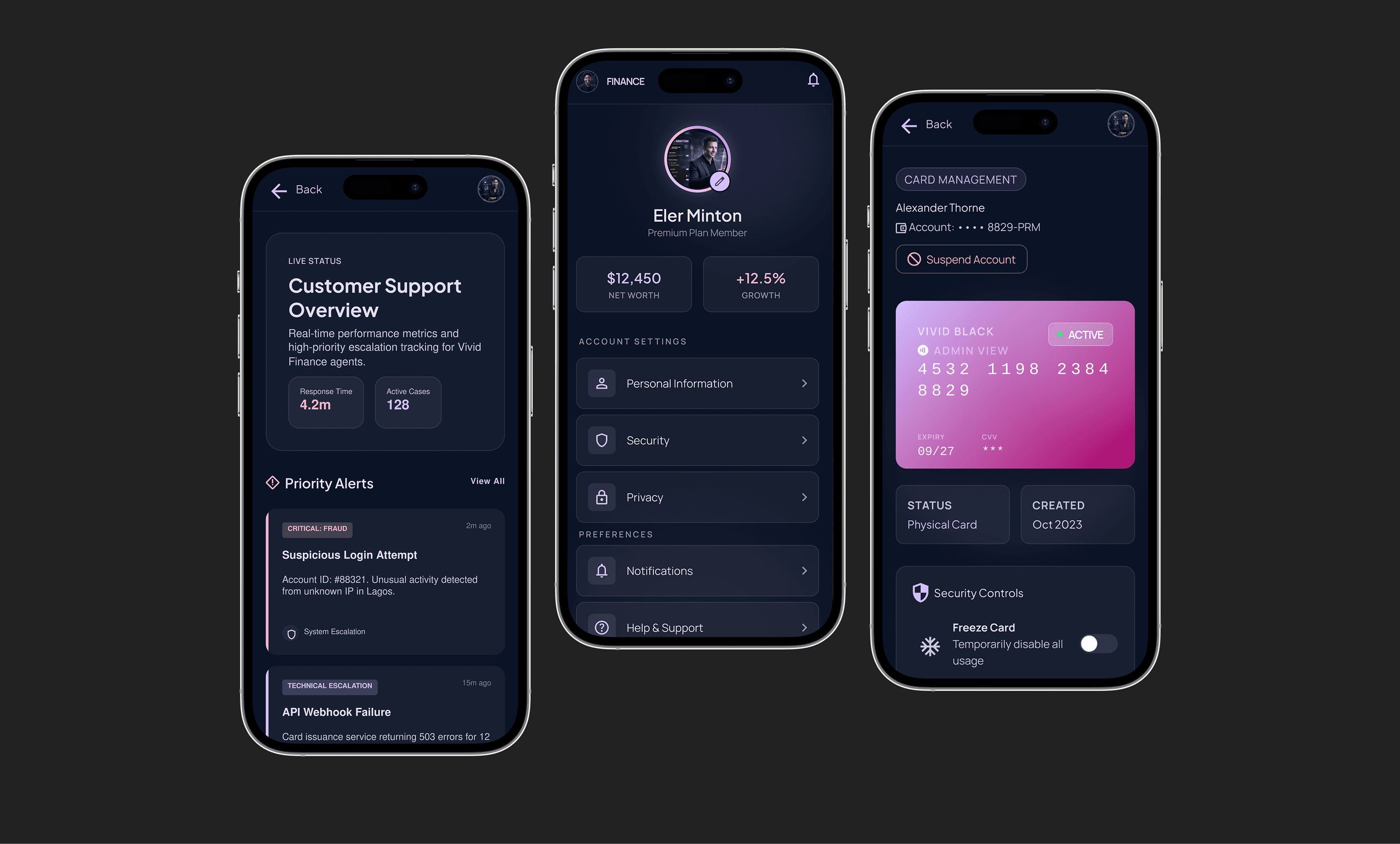
It was the developer’s job to replicate the designs for the actual app and make them pixel perfect. Not just that, but there were additional features that were also implemented within the app. A Help Center was designed where customers can have their queries answered promptly, hence promoting ease of access. Post that, a module for App Settings was also implemented, so users can customise and tweak their app according to their needs. According to the client's plans, a dashboard was also created for the administrators of the app, which would allow the client to monitor their app and use it to check the application's information, patterns and outlines, as well as enable promotions within the app along with a homepage for the users to access their services. We also designed a Rewards section for the application where users can cash in their Jewels for benefits, cashbacks and offers. A Pods section was created for users where they can create their own pod or goal towards which they can save up money monthly, thus ensuring efficient financial planning.
It was crucial for the team to keep the client in the loop for the duration of the project. Communication channels were set up between the team and the client for delivery of constant updates. Demo sessions were set up every 2 weeks to showcase the progress of the app and collect suggestions from the client on further actions. APKs were created and distributed for this purpose and suggestions were collected on the project Trello board and looked into persistently.
QA & testing was done at the end of each developed feature. The QA engineer indulged in manual testing for the features of the app, testing them under all possible scenarios whenever ready and re-iterating tests over already tested features around every turn. Jira, an issue tracking tool, was used by our team for maintaining tickets and bugs of the features tagged to a particular version. After every feature test, the build was shared with the client and verified, with any bugs or discrepancies reported, fixed and tested again for stability.
TEAM ON CALL
It was a significant undertaking for us, and we needed to do our absolute best with the correct group to handle this mission. Since the majority of the work was to be done in Frontend, the main requirement was of experts in the Frontend technologies who could understand and execute this project as intended, and for that reason, two master Frontend developers in React Native were utilized to respond to this call, driven by one of our Engineering Managers who’d lead the undertaking. The group was assembled and acquainted with the customer who clarified his necessities and assumptions while also formally introducing the partner’s Frontend team who would be collaborating with us in this venture.
To revamp the existing mobile app of the company which was built on React Native.
Build upon the features of the existing mobile app and add new ones.
Work on the Frontend of the app with designs provided by the client.


OUR APPROACH
- We got together with the partner to devise a modern solution for youth to manage their money strategically over an assignment based on the T&M model over a course of what was initially decided to be three months.
FINAL IMPRESSION
The impressions that were made by how the team performed and how the product turned out to be worked out in our favour. The client who was elated with the experience of working with us has stretched out the undertaking to a more long-haul plan, which is ongoing and more vast. We were glad to be a part of this venture along with them on their quest to provide a smart and advanced banking solutions app for the millennials of their nation and we look forward to many more such opportunities to change the world with our partners.
The Right Conversation Can Save You Six Months
Contact us
More from our engineering work
NEXT-GEN WEALTH MANAGEMENT
Revolutionizing investment banking with Bambu, a leader in the Fintech domain.
Read case study
CONTENT & FINANCIAL PUBLISHING PLATFORM
Developing a Finance & Business based web app for content distribution.
Read case studyMORTGAGE TECHNOLOGY SOLUTION
Developing a loan optimizer and mortgage planner for a leading Fintech company in the UK.
Read case studyCRYPTO PAYMENTS & DIGITAL WALLET
Intensive support for a crypto infused complete payments app for Zapit
Read case studyA Secure Casino Web Platform Built for KYC, Payments, and Geo-Compliance
Explore how GeekyAnts built an igaming casino web application with KYC verification, secure payments, real-time notifications, geo-compliance, Next.js, and AWS Amplify.
Read case studySPORTS FAN ENGAGEMENT PLATFORM
Discover how GeekyAnts built Chant, a fan engagement platform that unified memberships, ticketing, payments, and community experiences for sports supporters.
Read case studyReady to Modernize Your Banking Experience?
Book a Strategy Session to build secure, intuitive digital banking platforms that improve customer engagement and scale with evolving business needs.
