


Combining artificial intelligence with existing technology opens countless possibilities. The combination of Flutter and ChatGPT is no exception. Already a community favorite, coupled with AI, Flutter can change frontend development in ways we never imagined.
In this article, we will explore the future of app development with Flutter and ChatGPT and dive into how AI-assisted development with Flutter is revolutionizing the industry.
Flutter and ChatGPT: Why Use Them Together?

We developers always look for new ways to create great apps using the latest technologies.
Created by Google in 2017, Flutter is a toolkit that allows developers to simultaneously create high-quality apps for mobile, web, and desktop platforms. It uses Dart and includes many widgets that help developers create beautiful, responsive user interfaces.
Developers love Flutter because simplifies creating good-looking apps without impacting development timelines.
ChatGPT is a language model created by OpenAI that can do many things with language. Using deep learning, ChatGPT generates responses that sound like they were written by a person. Developers can use it to create intelligent apps that can handle complex tasks.
In tandem, the two can be highly potent in achieving —
- Accelerated development speed
- Code generation
- Improved productivity
- Enhanced user experiences
Note: GeekyAnts has extensive expertise in Flutter. We have been Google suppliers since 2017 and have been core contributors to the Flutter domain. Additionally, we have made numerous open-source contributions, such as Flutter Starter and flutter gauges.
As a result, we have used Flutter and ChatGPT in the example below, which you can read about further in this blog.
Is ChatGPT Capable of Building Apps?
When considering AI-assisted development, a fundamental question arises: Can ChatGPT build fully functional apps?
ChatGPT is not a software or tool for app development. However, it is a language model that can assist developers in building apps by performing complex tasks such as data analysis, language translation, and text summarization. With ChatGPT's capabilities, developers can create intelligent apps that can interact with users naturally and easily perform complex tasks.
Benefits of AI-Assisted Development with Flutter’s Cross-Platform Capabilities
Flutter's cross-platform capabilities and ChatGPT's AI-assisted development features allow developers to build apps faster and more efficiently than ever before. The combo can also automate repetitive tasks, reducing the development cycle and costs by a sizeable margin.
For example, ChatGPT can assist with data analysis and identifying patterns in large datasets, which speeds up the app development process and reduces errors. Additionally, AI can help with testing and debugging, enabling developers to save time and improve the quality of their apps.
How Can ChatGPT Help a Flutter Developer?
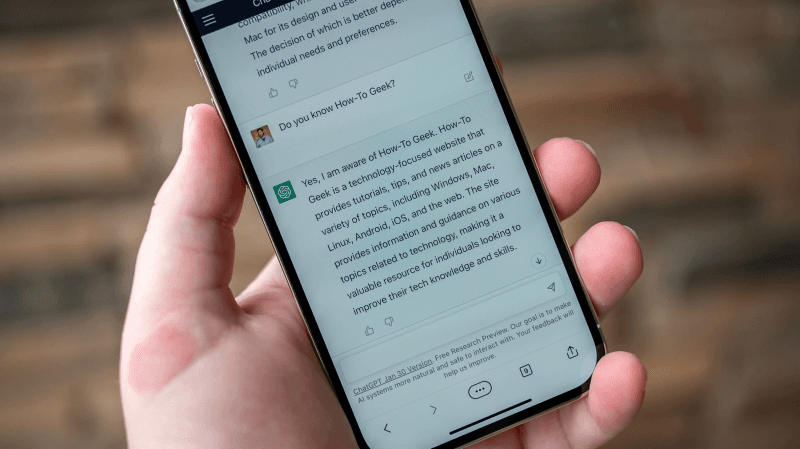
ChatGPT can assist developers in a wide range of tasks related to Flutter app development. It can provide code suggestions, generate UI layouts, offer solutions to common development challenges, and assist in debugging.
Some of these tasks include:
- Assisting with data analysis and pattern recognition
- Providing language translation services
- Generating summaries or abstracts of texts
- Assisting with sentiment analysis
- Answering questions from users
- Performing predictive analysis
How Is ChatGPT Changing App Development?
The integration of ChatGPT into the app development workflow brings about significant changes. With ChatGPT's assistance, developers can iterate faster, generate code snippets, enhance code quality, and discover innovative solutions to complex problems. The introduction of AI in the development process allows for increased productivity and efficiency.
- ChatGPT is a virtual assistant for developers, offering real-time suggestions and recommendations.
- It can assist in writing code by providing intelligent auto-completion, helping to reduce typing errors, and speeding up the development process.
- Developers can rely on ChatGPT to handle repetitive or mundane tasks, freeing up their time to focus on more critical aspects of app development.
Moreover, ChatGPT's ability to understand natural language queries enables developers to interact with it in a conversational manner. This opens up new possibilities for collaboration and problem-solving. Developers can ask questions, seek advice, and receive instant feedback, fostering a dynamic and interactive development environment.
Another significant advantage of ChatGPT is its potential to bridge the gap between developers and non-technical stakeholders. With its natural language processing capabilities, ChatGPT can facilitate effective communication and understanding between different teams involved in app development. This streamlines the collaboration process and ensures that everyone is on the same page, leading to smoother project execution.
Steps for Creating a Chat-GPT Powered Flutter Application
Here’s an example of a working Flutter application built using ChatGPT and Flutter.
Task: Building a Tic-Tac-Toe Game Application with Flutter
Prompt: Create a tic-tac-toe game application in Flutter. Write and explain the code briefly.
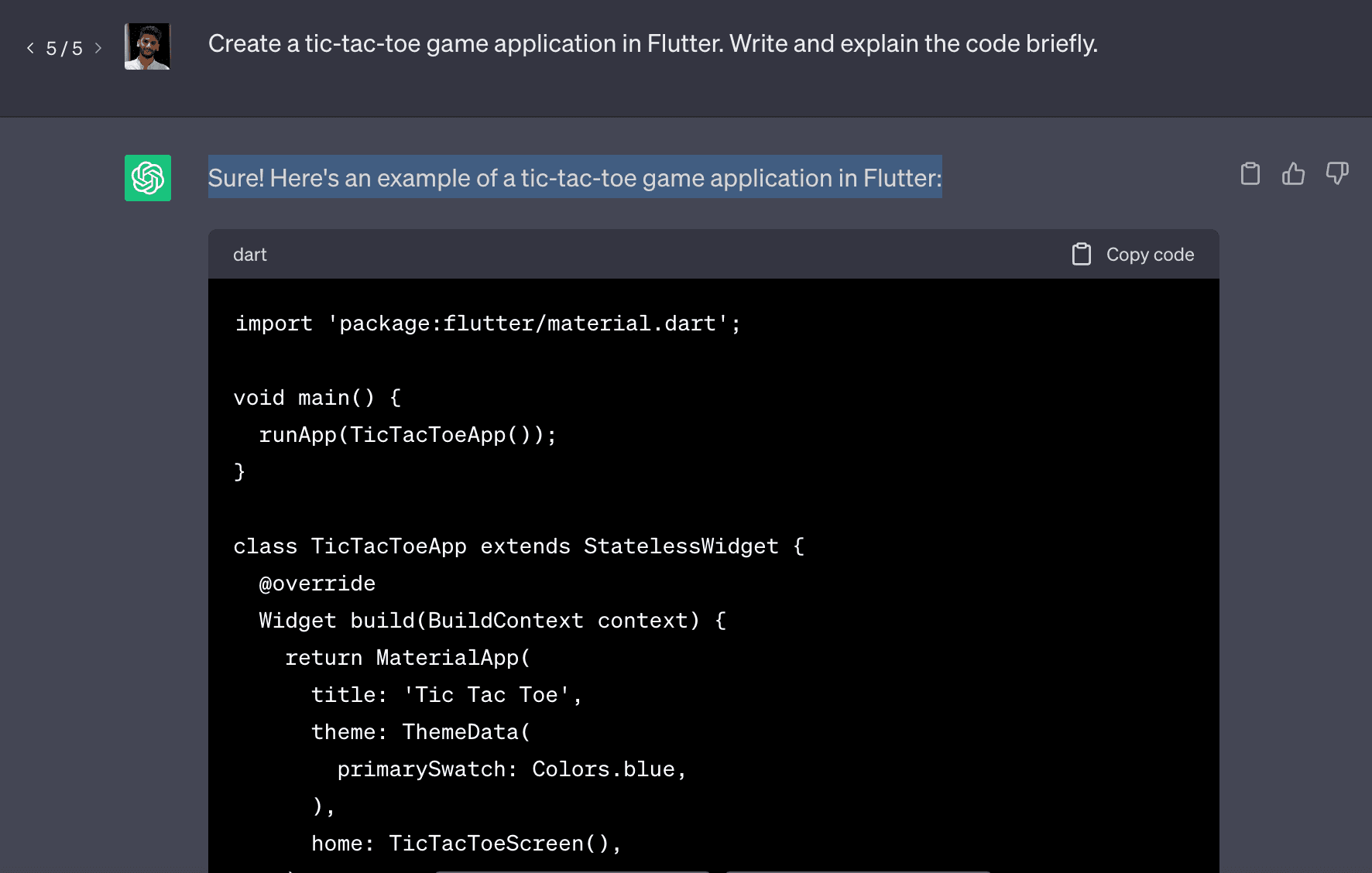
Here’s the generated code:
import 'package:flutter/material.dart';

void main() {
  runApp(TicTacToeApp());
}

class TicTacToeApp extends StatelessWidget {
  @override
  Widget build(BuildContext context) {
    return MaterialApp(
      title: 'Tic Tac Toe',
      theme: ThemeData(
        primarySwatch: Colors.blue,
      ),
      home: TicTacToeScreen(),
    );
  }
}

class TicTacToeScreen extends StatefulWidget {
  @override
  _TicTacToeScreenState createState() => _TicTacToeScreenState();
}

class _TicTacToeScreenState extends State<TicTacToeScreen> {
  List<List<String>> _board = [];
  String _currentPlayer = "";
  bool _gameOver = false;

  @override
  void initState() {
    super.initState();
    _initializeBoard();
  }

  void _initializeBoard() {
    _board = List.generate(3, (_) => List.filled(3, ''));
    _currentPlayer = 'X';
    _gameOver = false;
  }

  void _makeMove(int row, int col) {
    if (_board[row][col] == '' && !_gameOver) {
      setState(() {
        _board[row][col] = _currentPlayer;
        _checkGameStatus(row, col);
        _togglePlayer();
      });
    }
  }

  void _checkGameStatus(int row, int col) {
    // Check rows
    for (int i = 0; i < 3; i++) {
      if (_board[i][0] == _board[i][1] &&
          _board[i][1] == _board[i][2] &&
          _board[i][0] != '') {
        _endGame();
        return;
      }
    }

    // Check columns
    for (int i = 0; i < 3; i++) {
      if (_board[0][i] == _board[1][i] &&
          _board[1][i] == _board[2][i] &&
          _board[0][i] != '') {
        _endGame();
        return;
      }
    }

    // Check diagonals
    if (_board[0][0] == _board[1][1] &&
        _board[1][1] == _board[2][2] &&
        _board[0][0] != '') {
      _endGame();
      return;
    }

    if (_board[0][2] == _board[1][1] &&
        _board[1][1] == _board[2][0] &&
        _board[0][2] != '') {
      _endGame();
      return;
    }

    // Check for a draw
    bool isBoardFull = true;
    for (int i = 0; i < 3; i++) {
      for (int j = 0; j < 3; j++) {
        if (_board[i][j] == '') {
          isBoardFull = false;
          break;
        }
      }
    }
    if (isBoardFull) {
      _endGame();
    }
  }

  void _togglePlayer() {
    _currentPlayer = (_currentPlayer == 'X') ? 'O' : 'X';
  }

  void _endGame() {
    _gameOver = true;
    showDialog(
      context: context,
      builder: (BuildContext context) {
        return AlertDialog(
          title: Text('Game Over'),
          content: Text('The game has ended.'),
          actions: [
            TextButton(
              onPressed: () {
                setState(() {
                  _initializeBoard();
                  Navigator.of(context).pop();
                });
              },
              child: Text('Restart'),
            ),
          ],
        );
      },
    );
  }

  @override
  Widget build(BuildContext context) {
    return Scaffold(
      appBar: AppBar(
        title: Text('Tic Tac Toe'),
      ),
      body: Center(
        child: Column(
          mainAxisAlignment: MainAxisAlignment.center,
          children: [
            Text(
              'Player: $_currentPlayer',
              style: TextStyle(fontSize: 24.0),
            ),
            SizedBox(height: 20.0),
            GridView.builder(
              shrinkWrap: true,
              gridDelegate: SliverGridDelegateWithFixedCrossAxisCount(
                crossAxisCount: 3,
              ),
              itemCount: 9,
              itemBuilder: (BuildContext context, int index) {
                int row = index ~/ 3;
                int col = index % 3;
                return GestureDetector(
                  onTap: () => _makeMove(row, col),
                  child: Container(
                    decoration: BoxDecoration(
                      border: Border.all(color: Colors.black),
                    ),
                    child: Center(
                      child: Text(
                        _board[row][col],
                        style: TextStyle(fontSize: 48.0),
                      ),
                    ),
                  ),
                );
              },
            ),
          ],
        ),
      ),
    );
  }
}
This code provides a simple implementation of a tic-tac-toe game in Flutter. Players can make moves, and the code checks for a winner or a tie.
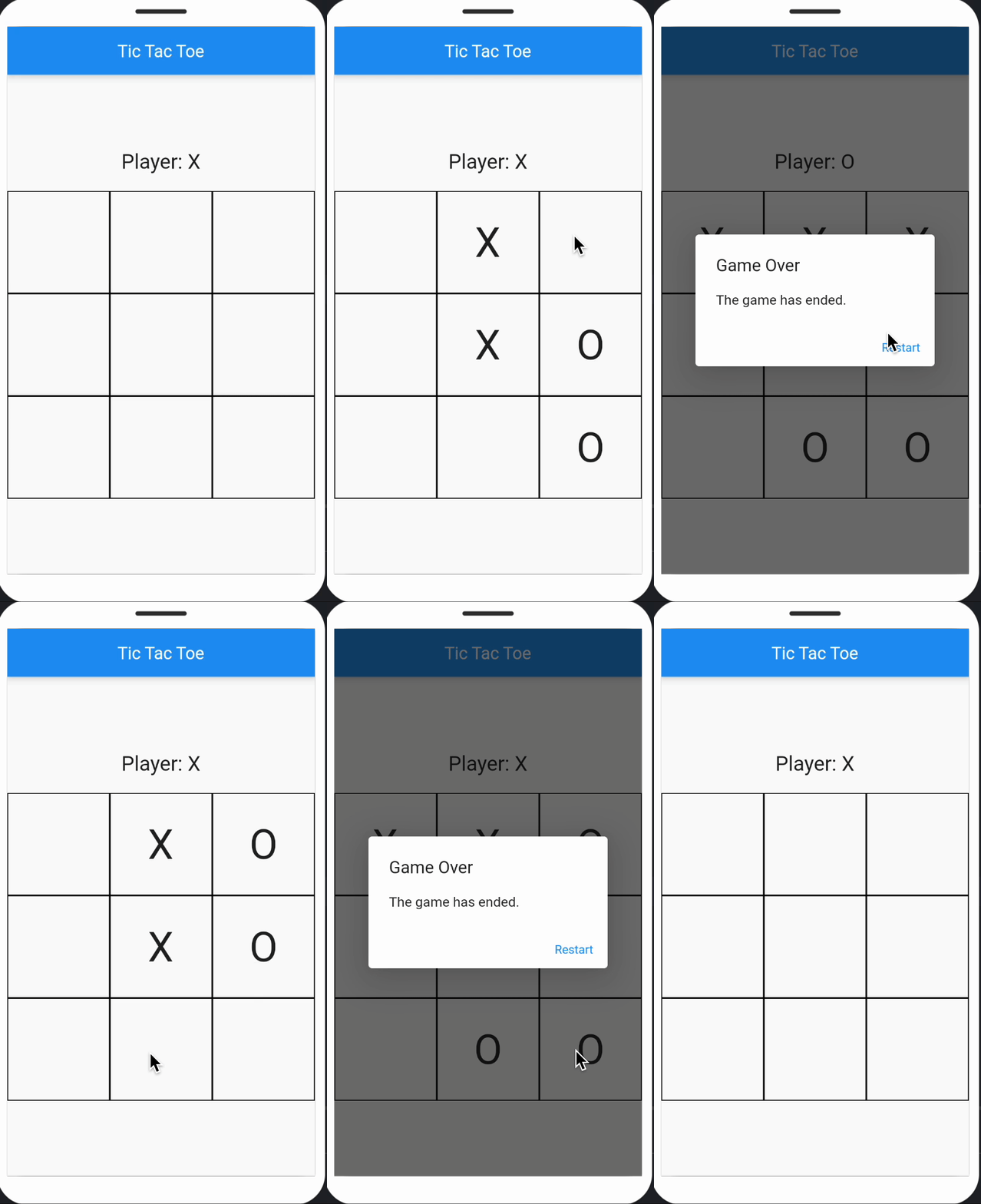
This is just one example of what you can do with ChatGPT and Flutter. To make this tic-tac-toe game more creative and engaging, we can integrate ChatGPT as the opponent!
Here is what you should ask ChatGPT
Prompt: Create a creative tic-tac-toe application in Flutter. Where ChatGPT is the opponent.
ChatGPT will explain how you can integrate it into your application using the application key.
void initializeChatGPT() {
    // Initialize ChatGPT instance
    chatGPT = OpenAIGPT3(
      apiKey: 'YOUR_API_KEY',
      defaultTemperature: 0.6,
      defaultMaxTokens: 50,
    );
  }
In this case, you will get a worthy opponent (ChatGPT) who will have the ability to understand and respond to the player's moves intelligently.
And voila, it's that simple to create a Flutter application using ChatGPT!
Future of App Development with Flutter and ChatGPT
The future of app development with Flutter and ChatGPT is promising. As AI advances, ChatGPT's capabilities will evolve and become even more sophisticated. We expect a more seamless integration between ChatGPT and Flutter, enabling developers to leverage AI assistance throughout the development lifecycle.
With ongoing advancements in natural language processing, ChatGPT will become even more adept at understanding complex queries and providing accurate and relevant responses. Developers can rely on ChatGPT for complex tasks, such as generating entire code structures or offering creative solutions to design challenges.
The collaboration between Flutter and ChatGPT also represents the future of app development. The integration of AI assistance with a powerful cross-platform framework like Flutter empowers developers to streamline their workflow, boost productivity, and create exceptional applications. As ChatGPT continues to evolve, we can anticipate exciting developments in the realm of AI-assisted app development.
Moreover, the combination of Flutter's cross-platform capabilities and ChatGPT's AI assistance opens up new possibilities for app development. Developers can create high-quality, feature-rich applications seamlessly running on multiple platforms, reaching a broader audience and maximizing the app's potential impact.
Connect with our subject matter expert to learn how to use the exciting combo of Flutter and ChatGPT to perfection!







