
Nov 27, 2019

Testing Flutter Apps with Flutter Driver

Flutter Driver is a framework or a package that helps in automation testing of Flutter apps.

Author

Pavitra Kinni
Pavitra KinniSoftware Engineer in Testing - II
Testing Flutter Apps with Flutter Driver

This article is a quick tutorial on testing Flutter apps with Flutter Driver.

About Flutter Driver?

In simple terms, Flutter Driver is a testing framework for Flutter Apps It can be used to test various UI elements and that helps to write end to end integration tests, while reducing time and effort that needs to be put in to test apps conventionally.

Flutter Driver is easy to setup and very handy to use. Here’s how to set it up on your machine:

Setup for Flutter Driver Extension.

Initial step for configuring Flutter Driver is to add the following lines into pubspec.yaml.

dev_dependencies:

  flutter_driver:

    sdk: flutter

  test: any

Note: These lines must be Indented properly in pubspec.yaml.

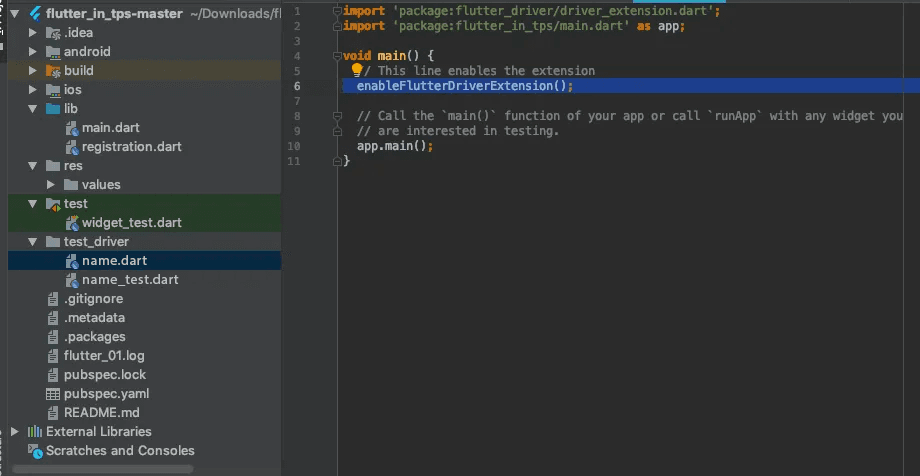
After adding the above lines, create one directory and name it something relevant, say test_driver, followed by two test files.

The first file will contain the methods that will help the Flutter Driver extension to call a particular function, and its name could be name.dart.
The second file will contain the actual test scripts, for which a proper name could be name_test.dart, that helps in connecting with the Flutter Driver, run tests and close existing connections.
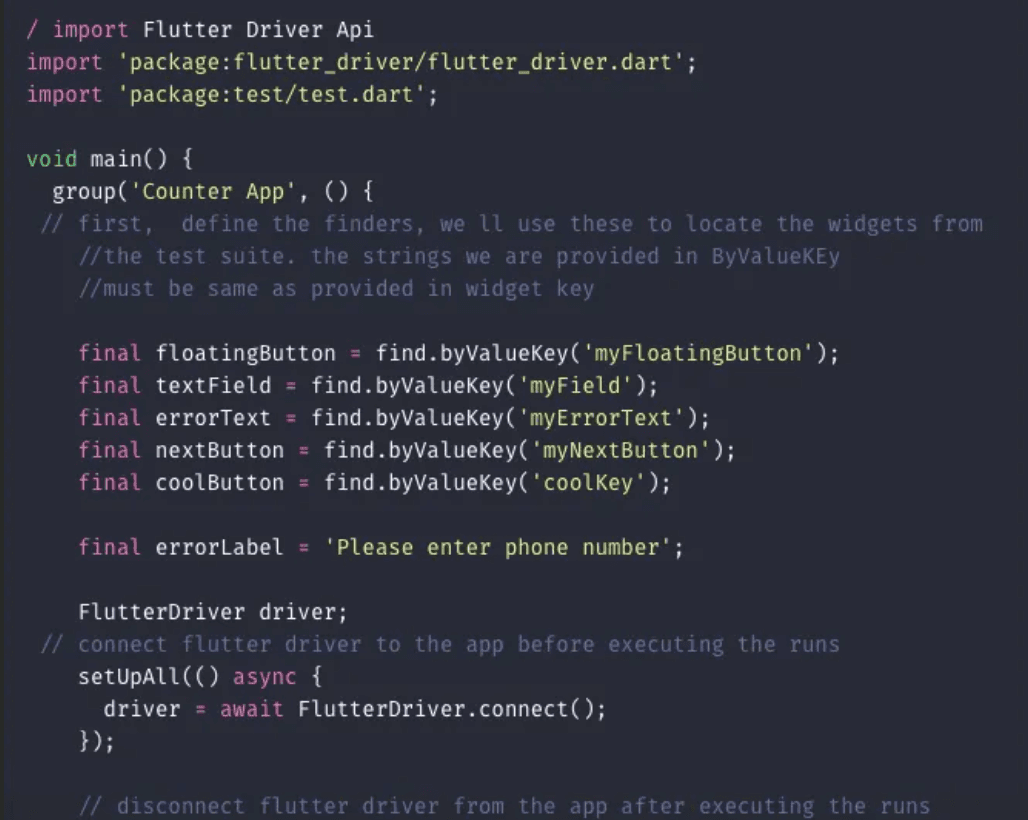
The element can be selected by using it's KeyString. The key can be declared for any widget.

There are four keys that can be used: bySemanticlabel, byTooltip, byType and byValueKey.

Here I have mentioned only byValueKey.
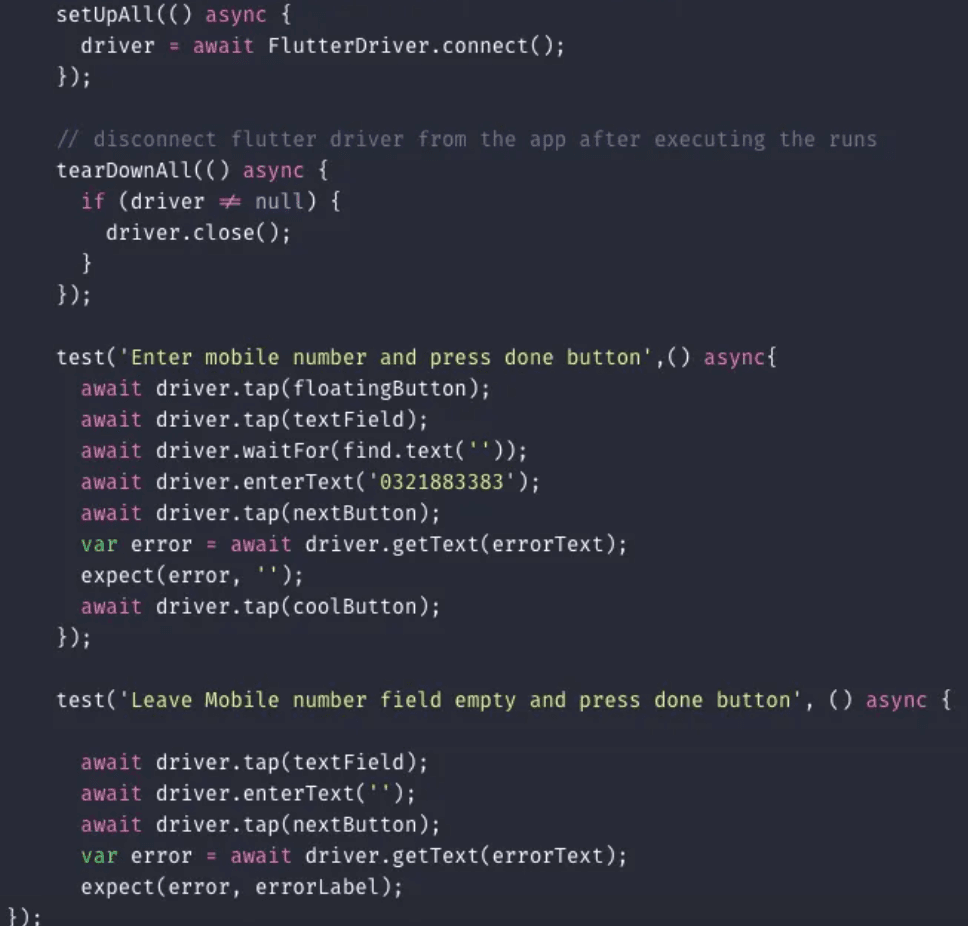
 

Using Flutter Driver extension, test engineers can Tap, enter text, scroll and drag-drop programmatically.

There is nothing else required. It’s just that easy. Oh, and by the way, Flutter is all about widgets….

So, after writing tests run the following command in the terminal from root-path.

     $ flutter drive --target=test_driver/name.dart

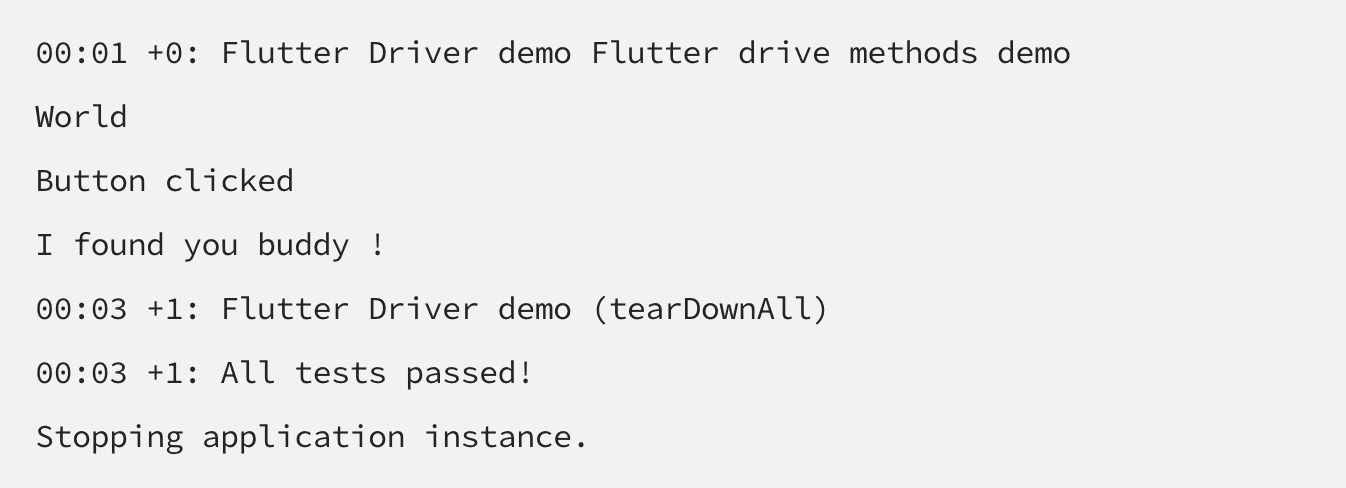
After following the above steps, you can see the results in the console as all tests passed!
 

By using the following methods, a user can perform actions like tap, enter text and scrolling actions.

  • tap() 
  • enterText() 
  • scrollIntoView()

There are some other libraries which may help in carrying out Unit testing, like Mockito, it must be added using the following lines into pubspec.yaml:

dependencies :

    http : <newest_version>

dev_dependencies :

     test : <newest_version>

     mockito : <newest_version>


That’s it, folks!

For more details about Flutter Driver, click here.

Book a Discovery Call

Recaptcha Failed.

Related Articles.

More from the engineering frontline.

Dive deep into our research and insights on design, development, and the impact of various trends to businesses.

The Keyboard Bounce of Death: Handling Inputs on Complex React Native Screens
Article

Apr 14, 2026

The Keyboard Bounce of Death: Handling Inputs on Complex React Native Screens

Fix the React Native ‘Keyboard Bounce of Death.’ Learn why inputs jump and how to build smooth, production-ready forms with modern architecture.

From RFPs to Revenue: How We Built an AI Agent Team That Writes Technical Proposals in 60 Seconds
Article

Apr 9, 2026

From RFPs to Revenue: How We Built an AI Agent Team That Writes Technical Proposals in 60 Seconds

GeekyAnts built DealRoom.ai — four AI agents that turn RFPs into accurate technical proposals in 60 seconds, with real-time cost breakdowns and scope maps.

How We Built an AI System That Automates Senior Solution Architect Workflows
Article

Apr 6, 2026

How We Built an AI System That Automates Senior Solution Architect Workflows

Discover how we built a 4-agent AI co-pilot that converts complex RFPs into draft technical proposals in 15 minutes — with built-in conflict detection, assumption surfacing, and confidence scoring.

AI Code Healer for Fixing Broken CI/CD Builds Fast
Article

Apr 6, 2026

AI Code Healer for Fixing Broken CI/CD Builds Fast

A deep dive into how GeekyAnts built an AI-powered Code Healer that analyzes CI/CD failures, summarizes logs, and generates code-level fixes to keep development moving.

A Real-Time AI Fraud Decision Engine Under 50ms
Article

Apr 2, 2026

A Real-Time AI Fraud Decision Engine Under 50ms

A deep dive into how GeekyAnts built a real-time AI fraud detection system that evaluates transactions in milliseconds using a hybrid multi-agent approach.

Building an Autonomous Multi-Agent Fraud Detection System in Under 200ms
Article

Apr 1, 2026

Building an Autonomous Multi-Agent Fraud Detection System in Under 200ms

GeekyAnts built a 5-agent fraud detection pipeline that makes decisions in under 200ms — 15x cheaper than single-model systems, with full explainability built in.

Scroll for more
View all articles






