


Why Should We Incorporate Online Payment Services and Wallets in Our Applications?
Implementing payment services and in-house wallet systems is crucial for business applications. Online payment services are the preferred option for most customers as they provide an easy and transparent solution. Further enhancing this experience with in-house wallet development allows more customer acquisition for organizations and also enables faster transaction processing.
As we're all aware of how crucial online payment management systems are for any business, let's look at some popular payment service vendors. Stripe is one of them and is renowned for its simplicity, robust features, and dedicated best-in-class customer support. Stripe offers many features that can be tailored to specific business needs and models. Let's dive in to discuss one such popular model for service-based applications.
What Is the Model?
In this case, we are using a commission-based model, commonly used to facilitate services between customers and independent service providers. In this structure:
- An organization acts as an intermediary platform connecting customers and service providers.
- Customers pay the organization to access and use its services.
- Independent service providers deliver the actual services to customers on behalf of the organization.
- The service providers are paid a commission by the organization for each completed service transaction.
Executing Payments and Money Flow
In Stripe, we can set up customer accounts - these are real people or entities using the organization's services and making payments. When these customers pay, the funds appear in our Stripe account balance. To get this money into the company's hands, you can either manually transfer it through the dashboard or automate the process by linking settings to specific bank accounts.
Now, let's focus on the second part of the process. Service providers, entitled to receive payments as commissions, come into play. To enable this, we create a "connect account" for each provider. Money can smoothly transfer through these accounts, ensuring providers are compensated for their work.
How to Integrate Stripe in Flutter and Process Payments?
1. First, create a Stripe account for testing or live payments by paying a subscription. If you don't have one, create it at https://dashboard.stripe.com/register.
2. Flutter offers a Stripe SDK to simplify integration. We'll use https://pub.dev/packages/flutter_stripe. Check for the latest version - we'll use flutter_stripe: ^10.0.0.
3. After creating a Stripe account, access the publishable and secret keys from the dashboard. Note: these keys are private and not to be shared apart from within your organization as they authenticate access. Use the keys in the Flutter main method as shown.
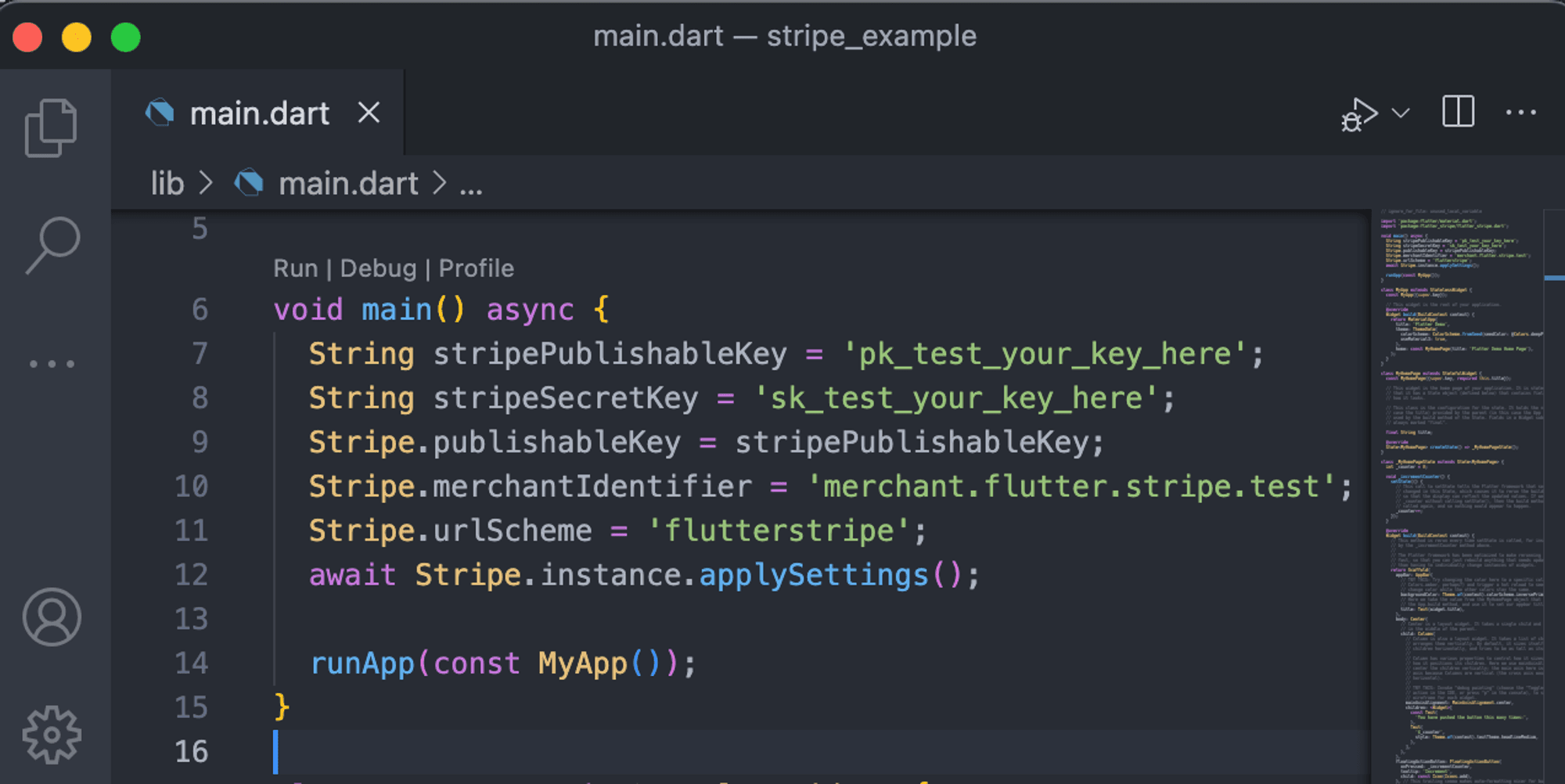
4. This initializes Stripe with your keys. Next, implement the onClick() method where you want to trigger Stripe payment. We'll use test credentials to demonstrate test payments.
5. In order to save payment cards for future transactions, Stripe offers the option to create customer accounts. These accounts can store payment information for quick and easy checkout later on. To implement this, Stripe provides APIs that can be used in either the backend or front end of the website or application using the HTTP package.
6. To create a customer account, one can use the curl API, which will return a unique CUSTOMER_ID that can be linked to the payment intent.
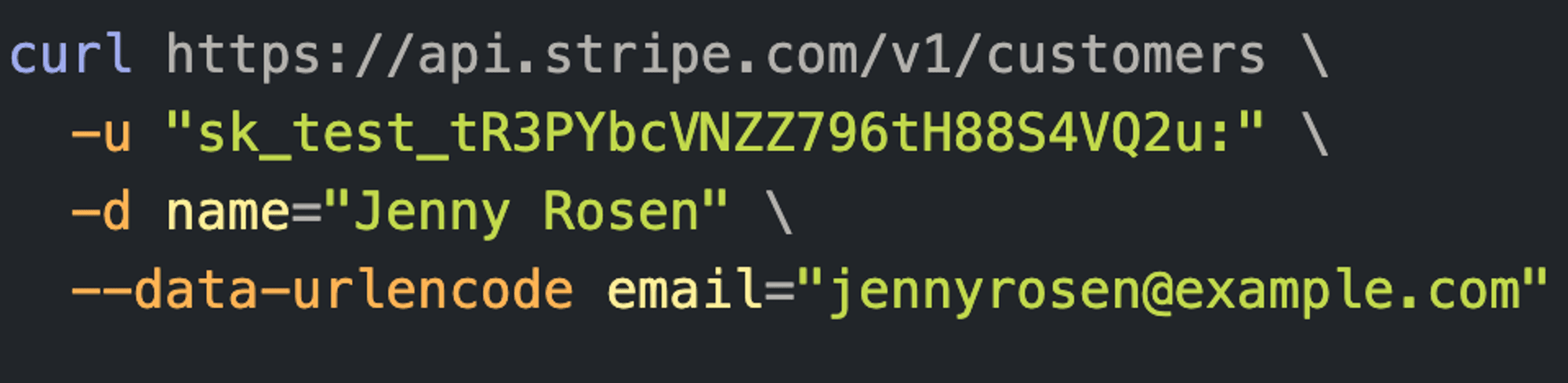
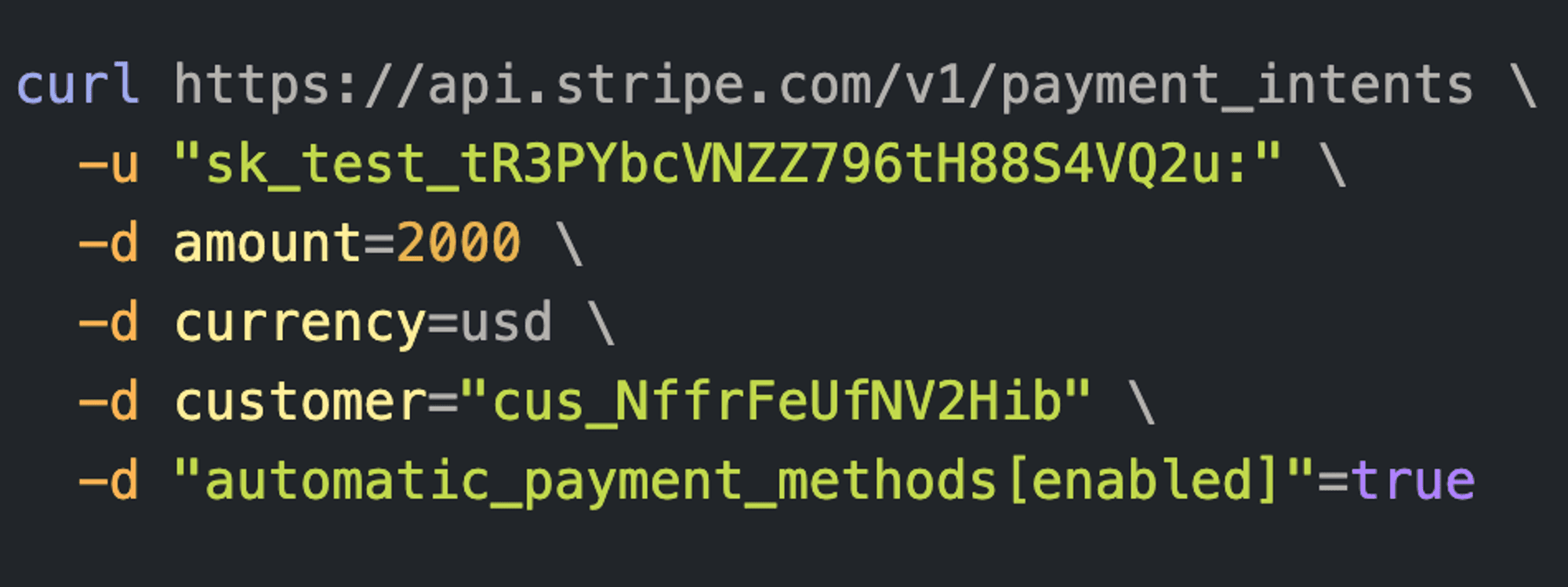
7. Create a payment intent using the API, which returns payment keys like ID, ephemeral key, client key, etc. Store and use these in the payment sheet.
8. Before opening the payment sheet, initialize it with the required parameters.
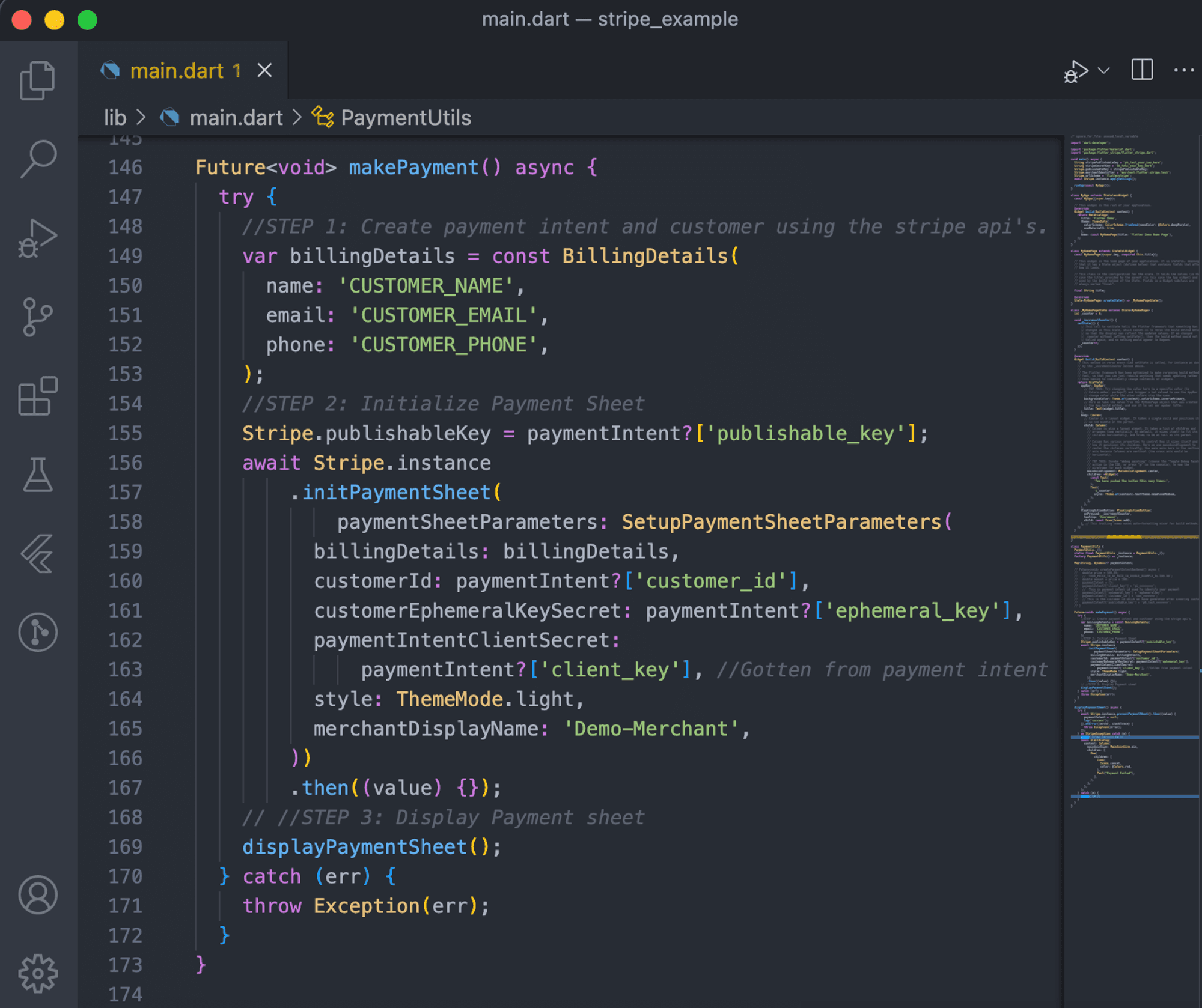
9. Using the Stripe SDK, display the payment sheet using Flutter and handle success and error methods.
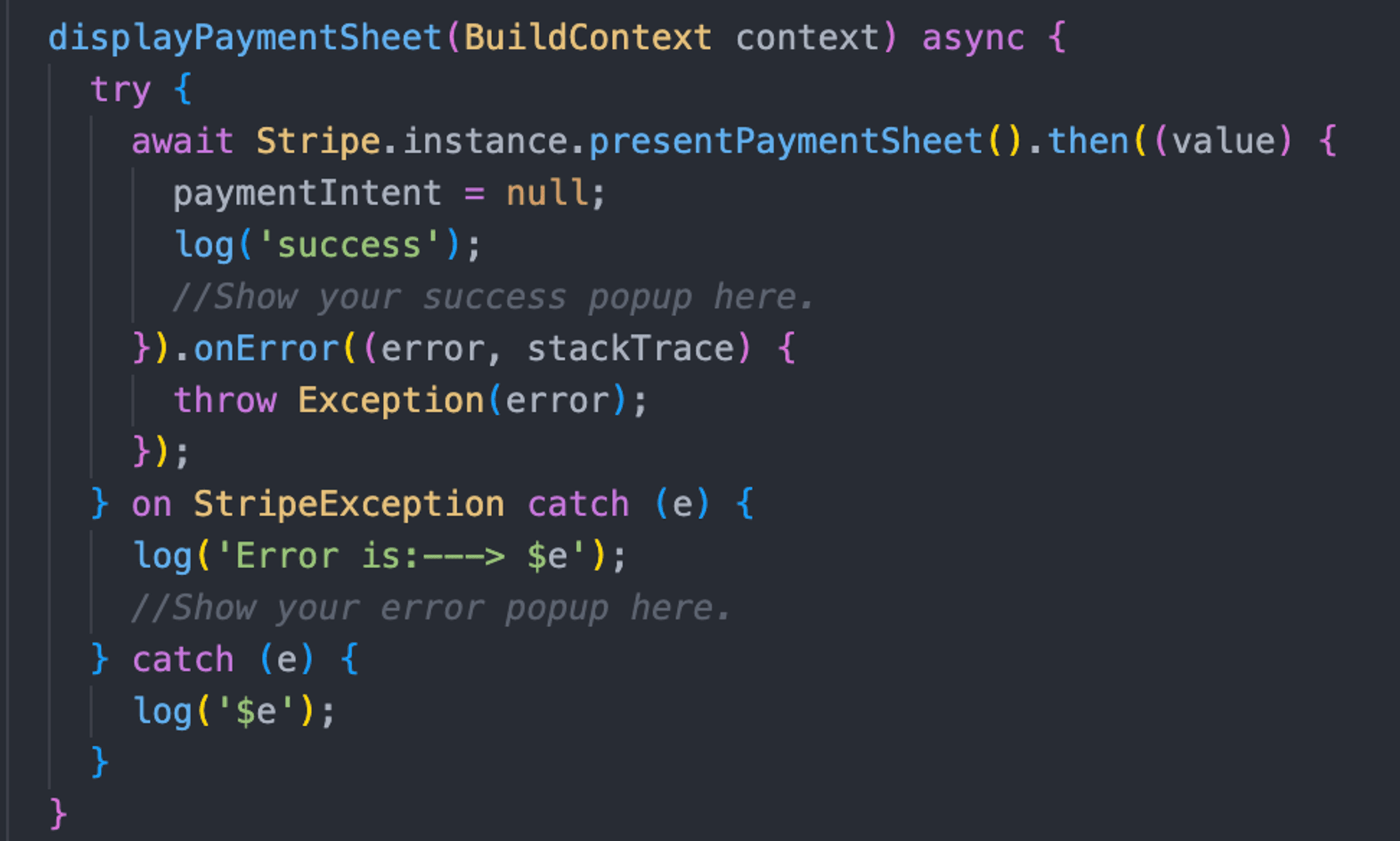
10. More Stripe APIs are at https://stripe.com/docs/api. Please select the options that best fit your requirements.
Here’s a quick demo of the solution 👇🏻

How to Set Up an In-house Wallet Using Stripe?
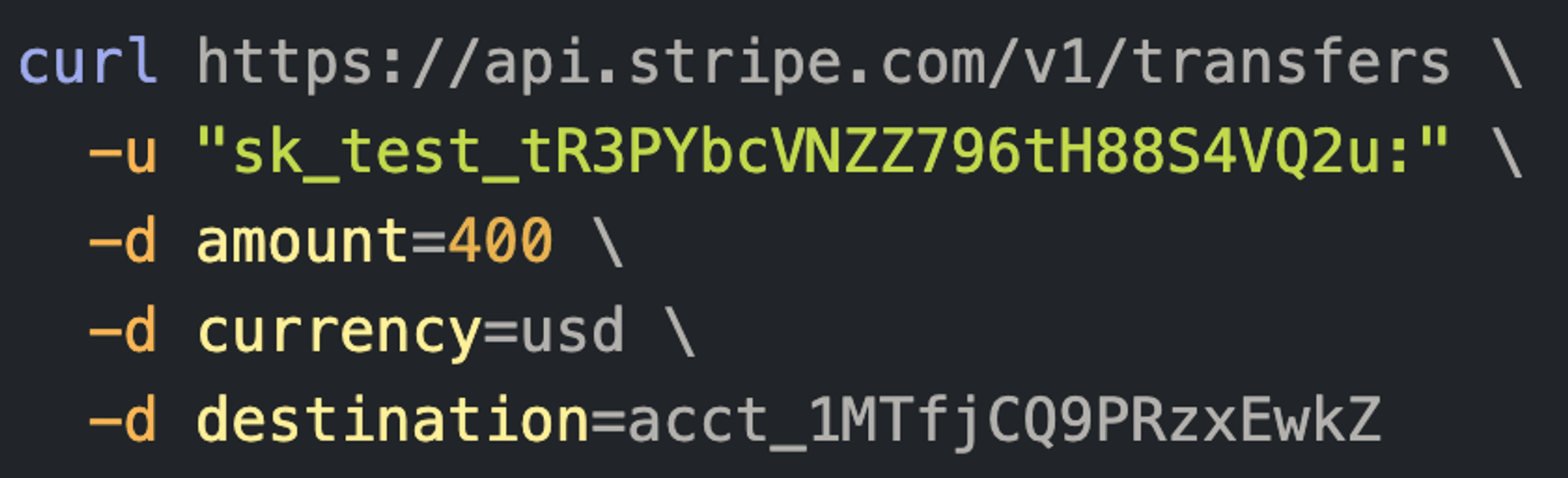
Stripe enables using external wallet applications for payments. However, we'll implement an in-house wallet system coupled with payment management using Stripe. Created via a backend database, it efficiently handles payments by adjusting the wallet balance.
Consider a hypothetical customer, Samson, with a wallet "wallet_id_123456." Samson can deposit into or withdraw from his wallet, and then use the balance for direct payment later.
Deposit: The customer transaction adds to the Stripe balance, becoming available for future payments.
Withdraw: Withdrawals use Stripe's transfers API needing a pre-registered connect account. The transferred amount appears as Stripe balance and is disbursed to the associated bank account.
Conclusion
Integrating Stripe and wallet management in Flutter provides a robust solution for streamlined online payments. Renowned for simplicity and comprehensive features, Stripe is a preferred choice, supported by dedicated customer service.
This guide aims to empower developers and businesses to leverage Stripe and Flutter's full potential for seamless, secure online payment processing and wallet management. The outlined business model highlights the importance of connecting organizations, customers, and providers through transparent payment flows.







