


In today's fast-paced digital environment, protecting backend services is critical. Firebase, a well-known Backend as a Service (BaaS) platform, offers robust tools for building serverless applications. Among these tools, developers extensively use Firebase Functions to write business logic and deploy it in the cloud. However, safeguarding these functions against unauthorized access and potential attacks is crucial. This article delves into securing Firebase Functions using Firebase App Check, providing a comprehensive guide to enhance your application's security.
Understanding Firebase Functions and Permissions
Firebase Functions enable developers to deploy server-side logic without managing the underlying infrastructure. When configuring Firebase Functions, managing permissions effectively is crucial to control who can invoke them.
Firebase Functions, by default, require specific permissions (Cloud Function Invoker Permission) to be configured to determine who can trigger (invoke) them. Typically, developers set permissions such as allAuthenticatedUsers, which restricts invocation to authenticated users via Google authentication.
Alternatively, functions can be set to allUsers, making them publicly accessible. Even though developers can check for the auth parameter in the function context payload to verify authenticated users.
Security Concerns with Enabled Permissions
While authentication checks enhance security, improper configuration or making functions publicly accessible (allUsers permission) can lead to vulnerabilities:
- Authentication Exploitation: Compromised user tokens can be exploited to gain unauthorized access.
- Increased Attack Surface: Publicly accessible functions (
allUserspermission) are susceptible to malicious attacks, which can lead to potential resource misuse or unexpected costs.
To mitigate these risks, additional security measures such as Firebase App Check can be implemented to verify the legitimacy of requests.
Enhancing Security with Firebase App Check
An additional security layer using Firebase App Check can significantly enhance the security of Firebase Functions by verifying the device's or application's authenticity for incoming requests. This section explores how Firebase App Check works and its implementation steps, leveraging Firebase's built-in support for app authentication using App Check.
What is Firebase App Check?
App Check allows you to obtain an attestation of the app’s authenticity. App Check-enabled apps first interact with a platform-specific attestation provider to verify the app’s authenticity. Firebase supports the following attestation providers:
- SafetyNet for Android
- DeviceCheck for iOS
- reCAPTCHA v3 for Web
How does Firebase App Check Work?
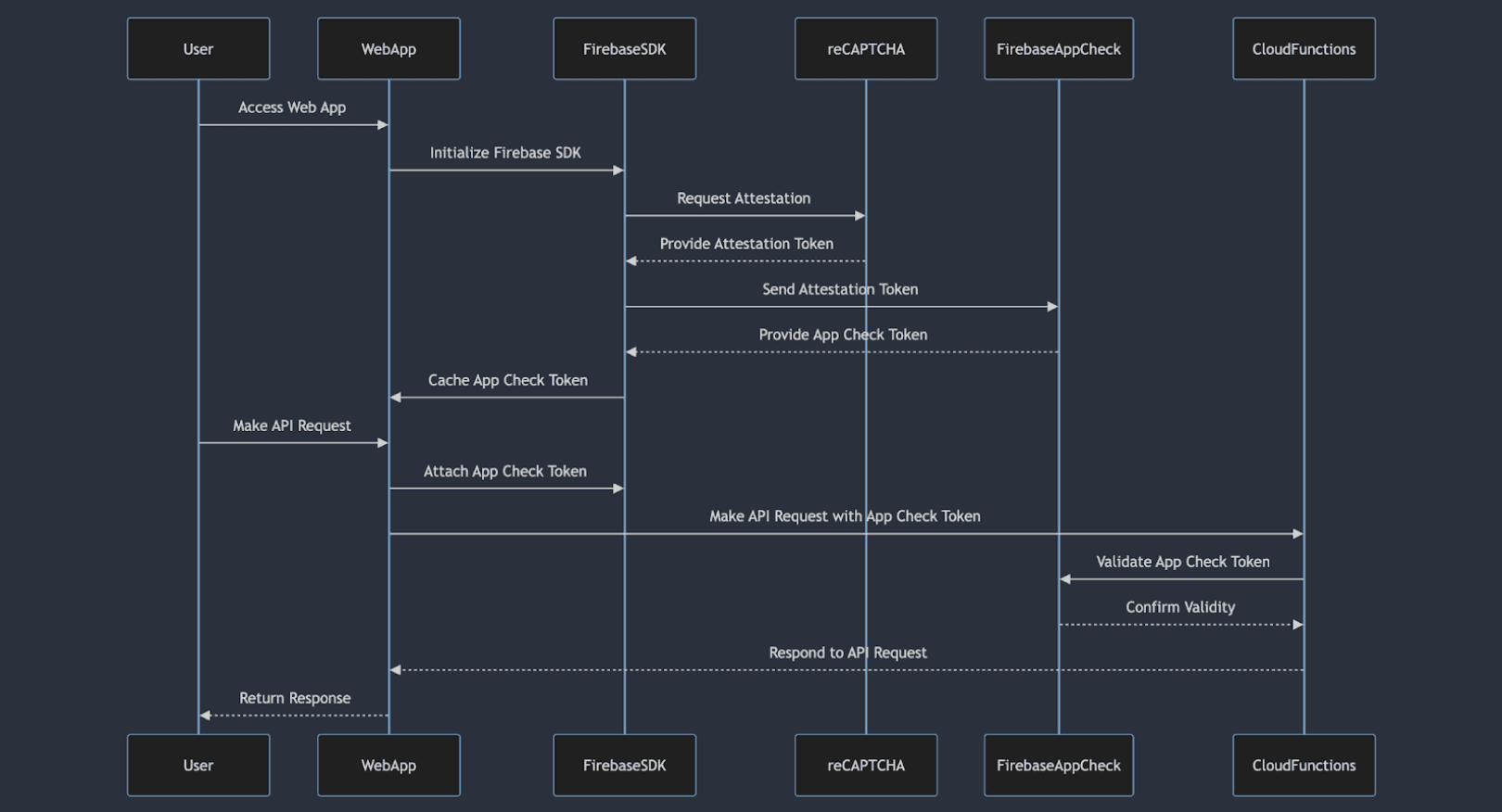
The journey to securing an App Check token involves two key steps:
- Attestation Request: When an application or device attempts to access Firebase backend services (such as Firestore, Realtime Database, or Functions), it initiates an attestation request to a platform-specific provider(reCAPTCHA v3 for Web).
The provider validates the integrity of the requesting entity (app or device) and generates an attestation. - Verification and Token Issuance: Firebase App Check verifies the received attestation against predefined criteria to ensure the authenticity and trustworthiness of the requesting entity. Upon successful verification, Firebase App Check issues a unique token. This token is then returned to the app and cached by the Firebase SDK, which automatically embeds it into every request to Firebase backend services.
Enabling Firebase App Check in Web App
1. Configure Attestation Provider (reCAPTCHA V3):
- Go to the reCAPTCHA Admin Console to configure application properties and obtain the site key and secret key.
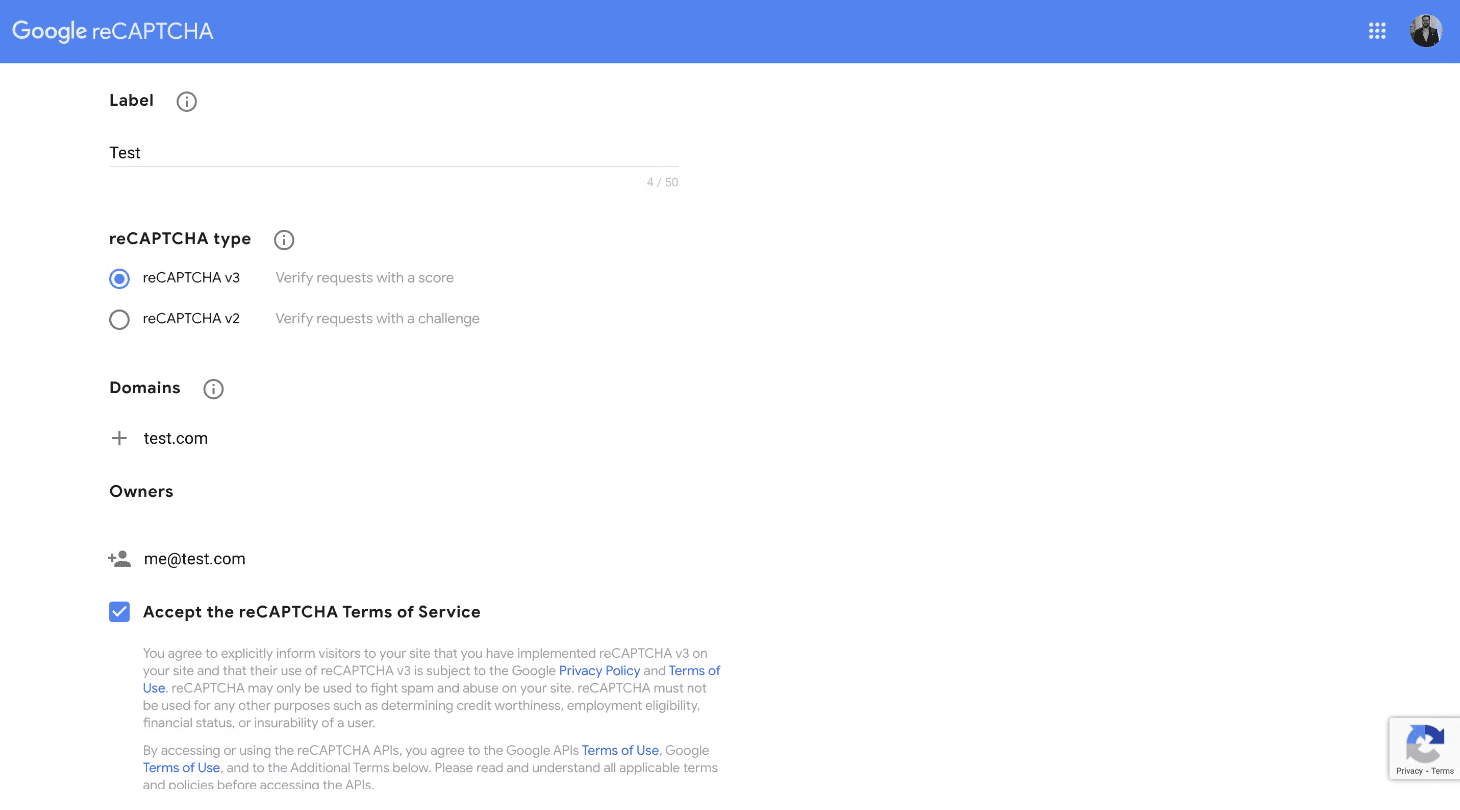
- After filling in the details, click on the submit button to get the site key and secret key.
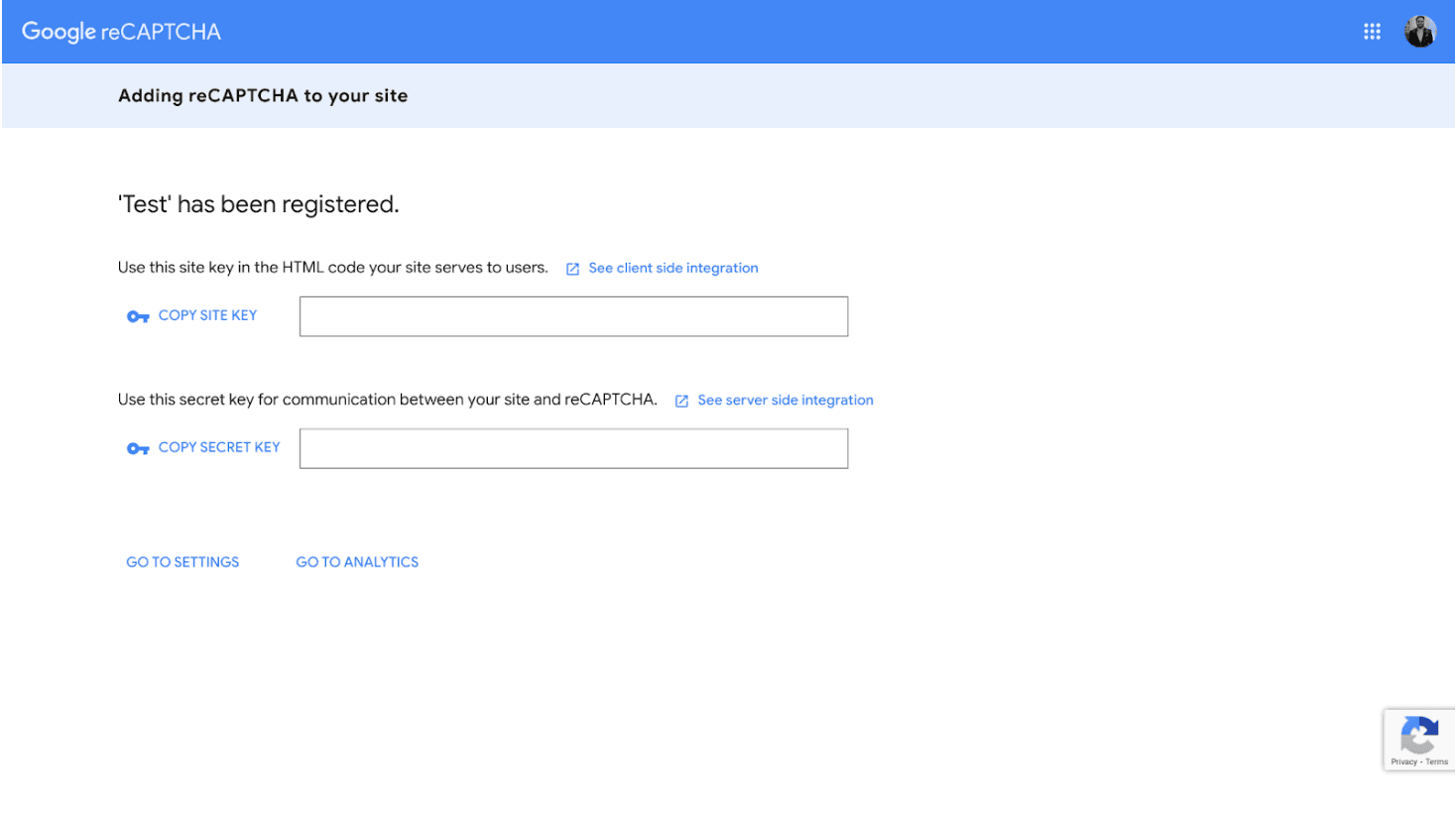
2. Enable App Check-in Firebase Console:
- Navigate to the Firebase Console and go to the App Check section. Click on "Get Started".
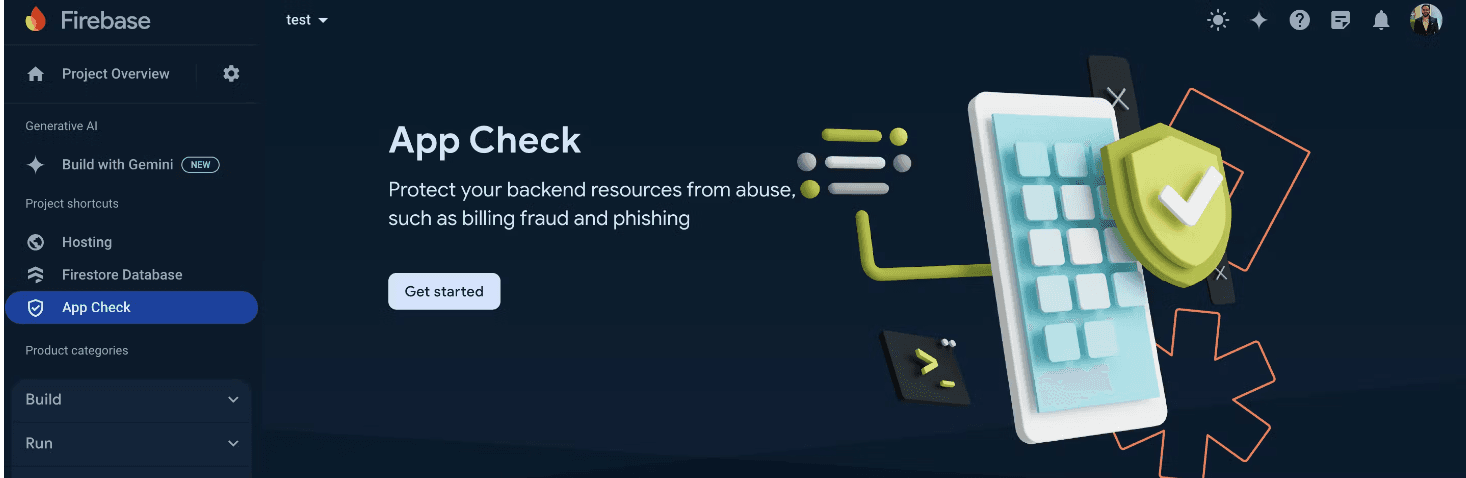
- Select the web app where you want to enable App Check and click "Register."
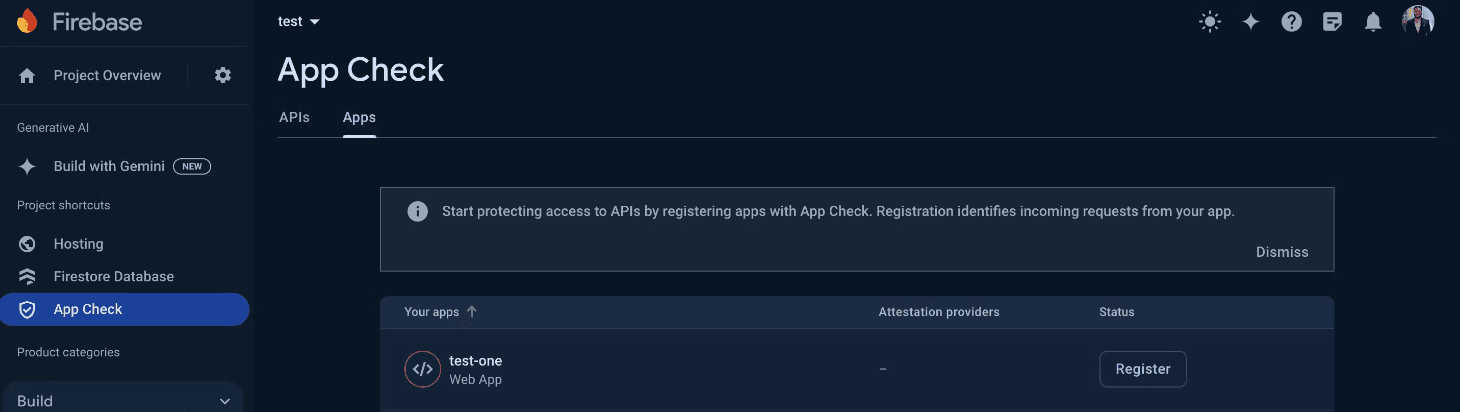
- Enter the reCAPTCHA secret key generated from the reCAPTCHA Admin Console. Leave other fields with default values and click "Save".
3. Activate App Check in Your Web Application:
In the file where you initialize the Firebase SDK, add the following code to implement App Check on the client side:
 const appCheck = firebase.appCheck();
 appCheck.activate(recaptchaAppCheckSiteKey, true);
Replace recaptchaAppCheckSiteKey with the site key from the reCAPTCHA Admin Console.
This setup will enable App Check for your web application, automatically sending the App Check token with requests to backend services. App Check will also be enabled for the Realtime Database and Firestore.
Enabling App Check for Firebase Functions
To secure your Firebase Functions with App Check, follow these steps:
In the file where your functions are defined, add the following configuration to each function where you want to enable App Check:
exports.yourCallableFunction = functions
  .runWith({
    enforceAppCheck: true, // Reject requests with missing or invalid App Check tokens.
  })
  .https.onCall((data, context) => {
    // Your function logic
  });
This will ensure that only requests with valid App Check tokens can invoke your Firebase functions, adding an extra layer of security to your backend resources.
Conclusion
Securing Firebase Functions is crucial to maintaining the integrity and performance of your backend services. While user authentication is vital, it is not foolproof against token exploitation and public exposure. Implementing Firebase App Check provides an additional security layer, ensuring that only legitimate and authorized applications can access your functions. By following the steps outlined above, you can significantly enhance the security of your Firebase Functions, protecting your resources from malicious attacks and unwarranted costs.







