


Introduction To Flutter 3.0
We all witnessed one of the most awaited annual developer conferences of 2022—Google I/O. It was as phenomenal as expected, with an endless catalog of announcements, including unlocked achievements and new developments. Flutter 3.0 was the highlight of the event for all mobile developers.
Important Insights From Google:
According to official records from Google, there are 500,000 apps built with Flutter. Some interesting statistics from a recent user study also suggest that:
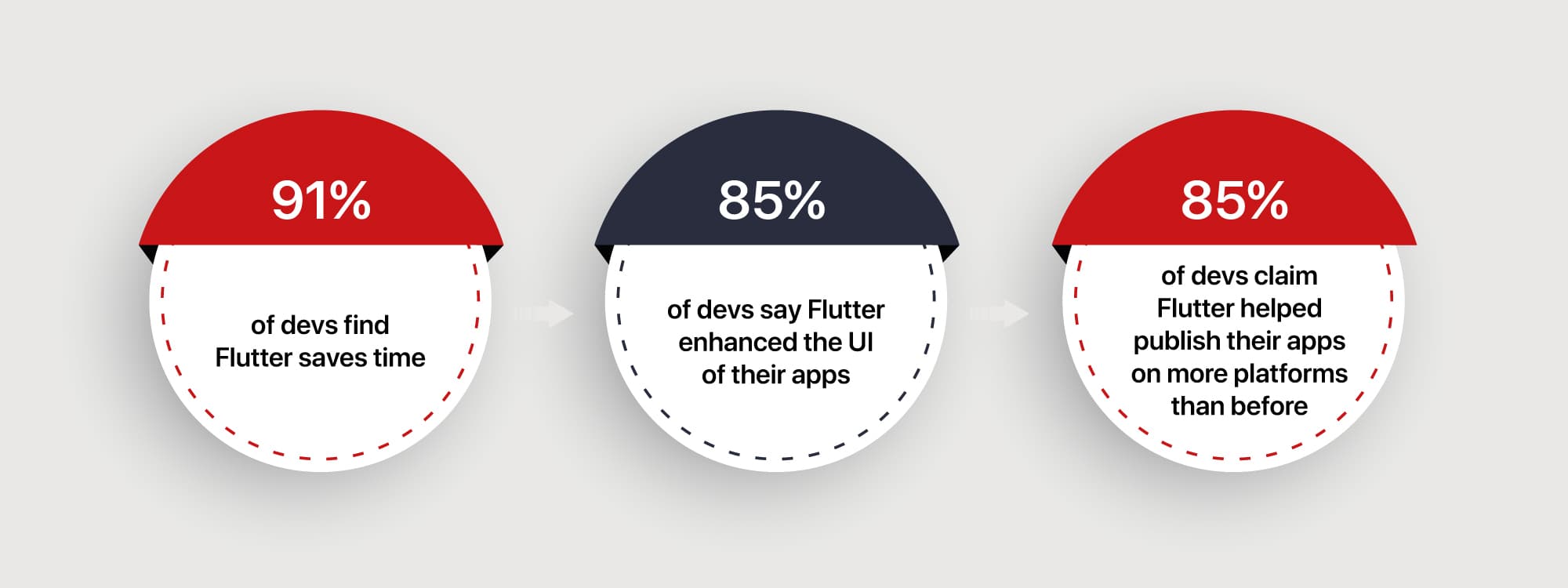
From massive updates to Flutter in its newest updates to tons of new features and enhancements in the Google product catalog, Google has worked towards making the dev environment more stable and clearer with massive documentation updates and the sorts.
But what does it all mean for devs in the mobile app development space, especially devs that are veterans in Flutter and ones that want to get into Flutter development using Dart?
Here’s what is waiting for them.
What’s New In Flutter 3.0?
The most significant developments are that Google’s mobile and web-centric app development framework has now been upgraded to include support for macOS and Linux desktop apps. Earlier, it was used only to support Windows-based desktop applications. Introducing support for macOS and adding to the already existing Windows support will definitely increase the developers’ confidence in using this platform.
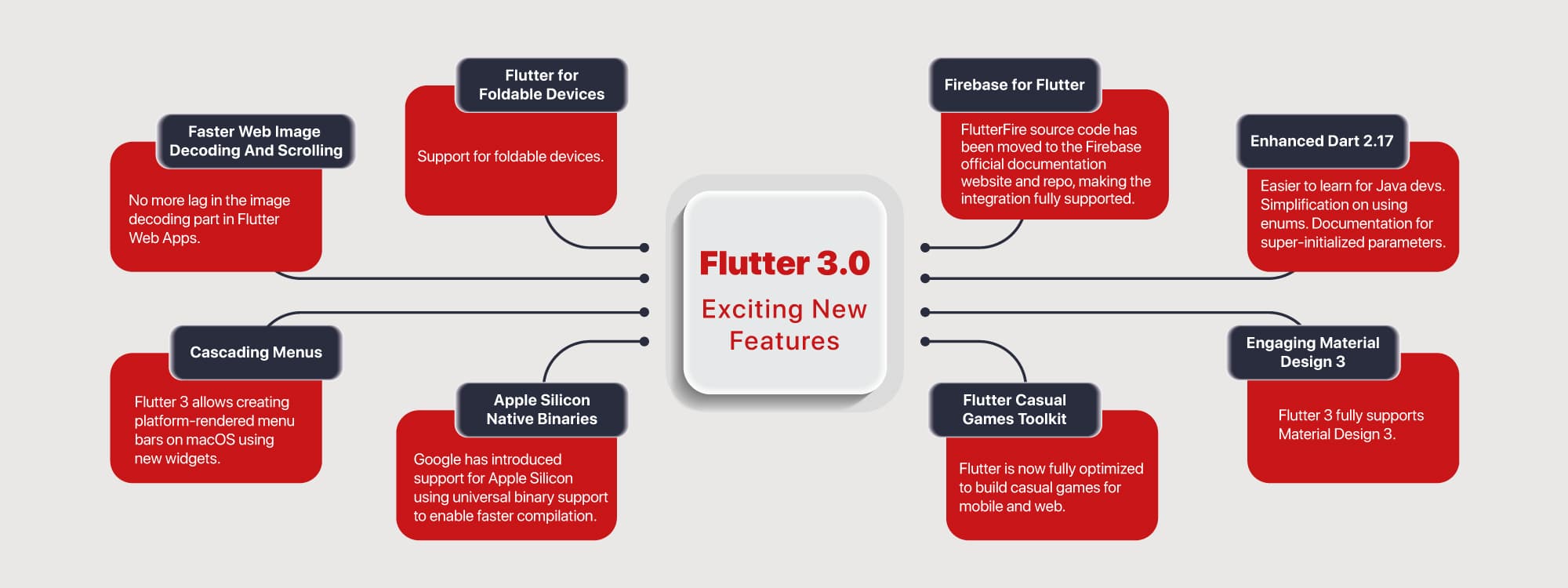
This also makes Flutter come full circle and become the go-to option for web app development with support for iOS and Android and desktop apps with support for Windows, macOS, and Linux.
Despite this added support in desktop app development, Flutter’s prowess in supporting mobile app development is here to stay and grow with powerful features. Flutter 3 comes with a new app lifecycle API for web app development. It allows developers to add a splash screen, a loading indicator while loading resources, a plain HTML interactive landing page displayed before the Flutter app, and more.
Let’s take a look at some of the most important updates.
1. Firebase for Flutter
Google’s flagship app services platform Firebase has been used by an increasing number of mobile app developers over the past years. Sensing the importance and relevance, Google has introduced deeper integrations with Firebase for Flutter 3.0. FlutterFire source code has been moved to the Firebase official documentation website and repo, making the integration fully supported.
Better support in Firebase Crashlytics will help mobile app developers track, prioritize, and fix real-time app crashes easily and effectively. The improvements in the set-up process for Crashlytics will also enable developers to implement and use this feature with only a couple of steps from the Dart code.
2. Enhanced Dart 2.17
There are a plethora of enhancements on this level. If you are a developer experienced in JavaScript, you might have had a rough time understanding the inner workings of Dart. Flutter 3.0 helps solve this problem by introducing the Learning Dart as a JavaScript Developer guide to level out many roadblocks.
The next simplification is provided on the use of enumerations. The limitations of using extensions for enumerations have been solved by providing enhanced enumerations. They can now work similarly to a class and allow for faster coding.
Developers faced troubles while initializing parameters of the parent class while inheriting multiple classes. This can now be achieved with keywords defined in the documentation for super-initializer parameters. Another addition to the documentation is the DartPad’s support for packages to enable quick testing.
3. Engaging Material Design 3
Crafting high-quality interfaces for mobile devices will be a cakewalk with Material Design 3. Flutter 3 fully supports Material Design 3. The opt-in feature can be used to select dynamic colors, updated color system and typography, and new visual effects. Google’s in-house design language will also support adding the latest visual effects introduced in Android 12, including the touch ripple effect and stretch overscroll effect in mobile apps developed using Flutter 3. Adding anything to the Material theme design will also become easier by using theme extensions instead of calling several other methods.
4. Flutter Casual Games Toolkit
There is the Flutter Casual Games Toolkit for all those who believe Flutter doesn’t do justice to the intricacies of mobile game app development. Flutter 3 provides resources in the form of templates and best practices combined with credits for ads and cloud services to build casual games. Although Flutter has not been known for high-intensity 3D action game development, some of these games have now opened to Flutter non-game UI.
5. Flutter for Foldable Devices
The foldable smartphone race is at its peak. More users also gravitate towards foldable screens as they add more flexibility and ease of usage or simply look cool. The Flutter app development community has been waiting for this advancement to enhance the building of a dynamic UI. The designs that were impossible with older Flutter versions are now being implemented. Developers can now create interactive and delightful user experiences with this feature and widgets for foldable screens as efficiently as with fixed screen smartphones. This is a benchmark in the foldable mobile app development area.
6. Faster Web Image Decoding And Scrolling
Flutter web apps lagged in the image decoding part at times. This limitation has been overcome in Flutter 3. Most chromium-based browsers, such as Chrome, Opera, Samsung Browser, etc., have an ImageDecoder API to support faster image decoding. This API can decode images asynchronously off the main thread. It uses a browser’s built-in image codecs to achieve this. Flutter 3 can automatically detect and use this API to catapult image processing speed in web apps.
7. Cascading Menus
Flutter 3 allows creating platform-rendered menu bars on macOS using new widgets. This new widget will enable inserting platform-only menus and manage the appearance of macOS application menus. This feature offers flexibility to utilize the operating system efficiently and share optimal UI and logic when required.
8. Apple Silicon Native Binaries
Google has introduced support for Apple Silicon using universal binary support to enable faster compilation. Flutter 3 has native M1 support to run executables on both Intel and Apple platforms now. Compiling a code will become reliable, manageable, and faster with this addition. Apple Silicon can be downloaded from the macOS install page.
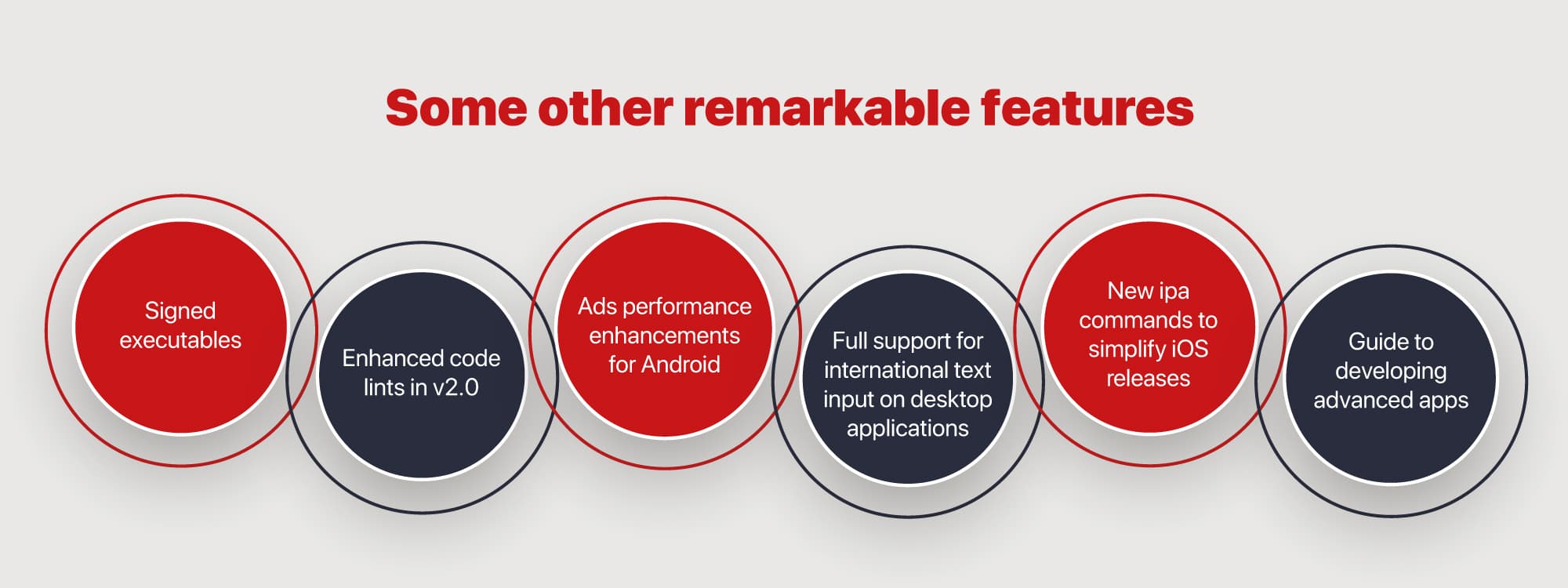
What Does It Mean For Flutter Devs?
All of the above additions and improvements indicate better performance and ease of using Flutter for app development. With a common codebase for a wider range of devices, more stability in building apps, and faster coding and testing with robust code documentation, Flutter can simplify many tasks for mobile and desktop app developers.
Earlier versions of Flutter were only easier to understand for Java developers. But the ones coming from the JavaScript developers often found the Dart learning curve steeper given the fundamental differences between both. The ‘Learning Dart as a JavaScript developer’ guide helps simplify the learning process. There will also be similar additions for Swift and C#.
With Flutter 3, developers can engage in building innovative solutions for businesses all over the world. Creating dynamic web and desktop apps with enhanced documentation will become increasingly easier for developers experienced with any programming language including Java and JavaScript. Developers can make excessive use of the documentation in the form of guides to best practices and building advanced apps.
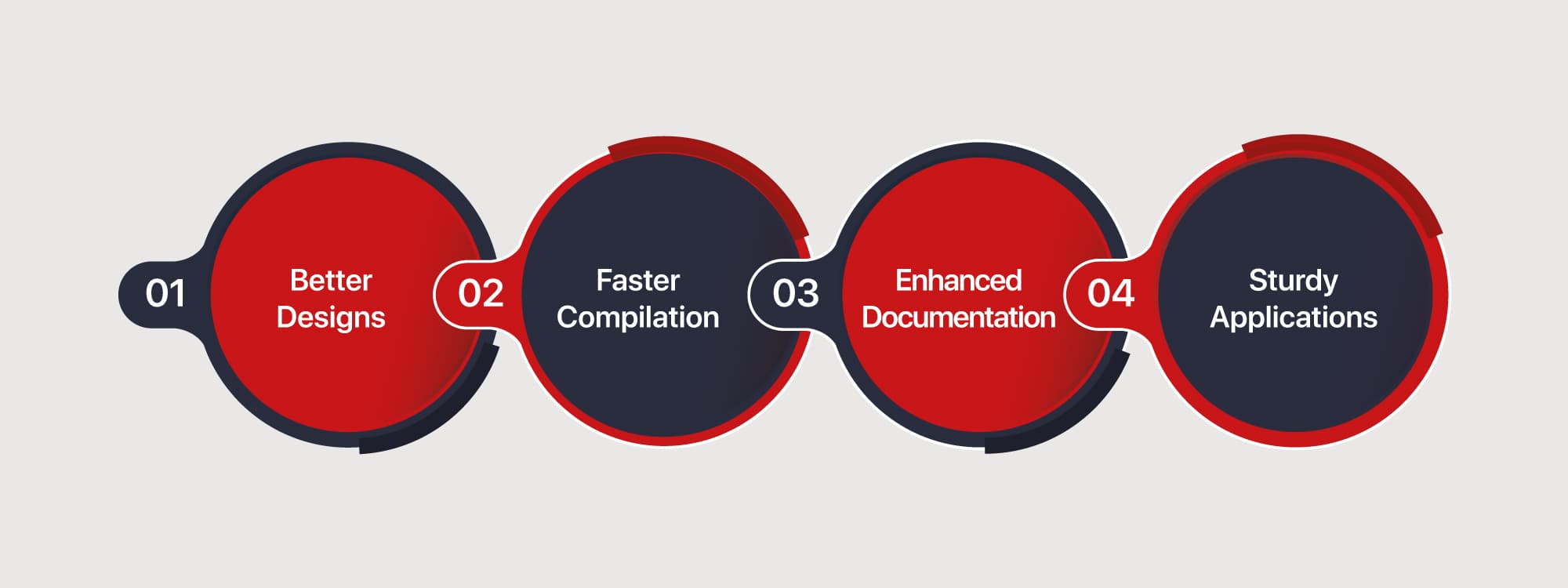
Challenges faced while UI designing will get solved with full support for Material 3. Developers can now experiment with adding many advanced visual effects that were not possible with Flutter before. Support for foldable devices also opens new possibilities for taking the apps out of the now-boring mobile phone devices and onto foldable screens.
We will also see an increased inclination towards using Flutter for designing better 3D mobile gaming apps. Currently only supporting casual games development, Flutter may allow building advanced 3D action gaming.
Adding more support for Firebase takes Flutter 3 to a new extent of robustness. Developers can build, maintain, and operate their apps easily after they’ve completed coding them. Real-time crash reports will enhance mobile app performance over time.
The Takeaway
Flutter version 3.0 comes with a focus to enhance security, quality, and growth. It has now become easier and more welcoming for devs from varied backgrounds and expertise to get started with Dart and start building things in Flutter. Flutter Windows is now stable and MacOS has its own version, alongside minor tweaks to the Dart language and Flutter web.
With these updates, Flutter has become more welcoming, more usable, and easier to understand for expert and aspiring mobile and web app developers in the community, which clearly points towards the ultimate goal of Google to make Flutter the de-facto environment for devs to build the apps of the future.
Starting now, we will see substantial changes in the Flutter mobile app development space. We can see more updates from Google to help enhance developer productivity and expand Flutter’s capabilities in the near future.
To keep in touch with all the updates in the mobile and web developer space, follow the GeekyAnts Blog and the GeekyAnts Tech Blog for new experiments and some crazy tutorials in the Flutter and React domain.







