


The Problem with Dead Code in Vue.js Projects
Dead code accumulation is a sneaky challenge in modern Vue.js development that many developers face. As your application grows and changes, unused components, utilities, and modules can quietly pile up, turning your codebase into a tangled mess. This not only makes maintenance a headache but also unnecessarily inflates your deployment bundles. Let's tackle this issue head-on and keep your project lean and efficient!
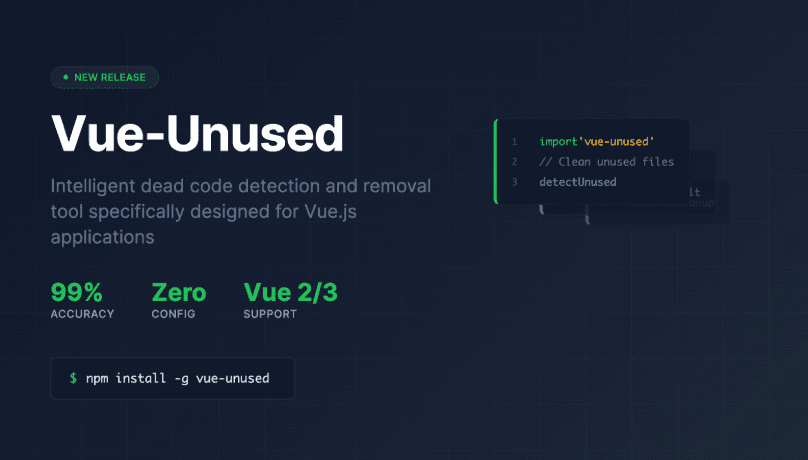
vue-unused addresses this challenge with great precision. Unlike generic tools that produce unreliable results, vue-unused is purpose-built for Vue.js applications, offering intelligent analysis that developers can trust for automated cleanup processes.
Why Generic Tools Fall Short with Vue.js
Traditional unused file detection tools treat Vue.js applications like standard JavaScript projects, leading to significant problems:
The Problem with Existing Unused File Detection
Most existing tools follow a simple approach: if a file isn't imported, it's considered unused. This generic strategy leads to significant problems in Vue.js applications.
False Positives Galore: A component might be flagged as "unused" even when it's utilized in a template, simply because the tool couldn't trace the connection between <template> usage and <script> imports.
Vue-Specific Complexity: Vue's component system, with its template-based syntax and dynamic imports, requires a specialized understanding that generic tools lack.
Lack of Confidence: When tools produce unreliable results, developers lose trust and avoid cleaning up their codebases, resulting in the accumulation of technical debt.
Vue-Unused: A Purpose-Built Solution
Vue-unused revolutionizes dead code detection for Vue.js applications through intelligent template-to-script mapping. This sophisticated approach addresses the fundamental limitations of generic tools:
High Accuracy Analysis
The tool performs deep static analysis of your Vue files, parsing templates to understand which components are actually being used, then tracing them back to their imports. This sophisticated approach eliminates false positives and gives you confidence in the results.
Universal Vue Support
Whether you're working with Vue 2, Vue 3, or the modern <script setup> syntax, vue-unused handles them all seamlessly. It understands the nuances of each version and adapts its analysis accordingly.
Robust Path Resolution
Modern Vue applications frequently have intricate path setups. Vue-unused accurately manages these complexities by resolving paths effectively. It ensures that all components are correctly identified and analyzed, regardless of the path configuration used in the project.
- Aliased paths (@/components)
- Relative paths (../utils)
- Extensionless imports
- Dynamic import() calls
Zero-Config Philosophy
With vue-unused, you can start immediately without any setup, as it automatically detects your project structure. It also respects your .gitignore file right out of the box. For most projects, no configuration is needed, making it very easy to begin using.
Installation and Quick Start
npm install -g vue-unused
Once installed, navigate to your Vue.js project directory and run:
vue-unused
The tool automatically analyzes your project structure and presents a comprehensive list of unused files. For safe cleanup practices, always review results before deletion
# Export results to JSON for detailed review
vue-unused --json
# After verification, remove unused files
vue-unused --delete
Advanced Features and Capabilities
Interactive Configuration Setup
Vue-unused includes an intuitive configuration wizard for customized deployments:
vue-unused --createConfig
This interactive process guides users through advanced options, including path aliases, file extensions, and entry point specifications, and creates a config file vue-unused.config.cjs.
Configuration Options
module.exports = {
  rootDir: "./",
  alias: {
    "@": "src",
    "~": "src/nested/modules",
  },
  extensions: [".vue", ".js", ".ts", ".json"],
  ignore: ["**/*.spec.ts", "**/__mocks__/**", "src/legacy/**"],
  entry: ["src/main.js", "src/registerServiceWorker.js"],
};
Using a Custom Configuration
If your configuration file is not at the project root, you can specify its path using the --config flag.
vue-unused --config ./config/vue-unused.config.cjs
Comprehensive Dependency Analysis
Understanding project architecture is crucial for effective dead code removal. The dependency graph feature provides complete visibility:
vue-unused --graph
This command creates a detailed dependency-graph.json A file that maps out the relationships between all the files in your project. It provides a clear view of how different files are connected and depend on each other, helping you understand the overall structure of your project.
Detailed Debugging Information
For troubleshooting complex scenarios, verbose mode provides comprehensive analysis details:
vue-unused --verbose
This feature reveals the complete file resolution and analysis process, essential for diagnosing edge cases in large applications.
Enterprise-Ready CI/CD Integration
Vue-unused is designed for seamless integration into continuous integration pipelines, enabling automated dead code prevention:
name: Check for Unused Files
on:
  push:
    branches: [main]
  pull_request:

jobs:
  vue-unused:
    runs-on: ubuntu-latest
    steps:
      - uses: actions/checkout@v3
      - name: Set up Node.js
        uses: actions/setup-node@v3
        with:
          node-version: 18
      - name: Install and Run vue-unused
        run: |
          npm install -g vue-unused
          vue-unused --json
          if [ -s unused-files.json ]; then
            echo "Error: Found unused files"
            cat unused-files.json
            exit 1
          fi
This integration prevents dead code from entering production environments while maintaining development velocity.
How It Works Under the Hood
Vue-unused follows a sophisticated six-step process:
- File Scanning: Discovers all relevant files while respecting .gitignore rules
- Dependency Graph Construction: Parses files to understand import relationships
- Vue Component Analysis: Maps template usage to script imports with precision
- Orphan Identification: Compares all files against the dependency graph
- Results Reporting: Presents unused files with confidence
Best Practices
- Always Review First: Use the --json flag to export results before deleting any files. This helps ensure you don't accidentally remove something important.
- Integrate into CI: Make sure to integrate this process into your Continuous Integration pipeline to prevent any dead code from being merged into the main codebase.
- Use Verbose Mode: Enable verbose mode when you need to debug unexpected results. This will provide more detailed information about the process.
- Configure Appropriately: Set up aliases and entry points that match your project structure through the config file to ensure accurate analysis and results.
Conclusion
vue-unused specialized understanding of Vue.js architecture eliminates the reliability issues that plague generic alternatives, providing developers with the confidence needed for automated cleanup processes. Whether you're managing a legacy application or building new features, vue-unused ensures your codebase remains lean and maintainable.
We invite you to be part of this exciting journey! As an early-stage project, vue-unused has immense growth potential, and your contributions can make a real difference. Share your ideas, report issues, or suggest features on GitHub. If you're keen to improve the tool, we welcome your pull requests. By starring our repository, you can help other developers discover vue-unused.
Essential Links:
Hope you find this article useful. Thanks and happy learning!







