

React Native Vision Camera is a powerful library that allows React Native apps to access device cameras and utilize advanced computer vision capabilities. In this post, we'll explore what React Native Vision Camera is, how it works, and why it's useful for React Native developers.
What is React Native Vision Camera?
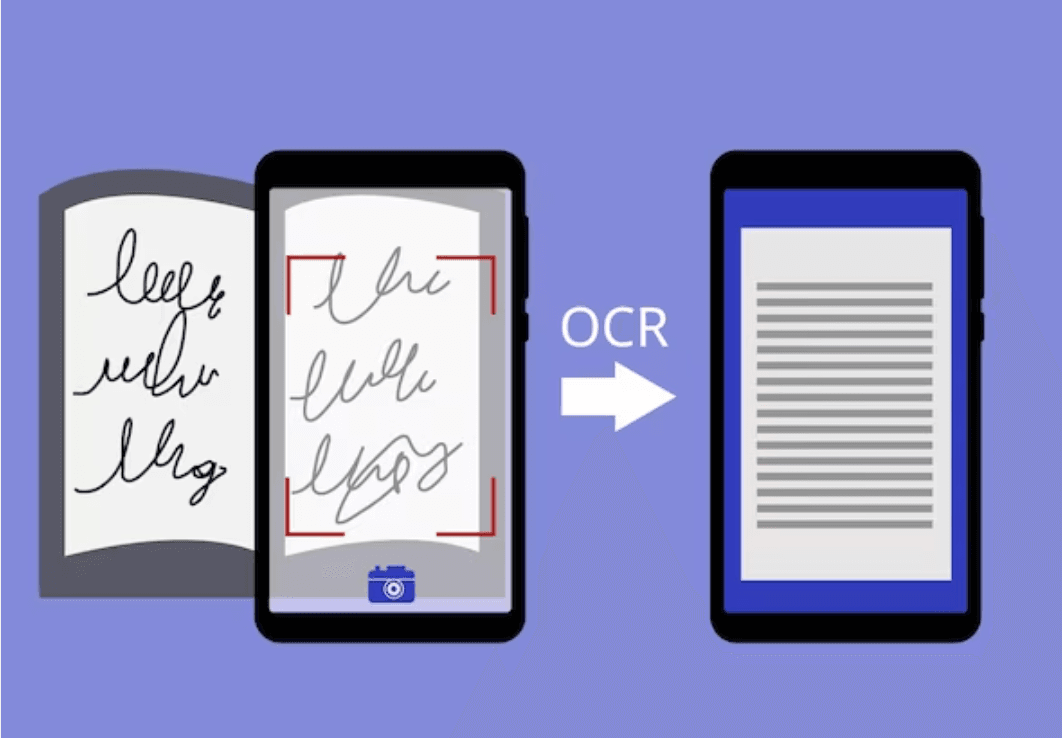
React Native Vision Camera is built on top of Google's Mobile Vision API, providing a range of computer vision features like face detection, text recognition, barcode scanning, image labeling, and more. It offers an easy-to-use and consistent interface for leveraging these capabilities in React Native apps.
Some key use cases enabled by React Native Vision Camera include:
- Face Detection - Used in apps like Google Photos to categorize pictures by person.
- QR Code Scanning - Enables transactions in payment apps or scanning restaurant menus.
- Logo Detection - Detects and recognizes logos in images.
- Video Calling - Powers video chat capabilities.
- Image Labeling - Identifies objects in images and labels them.
- Text Recognition - Detects and extracts text from images.
React Native Vision Camera vs. React Native Camera
React Native Camera provides a straightforward interface for taking photos and videos with device cameras.
React Native Vision Camera builds on this by offering computer vision functionality to analyze and interpret images and videos.
Feature | React Native Camera | React Native Vision Camera |
Camera Switching | Only the front and back lenses. | Detects all available cameras/lenses |
Supported Tasks | Basic photo/video capture | Advanced text recognition, image labeling, landmark detection |
Dependencies | expo, react-native-permissions | Only React Native Camera |
Native Linking | Requires linking on iOS and Android | No native linking required |
npm Downloads | Latest version (3.0.0-rc.10) had 15.6k downloads | 3.8.2 version had 80.7k downloads |
Key Features of React Native Vision Camera
- Versatile Camera Selection: Seamlessly switch between different cameras and lenses with device filtering.
- Flexible Output Format Options: Tailor your photo and video output formats according to your preferences using format filtering.
- Intuitive Zooming: Enjoy a fluid zooming experience facilitated by native gestures and React Native Reanimated.
- Effortless Camera Device Switching: Experience smooth transitions between various camera devices for enhanced user convenience.
- Adaptable Flash Modes: Capture stunning photos and videos with customizable flash modes catering to diverse scenarios.
- Battery-Efficient Background Camera Mode: Optimize battery usage with a background camera mode designed to minimize power consumption while ensuring continued functionality.
Note: Our founders, Sanket Sahu, and Saurabh Sahu, recently got an opportunity to interact with the visionaries behind the React native vision camera! Take a look 👇🏻
<script async="" src="https://platform.twitter.com/widgets.js" charset="utf-8"></script>Don't forget to follow and support the creators of the awesome React Native Vision Camera.
@mrousavy CEO of @margelo_io
Getting Started with React Native Vision Camera
To use React Native Vision Camera:
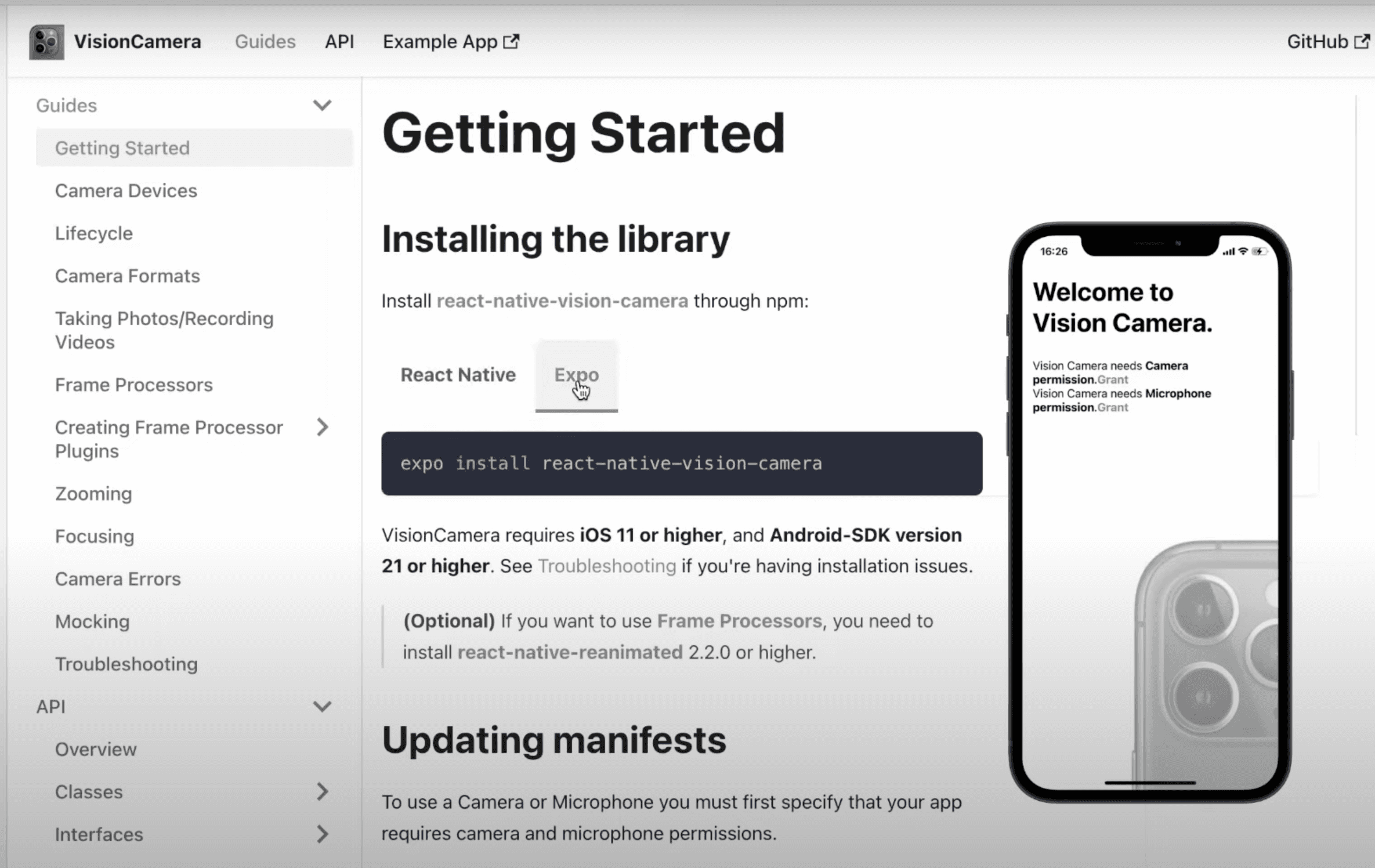
Step 1. Install React Native Vision Camera via npm.
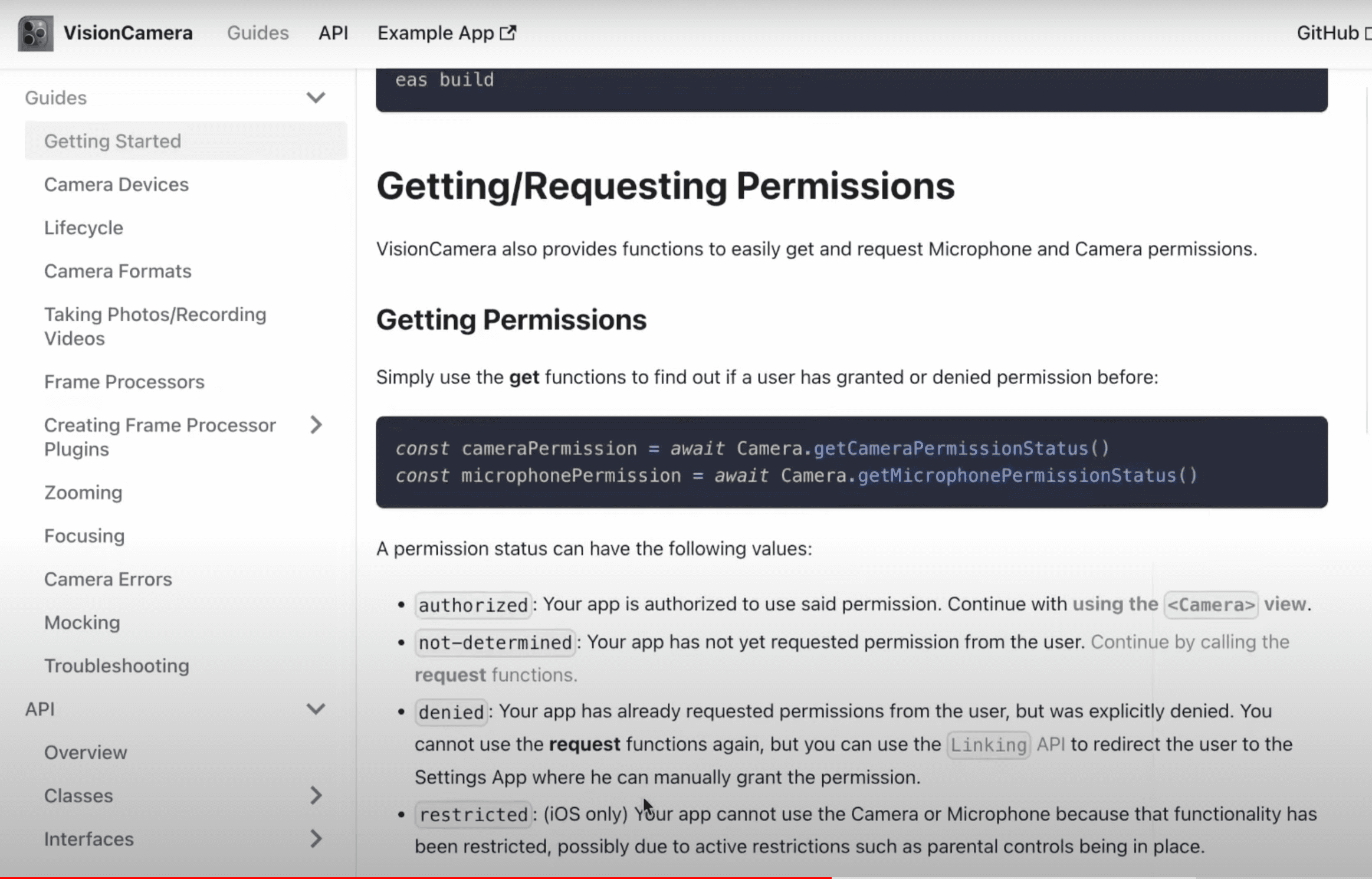
Step 2. Request camera and microphone permissions.
Step 3. Import and use the <Camera> component(The instructions below entail a step-by-step approach to using the<Camera> component.)
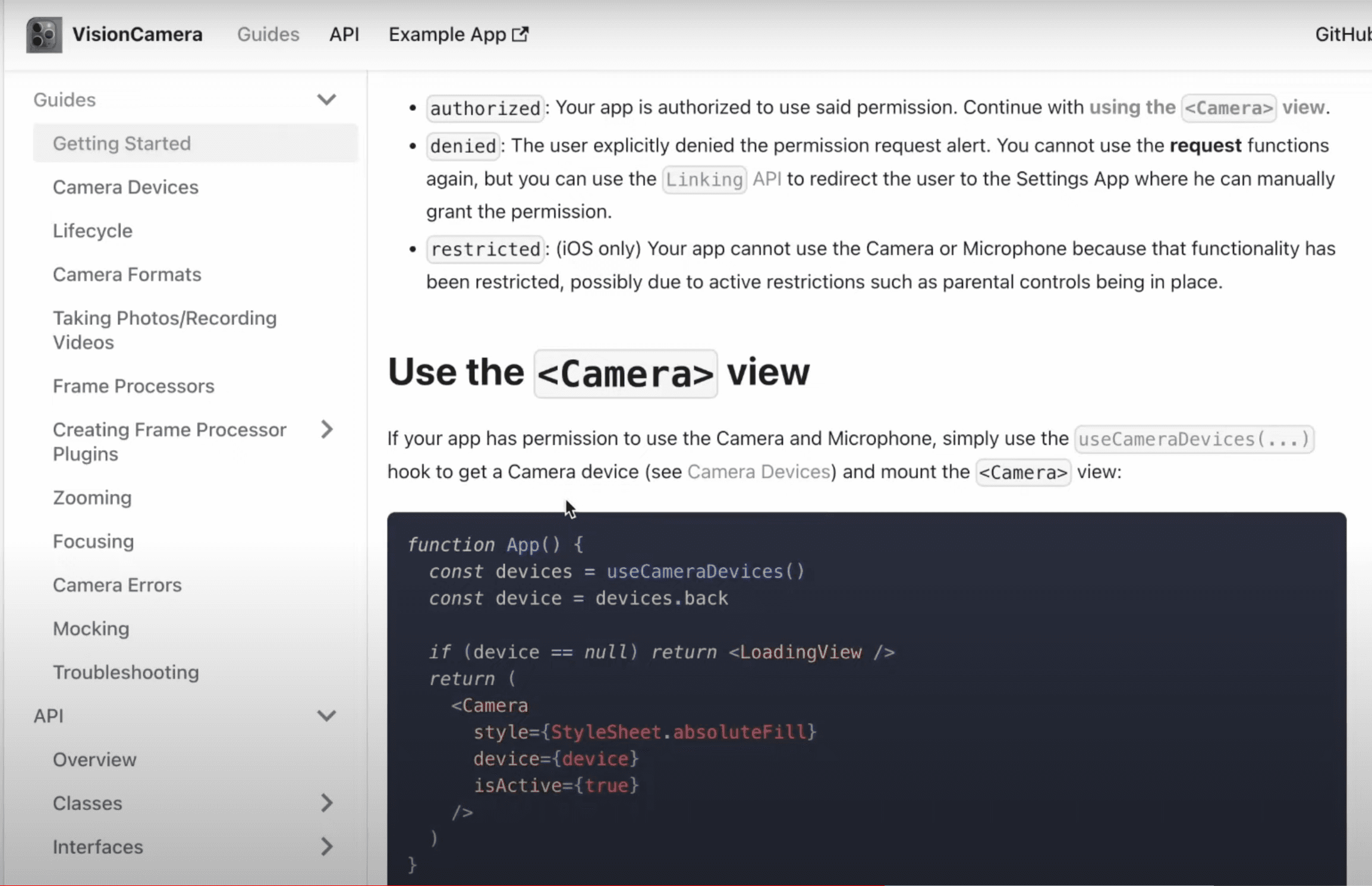
Selecting the camera devices
Camera Devices are the physical (or "virtual") devices that can be used to record videos or capture photos. Different camera features and configurations can be achieved through this library.
Here are some common functions and configurations related to camera devices:
- Single Camera:
- Utilize a single camera for capturing images or recording videos.
- Dual Camera:
- Take advantage of devices with dual cameras to capture depth information or provide different perspectives.
- Wide-Angle Camera:
- Access the wide-angle camera to capture a broader field of view in a single shot.
- Zoom:
- Implement zoom functionality to focus on specific details by adjusting the camera's optical zoom level.
- Flashlight:
- Control the camera's flashlight to provide additional illumination in low-light conditions.
- Auto-Focus:
- Enable auto-focus functionality to ensure that the camera automatically adjusts its focus based on the scene.
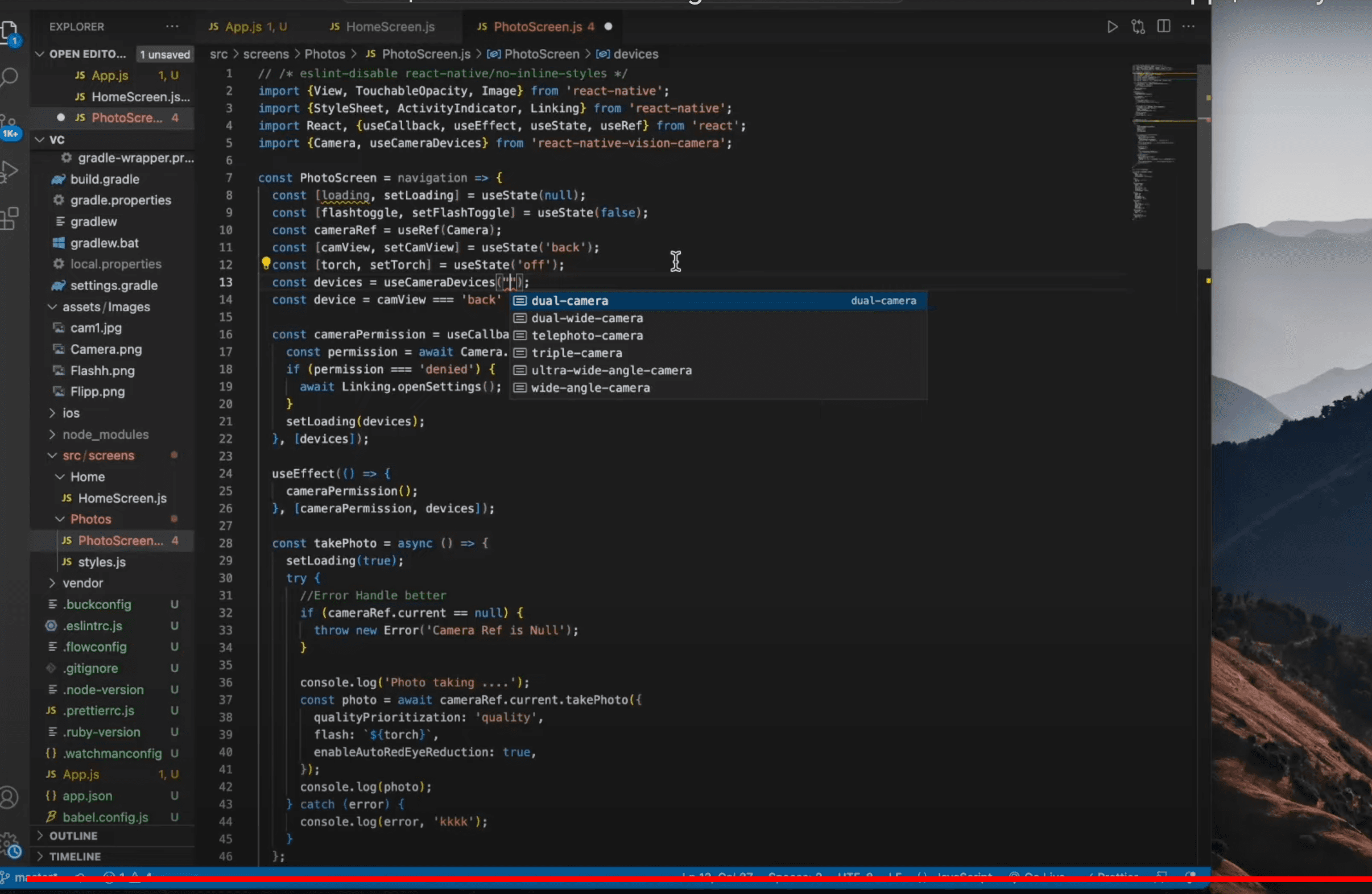
If you simply want to use the default [CameraDevice](<https://react-native-vision-camera.com/docs/api/interfaces/CameraDevice>), you can just use whatever is available:
- Hooks API
- Imperative API
const device = useCameraDevice('back')
- Pass props to enable functionality like flash, zoom, and format filtering.
- Write frame processors in JS/TS to analyze image frames.
React Native Vision Camera Demo
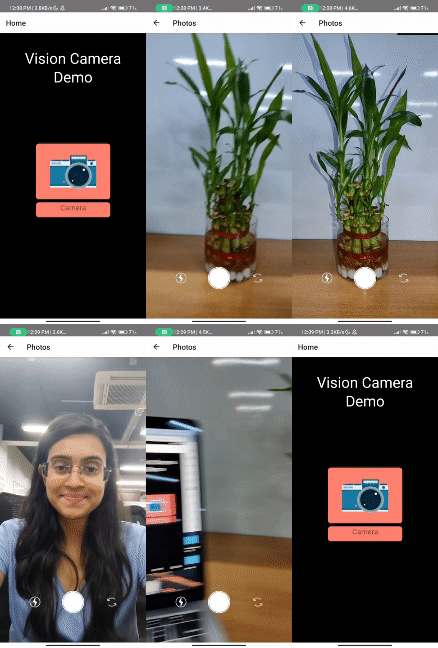
GitHub link: https://github.com/NAMRATA-BASUTKAR/RN-Vision-Camera/tree/dev
Conclusion
React Native Vision Camera unlocks powerful computer vision capabilities for React Native apps. It enables tasks like face detection, text scanning, image labeling, and more using a consistent, easy-to-use interface.
For any React Native project that needs to leverage the device camera, Vision Camera is worth exploring as a robust, feature-rich library.







