
Sales forecasting is often described as a blend of art and science, but in reality, it’s more like trying to assemble a puzzle without all the pieces.
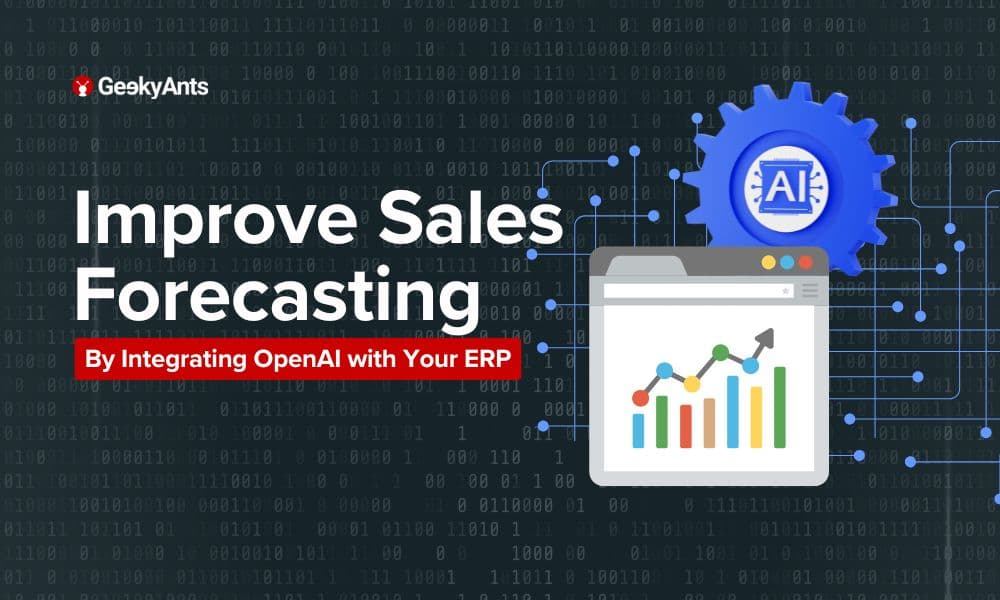
The powerful fusion of AI and ERP doesn’t just predict the future—it helps shape it. By responding to market shifts more precisely, businesses can seize new opportunities and gain a competitive edge through real-time data and trends. Integrating advanced technology like OpenAI into your ERP system not only enhances existing methods but also uncovers deeper insights that were once beyond reach.
The result? A forecasting approach that doesn’t just predict the future but actively shapes it, allowing businesses to respond to market changes with precision and agility.
Understanding Sales Forecasting Challenges
Traditional sales forecasting is fraught with challenges. Many businesses rely on historical data alone, leading to forecasts that are out of sync with current realities. Seasonal fluctuations, sudden market changes, and global events can render old models obsolete.
Moreover, the complexity of modern businesses means that data is often scattered across different departments and systems. Without a unified approach, forecasting becomes a guessing game.
This is where AI, and specifically OpenAI, steps in.
OpenAI can process and analyze data from various sources to create a comprehensive and unified model that reflects the current state of your business. More importantly, it adapts to real-time changes, ensuring your forecasts are always relevant, dynamic, and actionable. By integrating OpenAI into your ERP system, you’re not just improving the accuracy of sales forecasts—you’re turning forecasting into a strategic tool for decision-making.
Is Your ERP System Prepared for AI? Let’s Explore What It Takes
Before you can harness the power of OpenAI, you must ensure that your ERP system is ready for integration. The first step is to assess your current system’s capabilities.
- APIs and Infrastructure: Does your ERP system have the necessary APIs and data infrastructure to support AI integration? If not, upgrading or reconfiguring your ERP system may be necessary.
- Data Quality: OpenAI thrives on high-quality data. It’s essential to ensure your ERP system can provide clean, well-organized, and relevant data. Historical sales data, customer behavior patterns, and external market trends are all critical components.
- Real-Time Data Access: OpenAI’s strength lies in its ability to process data in real-time. Your ERP system must support real-time data access to allow OpenAI to continuously update and refine its predictions.
- API Compatibility: Make sure your ERP system can seamlessly communicate with OpenAI’s API. This might involve some technical adjustments or custom development work to ensure smooth integration.
Connecting the Dots: A Hands-On Guide to Integrating OpenAI with Your ERP System
- Setting up OpenAI API
- Begin by creating an OpenAI account. Once registered, navigate to the API section and generate your API keys. These keys are your gateway to connecting OpenAI with your ERP system.
- ERP System Preparation:
- Identify the key data points that influence your sales forecasts. This could include historical sales, inventory levels, and customer demographics. Once identified, set up data pipelines to ensure this information flows smoothly from your ERP system to OpenAI.
- Developing the Integration:
- Now it’s time to write the code connecting your ERP system with the OpenAI API. Using Python, for example, you can extract historical sales data from your ERP system and send it to OpenAI for analysis. Here’s a sample code snippet to get you started:
import openai
import pandas as pd

# Load historical sales data from ERP system
sales_data = pd.read_csv('sales_data.csv')

# Initialize OpenAI API
openai.api_key = 'your-api-key'

# Prepare data for OpenAI
data_to_analyze = sales_data.to_dict(orient='records')

# Send data to OpenAI for forecasting
response = openai.Completion.create(
   engine="gpt-4",
   prompt=f"Analyze the following sales data and provide a forecast:\n{data_to_analyze}",
   max_tokens=150
)
# Print forecast results
print(response.choices[0].text.strip())- This code fetches your historical sales data, sends it to OpenAI for analysis, and retrieves the forecast. You can further refine and expand this code to suit your specific needs.
Conclusion
At GeekyAnts, we understand the complexities of integrating cutting-edge technology like OpenAI with your existing systems. We specialize in creating seamless integrations that unlock new possibilities for your business.
By integrating OpenAI with your ERP system, you’re not just improving your sales forecasting—you’re empowering your business to make smarter, more informed decisions. The future of sales forecasting is here, and it’s powered by AI. So why wait? Start experimenting, start innovating, and watch your sales forecasts transform from a simple prediction into a strategic advantage
Frequently Asked Questions
- What is an ERP system, and why is it important for businesses?
An ERP system is a software platform that integrates various business processes, providing a unified view of operations. It’s crucial for businesses as it streamlines processes, improves data accuracy, and supports better decision-making. - How does OpenAI improve sales forecasting?
OpenAI enhances sales forecasting by analyzing vast amounts of data, recognizing patterns, and providing more accurate, nuanced predictions that traditional methods might miss. - How much does it cost to integrate OpenAI into an ERP system?
The cost varies depending on your ERP system's complexity, the data volume, and the customization level required. It’s advisable to consult with a developer or service provider like GeekyAnts to get a detailed estimate tailored to your needs. - How long does it take to integrate OpenAI with an ERP system?
The integration timeline can vary depending on factors like your ERP system’s readiness, the quality of data available, and the level of customization needed. Typically, the process takes between 6 to 12 weeks.
For systems with clean, well-organized data and minimal customization, the integration can be completed in as little as 4 to 6 weeks. However, if your ERP requires significant adjustments or your data needs more preparation, it may take closer to 3 months to fully integrate OpenAI into your system.