

Flick Video Player is a package for Flutter which provides the base architecture to quickly create a custom video player for your app. Flick Player wraps video_player under the hood which gives low level access for video playback.
Check out the code on Github - https://github.com/GeekyAnts/flick-video-player
The video player plugin provided by the Flutter team is great but it does not provide us UI controls to manage the player. It just runs a video and everything else has to be managed manually, from creating a simple play/pause button to some complex UI requirements like a progress bar, animations, playing a list of videos, error fallbacks, loading fallbacks etc.
Flick uses the official video player plugin under the hood and lets you create amazing looking players with all the necessary required features of a video player.
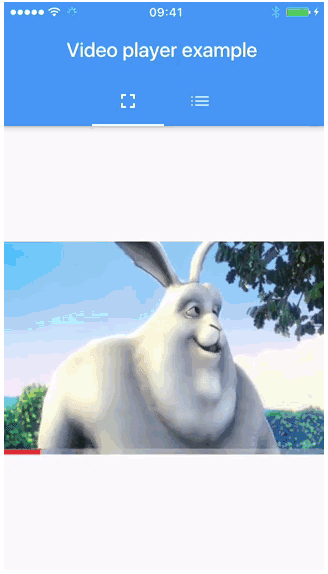
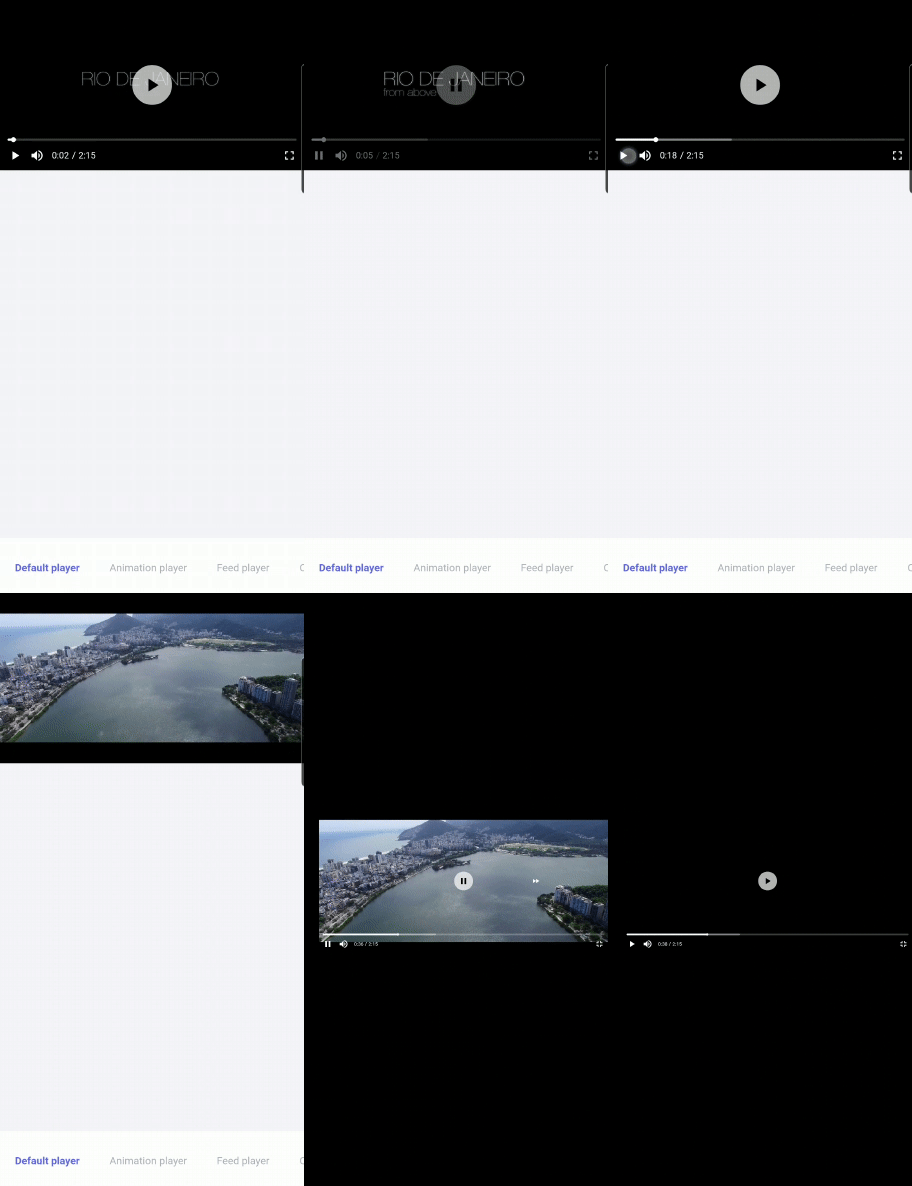
Features provided by Flick
- UI widgets to control the player like play/pause, progress bar etc.
- Auto hide controls.
- Double tap to seek video.
- On video tap play/pause, mute/unmute, or perform any action on video.
- Custom animations.
- Custom controls for normal and fullscreen.
- Auto-play list of videos.
- Many more..
Architecture of Flick Video Player
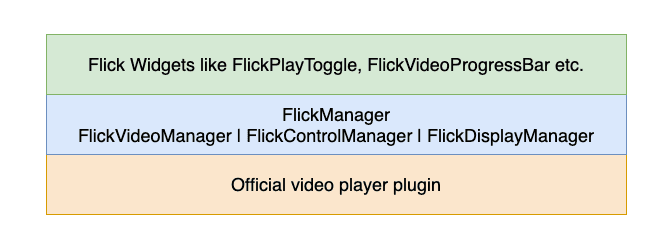
1. Official video player plugin
The official Flutter video player plugin is used to stream video on native devices.
2. FlickManager
FlickManager initialises and manages FlickVideoManager, FlickControlManager and FlickDisplayManager, which are responsible for interacting with the video_player plugin to perform actions on the player like play/pause, video seek etc. and listen to the current state of the player.
All of the so called sub-managers (FlickVideoManager, FlickControlManager & FlickDisplayManager) implement the ChangeNotifier class and provide change notifications to its listeners. FlickVideoPlayer uses the Provider package to provide all the sub-manager state changes to the widgets.
FlickVideoManager
This manager manages video related operations like initializing the video, video played progress, isBuffering, changing the video etc.
FlickControlManager
This manager manages controls for the video like play/pause, mute/unmute, toggle fullscreen, seek video, replay etc.
FlickDisplayManager
FlickDisplayManager manages auto hide and show of controls (eg-when user taps on screen), showes forward/backward seek widgets (eg-when user double taps to seek video)
3. Flick widgets
Flick widgets are some commonly used controls and actions which the user will interact with, like play/pause button. These widgets interact with sub-managers to perform operations. Eg - FlickPlayToggle listens to FlickVideoManager to check if video is playing or not and shows the play/pause button accordingly. If the user presses the play/pause button, then FlickControlManager is called upon to perform the action. There are some widgets which are referred to as action widgets which do not provide physical widgets on the screen but are useful to perform actions on videos like FlickShowControlsAction, which shows/hide controls when user taps on the screen, FlickSeekVideoAction which seeks video by 10 seconds (or any user provided value) on double tap of the screen.
Flick provides all the commonly used widgets to enable developers to quickly arrange these widgets using Flutter layout widgets and create their custom looking video player with just a few lines of code. You can also create your own widgets to achieve complex requirements by just interacting with the managers.
Some of the commonly used widgets are:
- FlickPlayToggle - Play/Pause the video.
- FlickSoundToggle - Mute/Unmute the video.
- FlickFullscreenToggle - Toggle fullscreen mode.
- FlickVideoProgressBar - Progress bar for the video.
- FlickTotalDuration - Total duration of the video in hh:mm format.
- FlickCurrentPosition - Current position of the video in hh:mm format.
- FlickVideoBuffer - Widget shown when video is buffering.
- FlickAutoHideChild - Widget to auto hide/show its child on FlickShowControlsAction.
Action Widgets: - FlickShowControlsAction - Widget to show/hide controls on tap.
- FlickSeekVideoAction - Widget to seek video forward/backward on double tap.
- FlickTogglePlayAction - Widget to play/pause video on tap of the screen.
- FlickToggleSoundAction - Widget to mute/unmute video on tap of the screen.
How to use?
Add the following dependencies in your pubspec.yaml file of your Flutter project.
    flick_video_player: <latest_version>
    video_player: <latest_version>
Create a FlickManager and pass the manager to FlickVideoPlayer. Make sure to dispose off FlickManager after use.
import 'package:flutter/material.dart';
import 'package:flick_video_player/flick_video_player.dart';
import 'package:video_player/video_player.dart';

class SamplePlayer extends StatefulWidget {
  SamplePlayer({Key key}) : super(key: key);

  @override
  _SamplePlayerState createState() => _SamplePlayerState();
}

class _SamplePlayerState extends State<SamplePlayer> {
  FlickManager flickManager;
  @override
  void initState() {
    super.initState();
    flickManager = FlickManager(
      videoPlayerController:
          VideoPlayerController.network("url"),
    );
  }

  @override
  void dispose() {
    flickManager.dispose();
    super.dispose();
  }

  @override
  Widget build(BuildContext context) {
    return Container(
      child: FlickVideoPlayer(
        flickManager: flickManager
      ),
    );
  }
}
This will provide you with the default player. To create your own controls, pass your custom controls to the FlickVideoPlayer using FlickVideoWithControls widget.
FlickVideoWithControls helps you to render the video and controls widgets passe. It also helps you to manage how the video fits on the screen.
  FlickVideoPlayer(
      flickManager: flickManager,
      flickVideoWithControls: FlickVideoWithControls(
      controls: PlayerControls(),
     ),
);
What you can create?
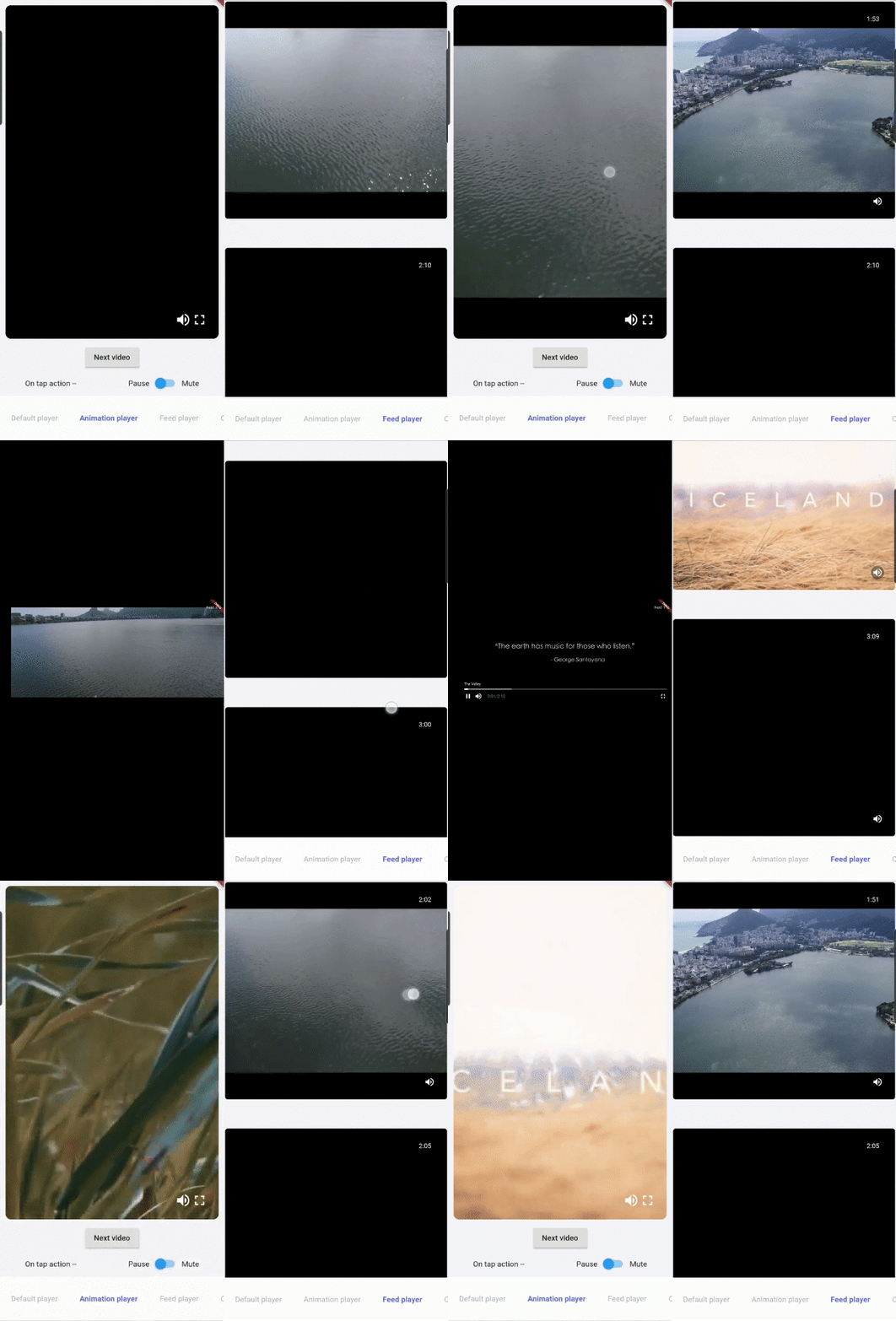
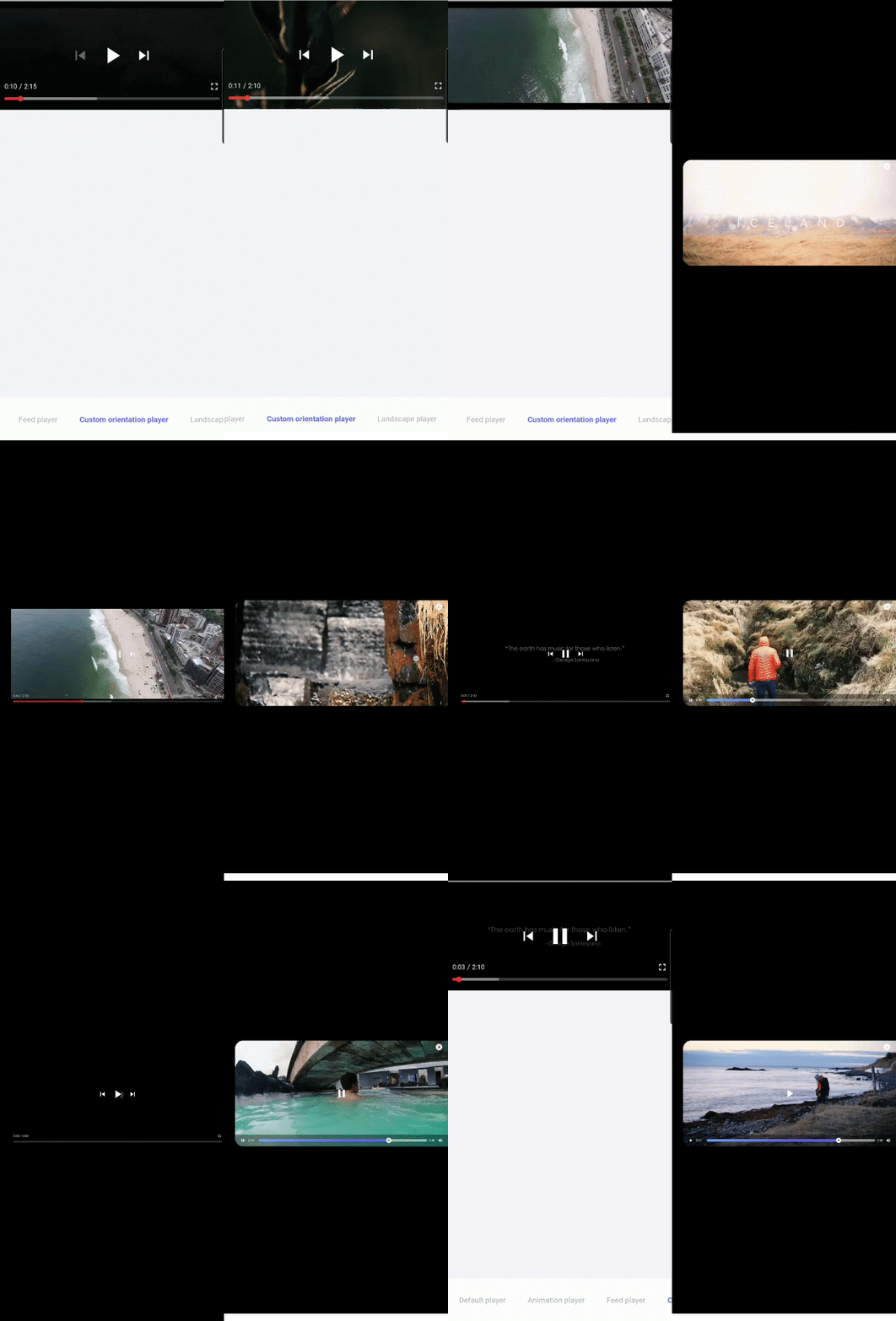
Flick is highly customisable and lets you play around and create some amazing looking players. Here are few examples created using Flick.
Explore
We have just scratched the surface there is a lot to play around with, so try cloning the repository and get your hands dirty. PR And Issues are welcome on the official Github repository - https://github.com/GeekyAnts/flick-video-player.







