
Turn Complex Data Into Executive-Ready Reports With Report Intelligence Accelerator
Transform structured and semi-structured business data into analyzed, visualized, and branded presentations with a Report Intelligence Accelerator built for smarter report automation.
Reduce repetitive reporting work while preserving analytical judgment, brand control, and human approval.
Highlights
Close the Gap Between Consolidated Data and Decision-Ready Reports
Consulting and enterprise teams often complete their data collection and analysis in large Excel workbooks. But without report automation, turning that information into a polished report still requires hours of validation, visual analysis, narrative writing, slide creation, and brand review.
Complex Workbooks Require Manual Review
Analysts must inspect multiple sheets, resolve missing values, verify structures, and confirm that the data is ready for reporting.
Insights Take Time to Surface
Teams manually compare tables, identify trends, investigate anomalies, and determine which findings are relevant to leadership.
Charts Are Recreated Repeatedly
Every report requires analysts to select visualizations, configure data, adjust layouts, and align charts with the intended narrative.
Executive Narratives Depend on Manual Work
Findings must be converted into observations, implications, risks, recommendations, and concise leadership summaries.
Brand Compliance Adds Another Review Cycle
Slides must follow approved layouts, typography, colors, terminology, disclaimers, and presentation standards as per brand guidelines.
Recurring Reports Still Start From Scratch
Monthly reviews, client assessments, board packs, and transformation updates often repeat the same preparation process despite using standardized inputs and formats.
FROM BUSINESS DATA TO EXECUTIVE REPORT
How the AI Reporting Engine Automates Final-Mile Reporting
The Report Intelligence Accelerator combines deterministic processing, AI-led analysis, visualization, narrative generation, and approved PowerPoint templates in one reviewable reporting workflow.
- Step 01
Upload or Connect the Data
Upload an Excel or CSV file or connect an approved data source such as SharePoint, OneDrive, cloud storage, a data warehouse, CRM, finance system, or internal API. - Step 02
Profile and Validate the Dataset
The AI Reporting Engine identifies sheets, columns, data types, missing values, distributions, relationships, and structural inconsistencies before beginning analysis. - Step 03
Apply Analytical Rules
Configured cleaning logic, mappings, calculations, validation rules, and report-specific analysis profiles prepare the dataset for processing. - Step 04
Generate Insights and Visualizations
The AI reporting engine identifies patterns, trends, anomalies, correlations, and narrative opportunities, then creates charts suited to the data and reporting context. - Step 05
Build the Branded PowerPoint Report
Executive summaries, observations, implications, risks, and recommendations are populated into an approved PowerPoint template. - Step 06
Review, Approve, and Export
Following human-in-the-loop automation, analysts review the generated findings, visualizations, narratives, and slide structure before approving the final report.
RIGHT CONTROL AT EVERY REPORTING STAGE
One Report Intelligence Accelerator From Data Preparation to Final Delivery
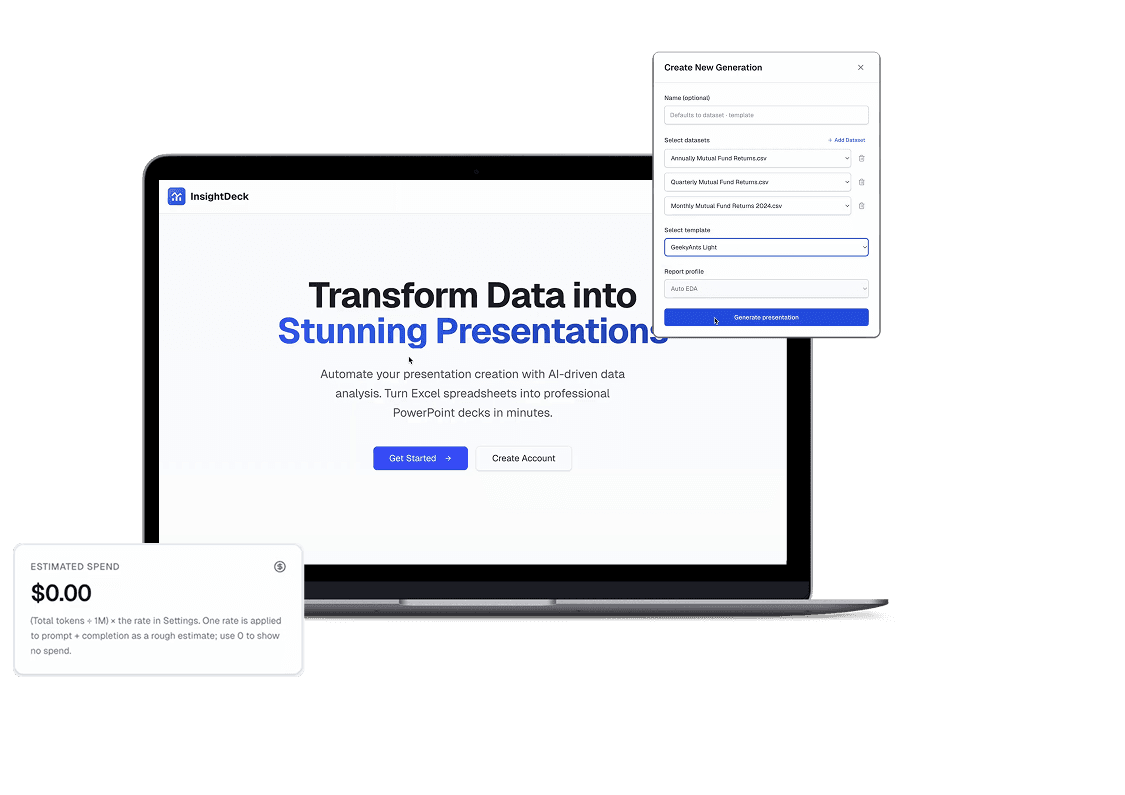
The report intelligence AI accelerator provides a structured experience for preparing data, reviewing generated analysis, and delivering approved executive reports.
Upload the source workbook, choose an analysis profile, select an approved presentation template, and review detected data structures before generation begins.
Includes
Workbook and dataset upload
Sheet and column profiling
Validation results
Analysis profile selection
Template selection
Generation status
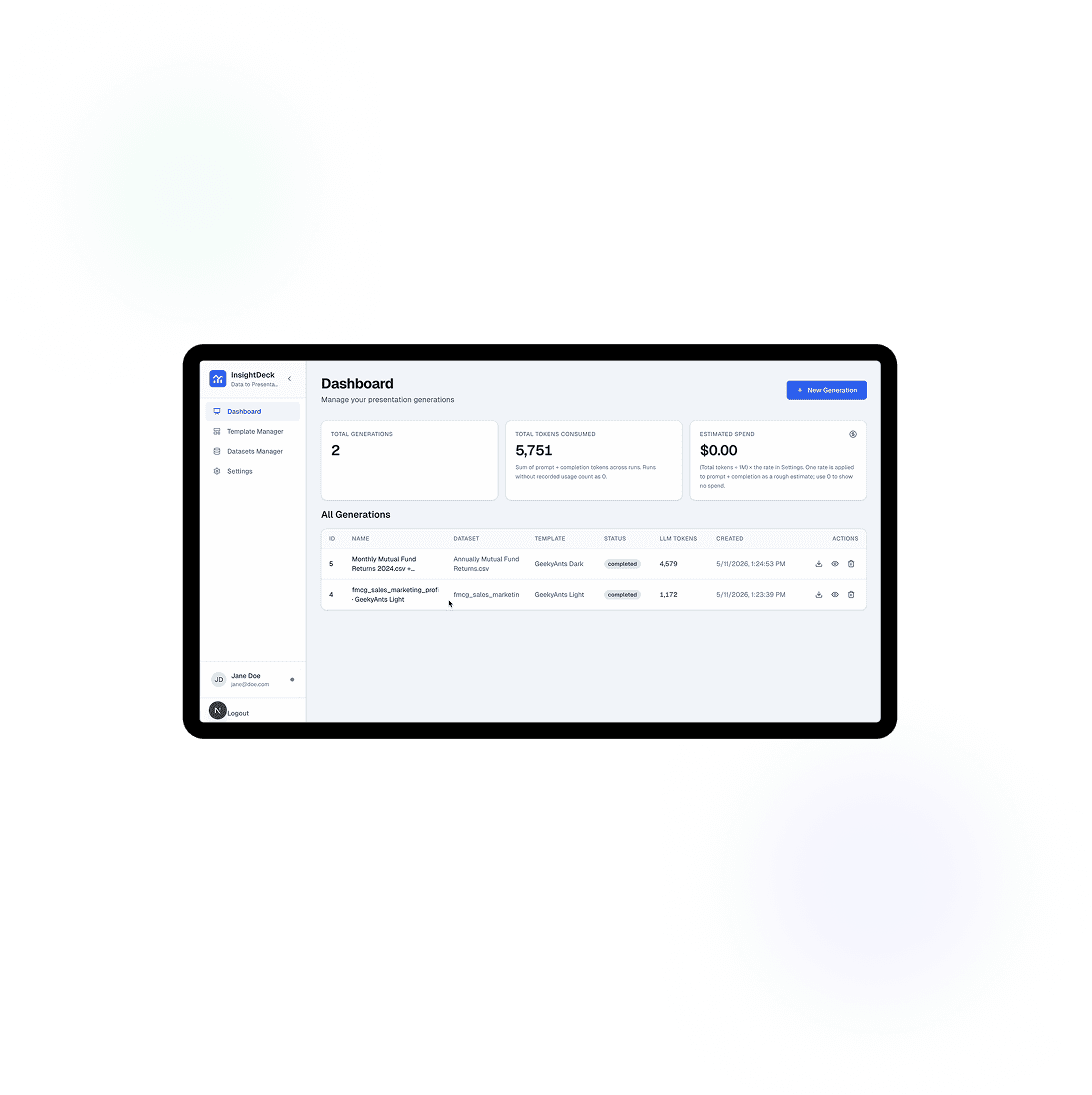
Review generated charts, findings, narratives, and recommendations before they are added to the final presentation.
Includes
Pattern and anomaly review
Chart validation
Narrative editing
Report-section review
Human approval checkpoints
Version and generation history
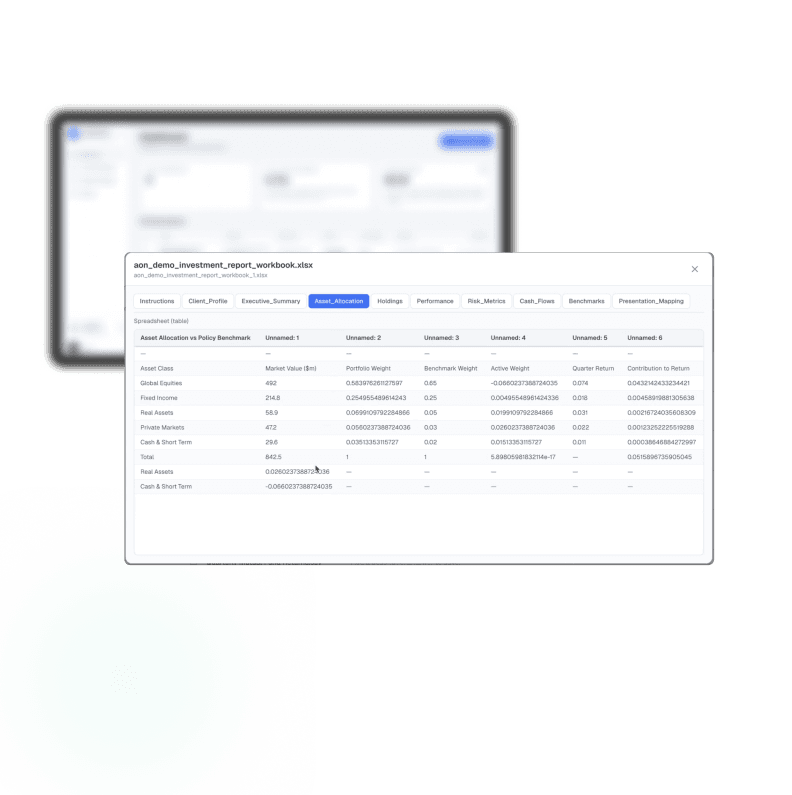
Produce a brand-aligned, presentation-ready report built around the information leaders and clients need to understand.
Outputs may include
Executive summaries
Performance trends
Variance explanations
Identified risks
Business implications
Recommended actions
Decision-ready visualizations
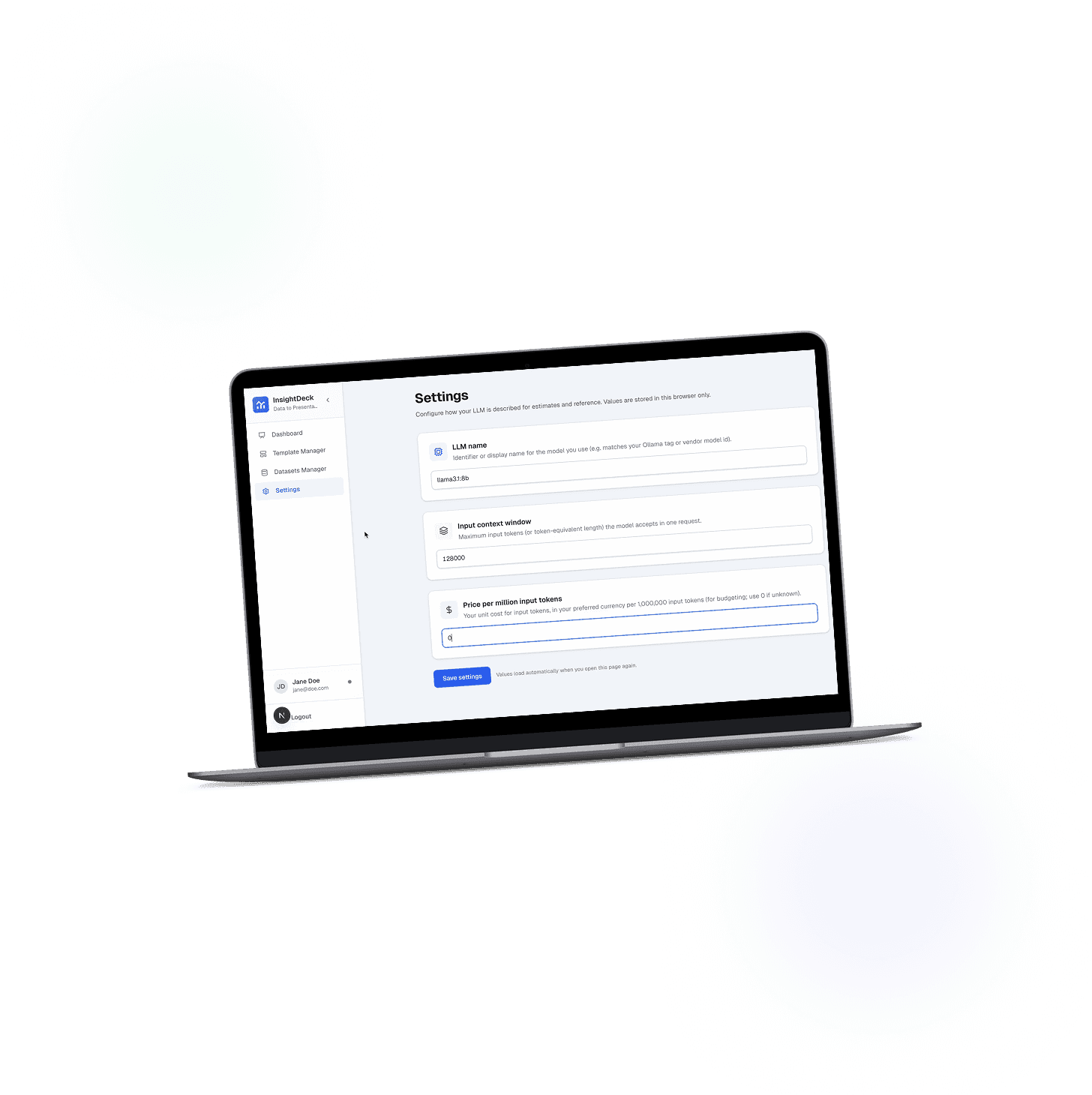
- Spreadsheet Tabs Processed
- 22+
- Supported Input Formats: XLSX, XLSM, XLS, and CSV
- 4
- Reduction in repetitive efforts
- 70%
Technologies
Tech Stack Behind the Report Intelligence Accelerator
The report intelligence accelerator combines secure data ingestion, deterministic analytics, AI-led exploratory analysis, branded presentation generation, and enterprise integration. It can be deployed within client-controlled infrastructure with configurable model, access, and governance policies.
- Next.js

- Responsive Reporting Dashboards

- Workbook Upload Interface
- Template Selection
- Analysis Profile Selection

- Generation Tracking
- Output Access
- Report Preview
- Locally Hosted LLMs
- Enterprise AI Models
- AI Gateway
- Model Routing
- Prompt Orchestration
- Exploratory Data Analysis
- Narrative Synthesis
- Deterministic Analytical Fallback
- PostgreSQL
- Dataset Records
- Template Records
- User Records
- Generation Status
- Report History
- Audit Logs
- Object Storage
- PowerPoint Template Population
- Chart Rendering
- LibreOffice Preview Generation
- SharePoint
- OneDrive
- Google Drive
- S3-Compatible Storage
- Finance Systems
- CRM Platforms
- Internal APIs
- OAuth
- OIDC
- Monitoring and Auditability
- Enterprise SSO
- Role-Based Access
- Configurable Data Retention
- Dockerized Deployment
- Client Cloud Deployment
- Private Cloud
- Virtual Private Cloud
- On-Premise Deployment
REPORTING INTELLIGENCE ACROSS INDUSTRIES
Report Automation for Data-Intensive Industries
Industries that produce recurring client, regulatory, operational, or leadership reports can use the accelerator to standardize report automation while preserving domain expertise and human review.
Financial Consulting and Advisory
Create client onboarding reports, financial assessments, transaction analyses, performance reviews, and executive advisory presentations.
Audit, Risk, and Compliance
Generate control assessments, audit findings, risk heatmaps, remediation updates, and regulatory reporting packs.
Management Consulting
Transform diagnostic studies, operating-model reviews, and transformation data into client and steering-committee presentations.
Banking, Fintech, and Insurance
Produce portfolio reports, product analyses, underwriting summaries, branch reviews, and management reporting.
Private Equity and Investment Teams
Standardize investment committee packs, portfolio-company reviews, operating metrics, and value-creation reports.
Enterprise PMO and Transformation Offices
Generate milestone reporting, KPI dashboards, RAID summaries, workstream updates, and leadership review presentations.
FROM DATASET TO DECISION-READY REPORTS
Reporting Intelligence Across Enterprise Reporting Workflows
The report intelligence accelerator is suited to repeatable workflows where data is already available in tables but the final output still requires analysis, storytelling, governance, and strict presentation formatting.
Client Onboarding and Assessment Reports
Convert assessment workbooks into structured findings, identified gaps, recommendations, and branded client presentations.
Quarterly and Monthly Business Reviews
Generate consistent performance decks using recurring financial, operational, customer, and delivery data.
Executive and Board Reporting
Transform consolidated management information into concise leadership narratives, charts, and decision-ready presentations.
Financial Analysis and Advisory Packs
Create ratio analyses, performance trends, variance explanations, and executive commentary from financial models.
Risk and Compliance Reporting
Produce risk summaries, control gaps, heatmaps, remediation updates, and governance reports.
PMO and Transformation Reporting
Generate milestone views, KPI trends, workstream performance, dependencies, and steering-committee presentations.
Bring Report Intelligence Accelerator into your Reporting Workflow
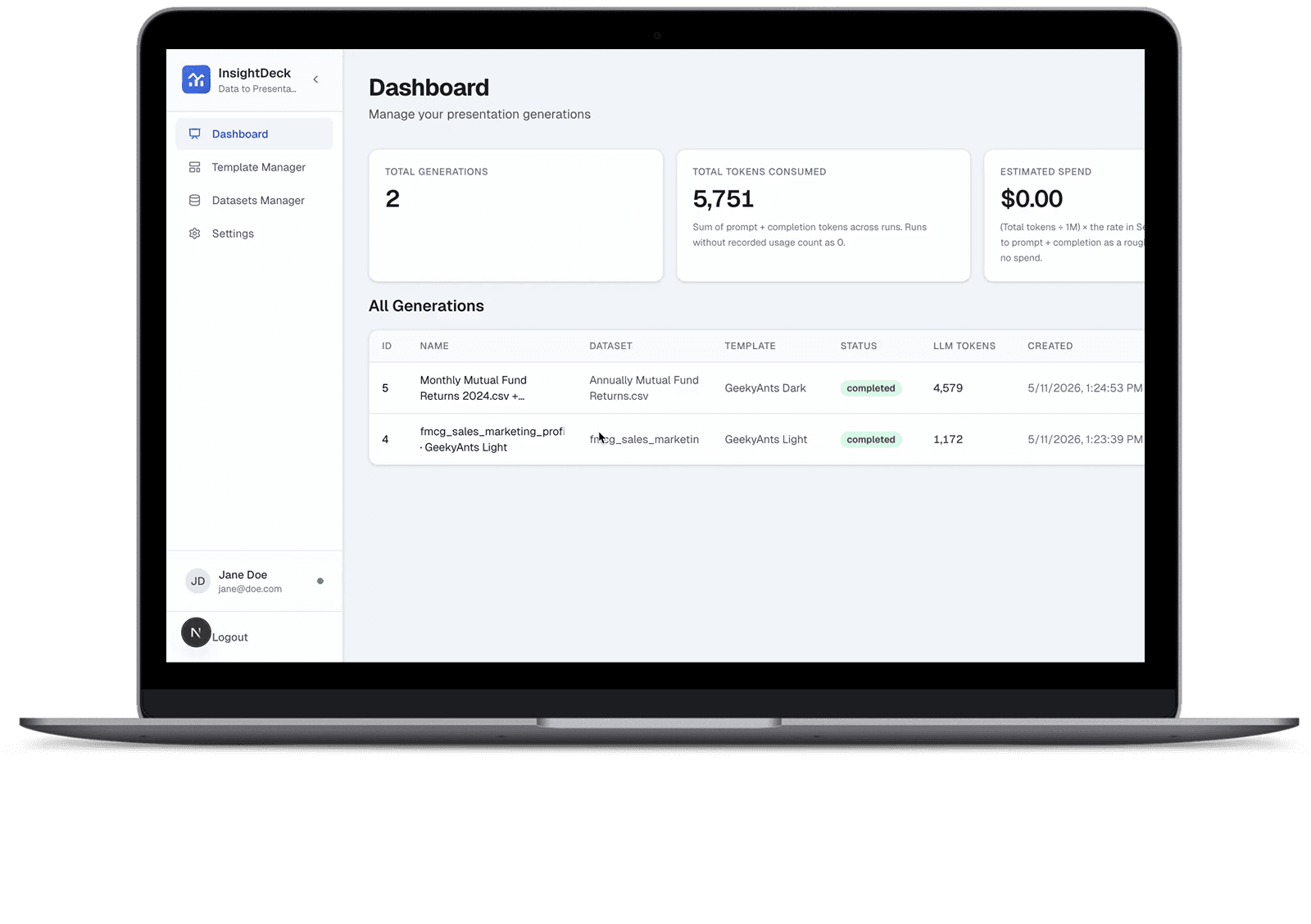
See how the working Report Intelligence Accelerator can analyze complex data, generate relevant visualizations and narratives, and populate your approved presentation templates.
FAQ
FAQs About the Report Intelligence Accelerator
Report Intelligence brings data preparation, analytical rules, AI-led exploration, visualization, narrative generation, and presentation delivery into one governed workflow. It helps enterprise and consulting teams move from consolidated data to reviewable, executive-ready reporting with less repetitive preparation.
The Report Intelligence Accelerator is a customizable GeekyAnts AI accelerator for automating final-mile reporting. It profiles business data, applies analytical rules, creates visualizations, drafts report narratives, and populates approved presentation templates while retaining human review and governance.
No. This accelerator combines data ingestion, profiling, deterministic analytics, AI-generated insights, chart creation, narrative synthesis, brand-controlled presentation generation, review, and enterprise integration.
The accelerator supports .xlsx, .xlsm, .xls, and .csv files. It can process complex multi-tab workbooks and generate charts, findings, narratives, branded PowerPoint presentations, and preview outputs.
Yes. Client-approved PowerPoint masters, layouts, logos, colors, typography, placeholders, disclaimers, and report-specific structures can be configured during implementation.
The engine first profiles the dataset and applies configured cleaning, mapping, validation, and analytical rules. It then identifies relevant patterns, trends, anomalies, correlations, and narrative opportunities based on the selected analysis profile and reporting context.
The AI accelerator generates visualizations based on the type of data, identified analytical relationship, and intended business narrative. Chart selection can also be governed by configured report profiles and client requirements.
Not necessarily. Human review can be required before a report is finalized or distributed. Analysts can inspect, edit, reject, or regenerate findings, charts, narratives, and presentation content before approval.
Deterministic cleaning and analytical logic provide controlled fallback behavior. Users can also edit, reject, or regenerate outputs and require additional review before the report is released.
Yes. The architecture can support locally hosted AI models and deployment within client-controlled infrastructure. The production design may also include role-based access, encryption, retention controls, audit trails, and approved model policies.
Yes. A production implementation can connect with SharePoint, OneDrive, Google Drive, S3-compatible storage, data warehouses, finance systems, CRM platforms, internal APIs, document repositories, and approved output destinations.
The platform profiles workbook structures and can be configured with mappings, validation rules, analysis profiles, and report-specific logic. Recurring report formats can use standardized configurations for more consistent generation.
A focused paid pilot typically takes four to six weeks. A production MVP generally takes eight to twelve weeks, depending on the data structure, number of templates, integrations, security requirements, deployment model, and governance.
Relevant measures include report preparation hours, turnaround time, number of revision cycles, template compliance, analyst capacity released, report volume handled, and consistency across teams or business units.
It is designed for consulting partners, practice leaders, analysts, finance teams, PMO leaders, transformation offices, audit and compliance teams, investment professionals, CIO and CTO organizations, and enterprise AI leaders evaluating report automation.
Contact
Start With Working AI. Adapt It to Your Business.
Start with proven AI building blocks and adapt them around your business, data, and systems. Tell us what you want AI to do, and we’ll show you a faster route to production.