

Managing dynamic environments in a React Native application is essential for optimizing the build generation process and ensuring smooth deployment across various regions. This talk delves into the best practices and tools to handle this effectively, particularly focusing on environment variables and automation.
Understanding Environment Variables
Environment variables are crucial for storing global values, such as API endpoints, that need to be accessed throughout the app. However, it is essential to avoid storing sensitive information in these variables as they can be easily decoded from the source code. Careful consideration must be given to what is stored in these environment files.
Tools for Managing Environment Variables
In React Native, tools like react-native-config are used to handle environment variables. For web applications, .env files are commonly utilized. These tools enable the storage and retrieval of environment-specific variables, facilitating smoother builds and deployments.
Project Overview: Multi-Region Support
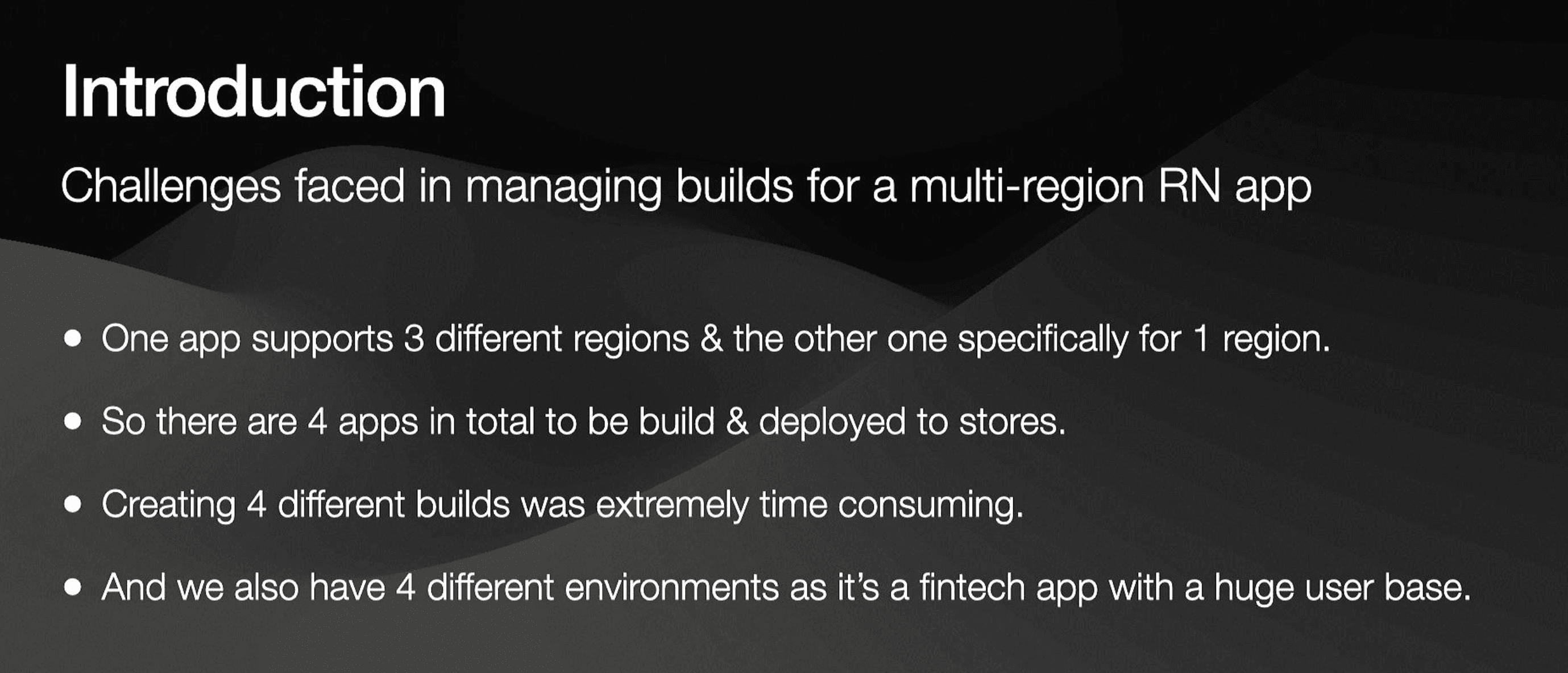
Our current project is a React Native application that supports multiple regions. From a single codebase, we generate two distinct apps, each catering to different regions. This results in four separate builds: two for Android and two for iOS. Managing these builds manually is time-consuming and prone to errors, making automation a necessity.
Handling App Configurations
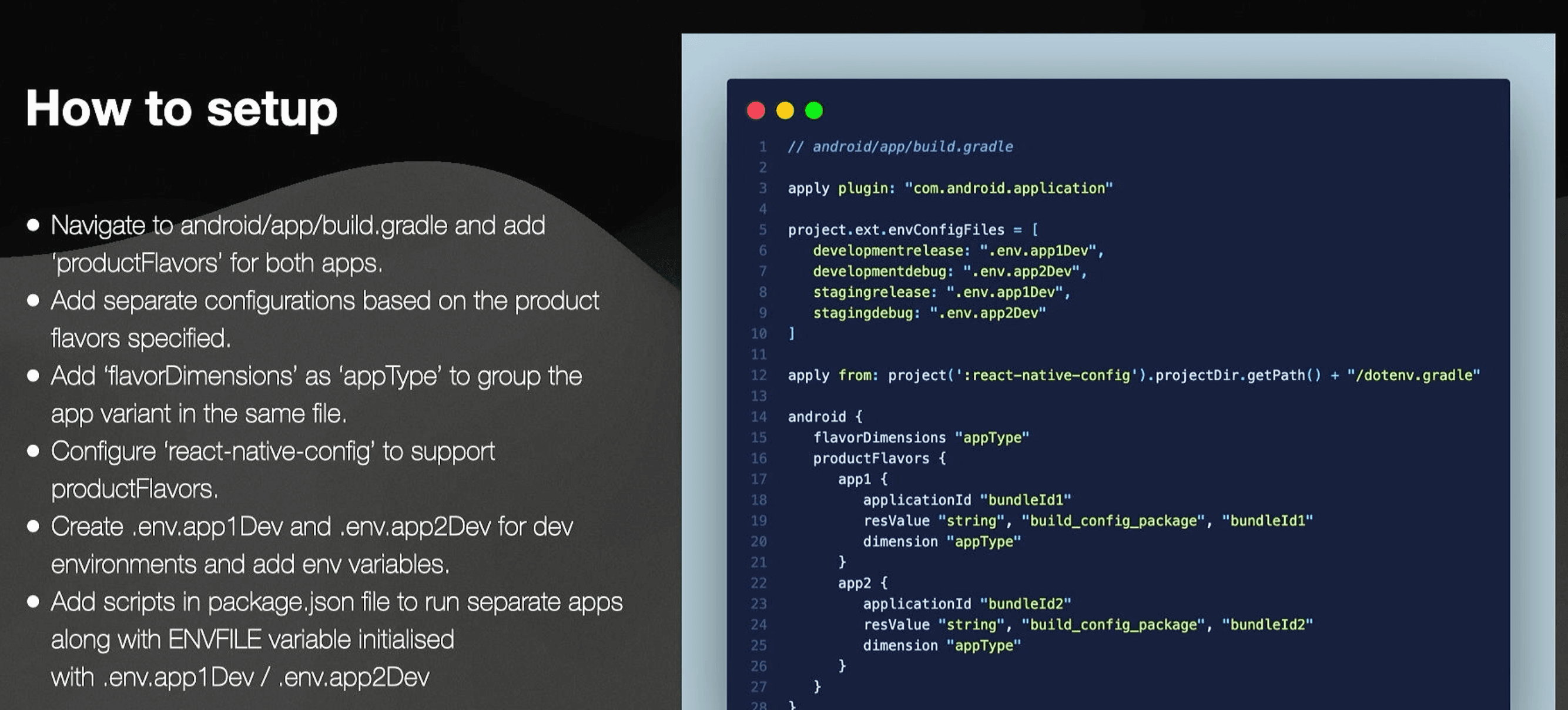
To manage separate app configurations from a single codebase, especially for Android, we utilize product flavors and flavor dimensions. This approach allows us to differentiate apps based on UI elements like icons and logos. By specifying product flavors in the build.gradle file, we can create distinct builds for different environments (development, staging, production).
Using react-native-config, we inject environment variables into the build process, ensuring each app version uses the correct configurations.
Automation with App Center
Automating the build generation process with tools like App Center significantly reduces manual effort. App Center is a comprehensive CI/CD tool that supports cross-platform builds, environment variable management, crash reporting, analytics, and over-the-air updates. It integrates seamlessly with development tools like Bitbucket pipelines, triggering builds automatically based on code changes.
Benefits of App Center
- Reduction in Build Generation Time: Automating builds eliminates the need for manual intervention, speeding up the process.
- Consistency and Reliability: Automated builds reduce the potential for human errors, ensuring consistent and reliable outputs.
- Enhanced Security: Centralized management of environment variables enhances security by minimizing exposure to sensitive information.
- Scalability and Flexibility: The ability to manage multiple branches and environment variables allows for easy scalability and flexibility.
- Speedy Delivery of Testing Builds: Quick and efficient delivery of testing builds to QA teams ensures timely feedback and iterations.
Synchronizing Backend and Frontend Deployments
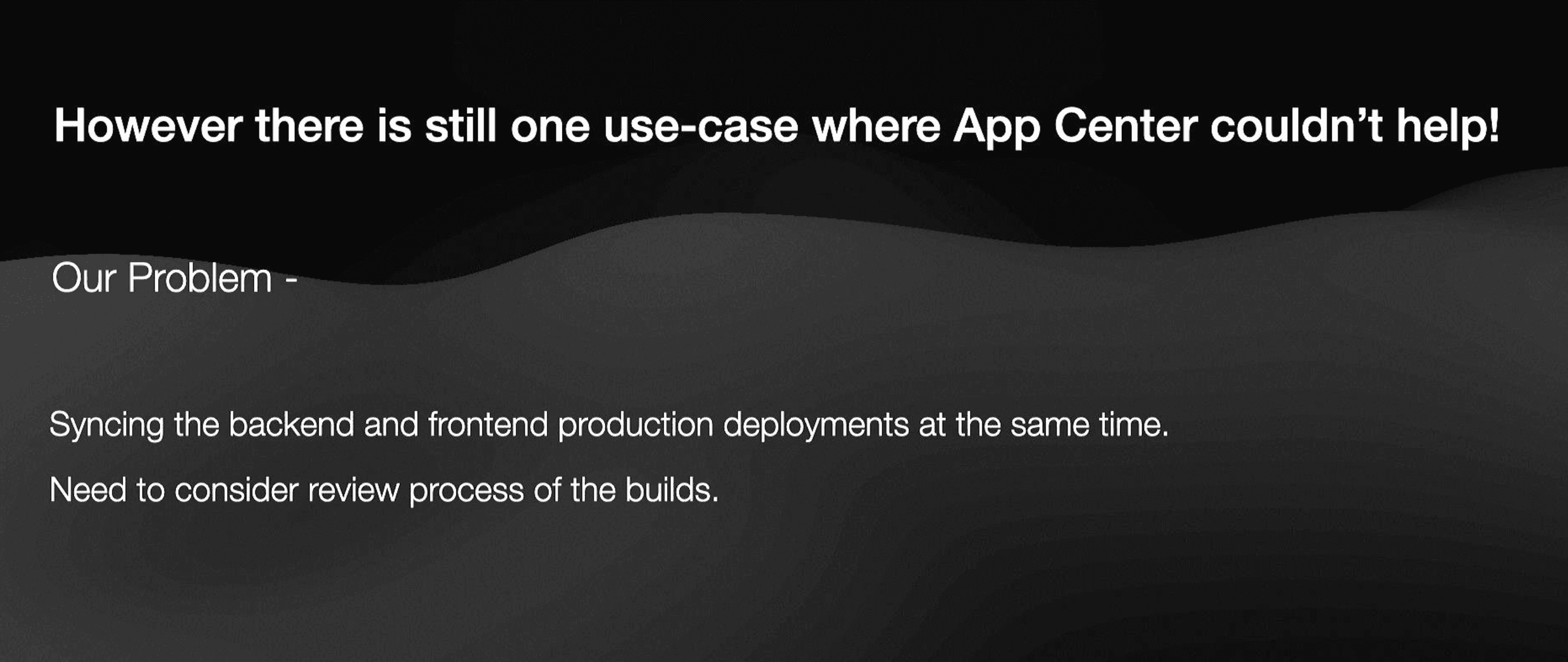
A significant challenge in our project was synchronizing backend and mobile deployments. Since the app review process by Google and Apple takes time, the app needs to be fully functional during this period. We tackled this by dynamically managing environment variables using AWS Secrets Manager.
AWS Secrets Manager Integration
By storing dynamic environment variables, such as API endpoints, in AWS Secrets Manager, we ensure that the app can seamlessly switch between QA and production environments without the need for additional builds. This approach allows the backend to be deployed first, followed by the frontend, ensuring that both are in sync and the app remains functional during the review process.
Deployment Strategy
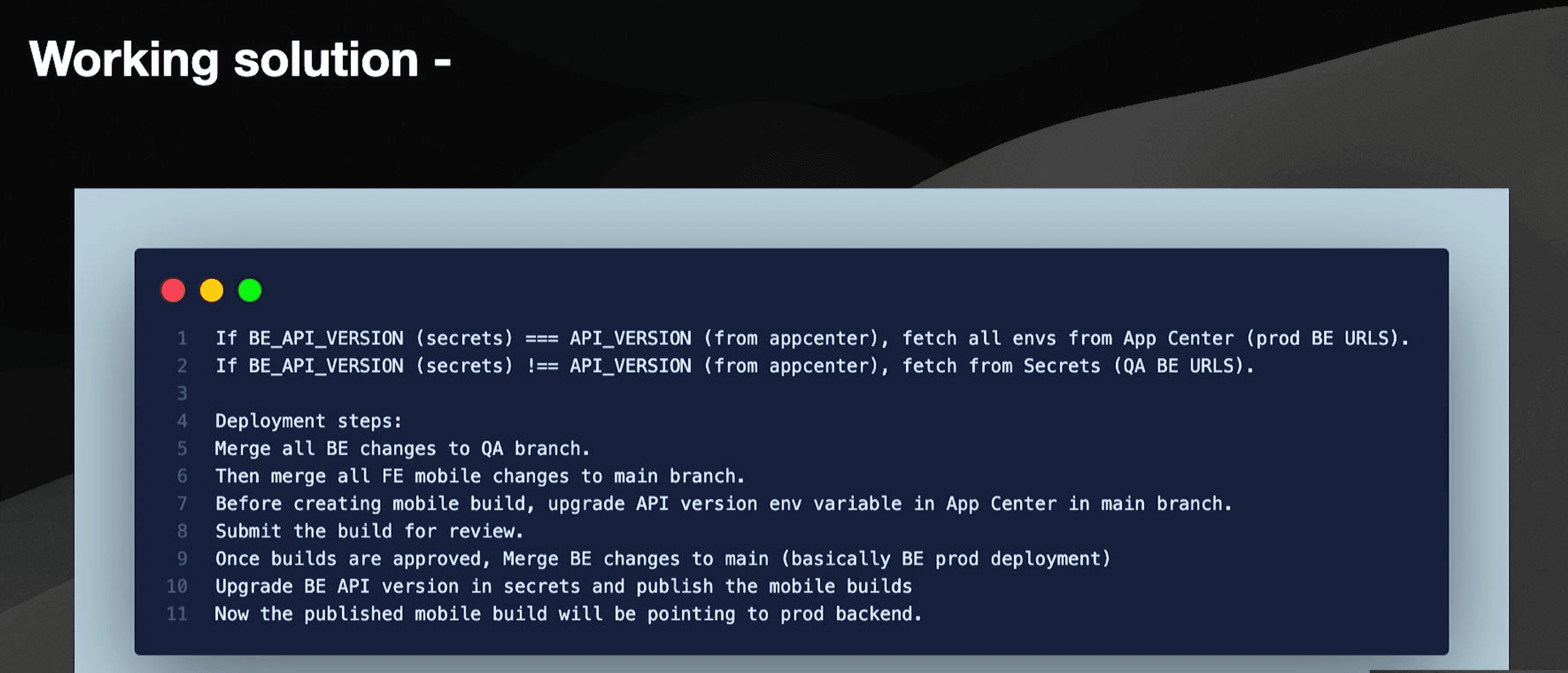
- Merge Backend Changes to QA Branch: This ensures stability and prepares the backend for deployment.
- Create Mobile Build from Main Branch: The frontend code is prepared for production.
- Submit Build for Review: The app is submitted for review with the backend still pointing to the QA environment.
- Merge Backend Changes to Main: Once the build is approved, the backend is deployed to production.
- Dynamic Environment Handling: Using AWS Secrets Manager, the app fetches production environment variables without requiring a new build.
Summing Up
Managing dynamic environments in a React Native application involves a combination of tools and strategies to ensure efficient build generation and deployment. By leveraging App Center for automation and AWS Secrets Manager for dynamic environment variables, we achieved a streamlined and secure deployment process, minimizing errors and enhancing productivity.
Don’t miss out on the entire talk and presentation here ⬇️







