


Creating dynamic dashboards that are both functional and visually appealing is a common challenge. Leveraging tools like gluestack-ui and esm.sh can significantly streamline this process, offering a powerful combination of UI components and efficient module loading.
Throughout this tutorial, we cover essential steps, from project setup to widget rendering, demonstrating how these tools can work in tandem to enhance the development process.
What is gluestack-ui?
gluestack-ui is a universal UI library that provides optionally styled and accessible components. It is designed to be easy to use and integrate into existing projects, and it provides a consistent design language across different platforms. gluestack-ui is not a direct replacement for React Native Web, but it builds upon its components to provide additional features and performance improvements.
What is esm.sh?
esm.sh is a fast, smart, and global CDN for modern (ES2015+) web development. It supports bare import specifiers, trailing slashes in import URLs, and a special format for import URLs that allows the use of query parameters with trailing slashes. It also provides a CLI script for managing imports with import maps in Deno and Node/Bun.
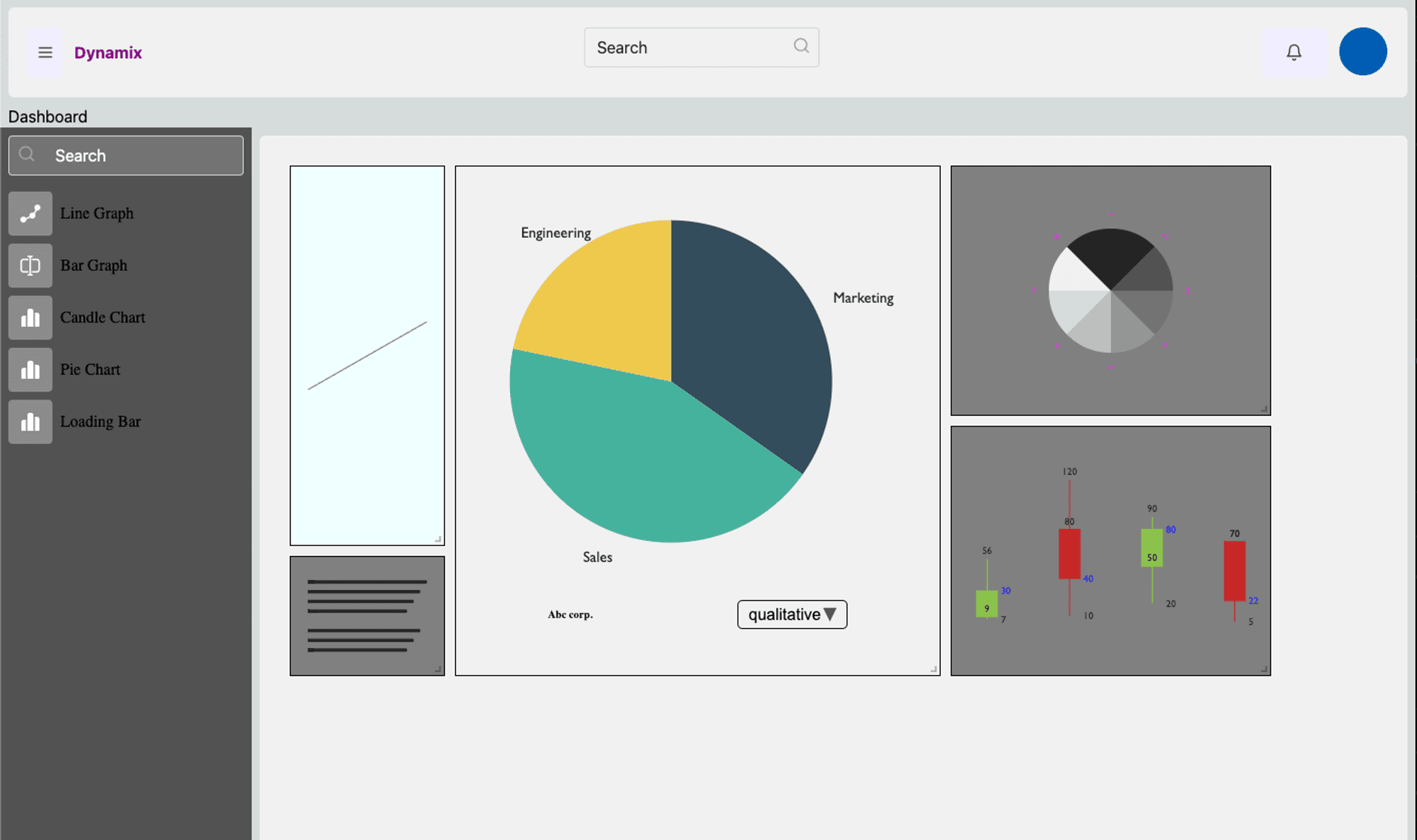
The application will have a widget list from where you can drag and drop widgets in the canvas and it will use esm.sh to build on the browser and render the widget.
In this tutorial, we will cover the following:
- Setting up the project
- Creating the UI
- Adding esm.sh
- Dynamic import of modules
- Rendering the module
Setting Up the Project
To create a new project, run the following command:
   npm create gluestack

◇  What would you like to build?
│  Web app
◇  What is the  name  of your application?
│  dynamic-dashboard
◇  Would you like to use App Router?
│  Yes
The app with gluestack-ui is created.
Creating the UI
We create a basic UI with the widget list consisting of the list of widget and a drop area where the widgets are dropped. We will create a widget render component that will render the widget once it is dropped.
The ESM Code
Create a widget.js file on the public folder and include the following code:
import build from '<https://esm.sh/build>'
export async function loadLineChartComponent() {
  const ret = await build({
    dependencies: {
      preact: '^10.13.2',
      'preact-render-to-string': '^6.0.2'
    },
    source: `
    /* @jsx h */
    import { h } from "preact";
    export function render(): string {
      return <h1>Widget 1</h1>
    }
  `,
    types: `
    export function render(): string;
  `
  })
  const { render } = await import(ret.url)
  return render
}
// to make it accessible through our project we add it to the window object.
window.widget1 = loadLineChartComponent
Dynamic Import When the Widget is Dragged and Dropped
The following code is used to render the widget once it is dropped:
export const WidgetRender = forwardRef((props: WidgetRenderProps, ref) => {
  const [WidgetComponent, setWidgetComponent] = useState(null)
  useEffect(() => {
    const script = document.createElement('script')
    script.src = props.widget.id
    script.async = true
    script.type = 'module'

    script.onload = () => {
      if (window[props.widget.widgetFunction]) {
        window[props.widget.widgetFunction]()
          .then((x) => {
            setWidgetComponent(x())
          })
          .catch((e) => {
            console.log('e', e)
          })
      }
    }

    document.body.appendChild(script)
    return () => {
      document.body.removeChild(script)
    }
  }, [])

  const { type, props: customprops } = WidgetComponent || {}

  return (
    <div ref={ref} {...props}>
      <Suspense fallback={<>Loading</>}>
        {WidgetComponent ? (
          <Box h='100%' w='100%' bgColor='$primary500'>
            {React.createElement(type, customprops)}
          </Box>
        ) : null}
      </Suspense>
    </div>
  )
})
Summing Up
Building a dynamic dashboard using gluestack-ui and esm.sh represents a modern approach to web development, emphasizing efficiency and flexibility. By harnessing the capabilities of gluestack-ui's intuitive UI components and esm.sh's dynamic module loading, developers can create interactive dashboards that adapt to evolving requirements.







