

We discussed the evolution of Flutter Space, Flutter animations, the incorporation of Flutter into existing native apps, and more advanced concepts like the Flutter rendering engine and efficient state management in Flutter using Riverpod.
In this article, we have put together the key talking points from each speaker and their presentations.
Keynote on Flutter by Pooja Bhaumik (SDE II, UNI Cards)
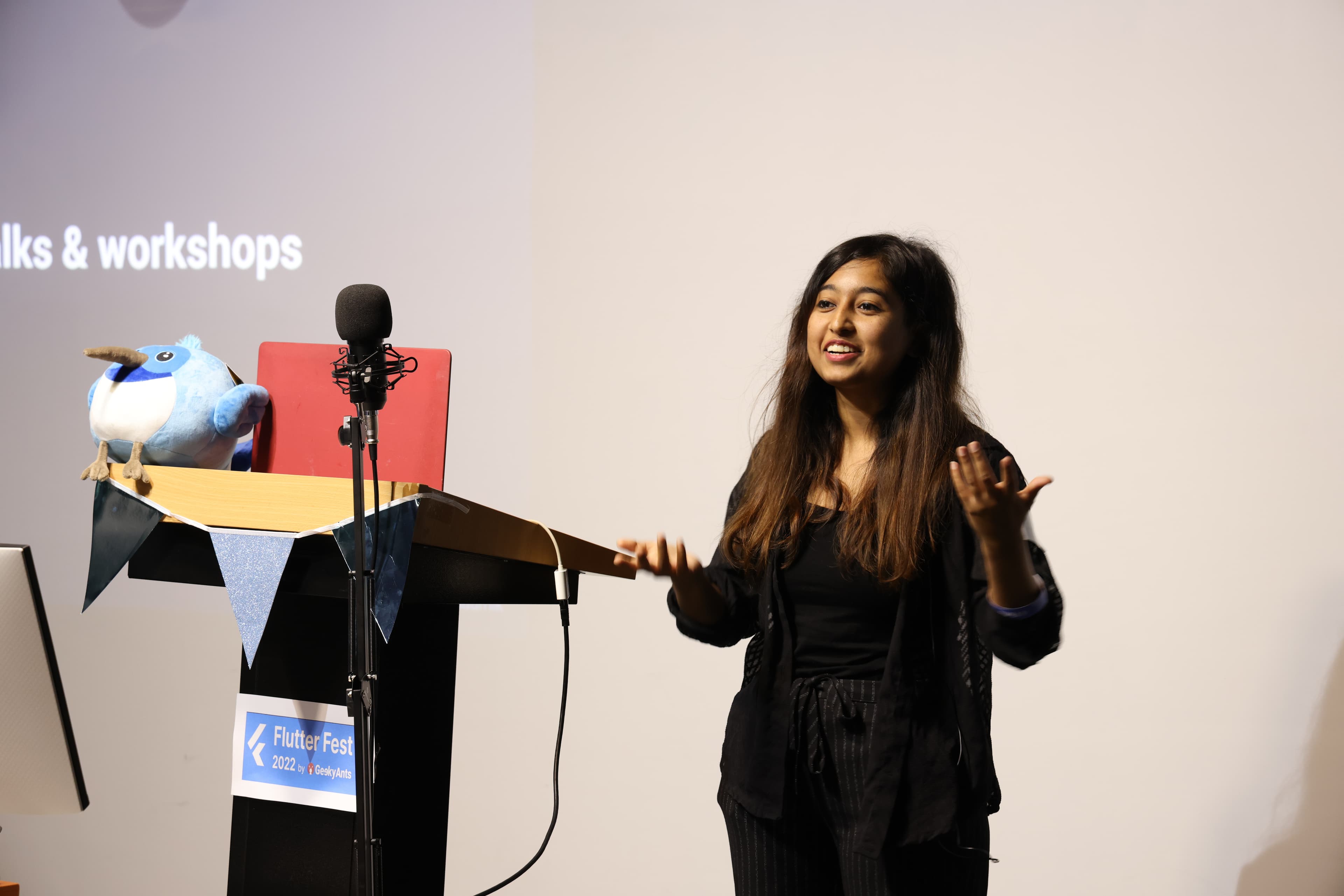
Earlier last month, Flutter 3.3 was released. However, the stable version of Flutter, 3.3.4, was just released a few days ago.
Impeller, a new graphics engine that Flutter has been working on for a while, will be used in Flutter 3.3. It will replace the SKIA code with a custom run time, make extensive use of the metal from iOS and Android, and maybe deliver performance that is jank-free.
Despite riverpod 2.0 being a vast improvement in terms of speed and lifecycle events, a new state management solution is still not yet ready. In addition, cross-platform support for apps using the well-known Flutter toolkit, which will have dependabot warnings, will be simple to identify for package maintainers.
Hacktoberfest will take place shortly, allowing flutter developers to address bugs with the flutter community plugins, which are the plus plugins, as well as possibilities to acquire goodies and valuable insights.
Bring Animated Experience in Your Flutter Apps by Vivek Yadav (Mobile Team Lead at ZestMoney, Google Developer Expert for Flutter and Dart, and organizer of Flutter Mumbai and Flutter India)
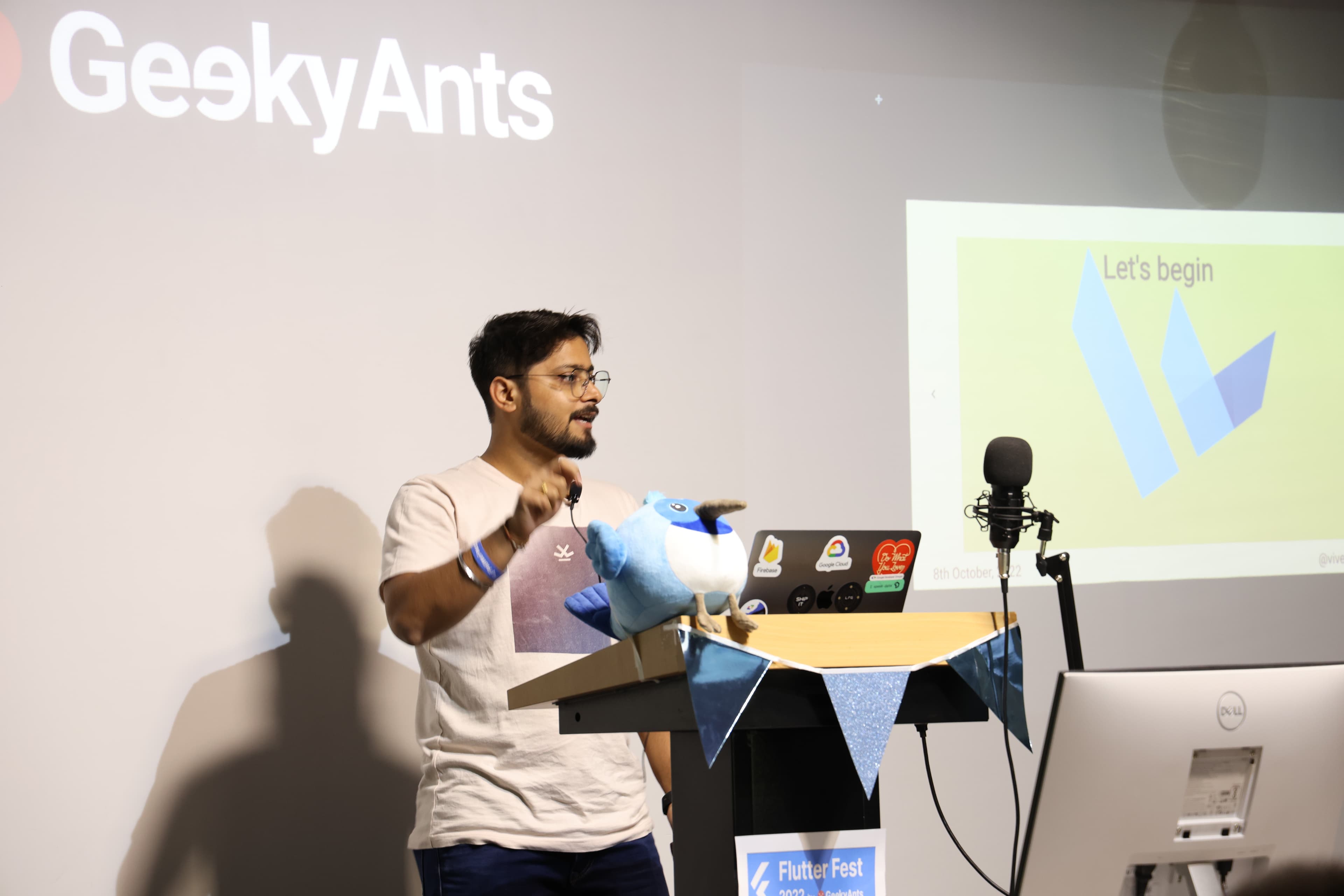
Animation is the process of photographing successive events of some images.
The animation that is presented on the screen is therefore an image updating itself in 16 milliseconds. While coding for animation, one must remember that the frames are the most essential aspect of a video.
Implicit animation is always chosen while working on a basic animation with straightforward characteristics.
Explicit animaton would be the right call for animation that is rotating on the screen and simultaneously increasing in size.
Selecting the right animating tool from Flutter, depending on the type and complexity of your design or text is essential.
AnimatedDefaultTextStyle is used to animate text style. For explicit animations, CustomPainter to build complex UI is preferred.
Lottie is a drawing animation that provides the animation that you just have to run- no building needed.
For implicit animation, all the widgets are present in Flutter. In the code for implicit animation, the duration is already stated which paves way to select the AnimatedContainer.
We can change the two variables height and width to increase or decrease the size of the animation.
In explicit animation, controlling different elements is essential.
For this, we use:
- TickerProviderStateMixin — this gives you a clock with 16 milliseconds, you can increase this time if required. It gives you a timer and asks when you want to update your screen.
- AnimationController — this helps you to control your animation- you can go forwards and backward, start and stop.
- Animation — this tells you what your animation will look like.
We just need to initialize these variables and then use them.
Integrating Flutter to Existing Native Apps by Sanni Prasad (Flutter Developer at Zest Money, Open-Source Contributor, and Organizer of Flutter Ahmedabad)
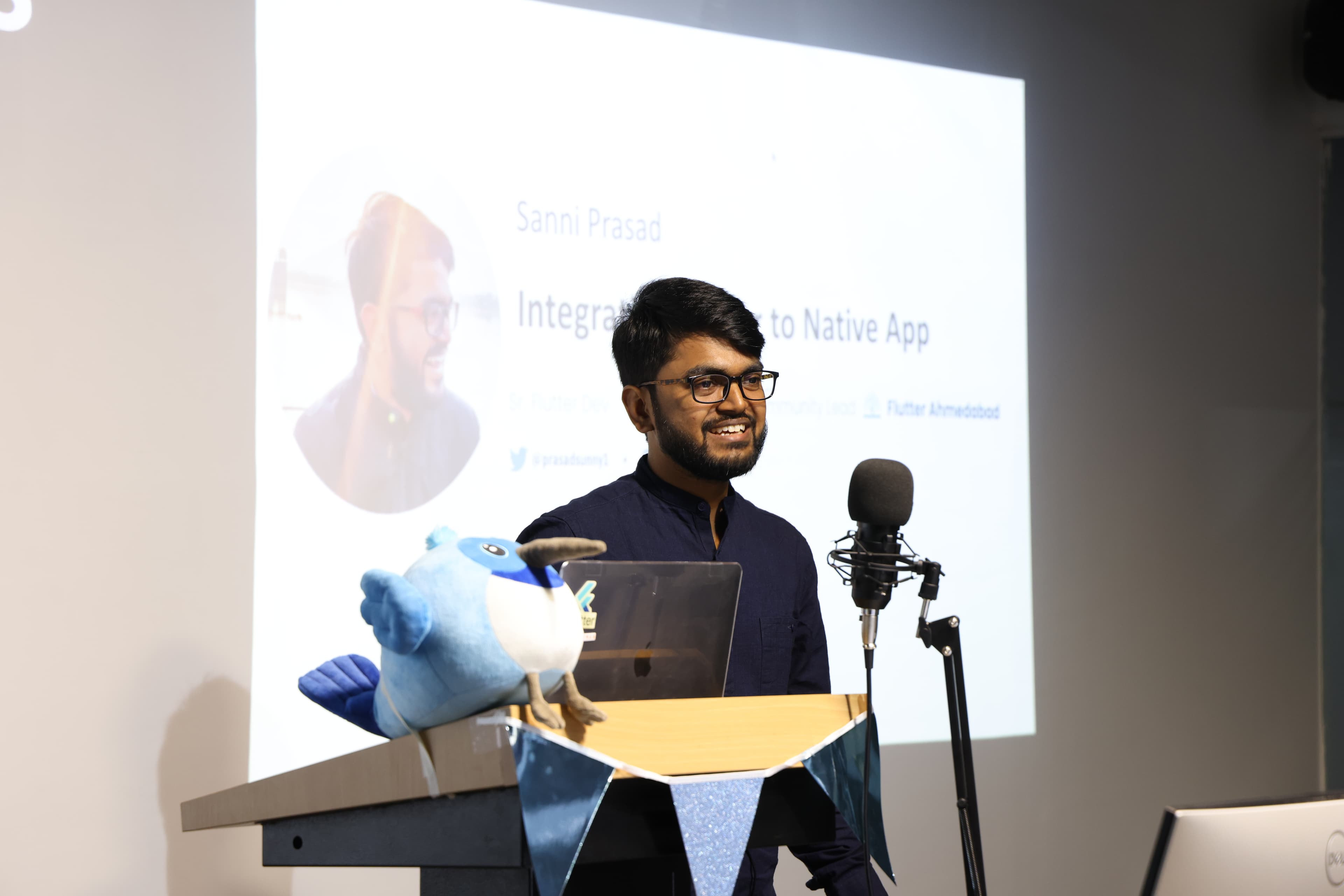
When we already have a product that has been built using Native (probably android or iOS), and want to add properties too complex for our Native toolkit, we use Flutter.
Add to app makes this possible by providing complete access to Flutter SDK.
You can share all the logic between Native and Flutter, there is no compromising with performance, all the debugging tools are available, and you have access to all pub.dev packages.
This process has mainly 3 steps:-
- Creation: Firstly, create a module style Flutter project. You can create a Flutter module project using flutter create command- just select the type module.
- Integration:
- For Android: Now that you have your module with some code written inside it, you need to integrate it. For this, there are two options in android. The first option is building an AAR or android archive out of your Flutter module.To build an AAR, a command in Flutter called flutter build aar can be used, which will build the required files. The second option is source integration. This is a one-step process. You have to change two files, settings.gradle and build.gradle.
- For iOS: For iOS as well, there are two options. The first method is the more popular one, Cocoapods. For Cocoapods, you have to modify Podfile- which means that there are four lines to modify. Then run pod install which will integrate the module to your project.The second method is to build frameworks. To build a framework out of your Flutter module, you have the command flutter build ios-framework which will output the required files.
- Invocation: On android, you can create a Flutter activity using .withNewEngine then .build it and perform .startActivity. On iOS, you can use FlutterViewController that is provided, which can host a Flutter engine thus enabling presenting the ViewController.
While integrating Flutter to Native apps, there could be some challenges that arise and one must know how to deal with them.
- Integrating multiple modules: Flutter Add to app does not support multiple modules. There is a simple workaround for this. You need to build one module and then integrate other Flutter modules inside your Pubsec.yaml, so that you can build only one common module and integrate it.
- Flutter view takes some time to start: This issue is faced because Flutter engine needs some time to warm up (1-2 seconds). This is an issue users may not like. The solution is to use something called Flutter Engine Cache. You can use it whenever necessary- pull it form the cache and then run it. The result is a super fast launch.
- Reusing existing code: You may have written a lot of code, like getting RefreshToken, sendAnalytics, or getRemoteConfig. While building a feature in Flutter, you would want these codes in Flutter as well. Instead of writing it all down again, you could invoke Method Channels from Flutter and then you can handle them inside your Native apps.
Flutter Rendering Engine : Behind the Scenes by Shree Bhagwat (founder Codeaamy, Co-organiser Flutter Pune, PM and Flutter Team Lead at Abacus.Co)
Flutter rendering pipeline helps us visualize how Flutter renders the screens, eventually producing the application we see on screen.
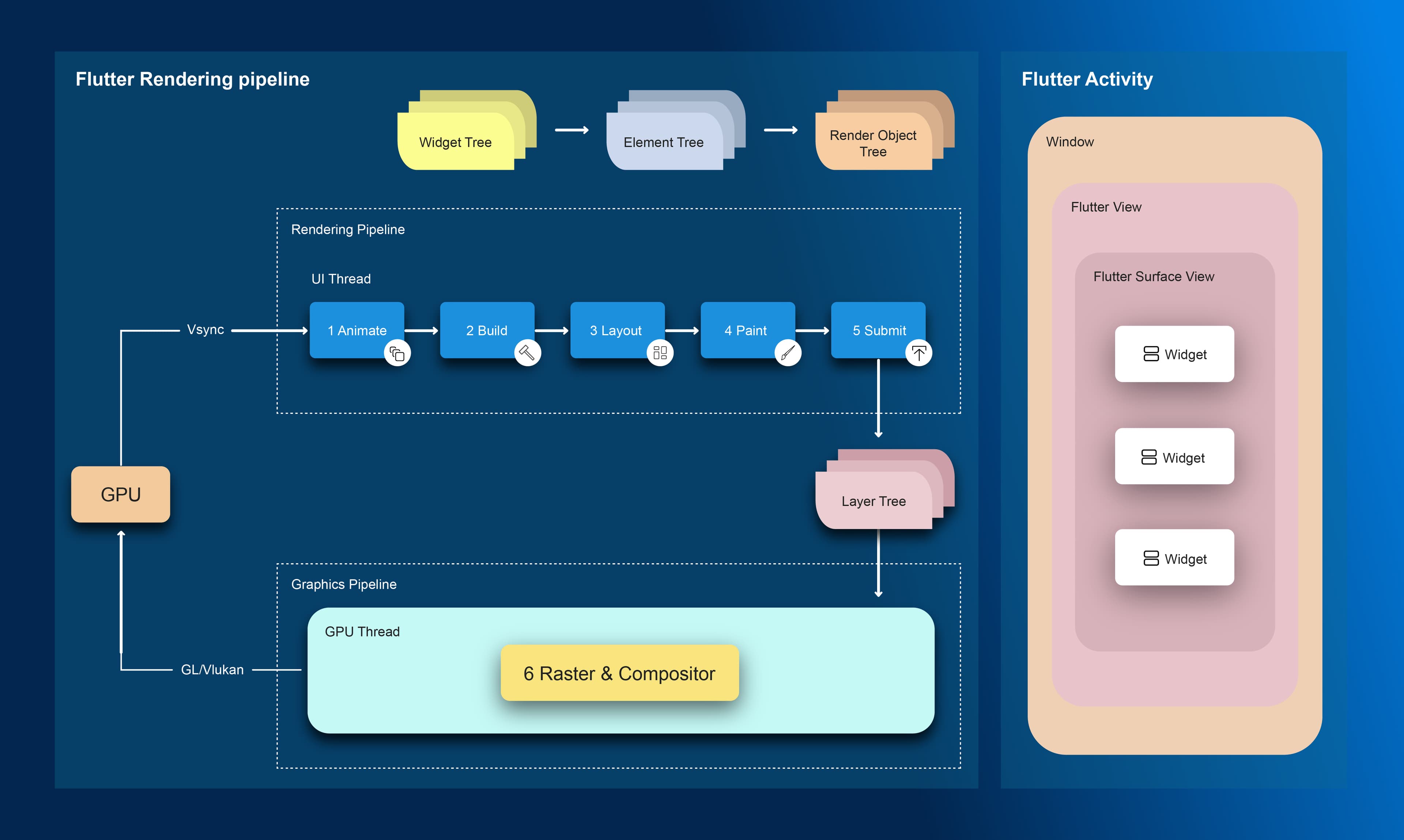
The process can be broken down into 4 phases —
- Layout phase
The layout phase determines the space and size available for usage. Here, Flutter determines how big each object is and where it will be displayed.
- Painting phase
In the painting phase, Flutter provides a canvas to a widget, and the widget can draw itself on the canvas.
- Composition phase
Flutter takes separate widgets, creates a cluster according to the layout phase, according to the sizes, and creates a comprehensive unit.
- Rasterizing phase
The rasterizing process generates a raster image from the composed images.
The raster image is then passed to the flutter engine and GPU, which finally renders the output on the screen.
Flutter renders widgets on screen and a widget is an immutable description of part of a UI. However, when you look at a UI made up of widgets, you will see that the widgets do not resemble one another, and the UI is constantly changing.
To understand this concept, one must know about the Flutter trees
Flutter has three trees—
- Widget tree (describes the configuration for an element.)
- Element tree (manages the life cycle of the widget)
- RenderObject tree (handles size, painting, and layout)
The widget tree creates widgets sequentially, the element tree creates elements for the widgets, and the render object tree renders the widget on the screen.
When Flutter needs to render an object on the screen, it consults the renderObject tree. It is in charge of size, layout, and painting, resulting in a dynamic UI.
Effective State Management in Flutter using Riverpod by Gaurav Bhatnagar (Lead Solution Architect, A.P. Møller Maersk) and Satish Kumar (Lead Software Engineer, A.P. Møller Maersk)
State management is essential for effective data management throughout the application. Additionally, state management reduces the learning curve for new members of a team who are working on the app. Every day, applications get more complicated, necessitating the use of state management.
One of the most often used state management techniques in Flutter is provider. Provider is a wrapper that simplifies the use of InheritedWidget. It enables more efficient state management.
Provider has restrictions as well. The boilerplate code becomes complex because of the data exchange that takes place when an application has additional capabilities.
Riverpod, a dart solution, is based on a Provider foundation to circumvent the aforementioned limitations.
The states with which your application interacts or sustains are all contained in a container called Riverpod, which also allows you to alter those states.
Riverpod adds a global scope to the very first widget in your application code.
You may change an app's theme without having to reload it using Riverpod capabilities like ChangeNotifier.
By directly utilising InheritedWidgets and altering the app's architecture, we are able to overcome issues with Riverpod.
To carry out and store asynchronous operations like network requests, FutureProvider is frequently utilized. It makes it possible to load asynchronous operation states and handle errors better. Additionally, FutureProvider helps to eliminate FutureBuilder repetition.
The sole distinction between StreamProvider and FutureProvider is that StreamProvider is utilized for present Stream usage rather than Future usage.
In principle, assessing the global state is believed to be difficult since it may necessitate a lengthy setUp/tearDown process. However, this is not the case with Riverpod. Although the Providers are stated to be global, their state is not global. Riverpod provides you with testability right out of the box. There is no need to rely on other components to allow application testability.
Panel Discussion: Differences in React Native & Flutter
The event ended with a panel discussion moderated by Sanket Sahu, CEO of GeekyAnts. It concentrated primarily on flutter functionalities such as rendering speed, performance on various appliances, core contributions, and compatibility with Riverpod.
Key takeaways:
- HTML rendering is quick, but it cannot render many things at once, whereas Canvas kit rendering can render many things at once, making it an excellent lottie exponent.
- Flutter web has come a long way, but it still falls behind in terms of SEO and rendering when compared to native web.
- Flutter's support for smart watches is still in the works, and efficiency has to be improved for seamless operation and notification services.
- Wait a few days before upgrading to a newer version of any technology, including Flutter.
- The rendering performance of Flutter web is always sluggish. Still, as broadband networks evolve, there is potential for improved rendering speed in flutter; however, native would remain the go-to technology in terms of render speed.
- Flutter core contributions can be produced through collaborative retrospection and analysis of issues in the flutter community.
- Too many animation components might cause performance concerns if not implemented correctly.
- When compared to block, Riverpod provides more flexibility and speeds up operations to create a cleaner design.
- When you run your app on a platform like AndroidStudio, whenever you reach the flutter view, flutter's debugger instantly connects and allows you to use all of the available functions.
Wrap Up!
Communities and collaboration are key pillars of the GeekyAnts way. This meetup was a result of this philosophy. We plan to continue holding similar events in the future.
To know more about what we do, check out our website and follow us on our social channels: LinkedIn, Twitter, and Discord.
Check-out the entire Flutter fest event here.
