

This article is a quick tutorial on testing Flutter apps with Flutter Driver.
About Flutter Driver?
In simple terms, Flutter Driver is a testing framework for Flutter Apps It can be used to test various UI elements and that helps to write end to end integration tests, while reducing time and effort that needs to be put in to test apps conventionally.
Flutter Driver is easy to setup and very handy to use. Here’s how to set it up on your machine:
Setup for Flutter Driver Extension.
Initial step for configuring Flutter Driver is to add the following lines into pubspec.yaml.
dev_dependencies:
flutter_driver:
sdk: flutter
test: any
Note: These lines must be Indented properly in pubspec.yaml.
After adding the above lines, create one directory and name it something relevant, say test_driver, followed by two test files.
The first file will contain the methods that will help the Flutter Driver extension to call a particular function, and its name could be name.dart.
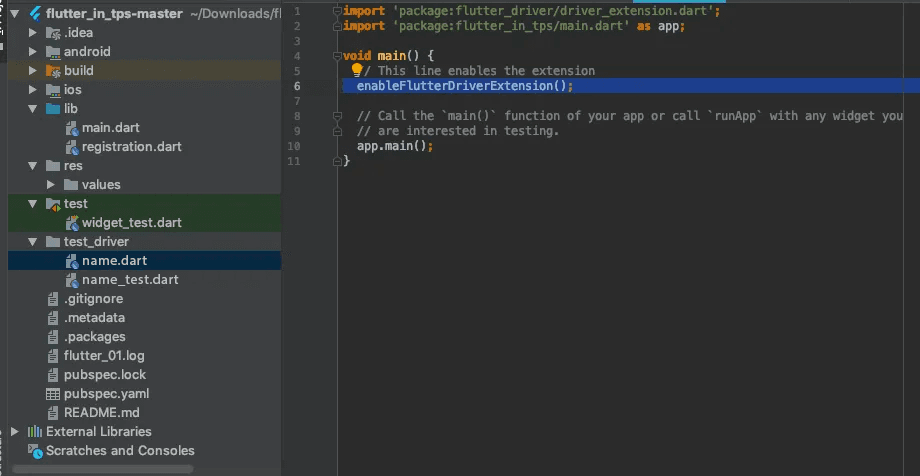
The second file will contain the actual test scripts, for which a proper name could be name_test.dart, that helps in connecting with the Flutter Driver, run tests and close existing connections.
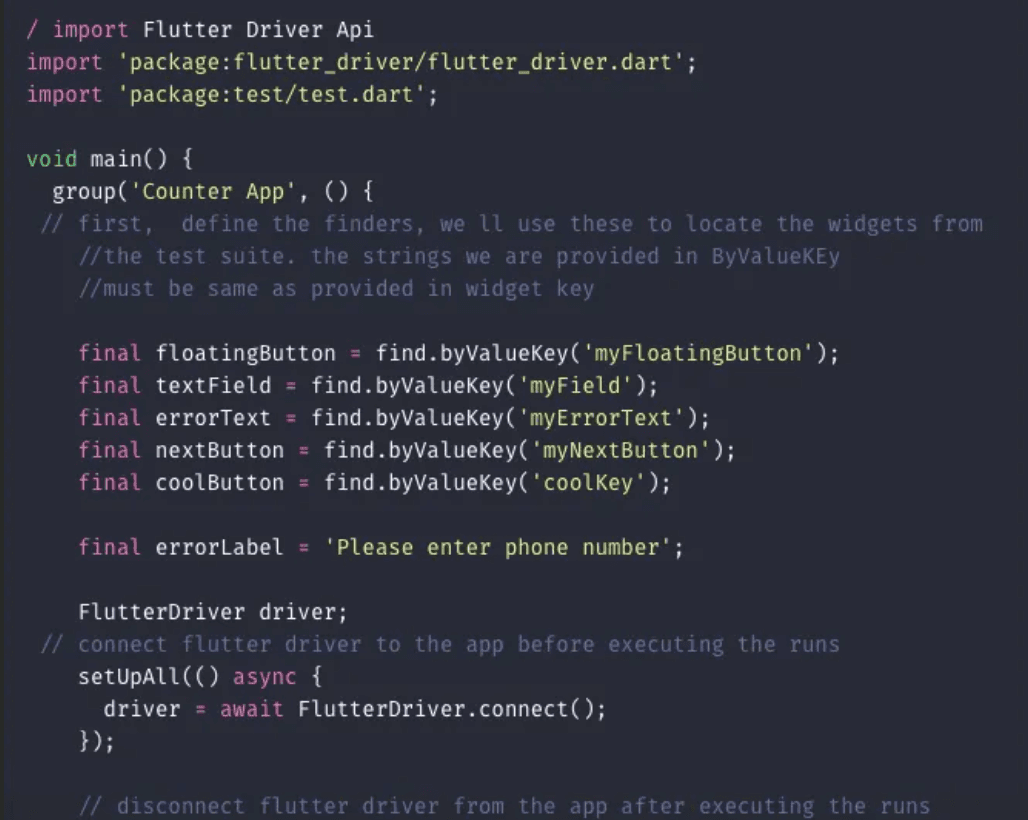
The element can be selected by using it's KeyString. The key can be declared for any widget.
There are four keys that can be used: bySemanticlabel, byTooltip, byType and byValueKey.
Here I have mentioned only byValueKey.
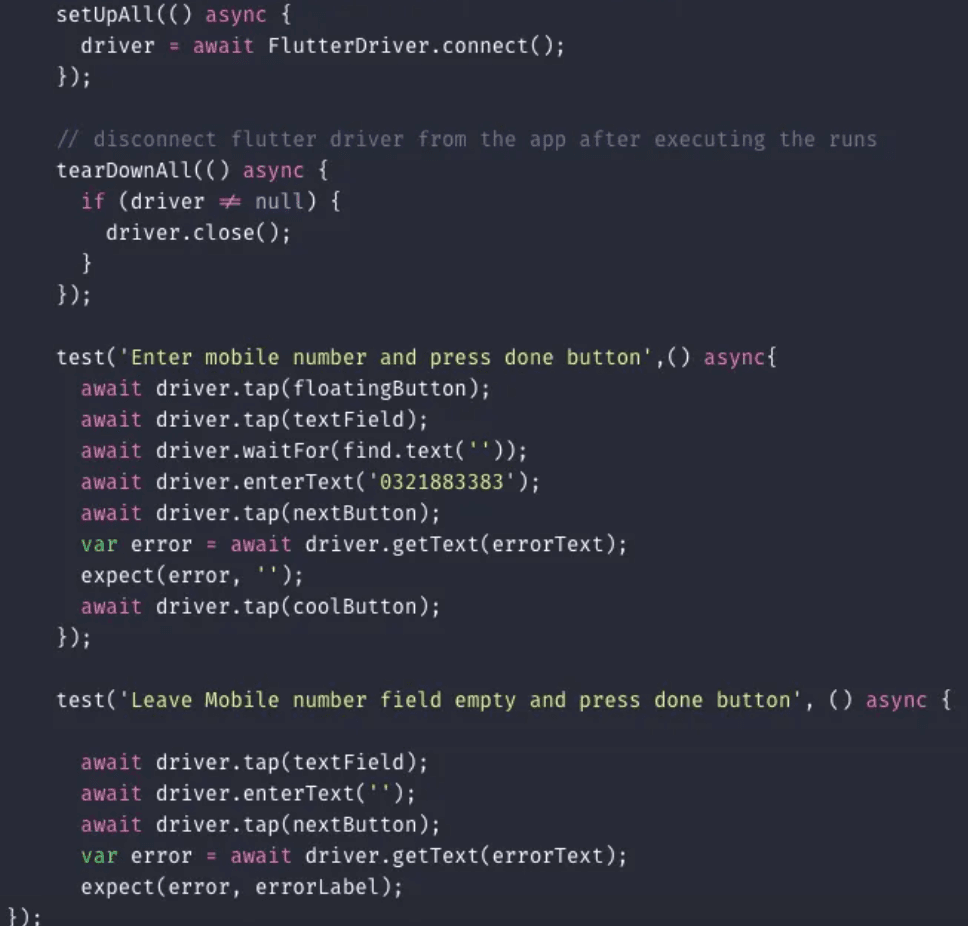
Using Flutter Driver extension, test engineers can Tap, enter text, scroll and drag-drop programmatically.
There is nothing else required. It’s just that easy. Oh, and by the way, Flutter is all about widgets….
So, after writing tests run the following command in the terminal from root-path.
$ flutter drive --target=test_driver/name.dart
After following the above steps, you can see the results in the console as all tests passed!
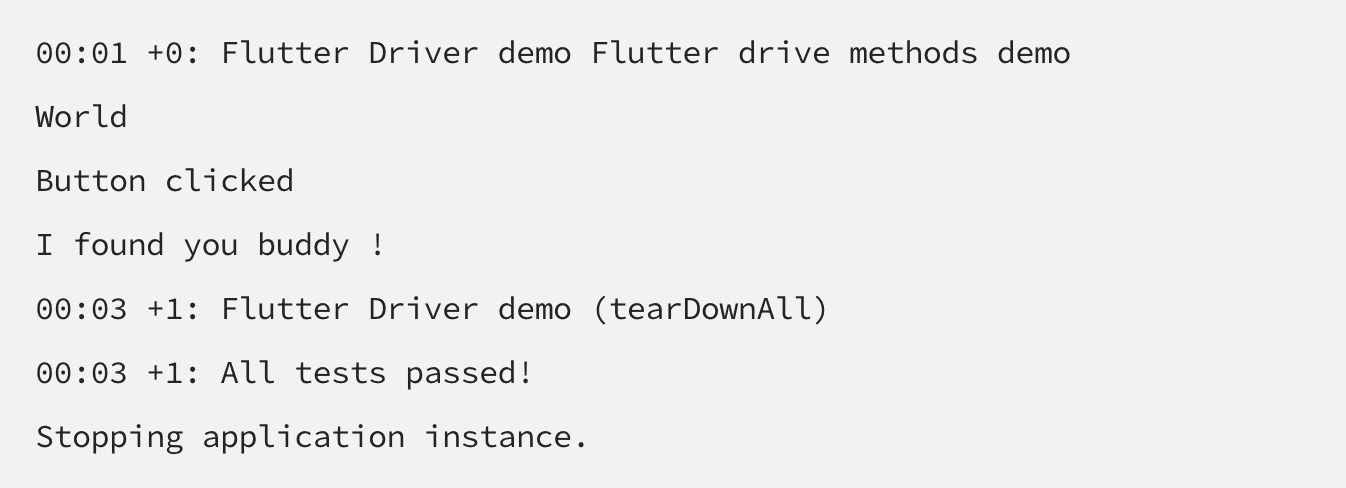
By using the following methods, a user can perform actions like tap, enter text and scrolling actions.
- tap()
- enterText()
- scrollIntoView()
There are some other libraries which may help in carrying out Unit testing, like Mockito, it must be added using the following lines into pubspec.yaml:
dependencies :
http : <newest_version>
dev_dependencies :
test : <newest_version>
mockito : <newest_version>
That’s it, folks!
For more details about Flutter Driver, click here.







