


Dave is a software engineer working on mobile apps using React Native. He’s great at it, but here’s the catch—he doesn’t have any experience with native mobile development. One day, his boss sent him a list of new requirements for the app, and let me tell you, that list was impossible to fulfill! Dave felt like he was up against a mountain.
Dave’s Impossible Challenge and the Search for Help
But Dave, like many of us, needed to figure it out. He had to satisfy his boss and not lose his job. So, Dave did what anyone would do: he started searching for help. The React Native ecosystem is thriving, and there are so many modules available, like Expo Video or React Native Video for handling media, or libraries for charts and 3D graphics. But here’s the kicker—every project is unique. Sometimes, what sets your project apart is doing what others won’t. That’s where Dave found himself stuck, staring at a blank search result screen.
When Panic Hits, Is Native Code the Enemy?
It’s in these moments that most developers start to panic. Native tooling and unfamiliar workflows can be intimidating. But here’s the real question: is there anything to be afraid of? The truth is, writing native code isn’t as scary as it seems. It’s just like everything else. And today, I’m here to show you that even if you’re new to native mobile development, it’s not the challenge you think it is. You can build your first native module—today.
Hi, I’m Lukash, and I work at Software Mansion on Expo. So let’s get started. The best advice for diving into native module development? Start by searching for help. You’ll quickly learn that there are three key parts that make up a native module: a static specification defined with TypeScript or Flow, a conversion layer between JavaScript and native code, and the module implementation itself. Sounds complex? Let me break it down. On the slide, you can see a simple spec for a module with one method—add. We use a tool called CodeGen, which takes this spec and creates a bridge between JavaScript and native code. Once that’s done, the final piece of the puzzle is implementing the native code, which could be in Objective-C for iOS or Kotlin for Android.
TurboModules Sound Scary? Let’s Simplify It
Now, I know what you’re thinking—does this mean you’ll have to deal with all that C layer complexity? What if the APIs differ across platforms? These are all valid questions. But if you still think native development sounds too complex, don’t worry—there’s a simpler way. Meet the Expo Modules API. This API was built on top of JSI, which means it’s as fast as TurboModules, but with modern languages like Swift and Kotlin. You won’t need additional tools like CodeGen, and it’s optimized to speed up your development process.
No Live Demo? No Problem! Let’s Build a Clipboard Module
Normally, this is where I’d do a live demo, but you know how things go with live demos—something always blows up. So today, we’ll stick with slides, and I’ll walk you through building a simple Clipboard module on Android. First, we define a class. The name isn’t critical, but it’s always a good idea to choose something meaningful. This class extends the Module class, which gives us access to helpful features like sending events. We need to override the definition function, which describes the module and its components. Here’s where we export our first function to JavaScript, using async syntax. From here, we can access the native clipboard through Android’s Context.
Context Is King in Native Modules
Now, what’s Context, you ask? Think of it as a big toolbox with everything your app needs—services, hardware sensors, you name it. But context isn’t always available, so we handle that by throwing exceptions that promise rejection instead of crashing the app.
When Errors Don’t Mean the End of the Road
Error handling is crucial, and at Software Mansion, we’ve created common exception patterns to make things easier. So when something goes wrong, we can simply throw an exception without crashing the app. It’s all about graceful error handling.
Building Native Modules Is Easier Than You Think. Now, back to our module. After retrieving the clipboard data and converting it to a string, we handle different data types like plain text and HTML. And guess what? You can switch between asynchronous and synchronous functions easily.
Expo Modules API: What’s Next?
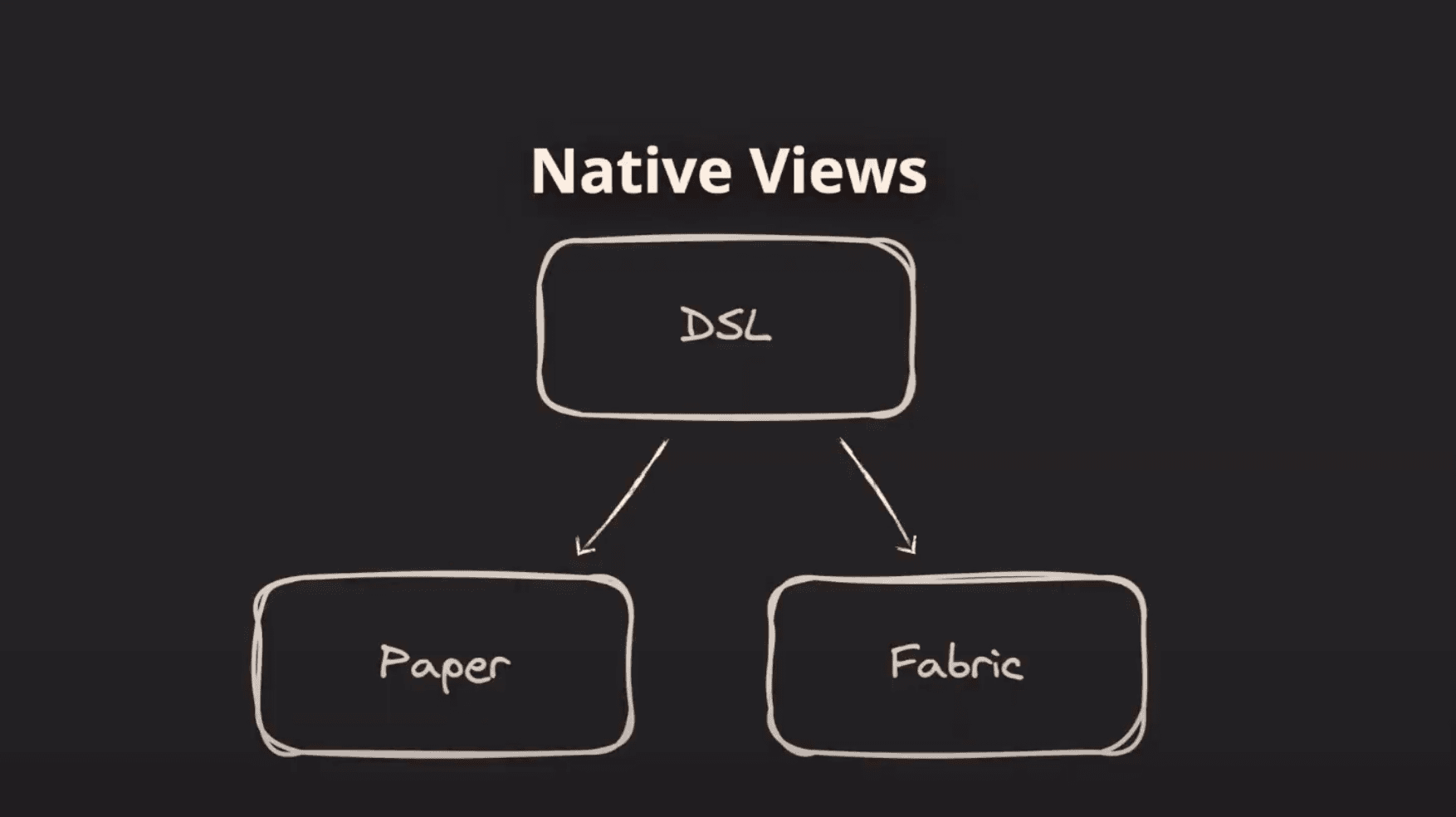
We did it! We’ve built our first native module. And it wasn’t as daunting as it seemed, right? But there’s more! The Expo Modules API has a lot more to offer—like TypeArrays for video or audio processing and even JavaScript prototypes for creating object-oriented APIs. Want to define native views? Expo makes that easy, too, allowing you to reuse definitions across platforms without changing a thing. Talk about efficiency!
Create Your Own Expo Module Today
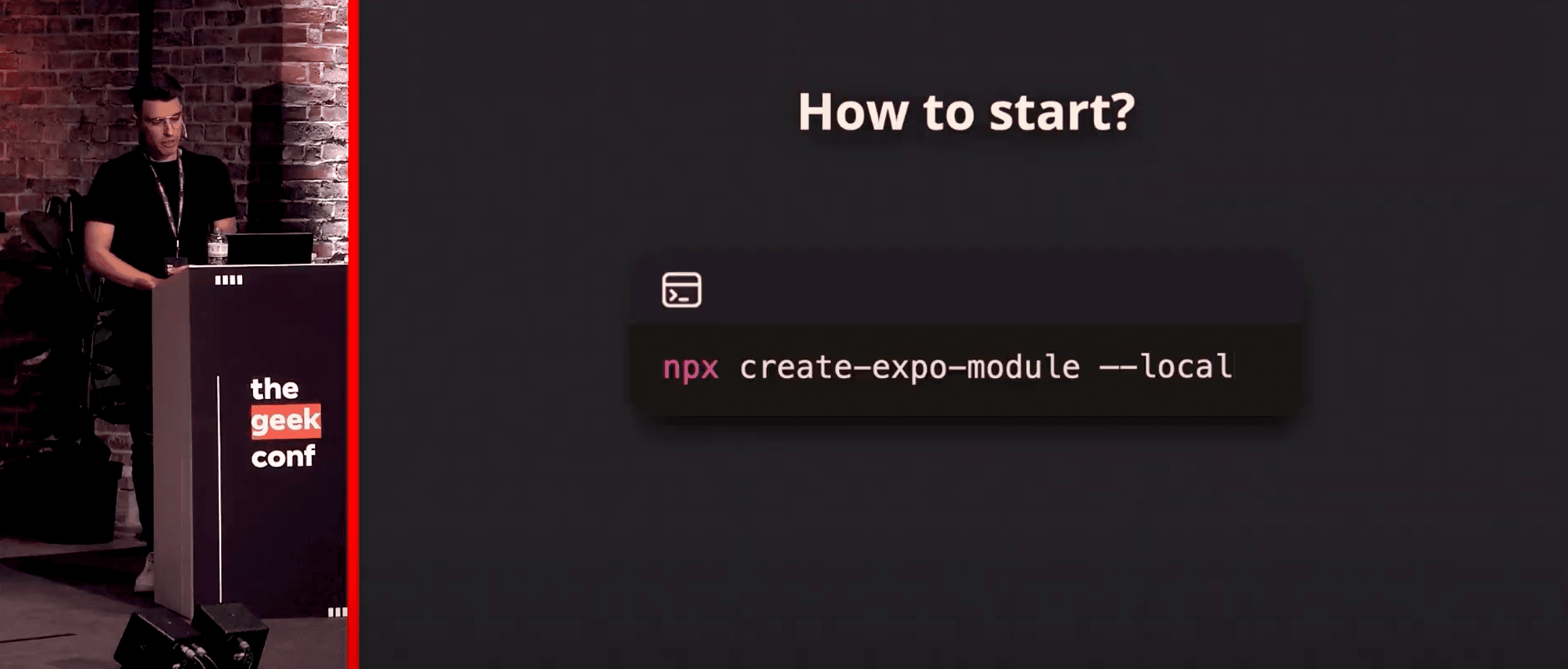
If you’re ready to dive into native development, it’s simple to get started. Run the command npx create-expo-module, and you’ll have a fresh project set up and ready to go. Already working on a project? Use the local flag to add native functionality.
The Expo Modules API isn’t just for us at Software Mansion. Developers from all over the world are building fantastic packages with it. Be sure to check them out, contribute, and share your ideas!
Let’s Keep Coding Together! Thank you so much for listening today! If you have any questions, feel free to reach out on GitHub or Twitter. And remember—native development is within your reach.