
AI Tools to the Rescue
In today's fast-paced world of software development, the demand for efficient and reliable code generation tools has never been greater. Enter GitHub Copilot, an extraordinary tool that harnesses the power of artificial intelligence to generate code in real-time.
With a simple input of function parameters or a description of desired function behavior, Copilot effortlessly generates the necessary code, revolutionizing the way developers write programs.
In addition to Copilot, other cutting-edge tools like ChatGPT and OpenAI Codex are also making waves in the industry. As these AI-powered tools continue to advance, it's natural to question whether they will replace developer jobs altogether.
In this blog, we will explore the exciting capabilities of these code generation tools and delve into the potential impact they may have on the role of developers.
“My personal experience using these tools has been that they help in designing and developing things quickly.”
However, it's important to note that these tools are not always 100% accurate, so developers should review the generated code for potential flaws. So, let's embark on this journey to uncover the true power of AI in code generation.
Using Chatbots to Develop Apps
Let's explore a few examples of how to use chatbots to develop apps.
For instance, we can prompt a chatbot to create a calculator app using React Native. In this instance, we will be using ChatGPT to generate the application.
1. Command: Create a react native calculator application for me
Result:
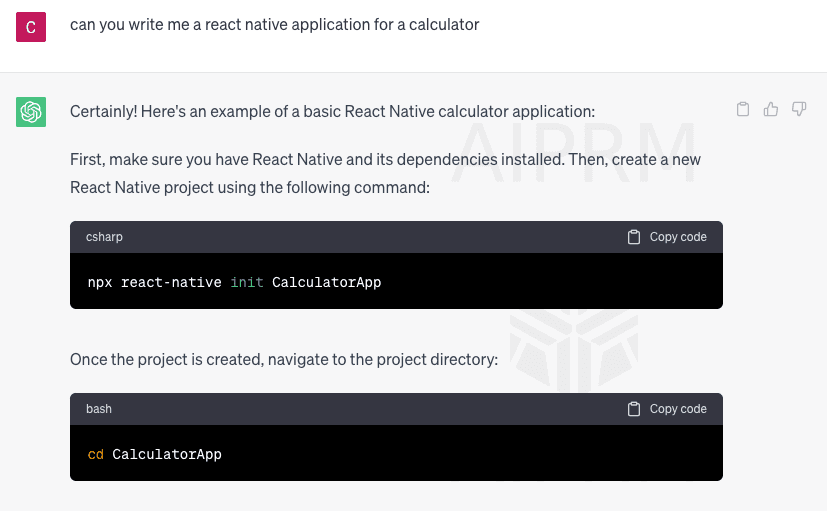
It also comes up with the actual code!
import React, { useState } from 'react';
import { View, Text, StyleSheet, TouchableOpacity } from 'react-native';
const CalculatorApp = () => {
const [input, setInput] = useState('');
const [result, setResult] = useState('');
const handleButtonPress = (value) => {
if (value === '=') {
calculateResult();
} else if (value === 'C') {
clearInput();
} else {
setInput(input + value);
}
};const calculateResult = () => {
let calculatedResult = '';
try {
calculatedResult = eval(input);
} catch (error) {
calculatedResult = 'Error';
}
setResult(calculatedResult.toString());
};const clearInput = () => {
setInput('');
setResult('');
};const renderButton = (value, color = '#333') => (
<TouchableOpacity
style={[styles.button, { backgroundColor: color }]}
onPress={() => handleButtonPress(value)}
>
<Text style={styles.buttonText}>{value}</Text>
</TouchableOpacity>
);return (
<View style={styles.container}>
<Text style={styles.input}>{input}</Text>
<Text style={styles.result}>{result}</Text> <View style={styles.row}>
{renderButton('7')}
{renderButton('8')}
{renderButton('9')}
{renderButton('/', '#FF9900')}
</View>
<View style={styles.row}>
{renderButton('4')}
{renderButton('5')}
{renderButton('6')}
{renderButton('*', '#FF9900')}
</View>
<View style={styles.row}>
{renderButton('1')}
{renderButton('2')}
{renderButton('3')}
{renderButton('-', '#FF9900')}
</View>
<View style={styles.row}>
{renderButton('0')}
{renderButton('.')}
{renderButton('=', '#FF9900')}
{renderButton('+', '#FF9900')}
</View>
<View style={styles.row}>
{renderButton('C', '#CC0000')}
</View>
</View>
);
};const styles = StyleSheet.create({
container: {
flex: 1,
justifyContent: 'center',
alignItems: 'center',
backgroundColor: '#F5F5F5',
},
input: {
fontSize: 24,
marginBottom: 10,
},
result: {
fontSize: 36,
fontWeight: 'bold',
marginBottom: 20,
},
row: {
flexDirection: 'row',
},
button: {
flex: 1,
margin: 5,
padding: 20,
borderRadius: 10,
justifyContent: 'center',
alignItems: 'center',
backgroundColor: '#555',
},
buttonText: {
color: '#FFF',
fontSize: 24,
},
});export default CalculatorApp;2. Analyzing the Result
The chatbot has created a calculator app that works well! The code can be easily integrated into a React Native application, making the process simple. It only takes a few minutes to ask the chatbot the appropriate questions.
To inject the code into your application, type npx create-react-native-app calculator to begin building the app. It may take some time, but eventually, the app will launch. It takes a few seconds to open the calculator once it has been exported and run.
Key Takeaways
Performing basic calculations with it works perfectly fine. The idea here is that as a developer, one should spend only a little bit of time thinking about what to code. While coding is essential to the job, standardized or easily developed tasks should be done quickly to allow for more time spent on innovative and robust solutions.
“Recently, I came across a prompt that can help generate a Flask API with all the codebase. This means I don't have to spend much time thinking about what I want to write in code, but rather focus on what I want to build.”
The idea is to upload an image to React, then use ChatGPT to leverage the Amazon recognition client and come up with all the elements in the image. This data can then be displayed in a React Native application. If successful, this will result in an object recognition app without having to put in too much effort and leveraging ChatGPT.
We can quickly see that an image has been selected over there. Even if I just hold up a dummy bank card and click the "upload image" button, it can hit the API.
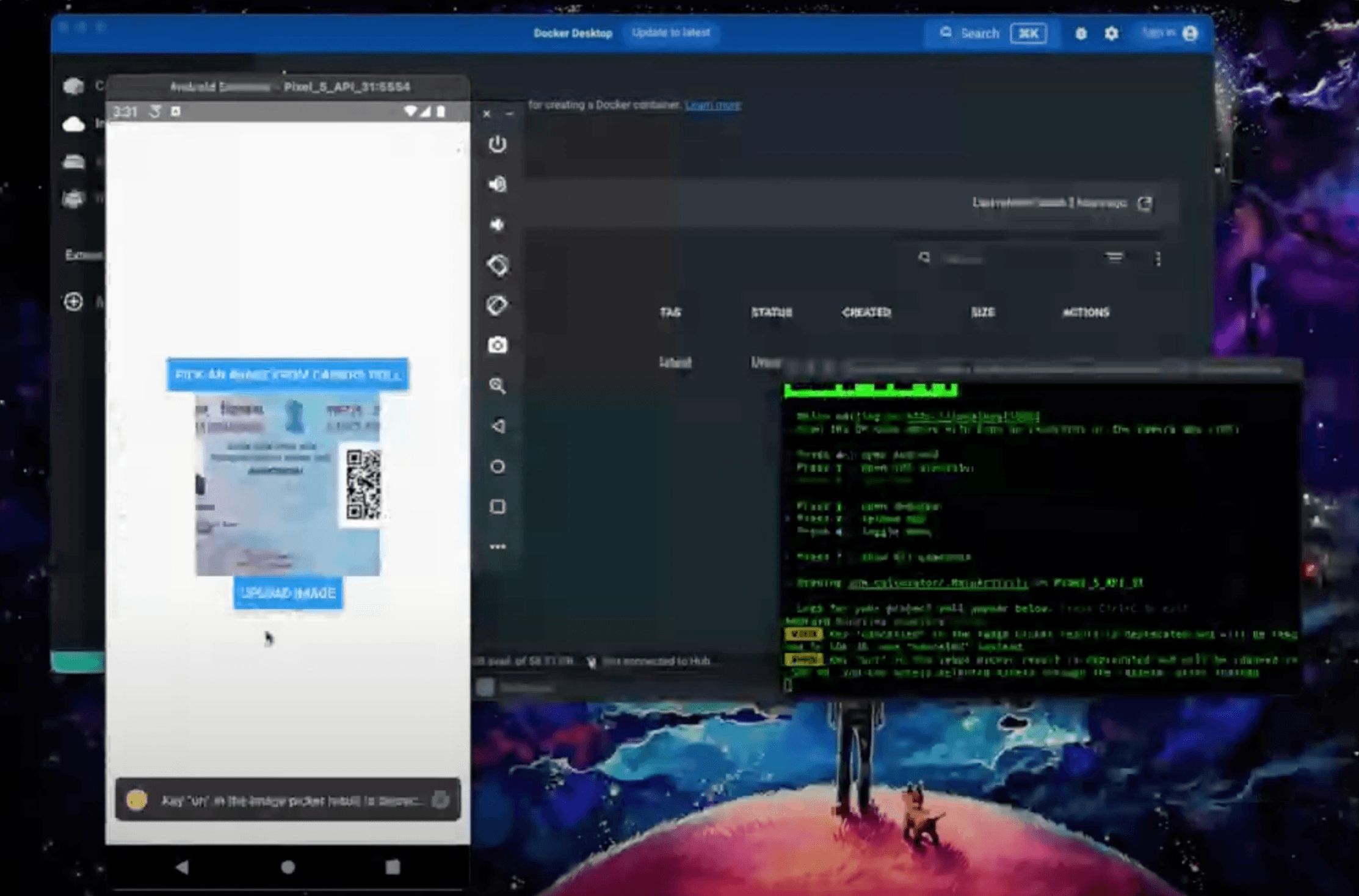
The idea here is to use these tools to enable developers to quickly iterate and build products in real time. Using ChatGPT can be very helpful, but it can also lead to build errors and incorrect responses. Therefore, developers may need to test and tweak their responses multiple times for the desired results. Despite this, such tools can be incredibly useful and help developers move forward efficiently.
NOTE: While AI tools can assist developers, they won't replace humans as creative inputs will be needed. Chat GPT can provide a basic structure, but the developer needs to improve the app further from a user-centric perspective.
Watch the entire talk here.