

In today's technology-driven world, managing and monitoring extensive network infrastructures can be a daunting task. When we at GeekyAnts faced the challenge of scaling its infrastructure, the need for a robust monitoring solution became evident.
This journey led to the implementation of Zabbix, an open-source monitoring tool that has revolutionized the way we manage our network components, servers, applications, websites, and databases. This comprehensive overview details the implementation process, key features, and benefits of Zabbix, as well as its impact on GeekyAnts.
The Need for an Advanced Monitoring Tool
As organizations grow, their network infrastructures become increasingly complex. For a small organization with 20-50 network components, managing network resources may seem manageable. However, as GeekyAnts expanded its infrastructure to encompass 500-10,000 servers, network components, and services, the need for a more sophisticated monitoring solution became critical.
Initially, at GeekyAnts we utilized Uptime Robot for basic monitoring needs. While effective for smaller setups, Uptime Robot's capabilities were limited in the face of our growing infrastructure. We required a tool that could provide comprehensive monitoring, detailed real-time data, and flexible alerting mechanisms. This is where Zabbix emerged as the ideal solution.
What is Zabbix?
Zabbix is an open-source monitoring tool designed to provide extensive monitoring capabilities for network components, hardware failures, applications, and more. It supports both agent-based and agentless methods, including SNMP (Simple Network Management Protocol) and ICMP (Internet Control Message Protocol) pings, to collect data and ensure system health and uptime.
Key Features of Zabbix
- Comprehensive Monitoring: Zabbix offers the ability to monitor hardware, network components, and applications. It utilizes agents and agentless methods to collect data, ensuring that all critical aspects of the infrastructure are covered.
- Real-Time Data Collection: Zabbix collects data using SNMP and Zabbix agents, providing real-time information on system health. This allows for timely detection and resolution of issues.
- Flexible Alerts: The tool offers configurable alerts that notify the relevant teams of issues at the hardware and network level. This ensures prompt response and minimizes downtime.
- Historical Data Storage: Zabbix supports the storage of historical data, facilitating analysis and troubleshooting based on past performance metrics.
- Integration Capabilities: Through REST APIs, Zabbix can integrate with third-party applications like Slack. This enables seamless notifications and interactions, enhancing the overall monitoring process.
Strategic Implementation
The implementation of Zabbix at GeekyAnts was a meticulous process that involved several key steps. These steps ensured that the tool was configured to meet our specific monitoring needs and integrated seamlessly into our existing infrastructure.
Problem Statement and Solution
The primary challenge faced by us at GeekyAnts was the need to monitor an extensive and growing network infrastructure. The existing tool, Uptime Robot, was insufficient for the scale and complexity of our setup. Zabbix was identified as a solution capable of addressing these challenges.
A Closer Look to Zabbix
The configuration of Zabbix involved setting up monitoring for various network components, hardware, and applications. This included:
- Installing Zabbix Agents: Agents were installed on network components to report on the health and status of applications and devices. This provided detailed real-time data.
- Utilizing SNMP and ICMP Pings: For agentless monitoring, Zabbix utilized SNMP and ICMP pings to collect data from network components and hardware.
- Setting Up Alerts: Configurable alerts were established to notify the relevant teams of any issues. This included hardware failures, network state changes, and application downtimes.
Key Components of Zabbix
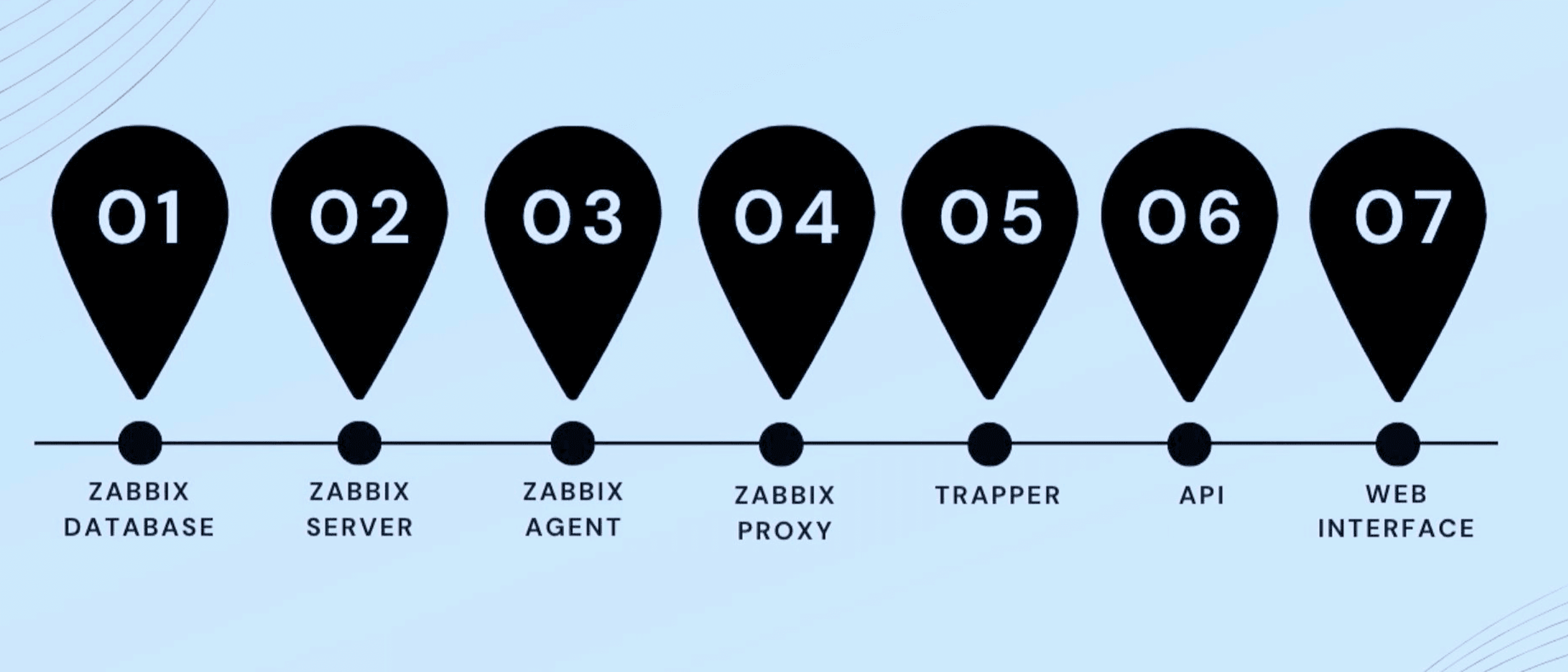
- Zabbix Database: The database stores all collected data from hosts and devices, ensuring that historical data is available for analysis and troubleshooting.
- Zabbix Server: The server is the core of the monitoring system, managing data collection and overall monitoring processes.
- Zabbix Agent: Installed on network components, the agent reports on the health and status of applications and devices.
- Zabbix Proxy: Acting as an intermediary, the proxy reduces server load and improves monitoring efficiency.
- Trapper: The trapper allows hosts to send data to the server, enhancing responsiveness to issues.
- Web Interface (UI): The UI provides a visual overview of the network, facilitating easy management and troubleshooting.
What are the Benefits of Zabbix?
Zabbix has brought numerous benefits, transforming the way we monitor and manage our network infrastructure.
Open Source
As an open-source tool, Zabbix is accessible to organizations of all sizes. This made it an ideal choice for GeekyAnts, providing a cost-effective solution without compromising on features.
Scalability
Zabbix is highly scalable, making it suitable for both small-scale and large-scale infrastructures. This flexibility allowed GeekyAnts to scale its monitoring capabilities in line with the growth of our infrastructure.
Reusable Templates
One of the standout features of Zabbix is its reusable templates. These templates simplify the monitoring setup for multiple hosts, saving time and effort. For instance, the same template can be applied to different types of switches, streamlining the monitoring process.
Powerful Visualization
Zabbix provides powerful visualization tools, including live network maps and dashboards. These visual representations offer clear, actionable insights, enabling network administrators to quickly identify and rectify issues.
Strong Reporting
Zabbix's robust reporting features classify issues based on severity, helping prioritize responses. This ensures that critical issues are addressed promptly, minimizing the impact on system performance.
Community Support
As an open-source tool, Zabbix benefits from extensive online resources and community support. This enhances its usability, providing valuable assistance and insights to users.
Practical Application at GeekyAnts
The practical application of Zabbix at GeekyAnts covers various aspects of our infrastructure, from data center monitoring to office network management.
Data Center Monitoring
Zabbix's detailed dashboards display real-time data, including CPU utilization and network status. This enables continuous monitoring of our data center, ensuring optimal performance and quick resolution of issues.
Network Maps
Visual representations of the network, such as live network maps, show the status of connections and devices. Any changes or issues are immediately visible, allowing for prompt action.
OpenStack Integration
Monitoring OpenStack cloud services is crucial for maintaining the performance of our virtual environments. Zabbix provides clear insights into the health and status of these services, ensuring their smooth operation.
Office Network Management
Comprehensive maps and triggers help maintain the health and performance of our office network. This includes monitoring access points, routers, and switches, ensuring that any issues are quickly identified and resolved.
Conclusion
The implementation of Zabbix at GeekyAnts has been a game-changer, enabling efficient monitoring and management of our complex infrastructure. By providing real-time data, flexible alerts, and powerful visualization, Zabbix ensures that our systems remain robust and resilient, capable of handling the demands of a growing network environment. The journey from initial implementation to full integration has demonstrated the transformative impact of Zabbix, making it an indispensable tool for network engineering team at GeekyAnts.
Check out the entire presentation here ⬇️