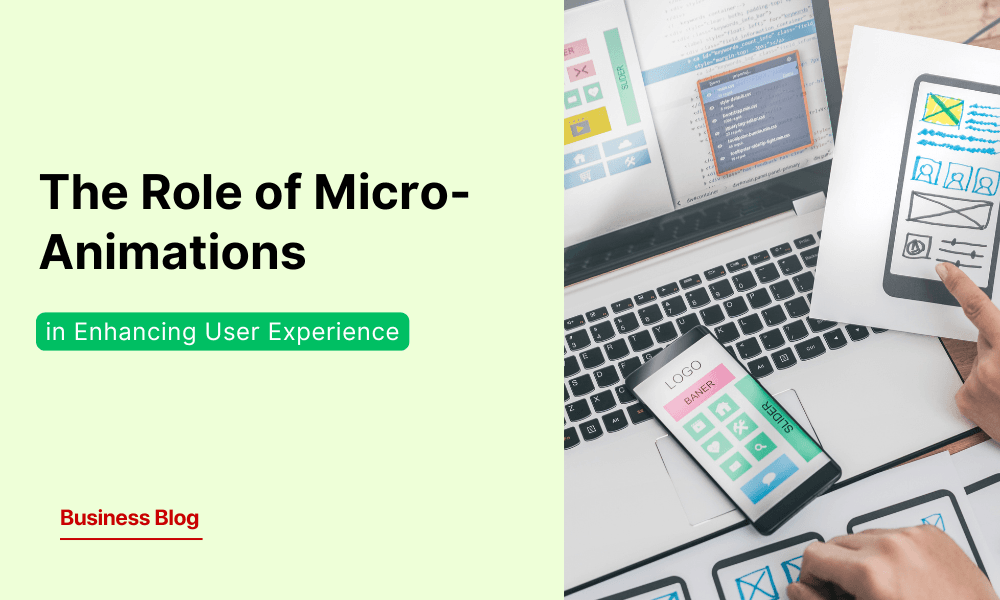

In the intricate dance of digital design, the smallest steps often make the biggest impact. Micro-animations—those subtle, almost imperceptible design elements—have become a defining feature of modern digital experiences. They guide users, provide feedback, and create a sense of fluidity in interactions. In an era where user experience (UX) can make or break digital products, micro-animations serve as a bridge between static design and seamless interactivity.
This blog explores what micro-animations are, their role in UX, and how businesses can leverage them to create delightful, engaging, and intuitive user experiences.
Understanding Micro-Animations
What Are Micro-Animations?
Micro-animations are small, functional animations that subtly enhance user interactions. Unlike large-scale animations, they focus on micro-interactions—momentary engagements that occur when a user acts, like clicking a button or scrolling a webpage.
For instance, when you like a post on social media, the animated heart icon gives instant feedback, reinforcing user action.
Micro-Animations vs. Micro-Interactions: What’s the Difference?
While the terms are often used interchangeably, they serve distinct purposes:
Feature | Micro-Animations | Micro-Interactions |
Focus | Visual cues & motion effects | Complete interaction process |
Examples | Button hover effects, loading spinners | Toggle switches, pull-to-refresh |
Purpose | Enhances aesthetics & guides attention | Provides feedback & improves usability |
Components | Animation only | Trigger, response, feedback |
Role in UX | Adds visual appeal | Ensures smooth interaction flow |
Both work together to enhance usability and make interactions feel more natural.
The Multifaceted Roles of Micro-Animations in UX
Micro-animations are essential in guiding users, providing feedback, and enhancing engagement. When thoughtfully implemented, they create intuitive and seamless digital experiences.
Providing Instant Feedback
User actions must be acknowledged clearly. Micro-animations act as visual confirmations, ensuring users know their inputs have been registered. When entering an incorrect password, the input field shakes subtly, mimicking a real-world “no” gesture. This immediate feedback eliminates confusion and prompts users to correct their input without additional instructions.
Guiding User Navigation
Navigating digital interfaces should feel natural and structured. Well-placed micro-animations direct attention and create continuity between interactions. In mobile apps, as users scroll down a feed, elements smoothly fade in, reinforcing a logical content flow. Animated tab transitions help users intuitively grasp shifts between sections, reducing cognitive effort.
Enhancing Aesthetic Appeal
Beyond usability, micro-animations add an element of delight and sophistication to digital experiences. E-commerce platforms use hover animations on product images, allowing users to preview additional details without clicking. This movement improves engagement and makes the interface feel dynamic and responsive.
Communicating System Status
Uncertainty frustrates users, especially during loading times. Micro-animations set expectations by visually representing progress. A well-designed loading bar or a dynamic spinner—such as Slack’s playful dots morphing into a checkmark—reduces perceived wait time, keeping users engaged rather than disengaged.
Benefits of Incorporating Micro-Animations
Improved User Engagement: Strategically designed micro-animations draw attention to key elements, making interactions more intuitive and engaging. Subtle motion enhances user flow, reducing friction and bounce rates.
Error Prevention Animations provide visual cues that help users navigate interfaces correctly. A shaking input field for incorrect credentials or a colour change on invalid form entries prevents errors before they occur, improving usability.
Increased perceived performance micro-animations help keep visual continuity. This reduces frustration during waiting times. Loading indicators, progress bars, and transition animations make the performance feel faster. As a result, users are more satisfied and likely to return.
Best Practices for Implementing Micro-Animations
Keep It Subtle
Micro-animations should enhance the experience without distracting users. Excessive motion can feel intrusive, while well-placed animations provide clarity and reinforce interactions.
Ensure Purposefulness
Every animation must serve a functional role—whether guiding navigation, providing feedback, or improving engagement. Unnecessary animations add clutter and reduce usability.
Maintain Consistency
A cohesive animation style across the interface creates a seamless experience. Consistency in speed, easing, and motion ensures intuitive interactions that align with the brand’s design language.
Prioritize Performance
Optimized animations should feel smooth and responsive. Poorly implemented effects can cause lag, especially on lower-end devices, negatively impacting user experience. Efficient execution ensures fluid interactions across all platforms.
Case Studies: Effective Use of Micro-Animations
Mobile App Onboarding – Enhancing User Engagement
A leading fitness app enhanced its onboarding process using progressive micro-animations. Instead of overwhelming new users with static instructions, the app introduced guided transitions in which elements appeared sequentially, drawing attention to key features. Animated button responses reinforced actions, while smooth progress indicators motivated users to complete the setup. This strategy resulted in a 20% reduction in drop-off rates during onboarding, improving retention and engagement.
E-Commerce Hover Effects – Driving Conversions
An online retailer leveraged hover animations to create an interactive shopping experience. Instead of static product images, subtle transitions revealed alternate views, pricing details, and quick-add options when users hovered over items. This dynamic feedback mechanism increased engagement and provided instant access to crucial information, leading to a 15% boost in conversions. The animations not only enhanced usability but also reinforced a premium, interactive brand experience.
Tools and Resources for Creating Micro-Animations
Category | Tools & Platforms | Purpose |
Design Tools | Adobe After Effects, Figma, Principle | Create and refine micro-animations with precision |
Prototyping Platforms | InVision, Framer | Prototyped and tested animations in interactive interfaces |
These tools help designers prototype and implement seamless animations.
Conclusion: The Future of Micro-Animations in UX
Micro-animations have transcended novelty to become a cornerstone of modern UX design.
They do more than look good—they help users interact, offer real-time feedback, and create a smooth digital experience. In a time when attention spans are short and user expectations are high, good micro-animations can make a product engaging or forgettable.
As businesses aim for more intuitive and immersive digital experiences, using micro-animations wisely will set them apart. Those who find the right mix of function and visual appeal will drive the next wave of UX innovation.
At GeekyAnts, we specialize in crafting seamless, high-performance digital experiences with cutting-edge UI/UX solutions. Let’s build interfaces that captivate, engage, and retain users.