


Editor’s Note: This article was originally written by Rajesh De and published in July, 2024. It was revised and updated by Shivangi Agarwal in September, 2026 to include current technologies, implementation practices, industry requirements, and examples. The technical content was reviewed by Nischit Jagdish Shetty, Senior Software Engineer - II.
Key Takeaways
- The healthcare chatbot market is projected to grow from $1.8 billion in 2026 to $4.4 billion by 2030.
- 32% of US adults used AI chatbots for health information in 2025, double the previous year’s share.
- High-value use cases include appointment scheduling, medication reminders, patient information, and human escalation.
- Successful deployment requires verified data, strong privacy controls, continuous testing, clear disclaimers, and emergency-response safeguards.
Introduction
The Growing Demand for Accessible Healthcare Information
The global healthcare chatbot market is estimated at USD 1.8 billion in 2026 and is projected to reach USD 4.4 billion by 2030, growing at a 24% CAGR. This expansion reflects rising demand for virtual healthcare services, automated patient support, appointment scheduling, and always-available health information. (Grand View Research)
Consumer behaviour is changing just as quickly. Rock Health’s 2025 Consumer Adoption Survey found that 32% of US adults had used an AI chatbot for health information, twice the 16% recorded a year earlier. Among these users, 64% consulted AI for health questions at least weekly, indicating growing demand for immediate and convenient digital guidance. (rockhealth.com)
Healthcare AI adoption has moved beyond experimentation. The AMA’s 2026 survey of nearly 1,700 doctors found that 81% now use AI professionally, while more than three-quarters believe it improves their ability to care for patients.
In this environment, healthcare AI chatbots can improve access by answering routine questions, supporting appointment and medication workflows, and guiding patients towards appropriate services. However, they must operate with clear clinical boundaries, reliable information, human oversight, and strong privacy safeguards rather than functioning as substitutes for qualified healthcare professionals.
The Potential of AI Assistants
AI assistants have the potential to revolutionize patient engagement by providing instant, 24/7 support. These assistants can help bridge the gap between patients and healthcare providers, offering a more efficient way to manage health concerns. They can answer questions, provide reminders, and offer guidance on managing chronic conditions, thus enhancing patient experience and adherence to treatment plans.
The Envisioned Healthcare AI Assistant
Core Functionalities
When building an AI assistant or chatbot for the healthcare Industry, the following core functionalities should be prioritized:
- Basic Symptom Checker: Assist users in identifying potential health issues based on their symptoms.
- Appointment Scheduling: Help users schedule appointments with healthcare providers, integrating with existing booking systems.
- Medication Reminders: Remind patients to take their medications on time, ensuring adherence to prescribed treatment plans.
- Personalized Healthcare Resources: Provide users with personalized health tips and resources based on their needs, medical history, and preferences.
- Emergency Response Guidance: Offer immediate advice on handling urgent health situations and direct users to appropriate emergency services.
Patient Safety and Disclaimers
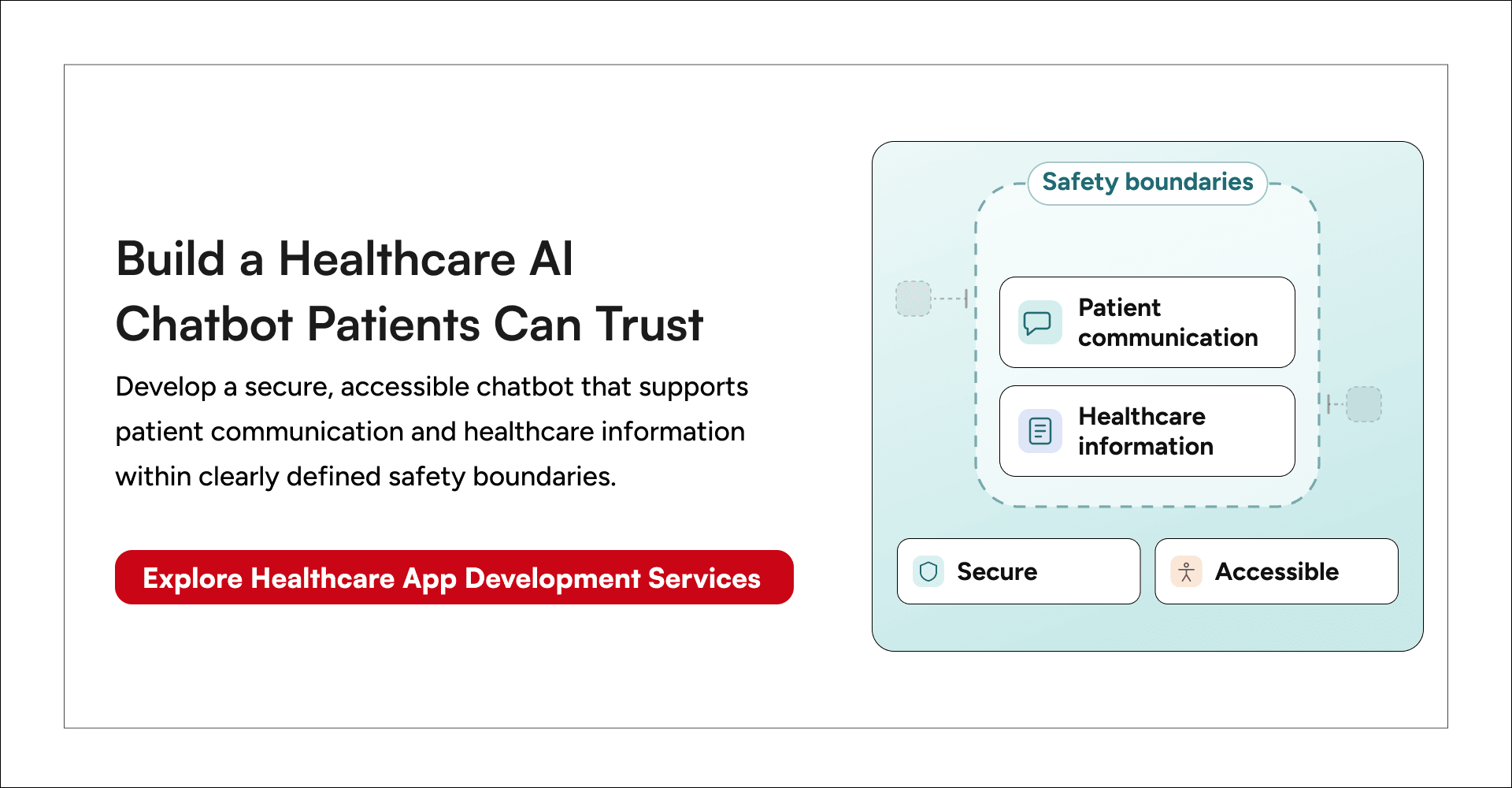
It is crucial to prioritize patient safety. The assistant should always include disclaimers, emphasizing that it is not a substitute for professional medical advice and that users should consult with their healthcare providers for any medical concerns. Additionally, the assistant should have mechanisms to recognize emergency situations and guide users to seek immediate help.
Types of AI Chatbots in Healthcare
There are various types of AI chatbots in healthcare, each serving different purposes:
- Informational Chatbots: Provide general health information and answer common questions.
- Symptom Checkers: Assist users in understanding their symptoms and suggest potential conditions.
- Appointment Scheduling Bots: Help users book appointments with healthcare providers.
- Medication Reminders: Send reminders to patients about their medication schedules.
- Telemedicine Assistants: Facilitate virtual consultations with doctors.
- Chronic Disease Management Bots: Help patients manage chronic conditions by providing ongoing support and monitoring.
Understanding OpenAI GPT
What is OpenAI GPT?
OpenAI GPT (Generative Pre-trained Transformer) is an advanced AI model that generates human-quality text based on given prompts and training data. It is designed to understand and respond to natural language inputs effectively. GPT's architecture allows it to perform a wide range of language tasks, making it versatile for various applications, including healthcare.
GPT-3.5 and Its Capabilities
GPT-3.5, one of the latest versions, is renowned for its ability to perform a wide range of natural language processing tasks, from text generation to language translation, making it an excellent choice for building intelligent healthcare assistants. Its large-scale model and vast training data enable it to understand complex queries and provide accurate, context-aware responses.
Read more on How to Incorporate ChatGPT into Your Application.
Steps For Building the AI Assistant For Healthcare Industry
Acquiring OpenAI GPT Access
- Obtain an API Key: Register for an API key from OpenAI.
- Usage Guidelines: Adhere to OpenAI's usage guidelines and terms of service to ensure ethical and responsible use.
- Subscription Plans: Evaluate different subscription plans to choose the one that fits your usage requirements and budget.
Data Preparation and Training
- High-Quality Data: Collect high-quality, well-structured healthcare data, including disease information, symptoms, and medications. Ensure data accuracy and relevance.
- Data Privacy: Anonymize or tokenize patient data to protect privacy and comply with regulations like HIPAA and GDPR.
- Training the Model: Train GPT on this data to ensure it can provide accurate and helpful information to users. Utilize techniques such as fine-tuning to improve the model's performance on specific healthcare tasks.
Testing and Validation
- Accuracy Testing: Conduct rigorous testing to ensure the AI provides accurate and reliable information.
- User Testing: Gather feedback from real users to identify potential issues and areas for improvement.
- Iterative Refinement: Continuously refine the model based on feedback and testing results to enhance its performance and user experience.
Building AI Medication Reminder Chatbot for Healthcare Industry (Live Demo ) With Both Voice And Chat Input
Importance of Disclaimers
Disclaimers are essential to clarify that the healthcare assistant/chatbot is for informational purposes only and not a substitute for professional medical advice. Users should be reminded to consult healthcare professionals for any medication-related questions or concerns.
What We Will Build
A simple AI healthcare Medication Reminder Assistant that:
- Prompts the user for the medication name.
- Uses OpenAI GPT to retrieve information about the medication (disclaimer: for informational purposes only).
- Asks the user for the reminder time and frequency.
- Simulates setting a reminder.
Disclaimer Template
This is an informational healthcare assistant and cannot provide medical advice. Please consult your doctor for any medication-related questions or concerns.
Code Breakdown for the Medication Reminder Chatbot - With Text Prompt
Notification Trigger
The createNotificationReminderfunction is a custom notification component created using Notifee. It first requests permission from the user to display notifications. If the required parameters, reminderName and startDate , are not provided, it logs an error message and stops execution. If the parameters are valid, it creates a notification channel named "Reminder Notifications" with a default sound. Then, it extracts the timestamp from the startDate and sets up a timestamp trigger based on this date and the provided repeatFrequency . The function then attempts to create and schedule a notification with the reminder name and a generic message about taking medication or performing the reminder action. Any errors encountered during this process are logged to the console.
import notifee, { RepeatFrequency, TimestampTrigger, TriggerType } from '@notifee/react-native';

const createNotificationReminder = async (reminderName, startDate, repeatFrequency) => {
  const permission = await notifee.requestPermission();
  console.log('Notification permission granted:', permission);

  if (!reminderName || !startDate) {
    console.error('Missing required parameters: reminderName and startDate');
    return;
  }

  const channelId = await notifee.createChannel({
    id: 'reminder-channel',
    name: 'Reminder Notifications',
    sound: 'default',
  });

  const extractedStartDate = new Date(startDate).getTime();

  const trigger: TimestampTrigger = {
    type: TriggerType.TIMESTAMP,
    timestamp: extractedStartDate,
    repeatFrequency: repeatFrequency,
  };

  try {
    const notification = await notifee.createTriggerNotification({
      title: reminderName,
      body: 'Please take your medication (or perform your reminder action)',
      android: {
        channelId,
        sound: 'default',
      },
    }, trigger);

    console.log('Notification created:', notification);
  } catch (error) {
    console.error('Error creating notification:', error);
  }
};

export default createNotificationReminder;
API Data Fetch
The code fetches a response from the OpenAI API using the gpt-3.5-turbo-0125 model to get the required details about medication for users. It sends a POST request with the user content and system prompt in the request body, along with the necessary headers, including the API key for authorization. Once the data is fetched, the function returns the content of the first choice from the API response.
 const response = await fetch(
      'https://api.openai.com/v1/chat/completions',
      {
        method: 'POST',
        body: JSON.stringify({
          model: 'gpt-3.5-turbo-0125',
          messages: [{ role: 'user', content },systemPrompt ],
        }),
        headers: {
          'Content-Type': 'application/json',
          'Authorization': `Bearer ${API_KEY}`,
        },
      }
    );
    const data = await response.json();
    return data.choices[0].message.content
Prompt
The current date and time are provided using currentDateTime to generate reminders in context to the user's prompt. The prompt is designed to guide the model to return an object with specific parameters if the user's request indicates setting a reminder. These parameters include the type ("Reminder" or "Other"), startDate in ISO format, endDate in ISO format, a suitable title for the reminder, and any additional notes. If the request does not indicate setting a reminder, the prompt instructs the model to return an object with the type "Other" and any additional parameters. The system prompt also includes the current date converted to the user's local timezone to provide accurate context for the reminders.
const currentDateTime = new Date();

    const systemPrompt = {
      role: 'system',
      content: `
      Today date for context is ${convertUtcToIst(currentDateTime)}
    You are a helpful assistant. When the user request indicates setting a reminder, return an object with the following parameters:

    - \`type\`: If the request is to set a reminder, return "Reminder". Otherwise, return "Other".
    - \`startDate\`: If a start date and time are provided by the user, return them in ISO format.If only time is provided, return with todays date and time. If not provided, return \`""\`.
    - \`endDate\`: If an end date and time are provided by the user, return them in ISO format. If not provided, return with todays date and time  return \`""\`.
    - \`title\`: Provide a suitable title for the reminder based on the user's request.
    - \`notes\`: Include any additional notes provided by the user.

    Here is the format for the output:
    {
      "type": "Reminder" or "Other",
      "startDate": "ISO format date",
      "endDate": "ISO format date",
      "title": "title",
      "notes": "additional notes"
    }


    If the user's request does not indicate setting a reminder, return the following:

    {
      "type": "Other",
      "others": "additional parameters if any"
    }

    `
    }
Demo Video — AI Medication Reminder Chatbot with Text To Speech Prompt
Code Breakdown for the Medication Reminder Chatbot - With Speech to Text Prompt
Speech to Text Component
The code below react-native-voice to convert from speech to text and send it through OpenAI to process the medication information:
useEffect(() => {
    Voice.onSpeechResults = onSpeechResultsHandler;
    Voice.onSpeechError = onSpeechError;
    return () => {
      Voice.destroy().then(Voice.removeAllListeners);
    };
  }, [messages]);

  useEffect(() => {
    messagesRef.current?.scrollToEnd({ animated: true });
  }, [messages]);

  const onSpeechResultsHandler = (event) => {
    const text = event.value[0];
    setInputText(text);
  };

  const onSpeechError = (event) => {
    console.error(event.error);
  };

  const startRecording = async () => {
    setIsRecording(true);
    if (Platform.OS === 'android') {
      const granted = await PermissionsAndroid.request(
        PermissionsAndroid.PERMISSIONS.RECORD_AUDIO,
        {
          title: 'Microphone Permission',
          message: 'App needs access to your microphone to record audio.',
          buttonNeutral: 'Ask Me Later',
          buttonNegative: 'Cancel',
          buttonPositive: 'OK',
        },
      );
      if (granted !== PermissionsAndroid.RESULTS.GRANTED) {
        console.log('Microphone permission denied');
        return;
      }
    }
    try {
      await Voice.start('en-US');
    } catch (e) {
      console.error(e);
    }
  };

  const stopRecording = async () => {
    setIsRecording(false);
    try {
      await Voice.stop();
    } catch (e) {
      console.error(e);
    }
  };

  const onPressRecord = () => {
    if (isRecording) {
      stopRecording();
    } else {
      startRecording();
    }
  };

return (
    <View style={styles.container}>
      <ScrollView ref={messagesRef} style={styles.messages}>
        {messages.map((message, index) => (
          <Text key={index} style={styles.message}>
            {message}
          </Text>
        ))}
      </ScrollView>
      <TouchableOpacity style={styles.recordButton} onPress={onPressRecord}>
        <Text style={styles.recordButtonText}>{isRecording ? 'Recording...' : 'Record'}</Text>
      </TouchableOpacity>
    </View>
  );
Input Component
We can add an input that gets the data from the user and provides the required medication using the component below:
<TextInput
  style={styles.input}
  value={inputText}
  onChangeText={setInputText}
  placeholder="Type your message"
/>
<TouchableOpacity style={styles.sendButton} onPress={() => onPressSend(inputText)}>
  <Text style={styles.sendButtonText}>Send</Text>
</TouchableOpacity>
Demo Video -AI Medication Reminder Chatbot with Voice Prompt
Integration and Deployment
Methods of Integration
Integrating your healthcare AI assistant with existing platforms can significantly enhance its usability and reach. Here are some potential methods:
- Messaging Apps: Deploy the assistant on popular messaging platforms like WhatsApp, Facebook Messenger, or Slack. This allows users to interact with the assistant through a familiar interface, increasing accessibility and user engagement.
Read more on building a chat and messaging app here.
- Websites: Integrate the assistant directly into healthcare websites or patient portals. This provides seamless access to AI support when users are searching for information or managing their healthcare online.
- Healthcare Portals: Implement the assistant within healthcare provider portals where patients can access personalized health information, schedule appointments, and manage their health records.
Read more: GeekCare is our telemedicine app with 2X faster deployment.
- APIs: Utilize APIs to connect the assistant with electronic health records (EHR) systems. This integration allows the assistant to access and update patient information, providing more personalized and accurate responses. It also ensures a seamless experience for both patients and healthcare providers.
Security Measures
When handling sensitive healthcare data, robust security measures are essential:
- Encryption: Use encryption to protect data both in transit and at rest. This ensures that patient information remains secure from unauthorized access.
- Secure Data Storage: Store data in secure, compliant environments that meet industry standards for healthcare data protection.
- Access Controls: Implement strict access controls to limit who can view or modify patient data. Ensure that only authorized personnel have access to sensitive information.
- Compliance: Adhere to privacy regulations such as HIPAA (Health Insurance Portability and Accountability Act) and GDPR (General Data Protection Regulation). Regular audits and compliance checks can help ensure that your AI assistant meets all necessary legal and regulatory requirements.

Important Considerations
Healthcare Data Security
Protecting patient data is paramount. Here are key strategies:
- Anonymization and Tokenization: Before using data for training, anonymize or tokenize it to protect patient identities. This reduces the risk of exposing sensitive information.
- Data Governance: Implement strict data governance policies to ensure data integrity and confidentiality. Regularly review and update these policies to address new security challenges and regulatory changes.
Disclaimers and Patient Safety
Ensuring patient safety and setting clear boundaries for the AI assistant's capabilities are crucial:
- Informational Purpose: Clearly state that the AI assistant is for informational purposes only and cannot diagnose or treat medical conditions.
- Prominent Disclaimers: Display disclaimers prominently within the assistant's interface. Ensure users understand the limitations and are encouraged to seek professional medical advice for health concerns.
- Emergency Guidance: Equip the assistant with the ability to recognize emergency situations and direct users to appropriate emergency services.
Ethical Considerations
Ethical use of AI in healthcare involves addressing biases and ensuring fairness:
- Bias Mitigation: Identify and mitigate potential biases in the training data. Use diverse datasets and implement fairness checks to ensure the AI provides equitable care for all users.
- Transparency: Maintain transparency about how the AI assistant operates and makes decisions. Provide users with information on the data sources and algorithms used.
- Regular Audits: Conduct regular audits of the AI model to ensure it remains fair, accurate, and unbiased. Update the model as needed to reflect new medical knowledge and ethical standards.
What does the future of healthcare look like with AI in the picture? Find out more here.
Conclusion
Healthcare AI chatbots can make routine support more accessible, but successful deployment requires more than conversational accuracy. Patient safety, verified information, secure data handling, human escalation, and continuous evaluation must remain central throughout development and operation.
Embrace the potential benefits of AI in healthcare, including improved patient engagement, enhanced access to information, and more efficient healthcare delivery. Responsible AI development is key to realizing these benefits.
Stay Updated
Keeping up-to-date with the latest developments in OpenAI's API and GPT technology is crucial. Following OpenAI’s blog and documentation can provide valuable insights and best practices for continually enhancing healthcare AI assistants. Staying informed about new features, improvements, and regulatory changes will also help ensure the AI assistant remains effective and compliant.







