


Hello 👋
I am Rati, and I joined GeekyAnts as a Junior UI/UX Designer. I am happy to be here surrounded by talented, like-minded people. I enjoy creating simple and intuitive interfaces for landing pages, online stores, mobile apps, and meeting new people. Did I mention my love for ice cream? 😛
I have tried to document my journey of becoming a UI/UX designer. Everyone’s journey and learning process are different but you may find some tips that may work for you as well. Who knows? So, here we go:
Made Myself Acquainted With Basics
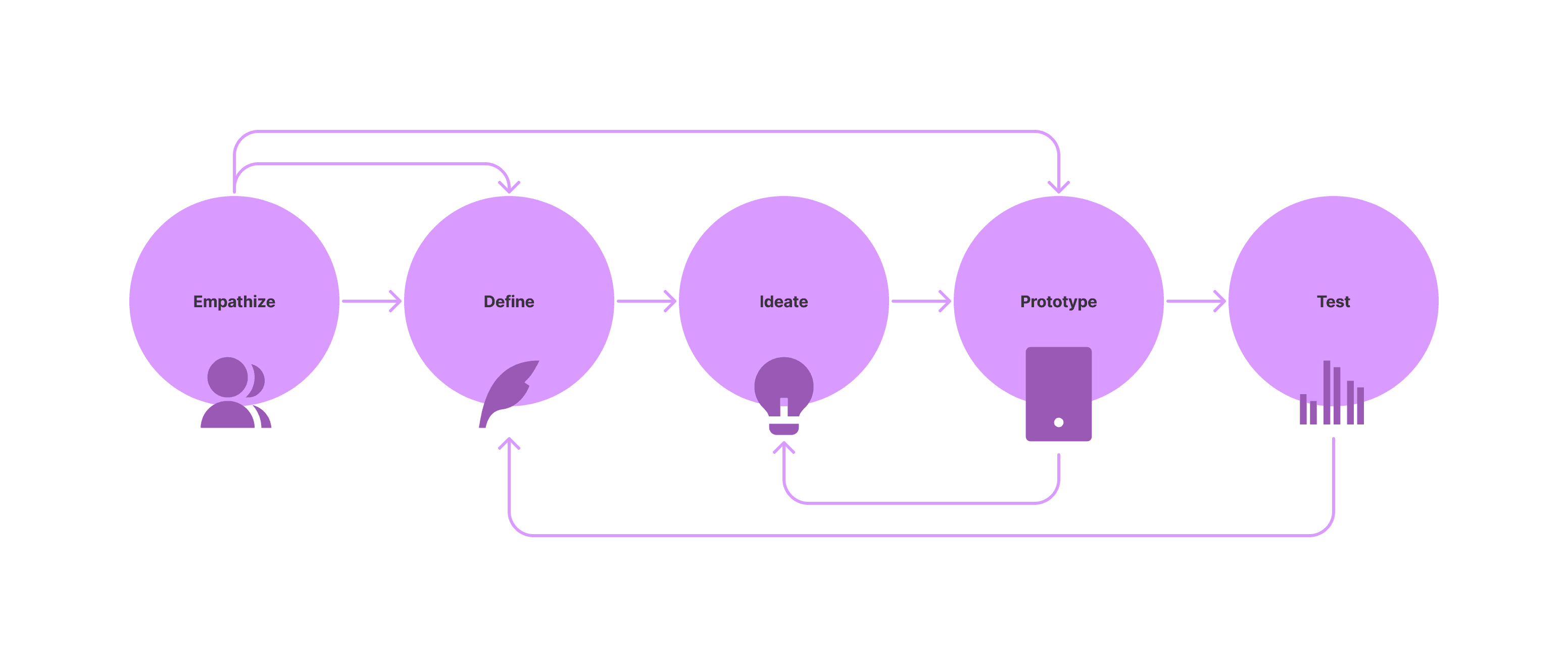
1. Understood the UX design process: Like common UX design process, called, Design Thinking. The Stanford Design School (d.school) formulated and open-sourced their famous 5 stage process attached below:
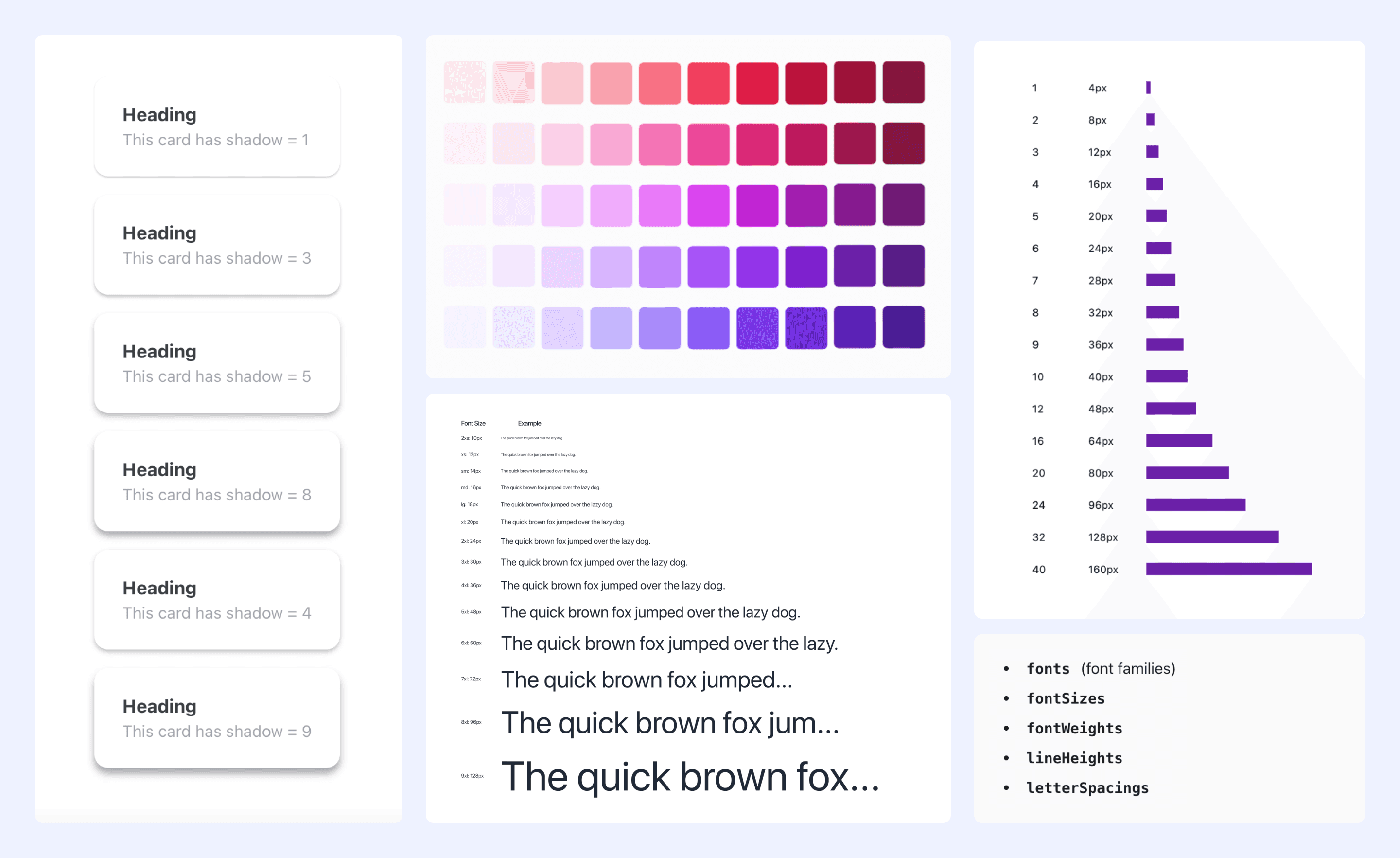
2. Learned the UI Principles: Typography, contrast, white space, working with color combinations, different kinds of grids, layouts, shadows, designing buttons, Composition & Balance, etc. Udemy and Uxcel make it easy for beginners.
Imitated Works Of More Skilled And Experienced Designers
1. Polished my design skills: Observed and trained my eye to see good design and bad design, paid attention to every detail, got familiar with design patterns. Got creative inspiration, and followed designers I admired. I mostly looked for designs at:
Confucius said, “I hear and I forget. I see and I remember. I do and I understand”.
2. Here is what I did:
- Copied and recreated other designers to sharpen my design muscles (Only for learning purposes!)
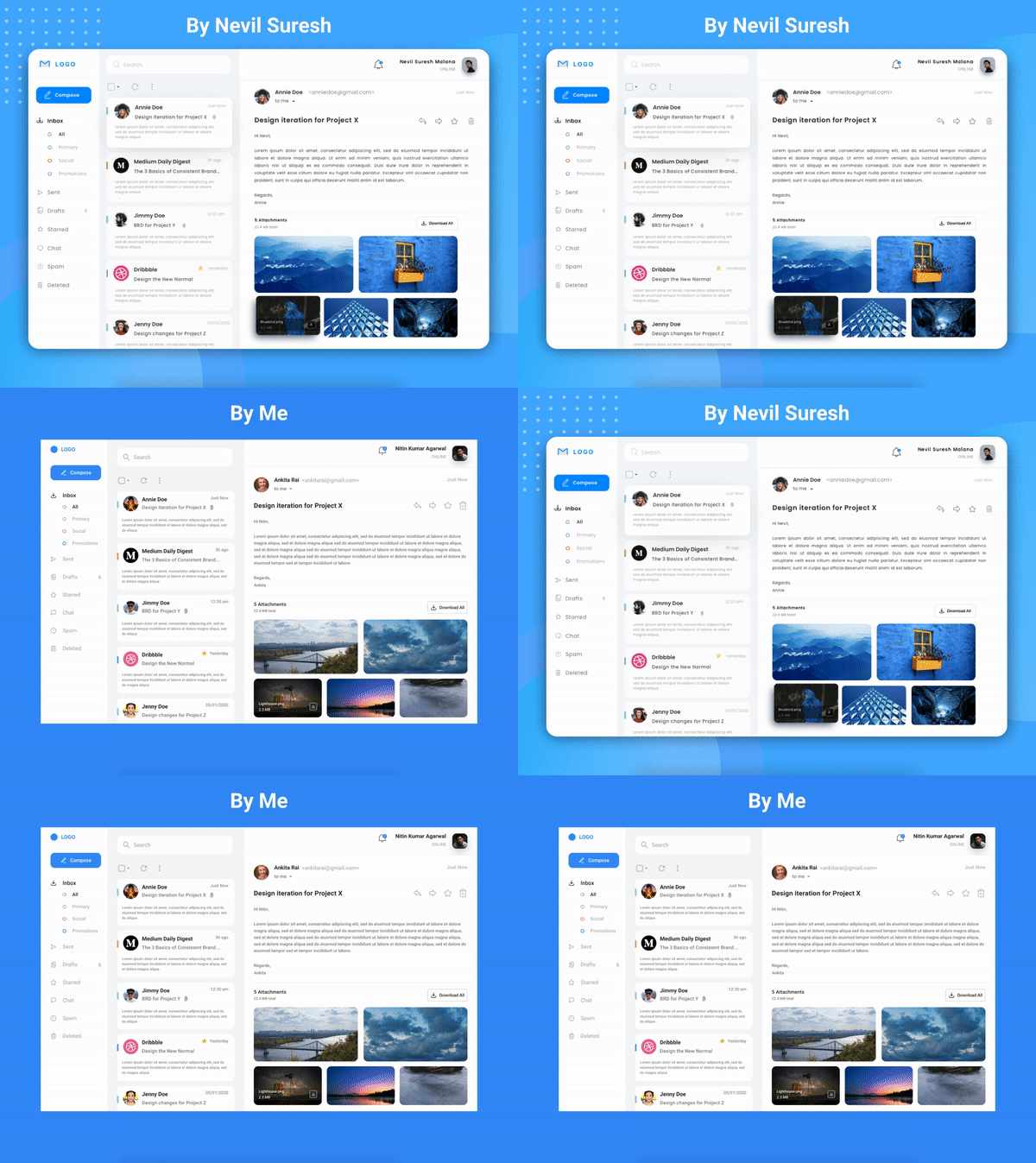
- Imitated but not blindly- observed spacings, usage of colors, the structure and layout, fonts selection.
Below is an email redesign which I imitated for learning purposes by designer- Nevil Suresh
Few extensions which help in the process are:
- FontsNinja
- Eyedropper
- GofullPage
- Pushbullet
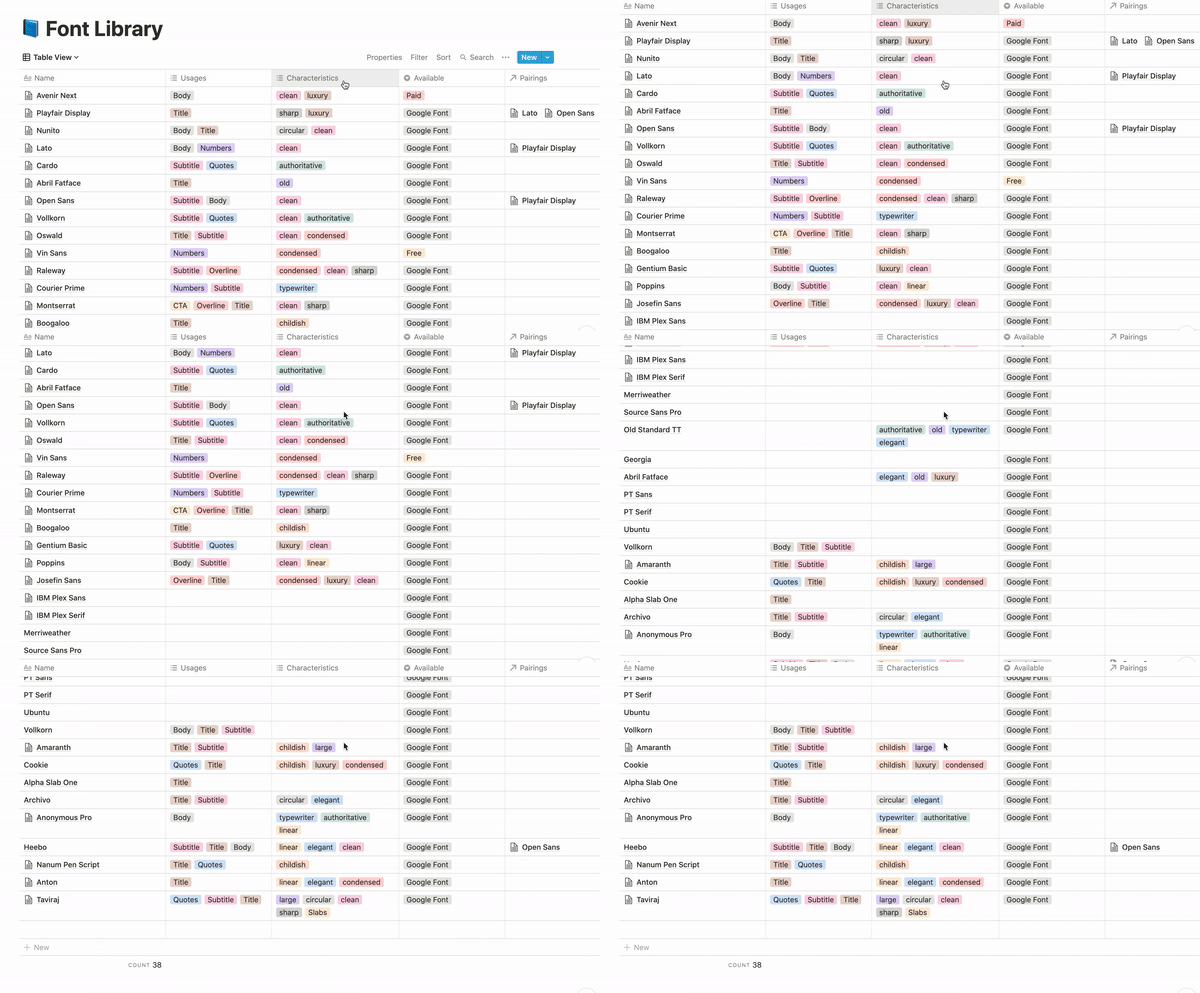
- Notion- Below is a font library I created with the help of it
This process enhanced my creativity and developed an understanding of what a good design looks like.
Always ask "Why?" when you're designing or replicating something.
Enhanced My Knowledge
1. Read about design every day: Started reading books, articles, listened to podcasts, watched videos, took online classes and tutorials.
Elon Musk once said- "You can literally learn any skill you want for free on youtube. You can become a person of value in a matter of months. Just a few years ago this wasn't possible. If you were lucky enough to be born in this era, take full advantage of it."
Here I have jotted a quick list of few helpful resources:
Books:
YouTube channels:
2. Practiced more than I read: Used the acquired knowledge for my design. I tried learning and working hard every single day as that’s the only way one can improve. Tried to become one percent better every day.
It’s all about dedication, hard work, a lot of patience, and practice.
Learned The Latest UI Design Tools
I started learning the basics of Figma and began designing using it. If you learn the basics of one tool then you can easily use other tools as well. Few tools beginners should give a try: Adobe XD, Figma, and Sketch
There’s no one right tool for UI/UX designers. It’s really up to you to decide which software feels most user-friendly and unchallenging to you.
Started Working On Dummy/Concept Projects
1. Welcomed challenges: Subscribed to DailyUI.co, they send small interface design challenges daily and also tried Sharpen- a free design challenge generator. This helped me to build my portfolio and get future projects/opportunities. Post them online for feedback to further improve.
2. Joined communities and got involved: The only way to begin is to, well, begin!
I didn't wait for my best work to share in the community but in fact, built my online presence. Like every other design project, it gets better the more you practice and hone your skills so I uploaded all of my work and have not deleted/archived any of them in my design portfolios as it is an iterative process. Also, I checked design groups, discord, or social media to receive objective critiques of my design with constructive feedback.
Learned From Design Systems:
Observed and studied popular design systems as well:
- Human Interface Guidelines by Apple
- Material Design Guidelines by Google
- Atlassian Design System
- IBM Carbon Design System
Found a mentor
1. Found someone to mentor in the community: I fortunately found Sarvottam Ghosh for mentorship. I followed his tips, work, portfolio links, and Instagram page. This helped me in finding the flaws in my designs, improving my skills easily, and learning UI/UX quickly.
2. Applied for internships: When I got aware of what’s new in the industry and have built my portfolio (by practicing dummy projects, creating free designs/prototypes for friends with product ideas), I started applying for internships.
Conclusion
When you have more things to show, more opportunities will be open for you.
After training for months, my learning led to to find awesome opportunities and internships which have helped me to expand my horizons. Interning and working in the industry provided me with an environment where I can build connections, collaborate, share ideas, learn and grow under the guidance of experienced designers present there. While my journey to being a UI/UX designer has been a roller coaster ride in itself, I can't wait to explore the various opportunities out there by constantly learning and honing my skills
This has been my journey, I hope you've found it interesting and inspired you to try out new things!







