

In the realm of web development, ensuring consistent user experiences across different browsers can be a challenging task, especially when it comes to viewing PDF documents online. Previously, our website encountered issues where the appearance of PDF viewers varied based on the user's web browser, leading to inconsistencies in UI. To address this, we implemented a new solution leveraging JavaScript packages, which has significantly enhanced our PDF viewing capabilities.
The Problem: Browser Dependency in PDF Viewing
Our primary concern was the variation in PDF viewer interfaces across different web browsers. Traditionally, using the <iframe> tag to display PDFs proved insufficient, as it relied on the browser's built-in PDF viewer. This meant that users might encounter different PDF viewing windows depending on their browser, leading to a disjointed user experience.
The Old Way (Iframe): Limitations and Drawbacks
The <iframe> approach, while straightforward, lacked universality. Browsers without native PDF support could not render PDFs within the iframe effectively. This discrepancy often resulted in suboptimal viewing experiences, particularly for users with less common browsers or older versions.
The New Solution (JavaScript Packages): PDF Object and PDF.js
To overcome these challenges, we adopted a dual-package approach utilizing JavaScript libraries tailored for PDF viewing:
- PDF Object Package: This package dynamically assesses the user's browser to determine if it supports built-in PDF viewing capabilities. If the browser lacks native support, the PDF Object package gracefully notifies the user of this limitation. Learn more about PDF Object here. Here is an example of PDFObject instructing the browser to use PDF.js:
PDFObject.embed("/pdf/sample-3pp.pdf", "#pdf", {
   page: "2",
   pdfOpenParams: {
      pagemode: "thumbs"
   },
   forcePDFJS: true,
   PDFJS_URL: "/pdfjs/web/viewer.html"
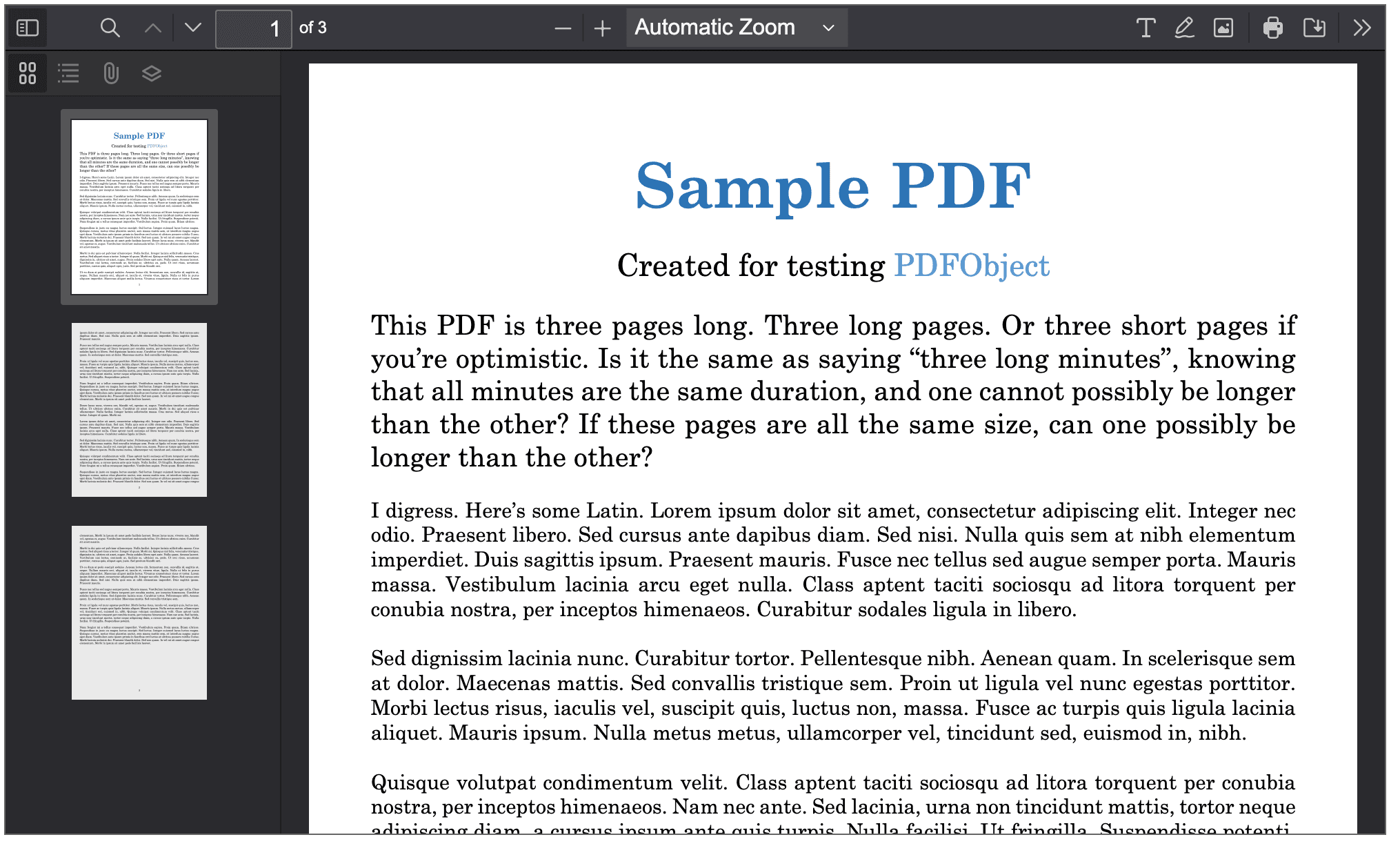
});- PDF.js Package: If the PDF Object package finds out that a browser does not have a PDF viewer, this package comes to the rescue! It provides a custom-made PDF viewer that you can "embed" inside the PDF Object package. However, if you have set up a custom viewer, it will take priority over the browser's default viewer, even though the browser also has its own viewer. The custom viewer will be configured to the PDF Object attributes. This viewer looks the same in all browsers, so everyone sees the same window for viewing PDFs. You can download the custom viewer and set it up in your project here.
The Benefit: Achieving Consistency and User-Friendliness
By integrating these JavaScript packages synergistically, we have achieved a significant improvement in our website's PDF viewing capabilities. Regardless of the web browser visitors use, everyone now encounters the same user-friendly PDF viewer window. This consistency not only enhances the overall user experience but also reflects our commitment to accessibility and uniformity in web design.

Final Thoughts
The adoption of PDF Object and PDF.js has been instrumental in addressing our PDF viewing challenges, paving the way for a more seamless and enjoyable browsing experience for all users. This innovative solution underscores the importance of leveraging modern JavaScript technologies to overcome browser-specific limitations and deliver a cohesive digital experience.







