

Introduction
We have been tinkering with Artificial Intelligence (AI) powered tools for a while. This article is a showcase of one such experiment and the results. It showcases our efforts in combining topgeek (an automated hiring platform, we built at GeekyAnts) and ChatGPT (the language model developed by OpenAI) to create an Automated Job Opening Creator.
Ideating the Automated Job Opening Creator
Modern-day hiring is a game of automation. Well-automated hiring workflows deliver a good recruitment experience and better return on investment (ROI) compared to traditional workflows. topgeek was designed to cater to these requirements at scale.
As a platform, topgeek automates the first few steps of an interview and enables candidates to give an interview directly. This eliminates the long wait for an introductory call. It can also handle some initial automated rounds in an interview, such as an MCQ round or a quick questions round, that the user can sit for directly after applying on the job portal.
All these capabilities combined made for a robust hiring automation platform that could reduce the recruitment timelines and workload for HR teams by a considerable amount. But when ChatGPT came into the picture, we show an opportunity to upgrade topgeek’s capabilities with the features of ChatGPT.
Eventually, we came up with an idea to create a chatbot tool incorporated into topgeek, that would be able to create job openings through a chat session like ChatGPT.
Building the Automated Job Opening Creator Tool
Creating the tool required us to use three major components. They are
- Commander — A CLI tool that takes arguments and processes them using Node.js.
- ChatGPT API — Provided by OpenAI
- GraphQL — Used in topgeek’s back-end
The tool was designed to take in input parameters and gives a complete job description as the output. The answer or result would contain a summary of the job, requirements for technical skills, a list of other relevant skills, and necessary educational requirements.
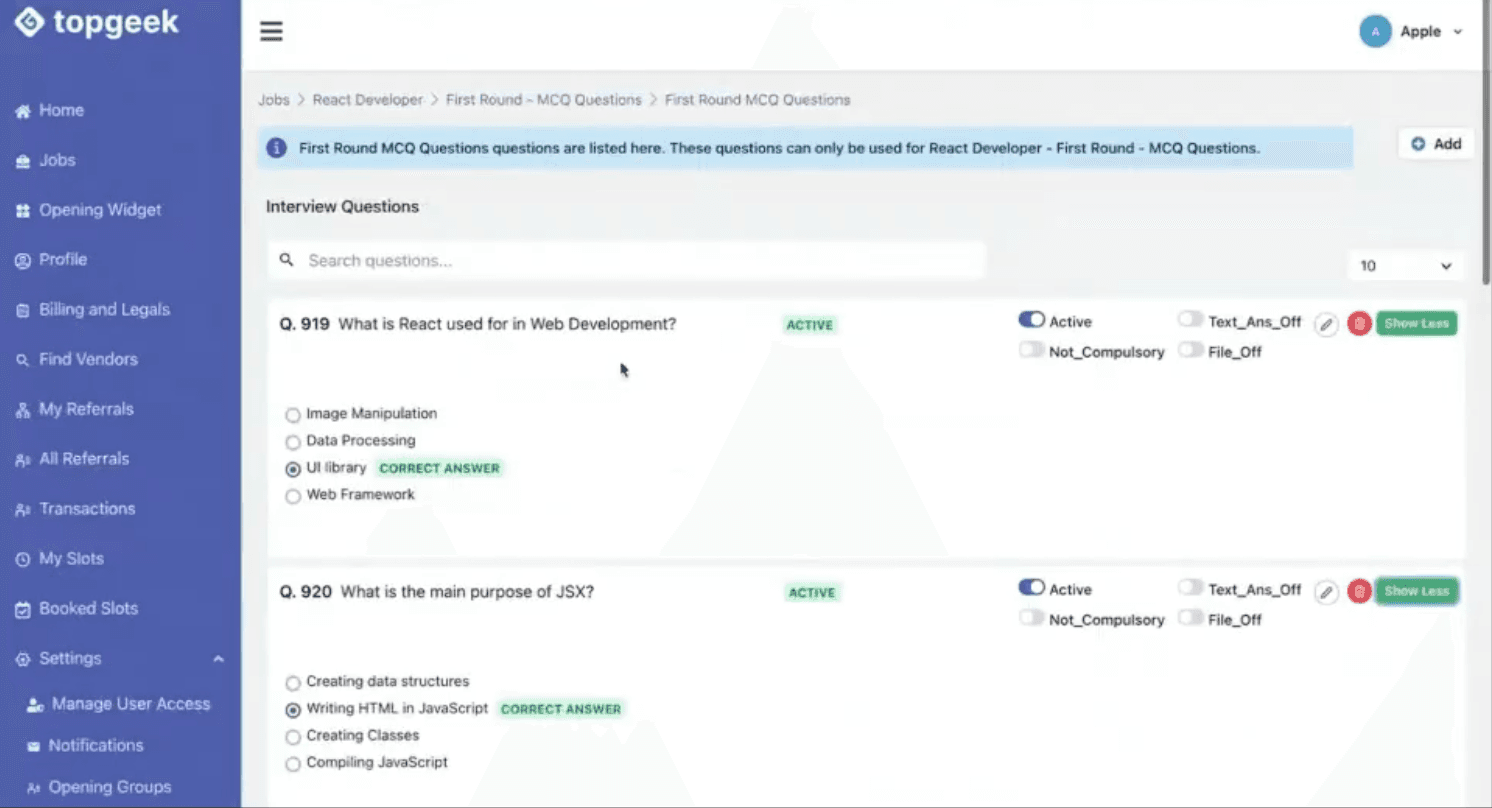
Additionally, the tool can also add layers to the job opening created. The first round that can be created is an MCQ round. The user would input the number of questions that need to be created. The tool then generates the required questions automatically.
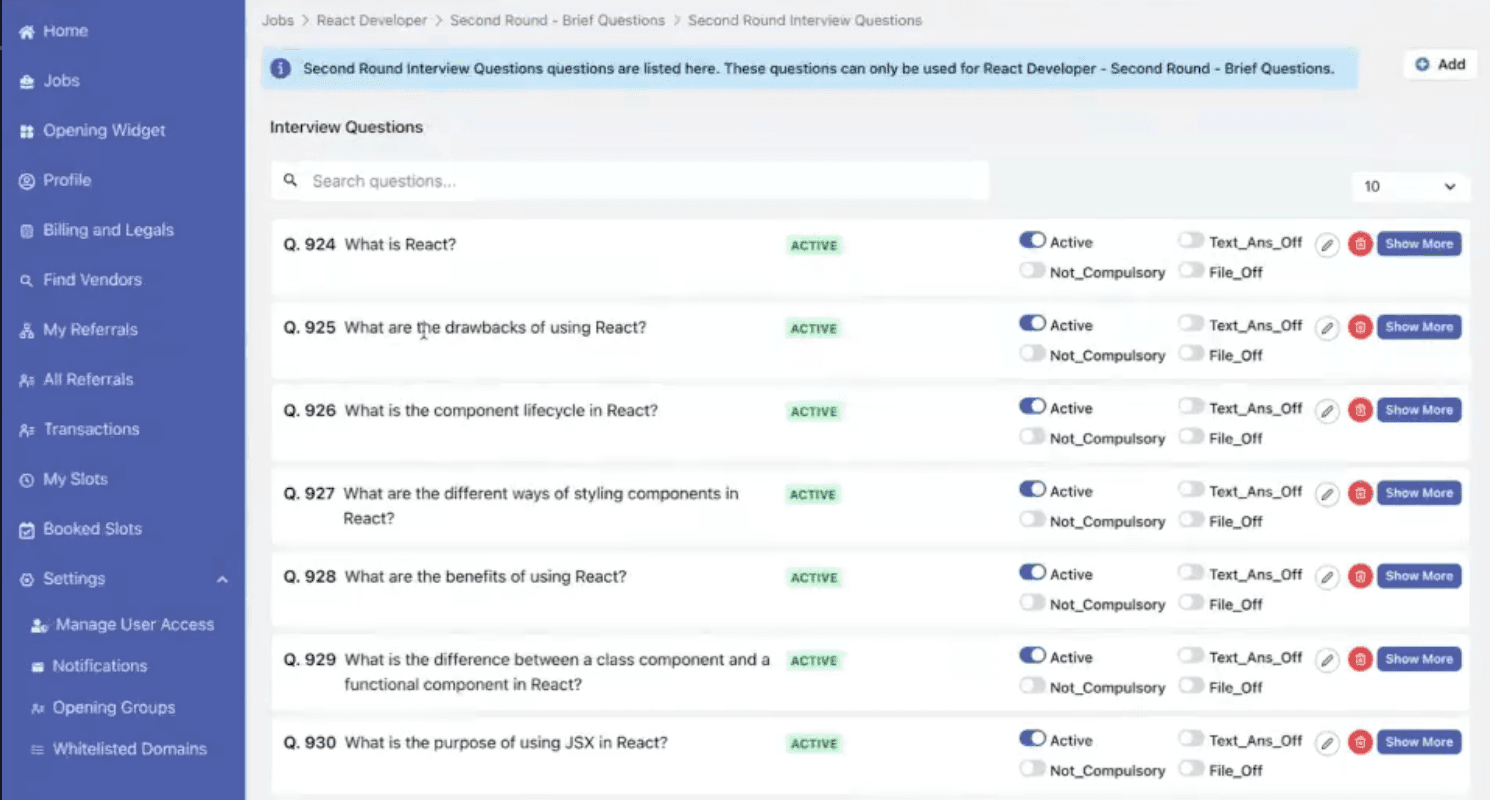
The second round that the tool is designed to create is the Brief Questions round. For now, this is hardcoded to generate 10 questions, but with a few changes, like the first MCQ round, the number of questions can be taken as an input as well.


Creating Job Openings
The tool is capable of creating a job opening automatically. However, the user needs to input certain parameters and fields. A list of relevant inputs is given below
- The company for which the opening needs to be created (taken as company_id in TopGeek’s backend)
- Job title being hired for
- Work experience required (in years)
- Experience (beginner, intermediate, advanced)
- Relevant skills/tech stack experience (react, node.js, mysql, postgres, redux, aws or any others)
- Domain (Web Development, App Development, Cloud, or others)
- Salary range or projected Cost-to-company (CTC)
- Number of positions to be filled
- Number of MCQ questions for the first round
When entered, these inputs are sent to ChatGPT. The inputs are then used by ChatGPT as a prompt and go to the back-end API. The result is then obtained on the window.
🔎 For example, here is a demo of the tool and the responses that can be achieved.
Step 1: We ran the tool using topgeek-ai generate-question.
Step 2: The following parameters were set:
- Company ID — 5
- Job title — React Developer
- Experience level — Beginner
- Domain — Web Development
- Time — 1-3 yrs
- Salary range in lakhs — ₹1000000 to ₹2000000
- Number of positions open — 3
- Tech stack — React, Redux, JSX, State-Management
- Number of questions for the first round — 5
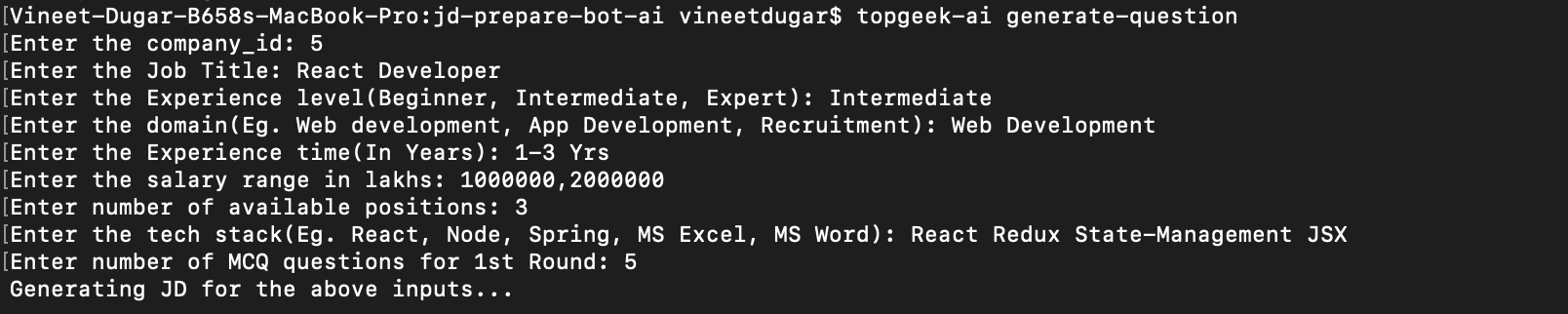
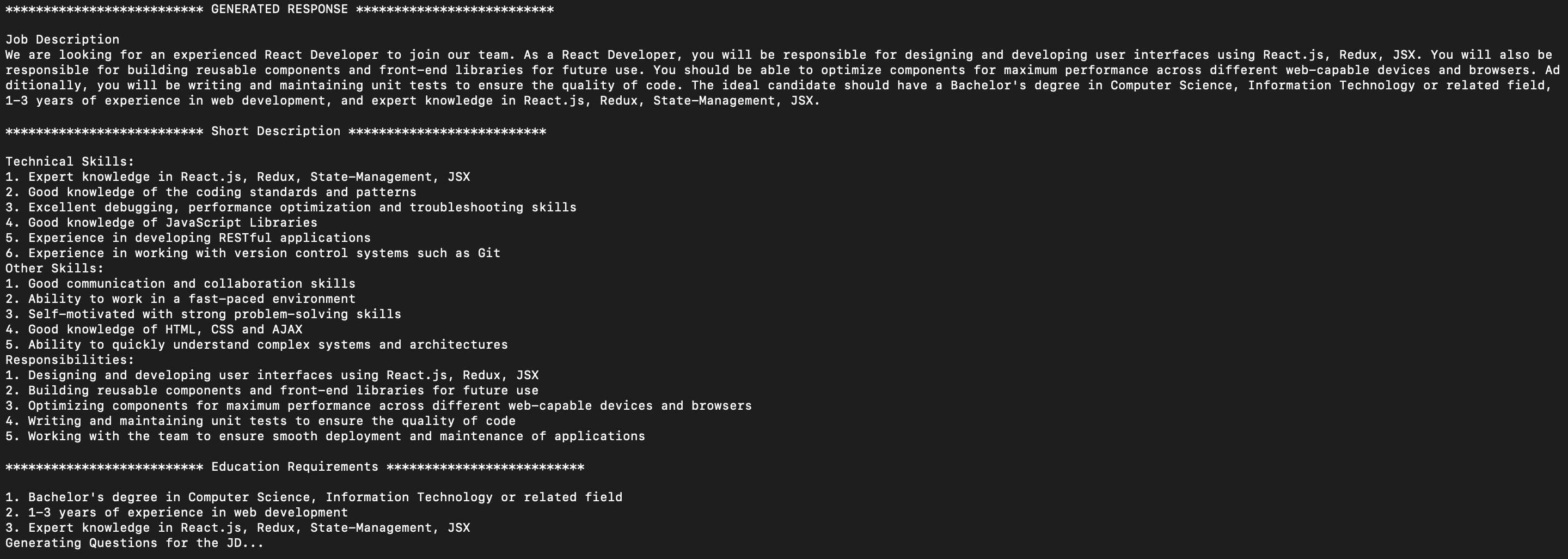

After the inputs were given, ChatGPT shared the response. Sometimes, it may also process the tech-stacks mentioned and add something more. For instance, as seen in the image above, HTML, and CSS were not mentioned; but ChatGPT understood that that the opening is for a React developer, and automatically added HTML and CSS which are necessary skills for a React Developer.
Next, the format of the JSON object needed to be mentioned along with other necessary formatting details. After doing that, a prompt popped up asking if we want to proceed with the job description and the questions that ChatGPT displayed. We entered the response as “Yes.’ (If the answer is shared as ‘No,’ then the process will start all over again.)
A prompt then popped up asking us if we want to publish directly to the topgeek platform. We entered ‘Yes.’ If the answer is given as ‘No,’ the opening is kept in draft format. The recruiters can go to the generated link and edit the response given by chatGPT according to their requirements.
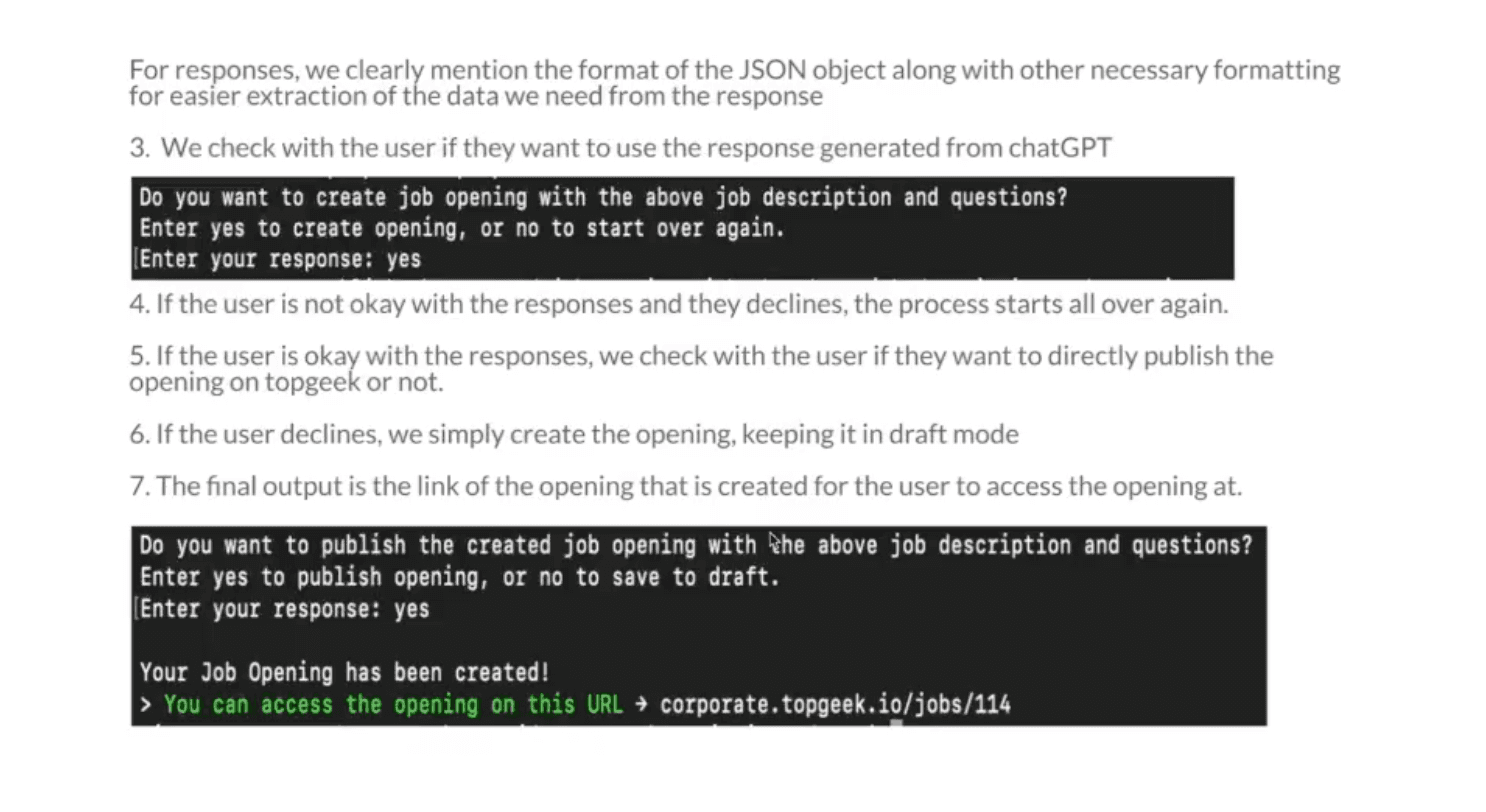
The final output received using the tool is the opening link. This job opening link created in the backend can be accessed by clicking the link.
Job Description Generated on topgeek Platform
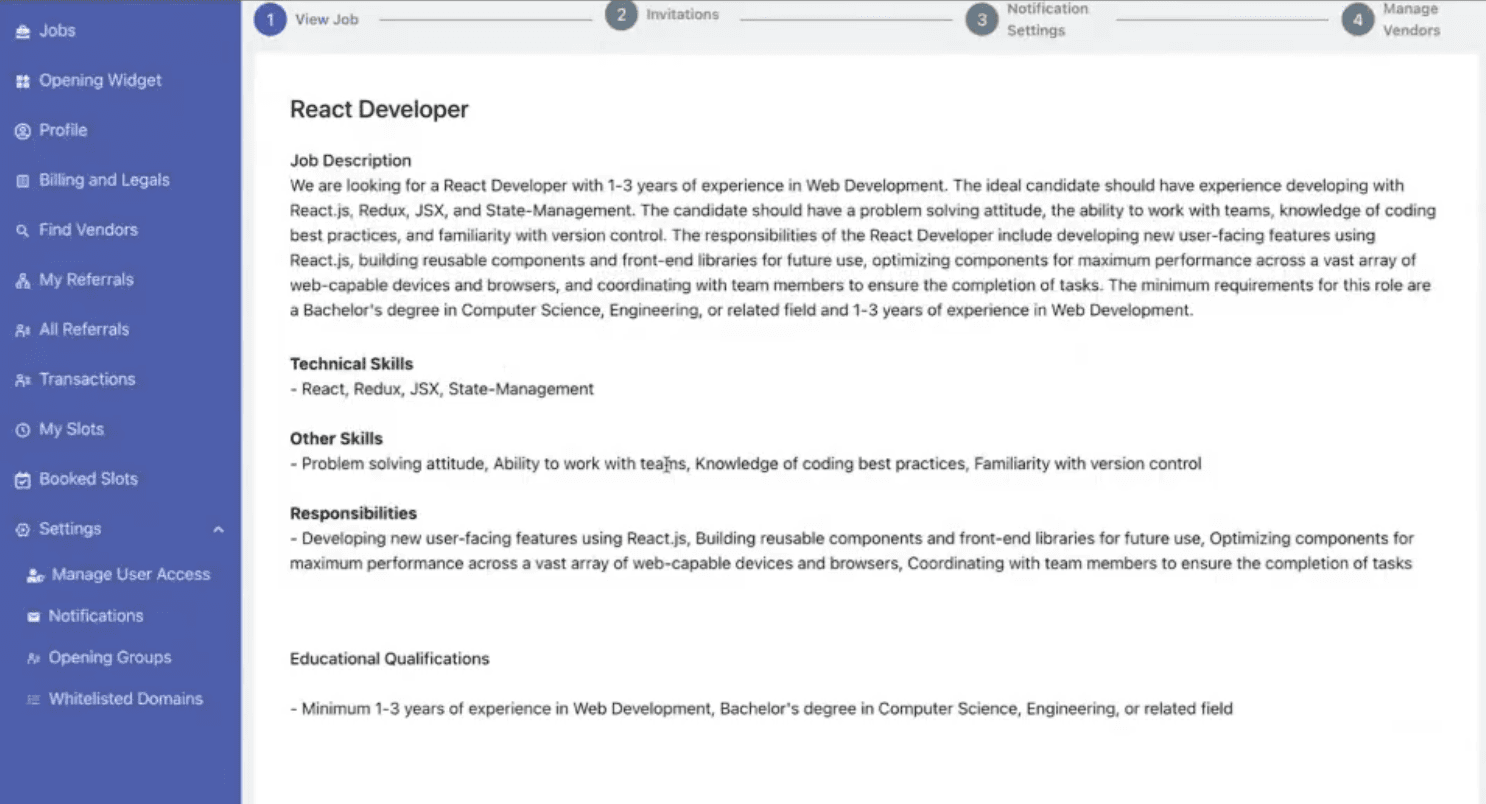
To see the opening, we go to the Interview Settings in the jobs portal. Under All Jobs, we can see that React Developer has been created.

The Process Flow Chart
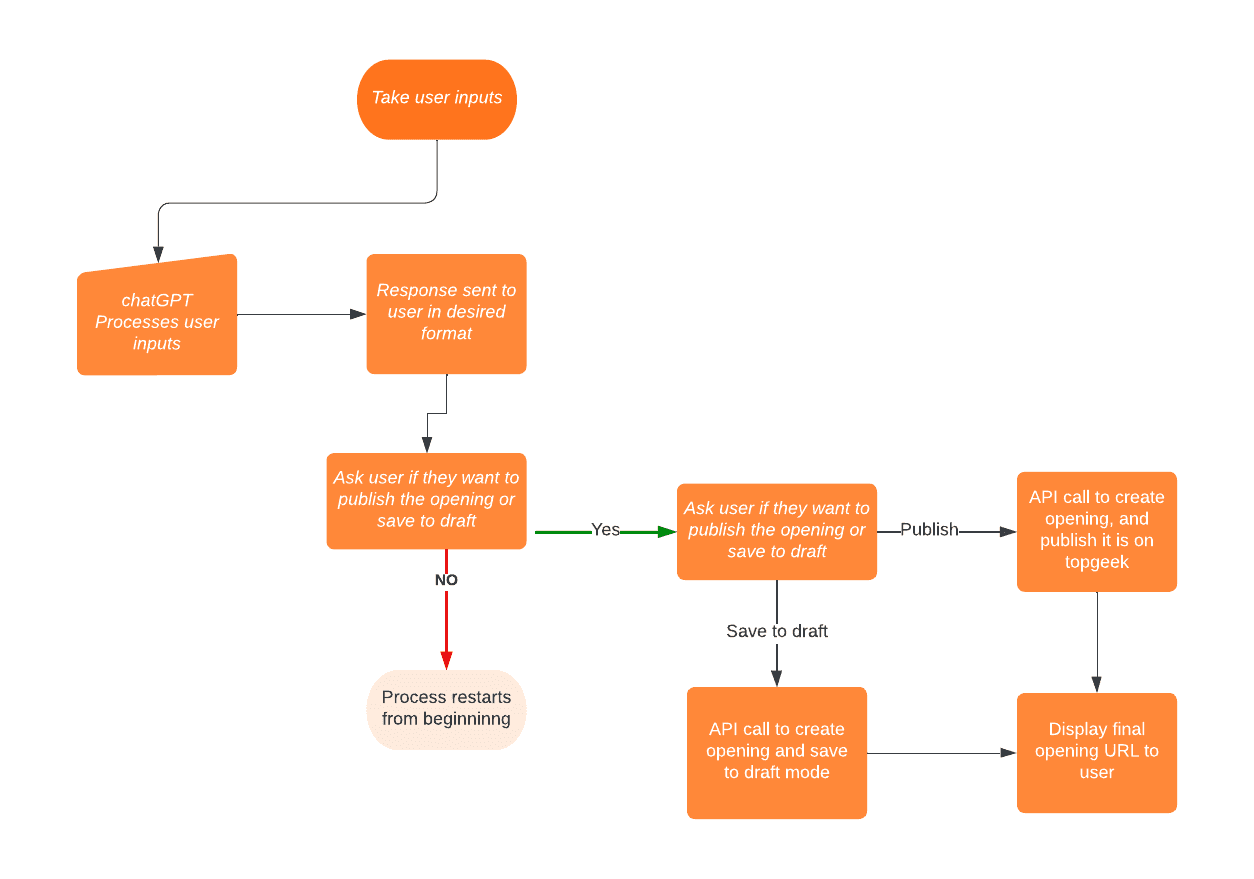
Automating the Process of Creating Job Openings
The tool at the moment takes in the inputs and creates prompts with them. The prompts and the responses received can be made highly specific. For example, if we want to get technical skills in an array format, it can be done.
However, there are limitations to ChatGPT. While a JSON response is expected, sometimes the processing of the JSON response fails, and thus, the tool might fail. This is expected to improve with time, and with GPT 4 and its improved responses, this problem may be eliminated.
We will continue working with the ChatGPT and its variations with Topgeek to improve the tool further.
Have questions? Share them below.







