Testing Flutter Apps with Flutter Driver

Nov 27, 2019

Testing Flutter Apps with Flutter Driver

Flutter Driver is a framework or a package that helps in automation testing of Flutter apps.

Author

Pavitra Kinni
Pavitra KinniSoftware Engineer in Testing - II

This article is a quick tutorial on testing Flutter apps with Flutter Driver.

About Flutter Driver?

In simple terms, Flutter Driver is a testing framework for Flutter Apps It can be used to test various UI elements and that helps to write end to end integration tests, while reducing time and effort that needs to be put in to test apps conventionally.

Flutter Driver is easy to setup and very handy to use. Here’s how to set it up on your machine:

Setup for Flutter Driver Extension.

Initial step for configuring Flutter Driver is to add the following lines into pubspec.yaml.

dev_dependencies:

  flutter_driver:

    sdk: flutter

  test: any

Note: These lines must be Indented properly in pubspec.yaml.

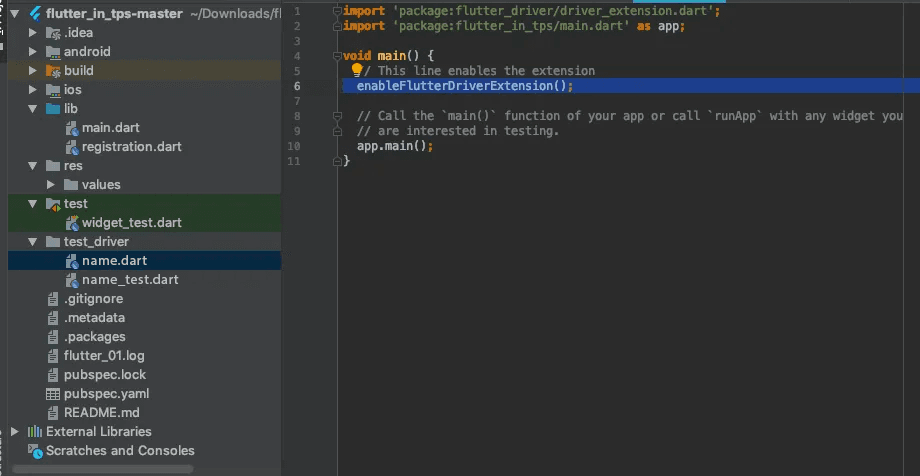
After adding the above lines, create one directory and name it something relevant, say test_driver, followed by two test files.

The first file will contain the methods that will help the Flutter Driver extension to call a particular function, and its name could be name.dart.
The second file will contain the actual test scripts, for which a proper name could be name_test.dart, that helps in connecting with the Flutter Driver, run tests and close existing connections.
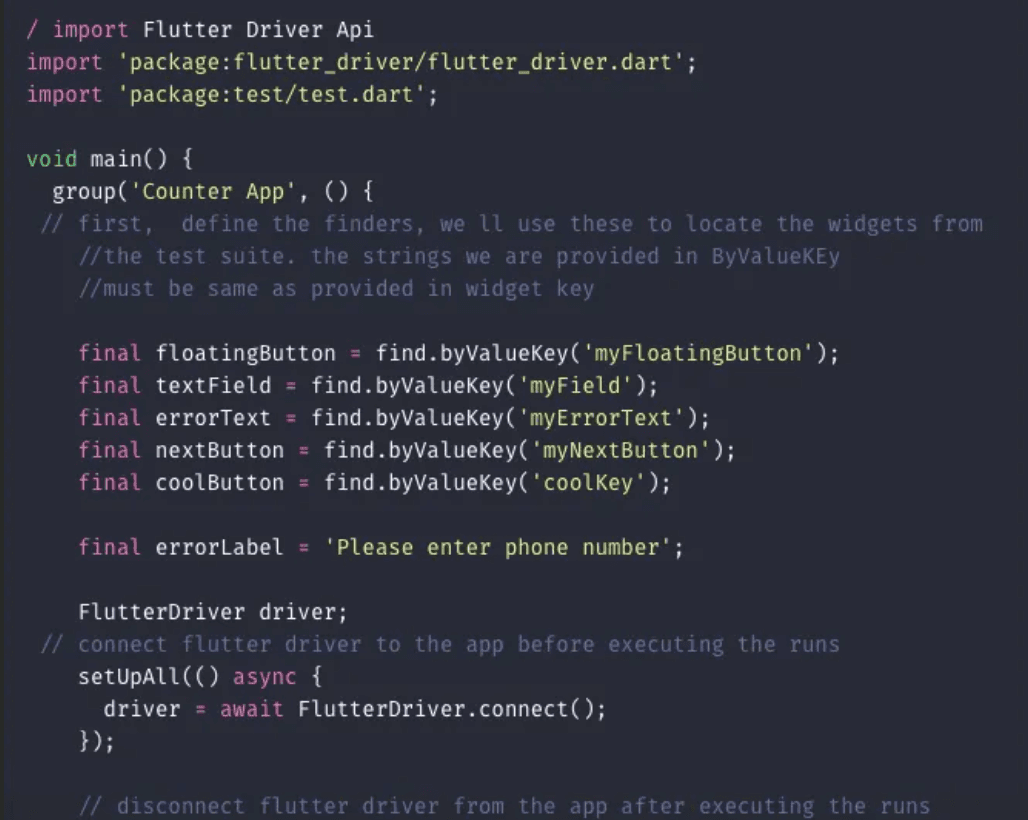
The element can be selected by using it's KeyString. The key can be declared for any widget.

There are four keys that can be used: bySemanticlabel, byTooltip, byType and byValueKey.

Here I have mentioned only byValueKey.
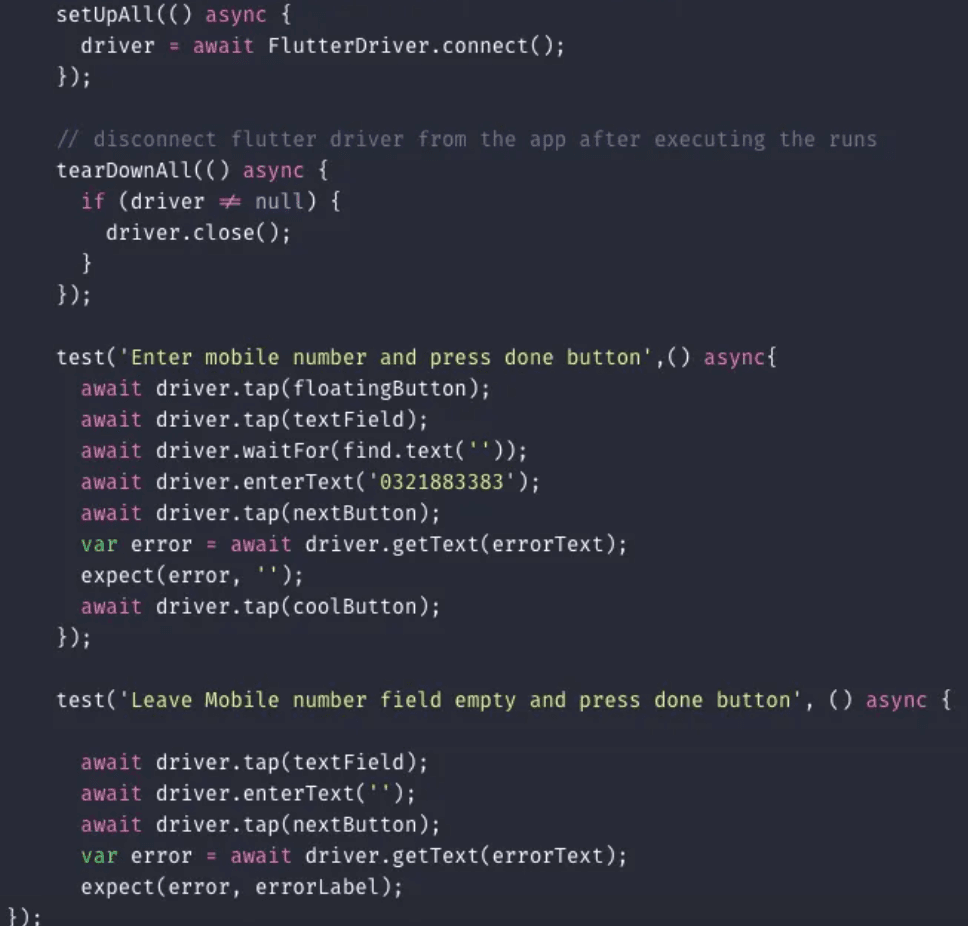
 

Using Flutter Driver extension, test engineers can Tap, enter text, scroll and drag-drop programmatically.

There is nothing else required. It’s just that easy. Oh, and by the way, Flutter is all about widgets….

So, after writing tests run the following command in the terminal from root-path.

     $ flutter drive --target=test_driver/name.dart

After following the above steps, you can see the results in the console as all tests passed!
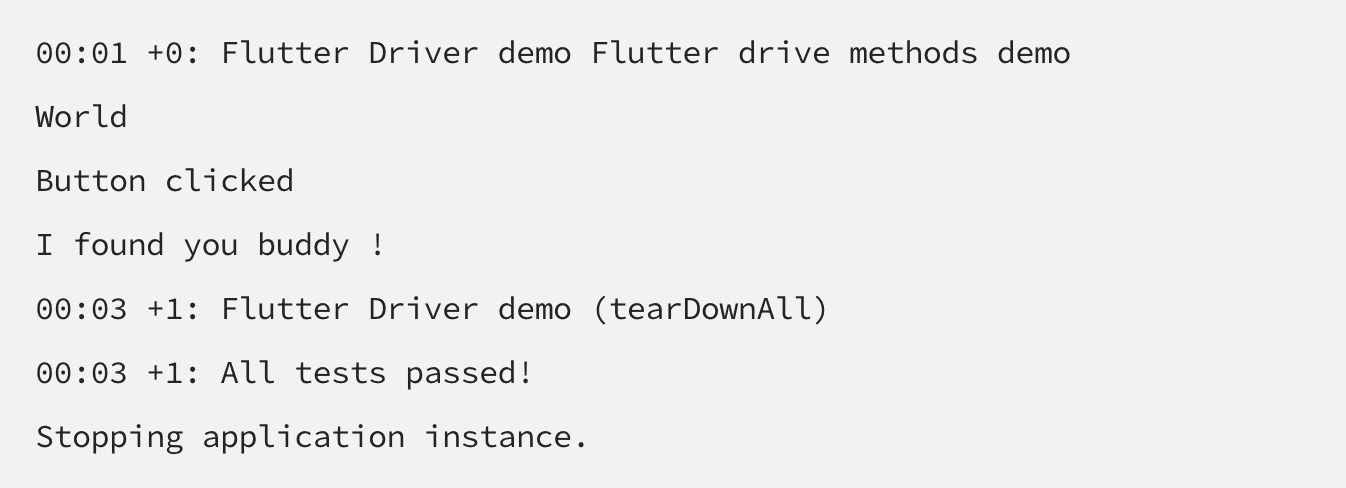
 

By using the following methods, a user can perform actions like tap, enter text and scrolling actions.

  • tap() 
  • enterText() 
  • scrollIntoView()

There are some other libraries which may help in carrying out Unit testing, like Mockito, it must be added using the following lines into pubspec.yaml:

dependencies :

    http : <newest_version>

dev_dependencies :

     test : <newest_version>

     mockito : <newest_version>


That’s it, folks!

For more details about Flutter Driver, click here.

Subscribe to Our Newsletter

More from the engineering frontline.

Dive deep into our research and insights on design, development, and the impact of various trends to businesses.
Insight
Taming Elasticsearch at Scale
Oct 13, 2026

Taming Elasticsearch at Scale

Optimize Elasticsearch for millions of records with better pagination, leaner payloads, efficient filtering, faster ingestion, and frontend techniques that keep search responsive with increase in data.

Insight
Deep Linking for Mobile Apps(React Native) with NestJs, AWS CloudFront, S3 & ALB: A Complete Guide
Oct 13, 2026

Deep Linking for Mobile Apps(React Native) with NestJs, AWS CloudFront, S3 & ALB: A Complete Guide

Build a self-hosted deep linking and referral system for React Native without a third-party SDK. This guide covers Android App Links, iOS Universal Links, an S3 and CloudFront setup, and a NestJS backend that routes users to the right app store.

Insight
How We Engineered a Three-Path Reward Processing System for a Real-Time Sports Platform
Oct 12, 2026

How We Engineered a Three-Path Reward Processing System for a Real-Time Sports Platform

This blog explains how a real-time sports platform uses synchronous, asynchronous, and scheduled processing paths to handle rewards without slowing down the player experience.

Insight
Building an MCP-Powered QA Agent
Oct 12, 2026

Building an MCP-Powered QA Agent

Build an MCP QA agent that runs Playwright tests, validates APIs, and analyzes failures through a controlled, auditable tool layer with human approval.

Insight
From Test Failure to Root Cause: Building an AI-Assisted Playwright Failure Analysis Pipeline
Oct 9, 2026

From Test Failure to Root Cause: Building an AI-Assisted Playwright Failure Analysis Pipeline

This blog explains how an AI-assisted Playwright pipeline can analyze test failure evidence, identify probable root causes, and support human-validated debugging.

Insight
The Model Context Protocol: From First Call to Production
Oct 8, 2026

The Model Context Protocol: From First Call to Production

This blog explains how Model Context Protocol (MCP) works, from tool discovery and execution to OAuth authorization, security controls, and production deployment.

Insight
Stop Automating Everything: A Balanced Quality Engineering Approach to Testing
Oct 8, 2026

Stop Automating Everything: A Balanced Quality Engineering Approach to Testing

Balanced quality engineering places automation, API testing, exploratory work, and AI where each gives the most value, so teams ship faster without trading away user-perceived quality.

Footer

The Right Conversation Can

Save You Six Months.

Book a Call