


Why Scaling Infrastructure Wasn’t the Answer
When an application becomes slow, the first instinct is often predictable: add more memory, upgrade the server, increase database capacity, or scale vertically.
Sometimes, that works until it doesn’t.
We experienced this firsthand when an application that had been running smoothly on a 64 GB server started crashing after being moved to a basic 2 GB instance.
What made the situation unusual was the workload. There were only 4–5 active users, a limited dataset, and no major traffic spikes. Yet the application experienced database connection spikes, high API latency, frequent request timeouts, and unstable performance.
This wasn’t a scaling problem. It was an architecture problem.
The Problem: When a 64 GB Server Hid the Real Issue
What we observed
The infrastructure changed, but the workload did not.
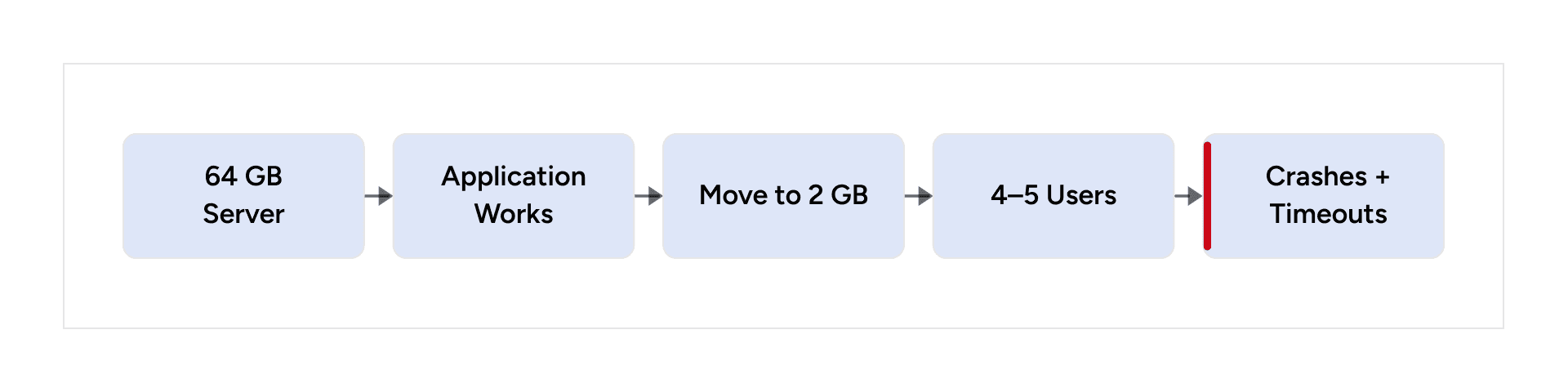
Our initial assumption was that the smaller server lacked sufficient resources. But the connection behavior and latency suggested something deeper.
- Database connections were spiking despite low traffic.
- API latency remained high.
- Requests frequently timed out.
- Connection pooling stabilized the number of connections but did not resolve the latency issue.
The Architecture Before Refactoring
The application used Hasura, Node.js services, PostgreSQL, and multiple Dockerized services. The biggest issue was in the request path for Hasura Actions.
The problematic request lifecycle
The Node.js service was calling back through Hasura instead of using a direct database path where appropriate.
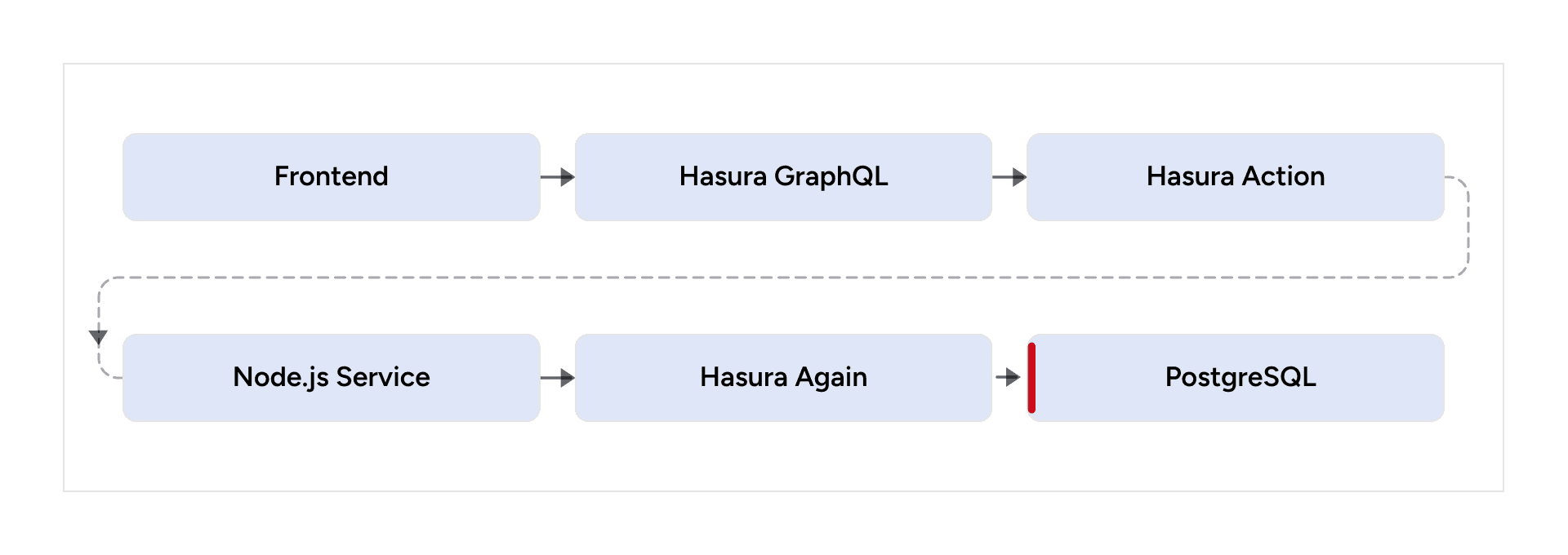
This created a circular dependency between Hasura and Node.js. A single request could therefore involve multiple network hops, GraphQL execution layers, serialization and parsing, and additional database connection usage.
Hasura → Node.js → Hasura → PostgreSQL was doing more work than the request actually required.
Why Connection Pooling Wasn’t the Final Fix
Symptom vs. root cause
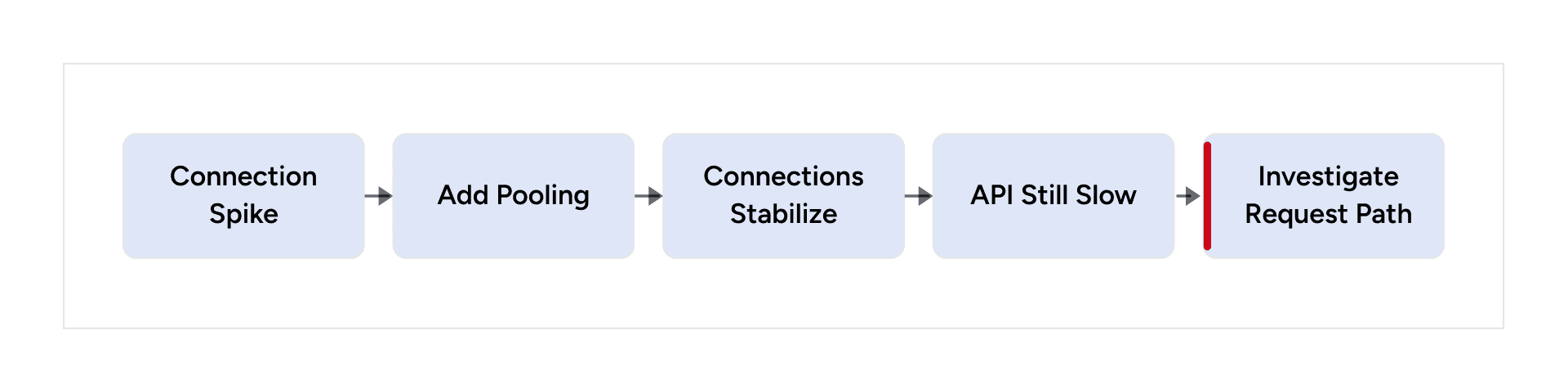
PgPool/PgBouncer helped control the number of active database connections, but it did not reduce the amount of work being performed per request.
That distinction mattered. We had solved connection management, not query efficiency or architectural overhead.
Connection pooling controls concurrency; it does not automatically make inefficient work efficient.
Breaking the Loop: Rethinking the Data Access Layer
The simplified architecture
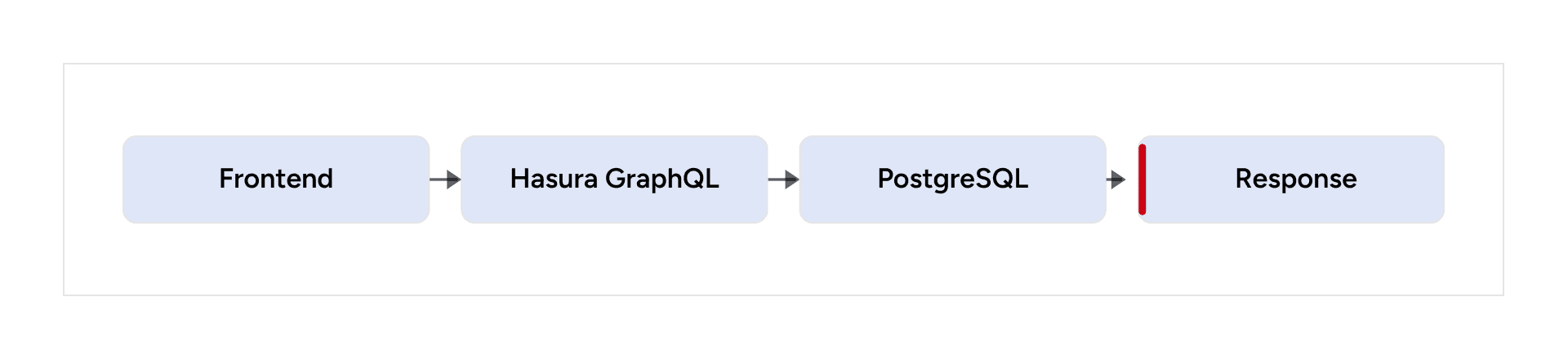
For straightforward database operations, remove unnecessary internal round trips.
Where Node.js remains valuable
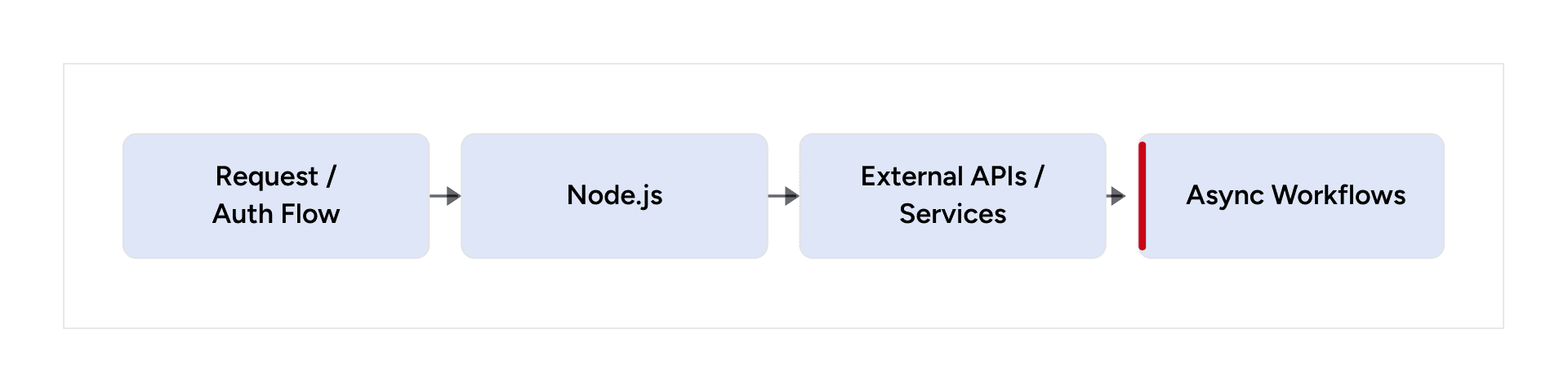
We reduced unnecessary Hasura Actions and removed circular Hasura → Node.js → Hasura flows where direct database access was more appropriate.
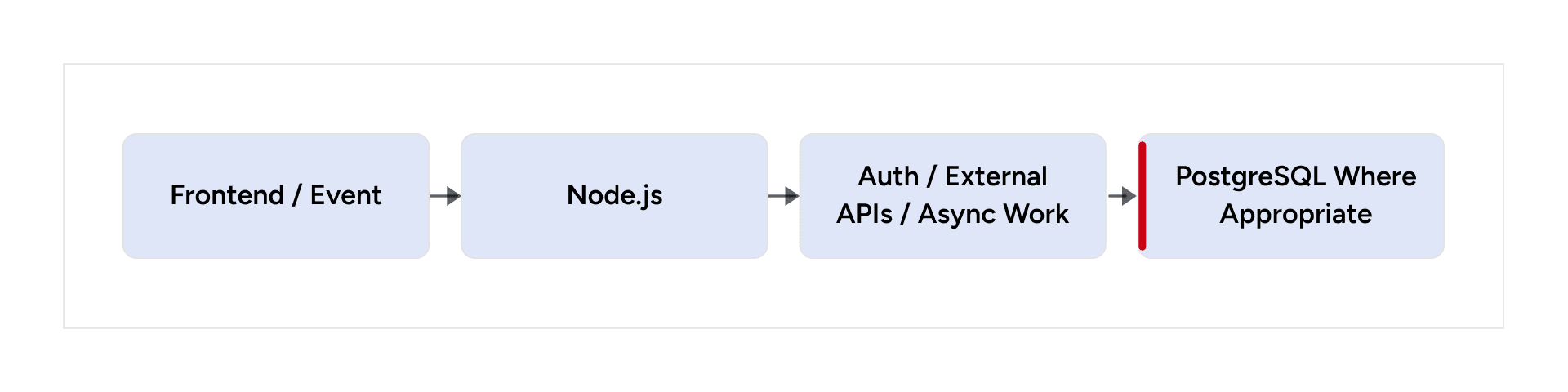
Hasura continued to handle client-facing GraphQL access, CRUD, filtering, and aggregations. Node.js remained responsible for business logic that genuinely required an application service, authentication flows, external integrations, and asynchronous workflows.
The goal was not to remove Hasura or Node.js. It was to give every layer a clear responsibility.
The Cost of Over-Abstraction
GraphQL, microservices, Hasura Actions, and Node.js each solve real problems. The issue occurs when every request is forced through every abstraction.
- More network hops
- More serialization/deserialization
- Higher latency
- Duplicate responsibilities
- More database connection churn
- Harder debugging and observability
Abstraction should reduce complexity—not increase the number of steps required to complete a request.
Database Optimization: Reducing Work at the Source
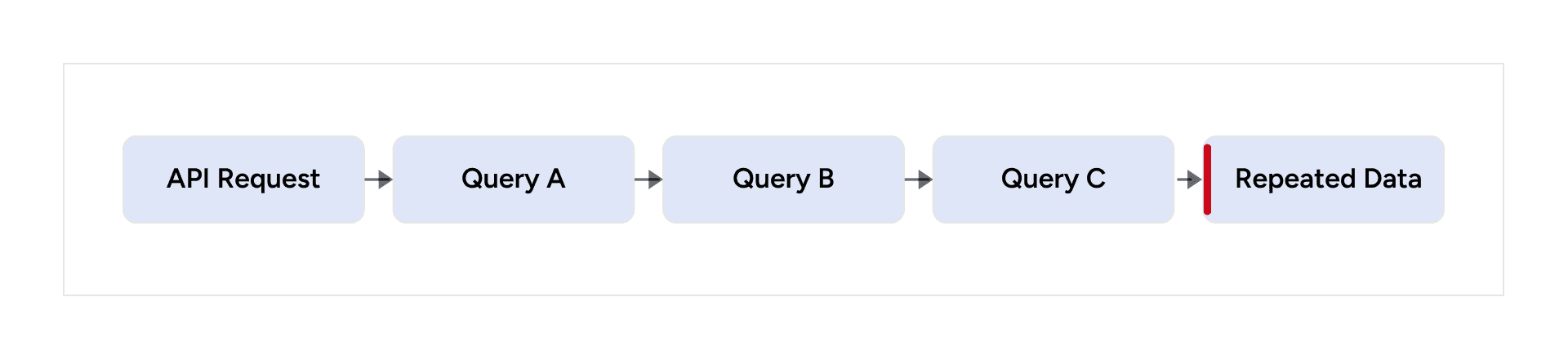
1. Eliminate Redundant Queries
Redundant request pattern
Optimized request pattern
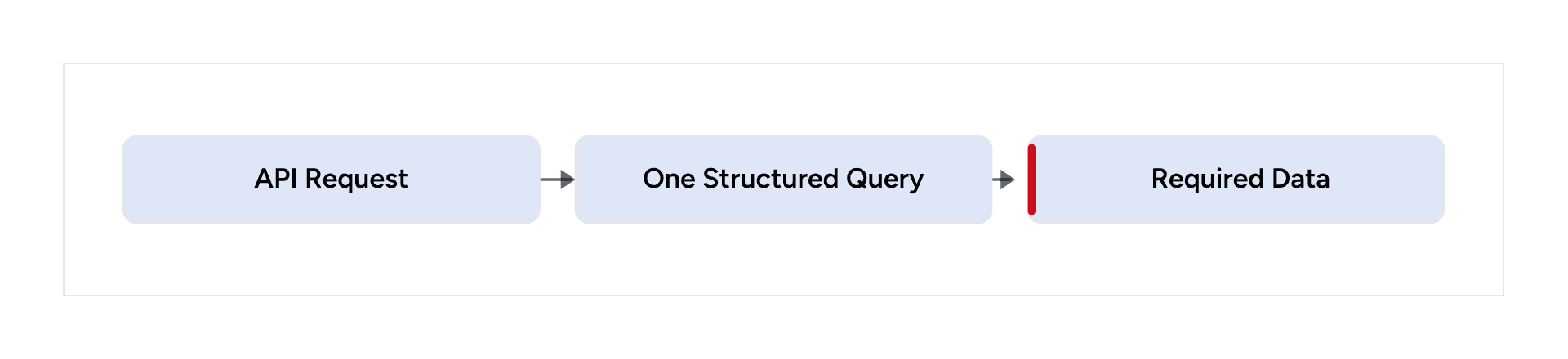
We consolidated repeated reads into fewer, better-structured queries. This reduced query count, database pressure, network traffic, and response time.
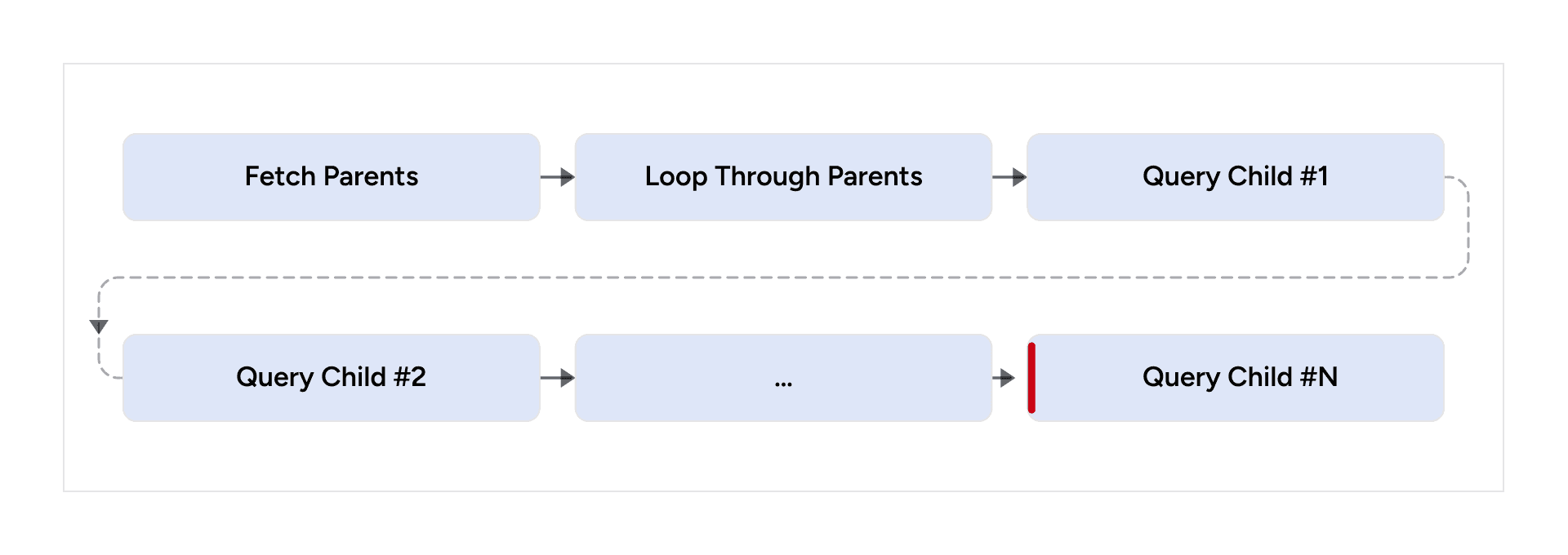
2. Solve N+1 Query Patterns
N+1 pattern
Optimized pattern

Instead of repeatedly fetching related entities, we used joins, CTEs, and PostgreSQL functions where appropriate.
3. Indexing Strategy
Indexing decision flow
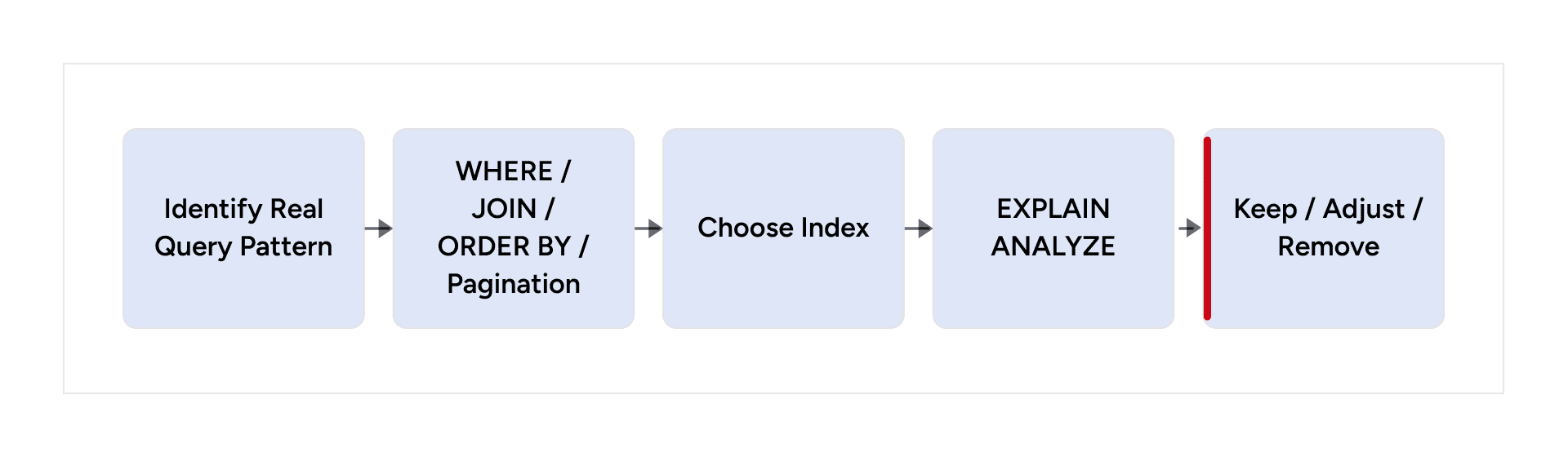
We added indexes based on actual access patterns rather than indexing fields indiscriminately. Foreign keys, join columns, filtering fields, sorting fields, and pagination patterns were the primary candidates.
The goal was predictable query performance. Every index also carries storage and write-maintenance costs.
4. Schema Design and Constraints
- Use clear and consistent naming conventions.
- Define foreign-key relationships explicitly.
- Use NOT NULL, UNIQUE, and CHECK constraints where the data model requires them.
- Keep relationships normalized where appropriate.
- Review RBAC policies for both correctness and query efficiency.
Database constraints document the data model and enforce important data rules at the source.
PostgreSQL Functions and Triggers: Put the Right Work in the Database
PostgreSQL Functions
When is a PostgreSQL function useful
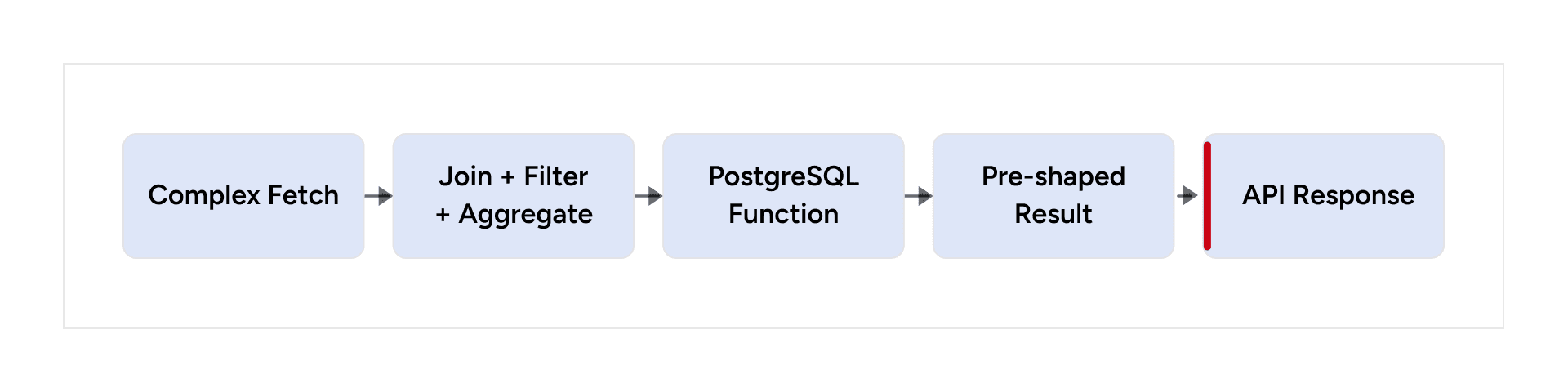
Functions are useful for complex database-oriented fetching, reusable calculations, aggregations, and returning data in a form that reduces application-layer processing.
Database Triggers
Trigger use case
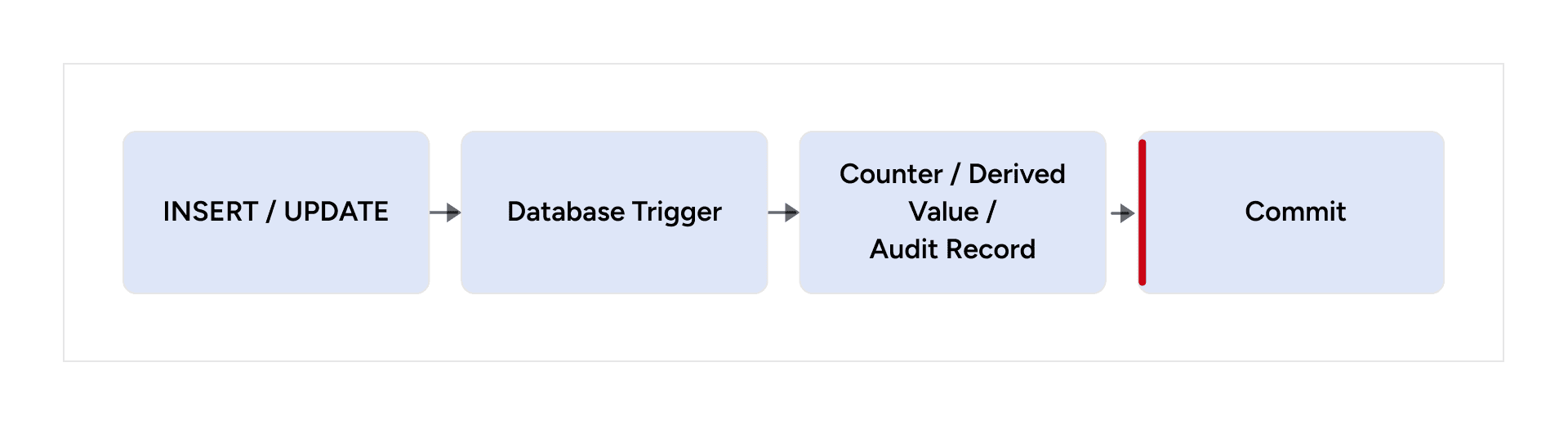
Triggers are appropriate for deterministic database responsibilities such as maintaining counters, derived values, timestamps, audit records, or data-integrity behavior.
Use triggers for deterministic database responsibilities—not as a hidden replacement for the entire application layer.
Database Events vs. External Workflows
Keep external work out of the critical transaction
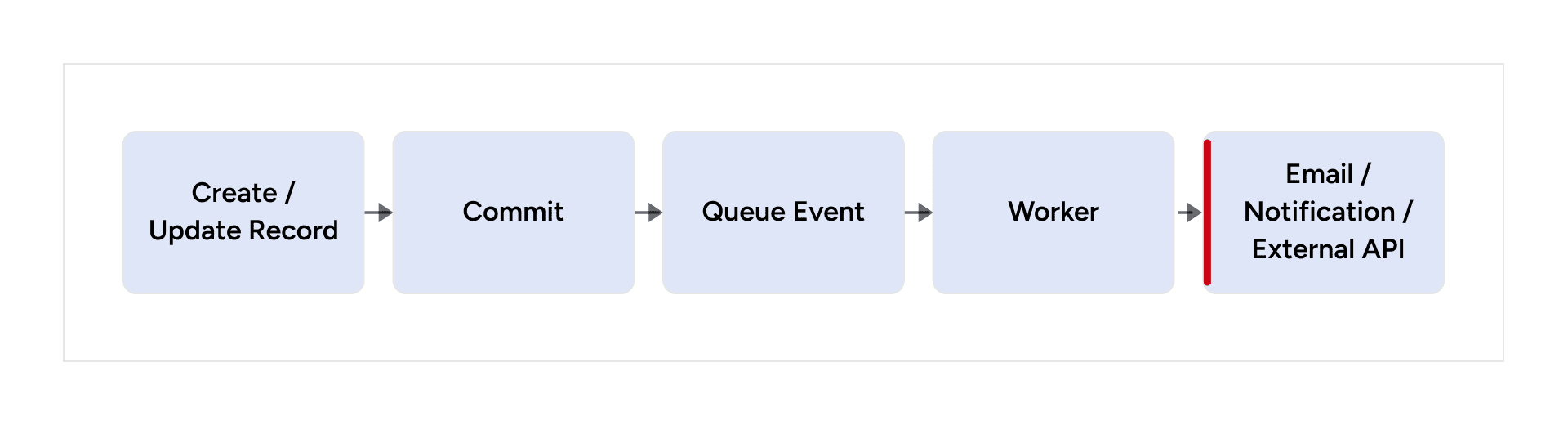
Email delivery, push notifications, and other external calls should be handled asynchronously when the user-facing database transaction does not need to wait for the external system.
Views and Materialized Views
Normal Views
Reusable read model
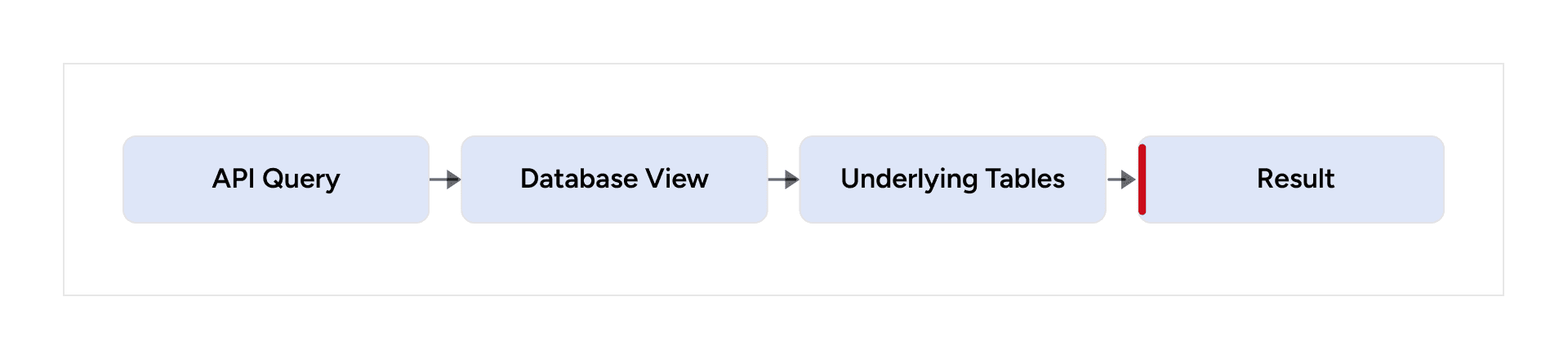
Normal views are useful when you want to encapsulate reusable joins and filtering logic while still reading the current underlying data.
Materialized Views
Precomputed analytics path
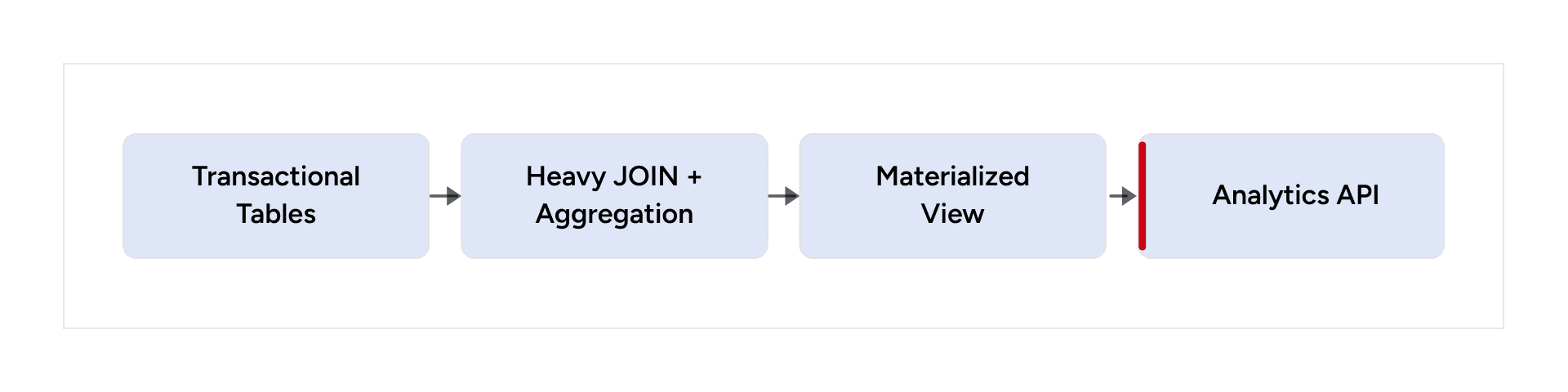
Materialized views are useful when expensive aggregations do not need to be recalculated for every request.
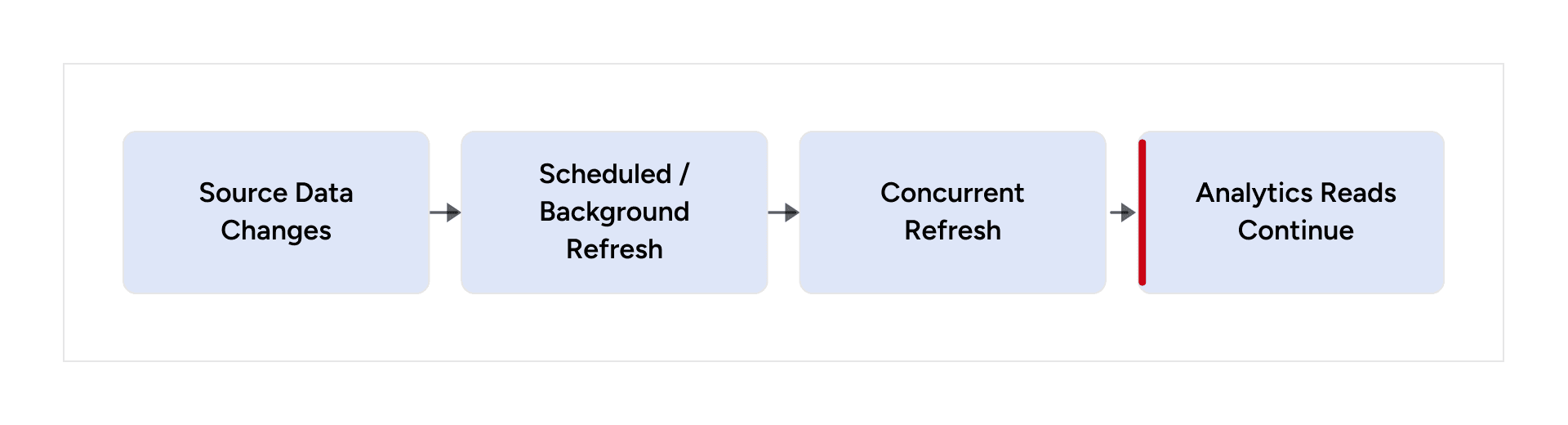
For appropriate workloads, REFRESH MATERIALIZED VIEW CONCURRENTLY can reduce disruption during refreshes. A suitable unique index is required for concurrent refreshes.
Safe refresh strategy
Optimizing Analytics APIs
Avoid repeated runtime calculations
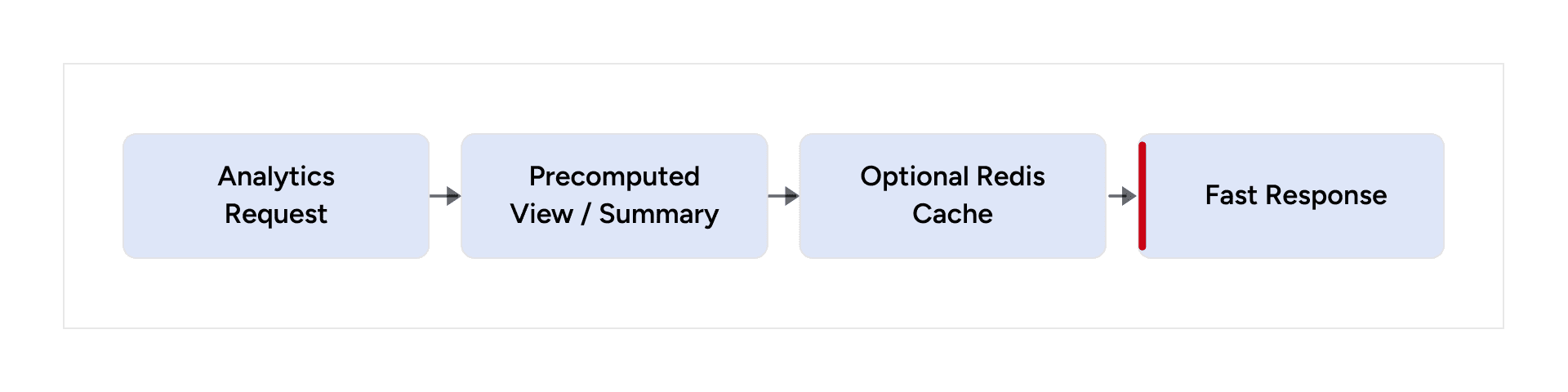
Analytics endpoints often perform expensive joins and aggregations over transactional data. We reduced this work by pre-aggregating data, using materialized views, caching suitable results, and minimizing on-the-fly calculations.
If an expensive value does not need second-by-second freshness, don’t calculate it from scratch on every request.
API Optimization Principles
Pagination and Filtering
Efficient list API
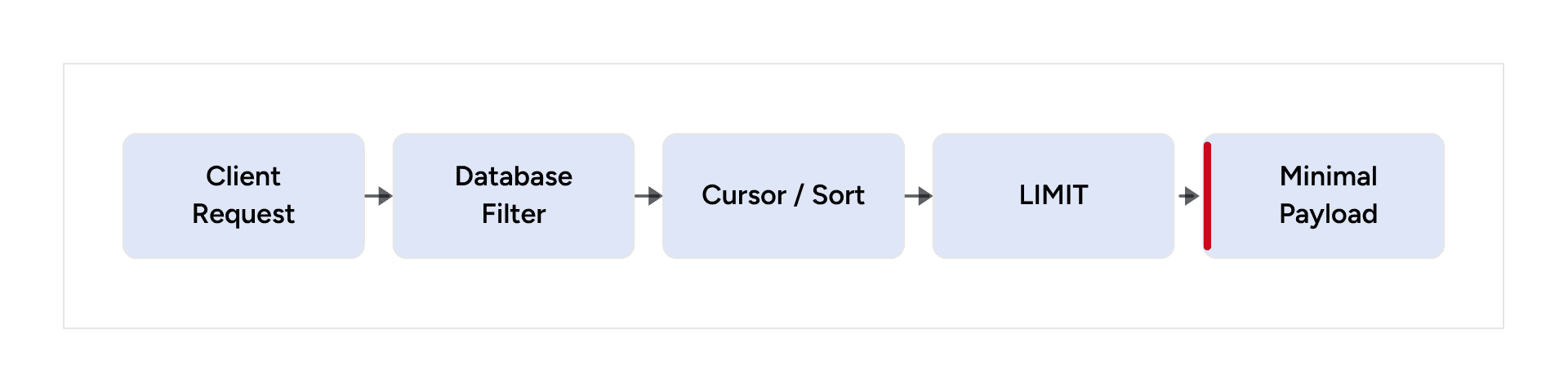
Pagination and filtering should happen as close to the database as possible. Cursor-based pagination can be useful for large or frequently changing datasets.
Reduce Over-Fetching
Minimal response path
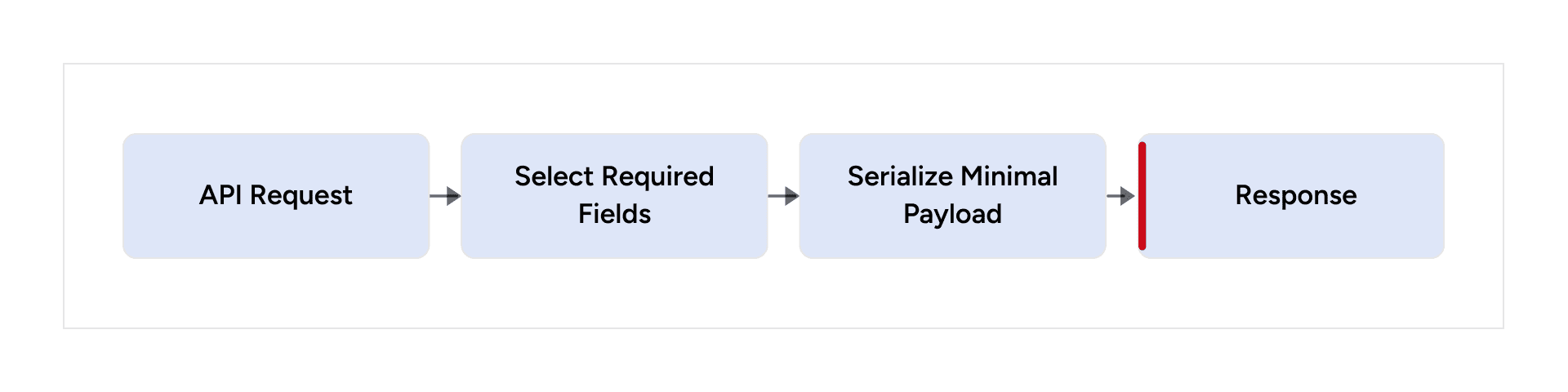
Avoid SELECT * and fields that the client does not need. Smaller payloads reduce database work, serialization, network transfer, and client-side processing.
Computed Fields
Avoid repeated runtime computation

Expensive computed fields can introduce latency when evaluated for every record. Where appropriate, use precomputed values, summary tables, materialized views, or caching.
GraphQL: Powerful, but Give It Guardrails
- Avoid unnecessarily deep nested queries.
- Control expensive computed fields.
- Watch for N+1 patterns.
- Limit excessive Hasura Actions.
- Avoid using GraphQL as an internal service-to-service communication protocol when a more direct mechanism is appropriate.
- Return only the data required by the client.
Healthy boundary

Service responsibility
Redis: Cache What Doesn’t Need to Be Recomputed
Read-through cache
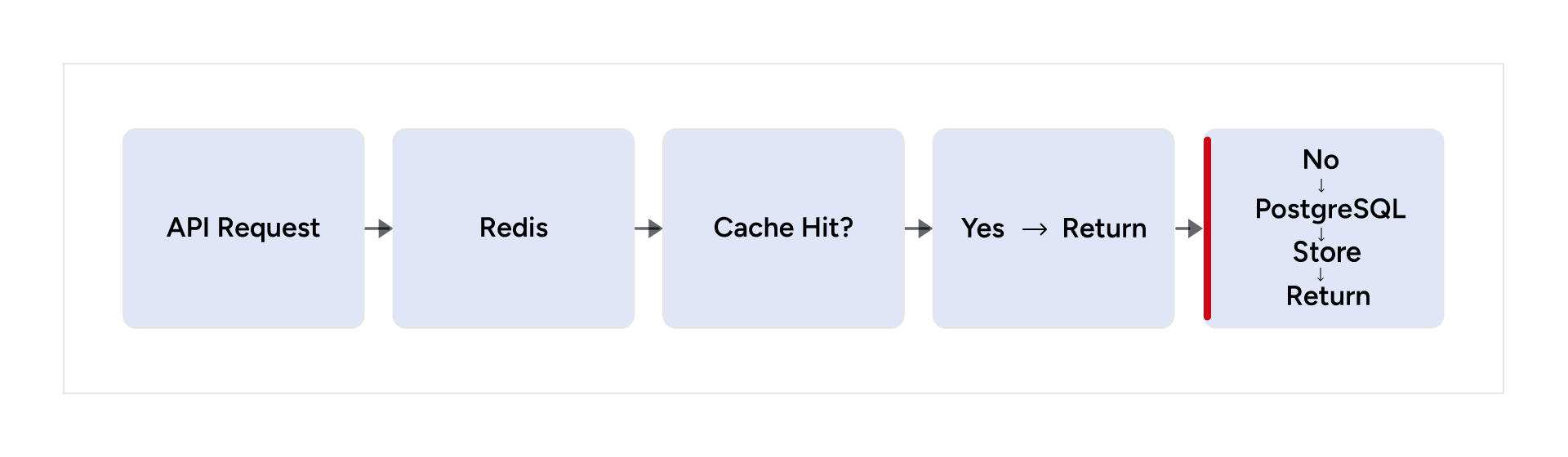
Redis is useful for read-heavy endpoints, configuration data, analytics results, frequently requested reference data, and suitable computed counters.
Every cache should have a clear TTL, invalidation, refresh, and consistency strategy.
Effective caching targets data that benefits from reuse and has a defined consistency strategy.
Batch Processing: Email and Notifications
Synchronous anti-pattern
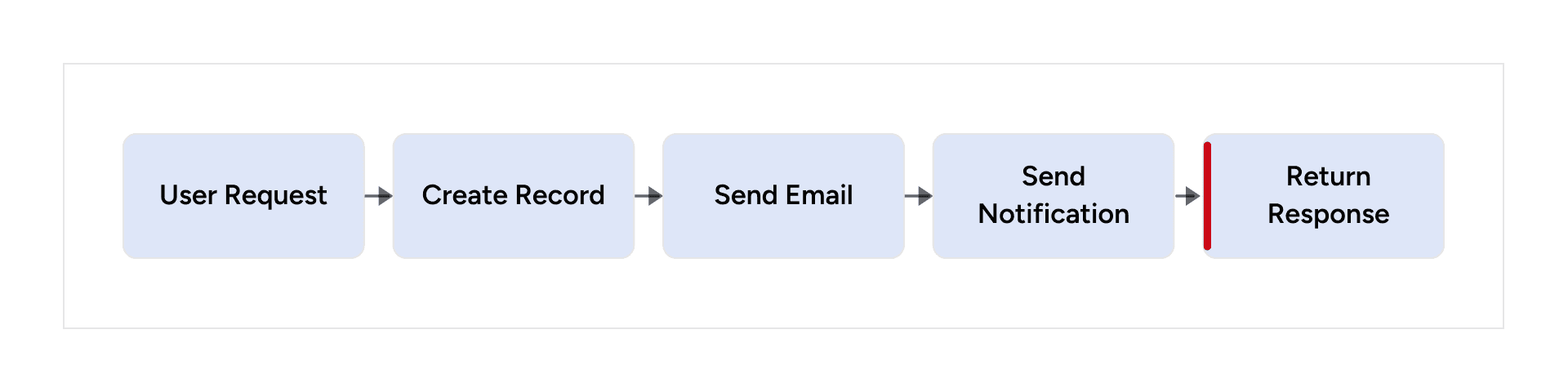
Asynchronous pattern

Background processing
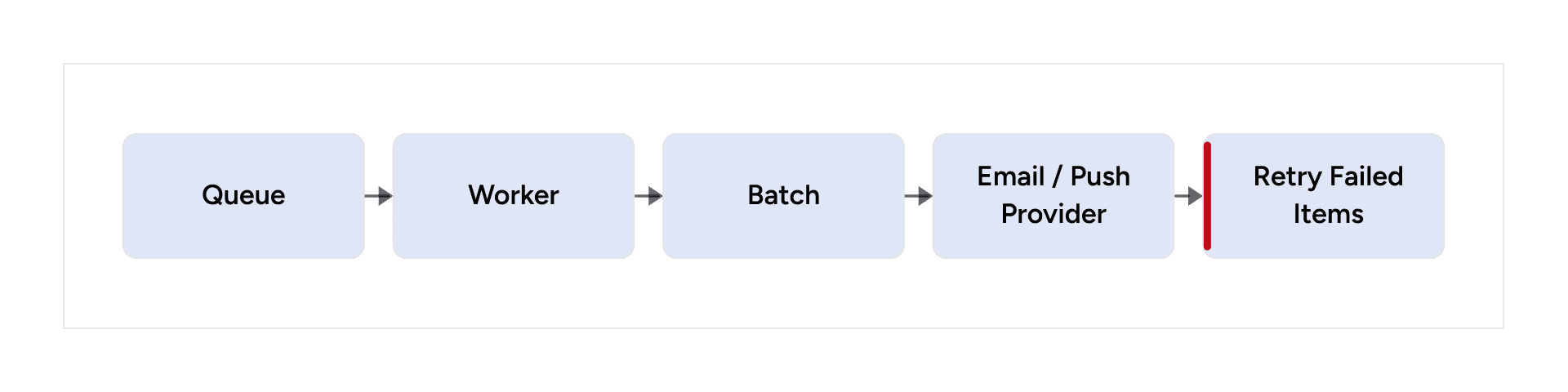
This keeps external service latency out of the user-facing request and allows retries, batching, and controlled failure handling.
Data Lifecycle Management
Scheduled cleanup
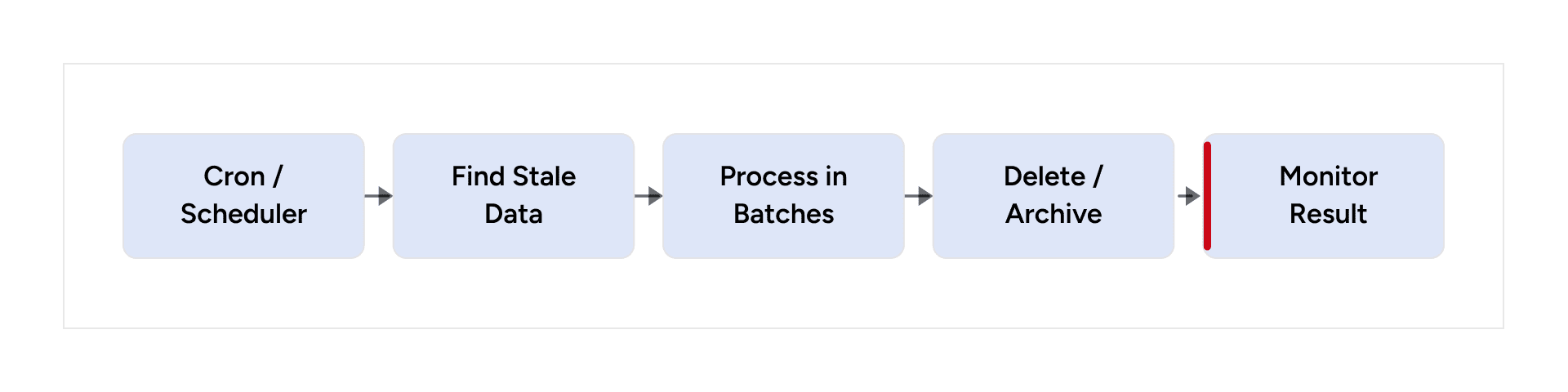
Expired sessions, temporary records, old notifications, logs, stale tokens, and other disposable data should have an explicit lifecycle.
Large cleanup operations should be batched and controlled so that maintenance itself does not become a resource spike.
Observability: Measure Before You Optimize
Performance investigation loop
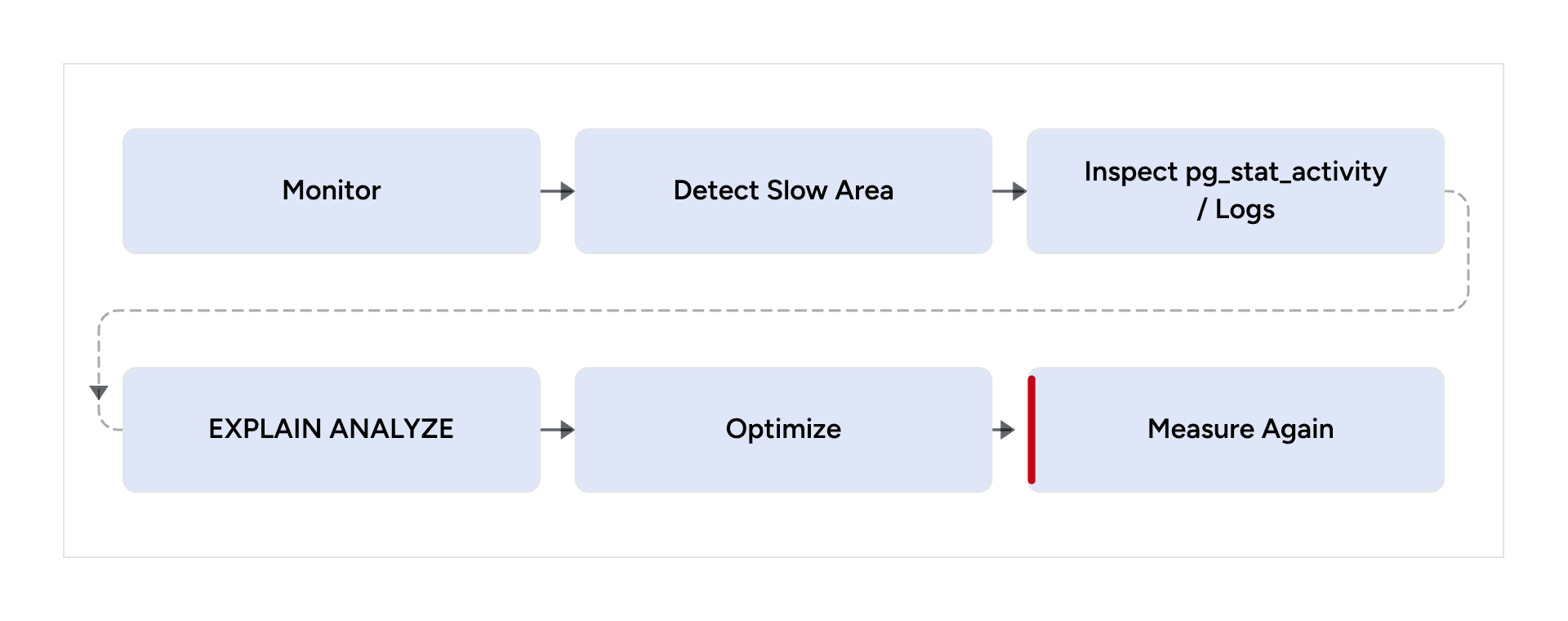
- Query logging to identify slow SQL statements
- pg_stat_activity to inspect active database sessions
- EXPLAIN ANALYZE to inspect query execution plans
- API timing to separate application, database, external-service, and network time
- GraphQL resolver timing to identify expensive fields
Without observability, you can spend weeks optimizing the wrong layer.
Reducing Backend Downtime
Reliability loop
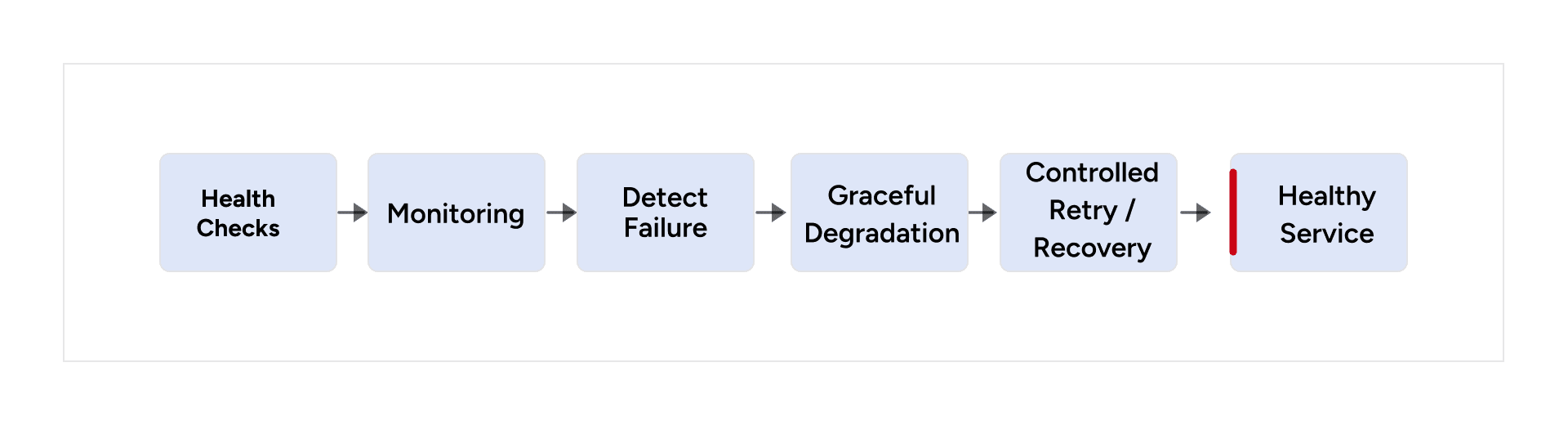
Performance and availability are connected. Health checks, monitoring, structured logs, graceful degradation, controlled retries, and automated recovery help prevent resource pressure from becoming prolonged downtime.
Retries should recover from failures without amplifying them.
Do We Really Need That Microservice?
Microservice decision
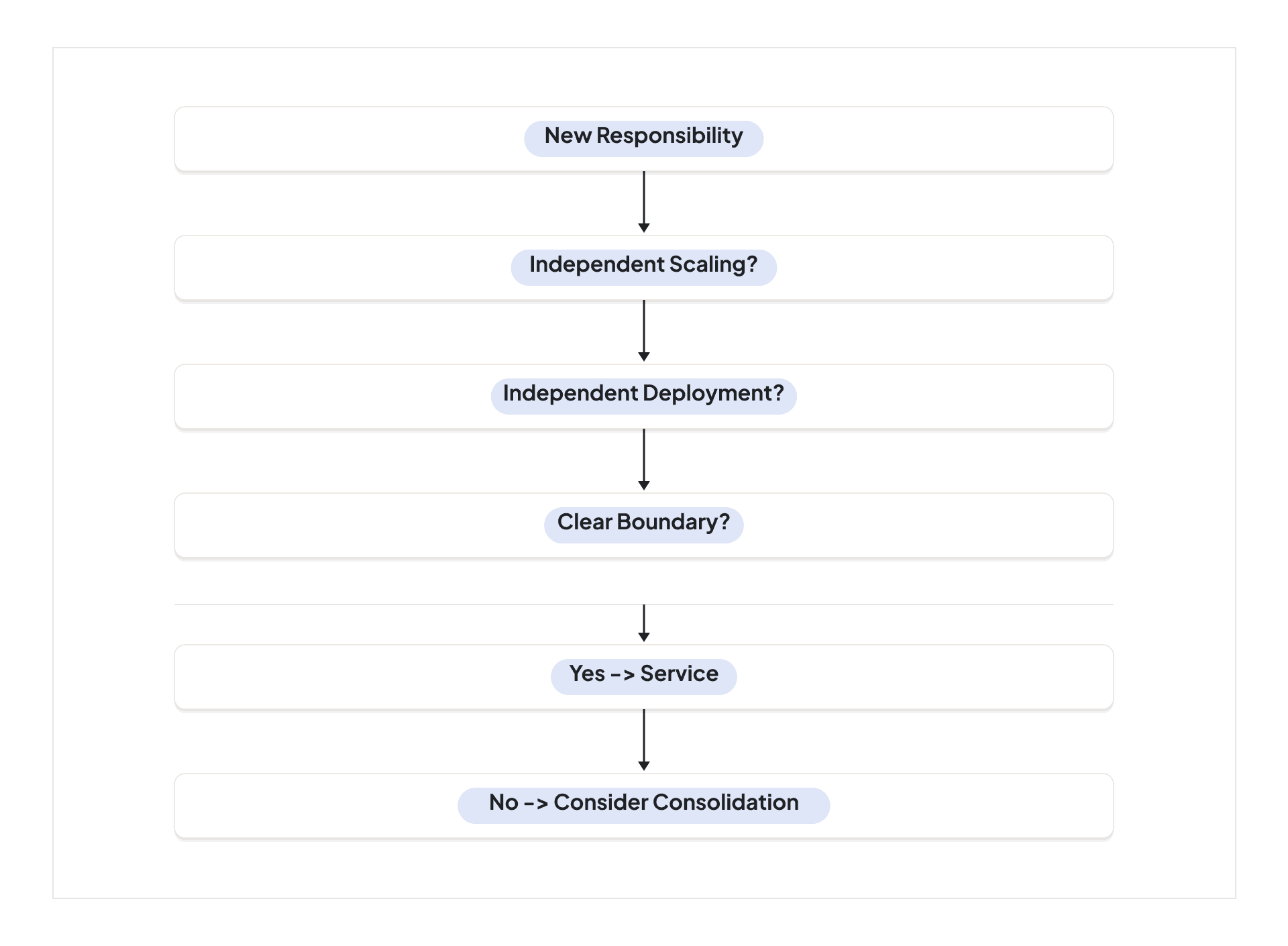
Every service adds container memory, network communication, database connections, deployment complexity, monitoring, and operational overhead.
If multiple services are tightly coupled, communicate constantly, share the same database, and always scale together, consolidation can produce a simpler and more efficient architecture.
The Anti-Patterns We Discovered
- Hasura → Node.js → Hasura circular API calls
- Using GraphQL as a universal internal communication layer
- Over-splitting logic across microservices
- Distributing one business flow across too many layers
- Treating PostgreSQL as pure storage
- Using infrastructure capacity to hide inefficient request paths
Each decision looked manageable in isolation. Together, they created system-wide overhead.
When 2 GB Became an Advantage
What the smaller environment exposed
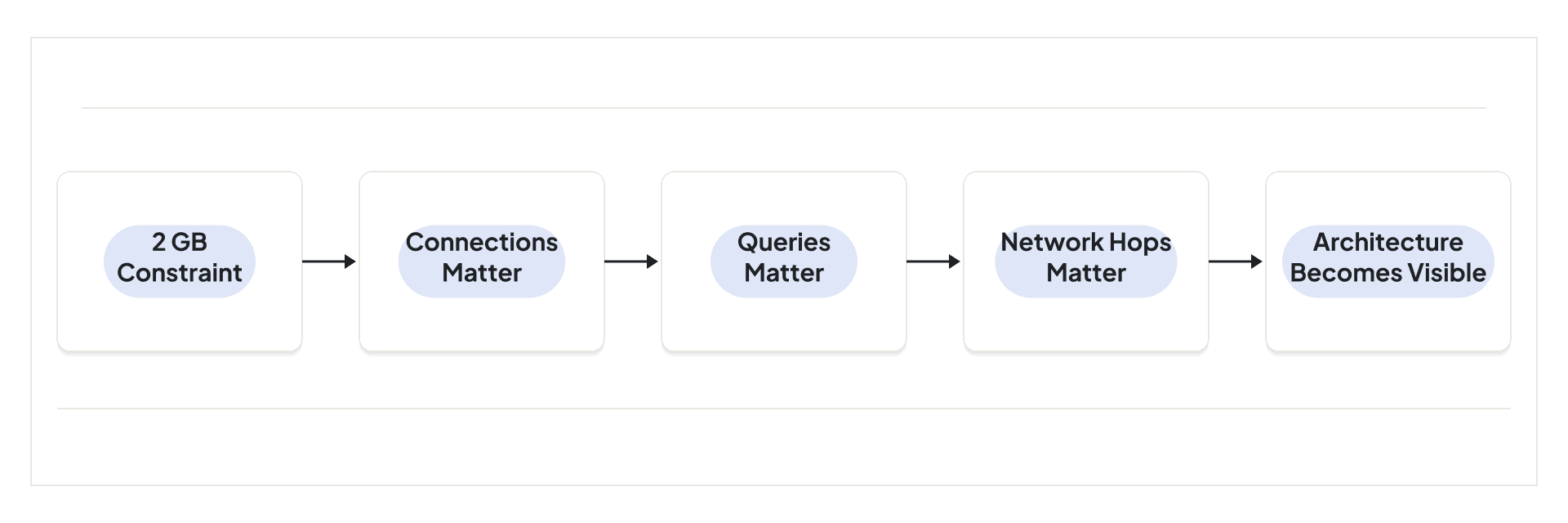
The 2 GB environment didn’t create all of these problems. It exposed them. The constrained environment forced us to question every connection, query, network hop, container, and runtime calculation.
The 2 GB environment didn’t create all of these problems. It exposed them.
What Changed After the Refactor?
Outcome
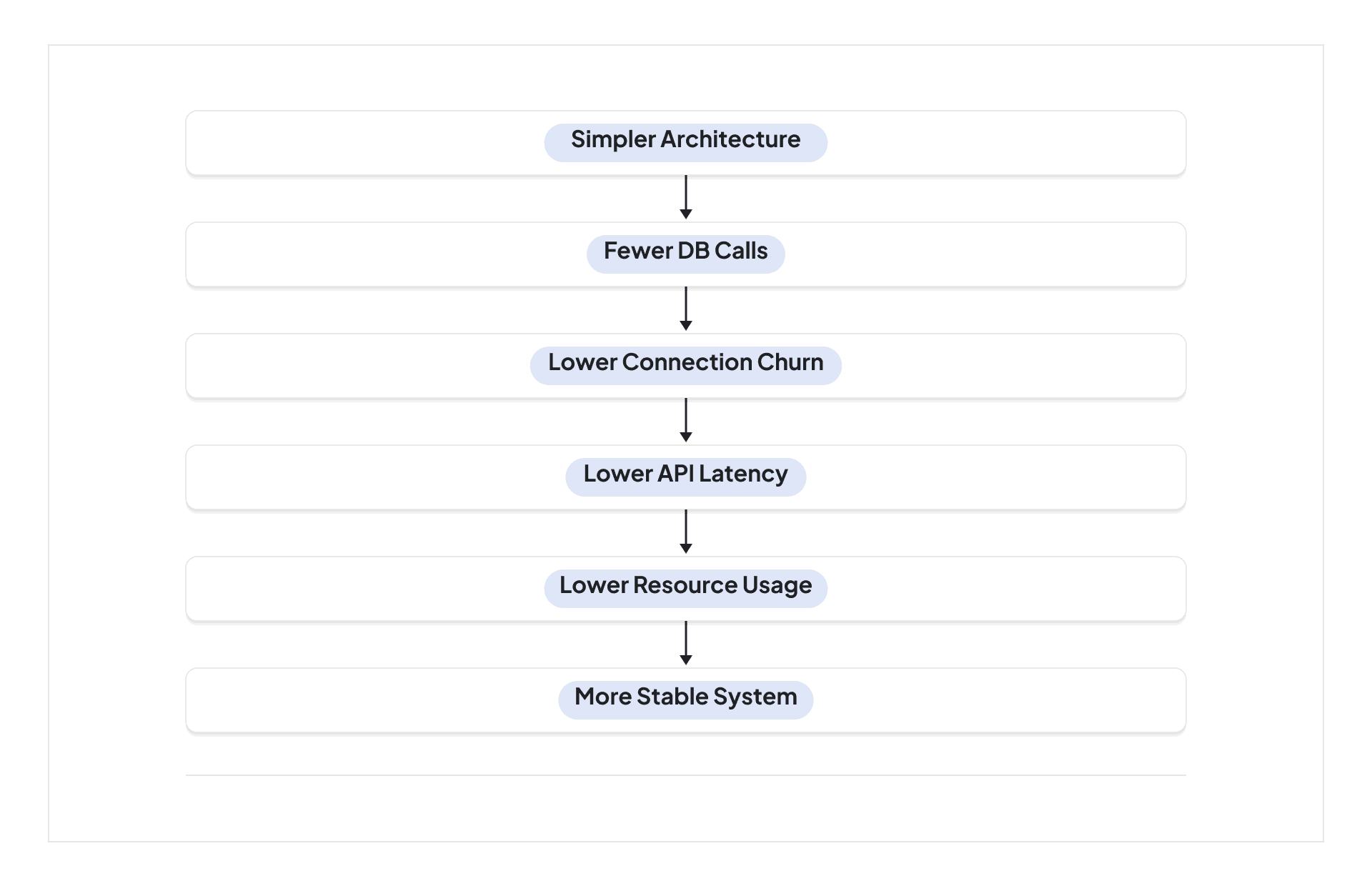
- More controlled database connections
- Lower API latency
- Fewer unnecessary database calls
- Reduced network hops
- Less application-layer processing
- More efficient analytics queries
- Better separation of responsibilities
- Reduced container overhead
- More asynchronous background processing
- Lower infrastructure requirements
The Bigger Lesson: Scale Down Before You Scale Up
When an application becomes slow, the instinct is to scale. But adding infrastructure to an inefficient architecture can increase its cost without addressing the underlying problem.
If every request makes unnecessary network calls, adding more servers does not eliminate those calls. If every API performs expensive queries, increasing RAM does not make those queries logically simpler. If every service opens unnecessary database connections, increasing database capacity does not fix the request flow.
The optimization mindset
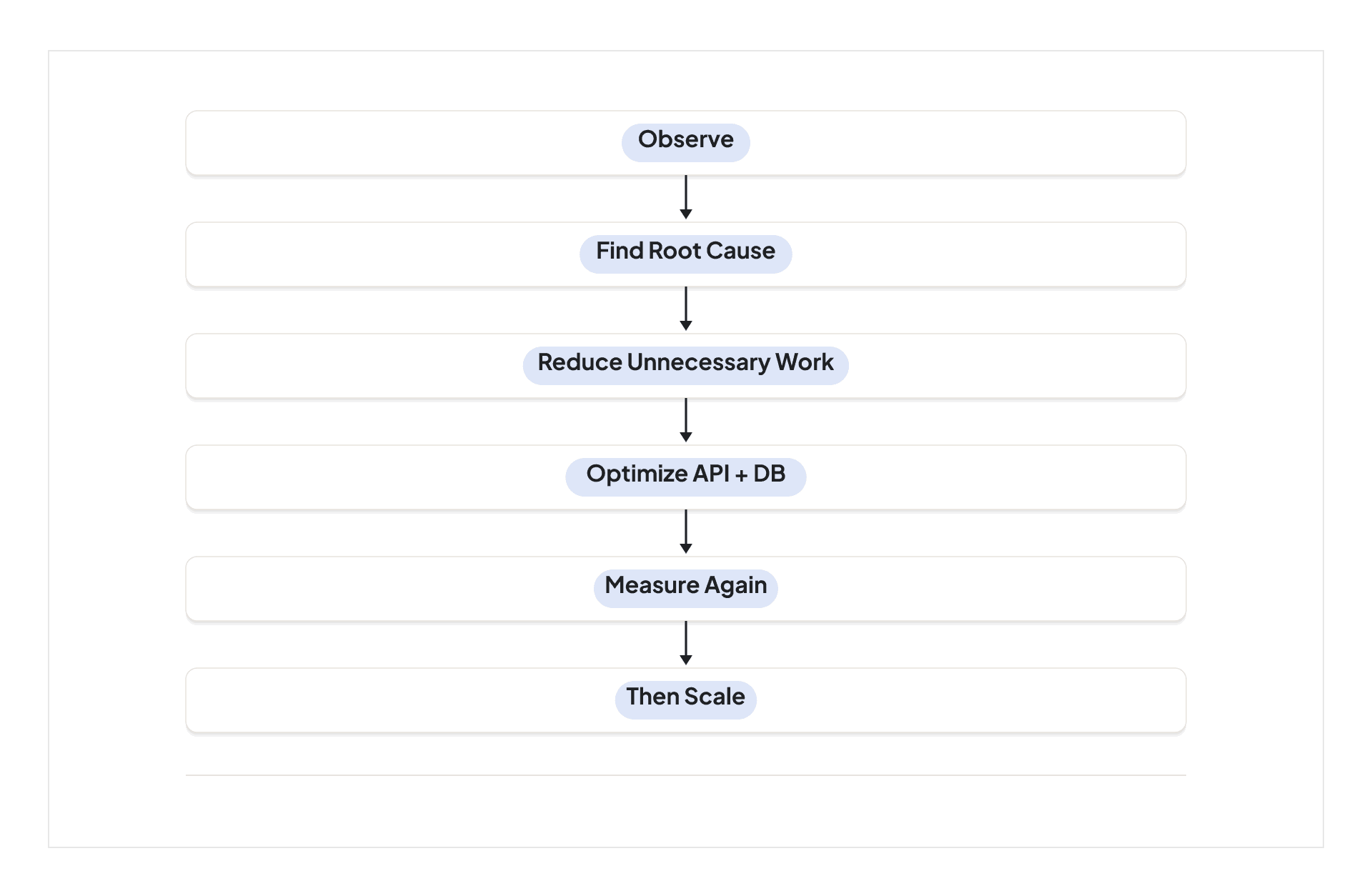
In our case, the answer was to simplify the request path, remove circular Hasura–Node.js communication, reduce unnecessary Actions, move appropriate operations closer to PostgreSQL, optimize queries and indexes, address N+1 patterns, use pagination and database-level filtering, precompute analytics, cache read-heavy workloads, move external work to background processing, and reduce unnecessary services.
The 64 GB server made the system comfortable. The 2 GB server made it honest.
Before scaling infrastructure, reduce unnecessary work across the architecture, request path, and database. Then scale based on measured demand.
Build for Scale at the Architecture Level
Scaling infrastructure works best when the architecture is ready to support it. Clear service boundaries, optimized database access, efficient request paths, caching, and asynchronous processing can reduce resource pressure before additional capacity enters the equation. If your application is facing performance bottlenecks or rising infrastructure demands, explore how backend engineering services can help strengthen the system before the next stage of scale.







