

Organizations increasingly adopt multi-cloud strategies in today's cloud-centric landscape to leverage different cloud providers' unique strengths and capabilities. Migrating databases between these cloud environments has become crucial, enabling businesses to optimize their infrastructure, enhance performance, and align with their evolving needs.
One such migration scenario that is gaining traction is transitioning from Amazon RDS (Relational Database Service) to Azure Database for PostgreSQL. This shift can be driven by various factors, including:
- Leveraging Azure's Advanced Security Features:Azure Database for PostgreSQL offers robust security measures, such as Azure Active Directory authentication, advanced threat protection, and private links for secure access, providing an extra layer of protection for sensitive data.
- Deeper Integration with Azure Ecosystem:By migrating to Azure Database for PostgreSQL, organizations can seamlessly integrate their databases with other Azure services like Azure Data Factory, Azure Monitor, and Azure Security Center, enabling streamlined data processing, monitoring, and security management.
- Performance Optimization and Scalability:Azure Database for PostgreSQL provides scaling options with Basic, General Purpose, and Memory Optimized tiers and Hyper-scale for distributed workloads, allowing organizations to optimize performance and scale their databases to meet evolving demands.
- Cost Optimization:Depending on the specific requirements and usage patterns, migrating to Azure Database for PostgreSQL may offer cost savings through Azure's flexible pricing models and the ability to leverage existing Azure investments and discounts.
- Aligning with Cloud Strategy:As organizations consolidate their cloud footprint or shift towards a preferred cloud vendor, migrating databases to Azure can be a strategic move to streamline operations, reduce complexity, and align with the company's broader cloud strategy.
Regardless of the driving factors, migrating databases between cloud systems is a complex process that requires careful planning, the right tools and strategies, and post-migration optimization to ensure seamless operations and maintain data integrity. This article will explore the key differences between Amazon RDS and Azure Database for PostgreSQL, detail the migration tools and services available, and guide post-migration optimization to ensure your database runs efficiently on Azure.
Key Differences: RDS PostgreSQL vs. Azure Database for PostgreSQL
Understanding the key differences between Amazon RDS and Azure Database for PostgreSQL is crucial for planning a successful migration. Here are some notable distinctions:
Feature | Amazon RDS | Azure Database for PostgreSQL |
Service Management | Fully managed relational database service with automated backups, software patching, and scaling. | Similar managed service with integration into the Azure ecosystem, offering advanced threat protection and performance optimisation tools. |
Performance and Scalability | Various instance types, read replicas, and provisioned IOPS for performance scaling. | Provides scaling options with Basic, General Purpose, and Memory Optimised tiers, along with Hyper-scale for distributed workloads. |
Security | Encryption at rest and in transit, VPC isolation, and IAM integration. | Similar security features with additional capabilities like Azure Active Directory authentication and private link for secure access. |
Integration and Ecosystem | Seamless integration with AWS services like Lambda, CloudWatch, and IAM. | Leverages Azure services such as Azure Data Factory, Azure Monitor, and Azure Security Center. |
Pricing Model | Pay-as-you-go, hourly billing | Pay-as-you-go, hourly billing + additional options (vCore) |
Backup and Recovery | Automated backups, point-in-time recovery | Automated backups, point-in-time restore, long-term backup retention |
Monitoring and Logging | Amazon CloudWatch, enhanced monitoring | Azure Monitor, PostgreSQL Metrics, Query Store |
Migration Strategies and Tools
Migrating PostgreSQL databases from RDS to Azure Database for PostgreSQL can be accomplished via various methods and tools. This section will explore two popular approaches: the Azure Database Migration Service (DMS) and local database backup/restore techniques using pg_dump and pg_restore, highlighting the pros and cons of each method.
Azure Database Migration Service (DMS)
Pros:
- Minimal downtime during migration
- Handles large datasets efficiently
- Automated and seamless migration process
- Supports various source and target database types
Cons:
- Requires more setup and configuration
- Additional cost for the Azure Database Migration Service
Limitations:
- May not support specific database features or configurations
- Downtime still required during the initial and final sync stages
pg_dump and pg_restore
Pros:
- Simple and straightforward approach
- No additional services or costs required
- Suitable for smaller databases or development environments
Cons:
- Increased downtime during the migration process
- Manual effort required for transferring the dump file and restoring it
- Limited ability to handle large datasets efficiently
Limitations:
- Potential data loss or corruption if the dump file is not transferred securely
- May not support certain database objects or configurations
Azure Database Migration Service (DMS)
Azure Database Migration Service (DMS) is a strong, seamless manner emigrate databases with minimum downtime. Here’s a step-by-step manual to leveraging DMS to your RDS PostgreSQL migration:
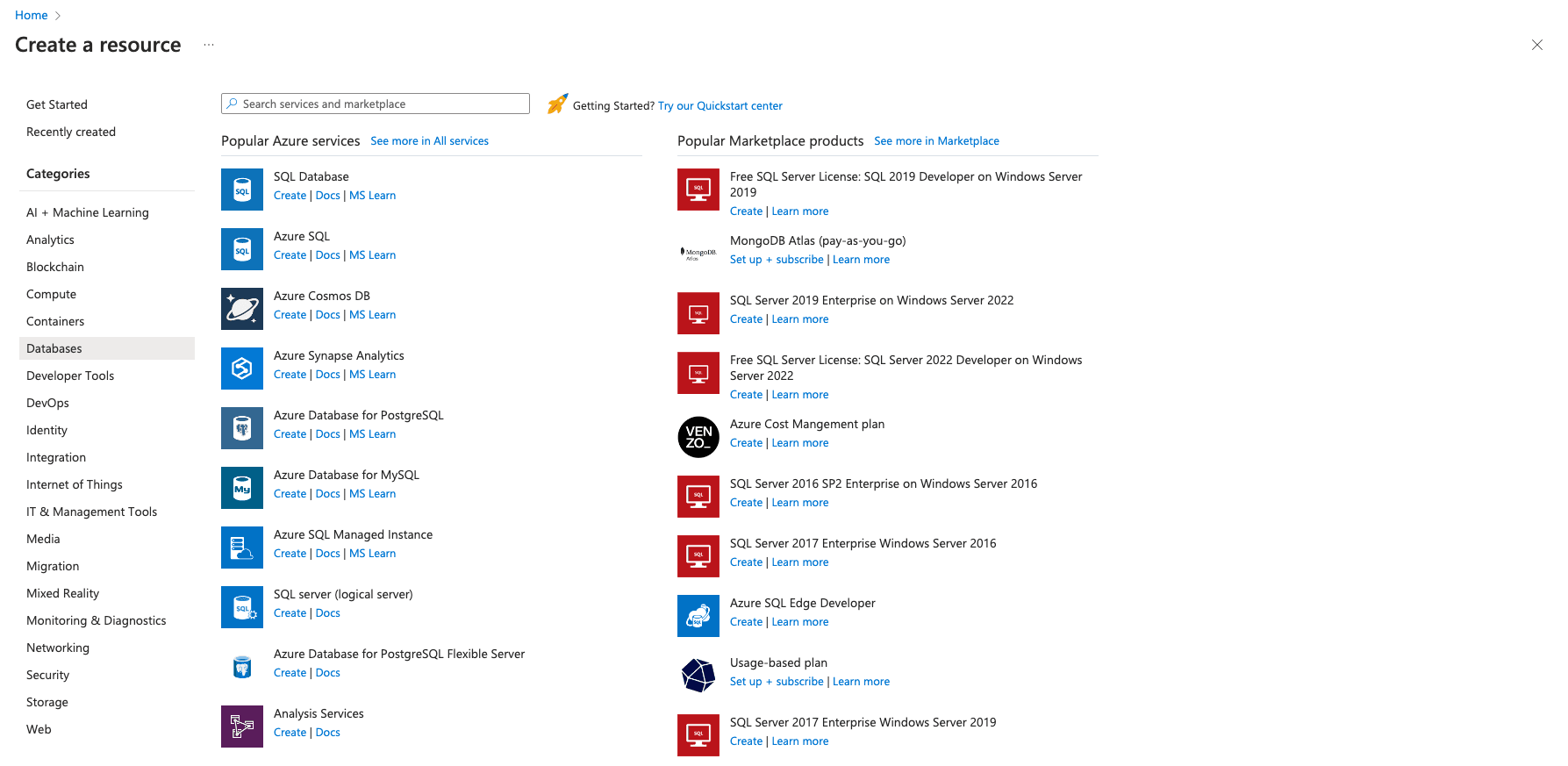
- Create an Azure Database for PostgreSQL: Set up your target PostgreSQL database in Azure via the Azure portal.
- Navigate to Create a resource > Databases > Azure Database for PostgreSQL.
- Configure settings like server name, resource institution, and pricing tier.
- Prepare the Source and Target Databases: Ensure that your RDS PostgreSQL database is accessible and has the necessary credentials and permissions. Modify security groups to allow access from Azure services.
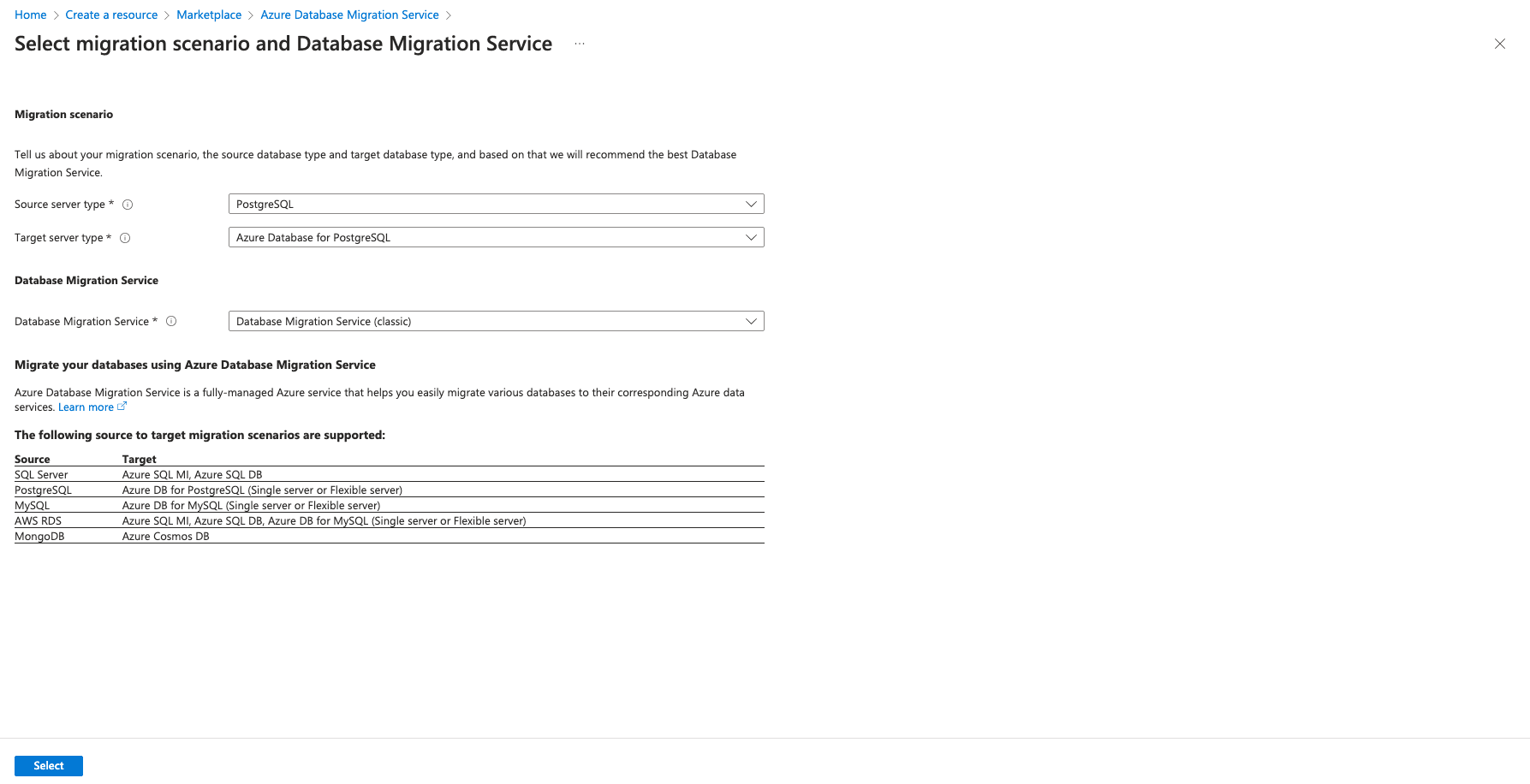
- Set up DMS: In the Azure portal, create an example of Azure Database Migration Service.
- Go to Create a resource > Integration > Azure Database Migration Service.
- Configure the service and create it.
pg_dump and pg_restore
The pg_dump and pg_restore utilities offer a straightforward and reliable way to migrate PostgreSQL databases. This method involves creating a dump file from the source database and restoring it on the target database. Here’s how you can do it:
1. Dump the RDS Database: Use the pg_dump tool to create a backup of your RDS PostgreSQL database.
pg_dump -h your-rds-endpoint -U your-username -d your-database-name > dumpfile.sql2. Transfer the Dump File: Move the dumpfile.sql to a location accessible from your Azure environment using secure file transfer methods like SCP, SFTP, or a cloud storage service such as Azure Blob Storage.
# Using AzCopy
azcopy copy "<backup_file_path>" "https://<storage_account_name>.blob.core.windows.net/<container_name>/<blob_name>"
3. Restore the Dump File: Use the pg_restore or psql utility to load the dump file into your Azure Database for PostgreSQL.
psql -h your-azure-postgres-endpoint -U your-username -d your-database-name < dumpfile.sqlThis method is straightforward and effective, especially for smaller databases or development environments. However, it may involve more downtime compared to using DMS.
Verify the Migrated Data
After completing the migration to Azure Database for PostgreSQL, it is crucial to thoroughly verify the integrity and accuracy of the migrated data. This process helps ensure that no data is lost or corrupted during the migration and that the target database is consistent and usable. Here are several methods you can employ to verify the migrated data:
1. Table Counts and Data Sampling:
Connect to the source (RDS PostgreSQL) and target (Azure Database for PostgreSQL) databases and run queries to compare the number of rows in each table. Additionally, you can select random data samples from critical tables and compare the results to validate that the data was accurately transferred.
2. Checksums and Hash Values:
Calculate and compare checksums or hash values for tables or databases between the source and target environments. This approach can help identify any discrepancies in the data at a more granular level.
3. Database Consistency Checks:
Run database-level consistency checks, such as VACUUM ANALYZE or REINDEX, on the target database to identify any potential issues or inconsistencies in the data or database structures.
4. Application Testing:
If existing applications or processes interact with the database, run comprehensive test suites against the migrated data in the target environment. This can help uncover any functional issues or inconsistencies that may have been introduced during the migration process.
5. Data Validation Scripts:
Develop custom scripts or SQL queries to validate specific business rules, constraints, or data relationships critical to your application's functionality. These scripts can be run against the source and target databases to ensure data integrity.
Documenting and recording the results of these verification processes is essential. They can serve as evidence of successful data migration and provide a baseline for future data audits or troubleshooting efforts.
Remember, the level of verification required may vary depending on the size and complexity of your database, the criticality of the data, and your organization's specific requirements. You should establish a comprehensive data verification plan tailored to your specific needs before initiating the migration process.
Conclusion
Migrating an RDS PostgreSQL database to Azure Database for PostgreSQL can be accomplished through various methods, each with advantages and considerations. Azure Database Migration Service (DMS) is ideal for minimizing downtime and handling large datasets, while the pg_dump and pg_restore approach offers simplicity and reliability for smaller databases. Optimizing your database for performance, security, and cost-efficiency post-migration ensures that you leverage the full potential of Azure’s managed database services. You can smoothly transition and use Azure's powerful database capabilities by carefully planning and executing your migration strategy.







